
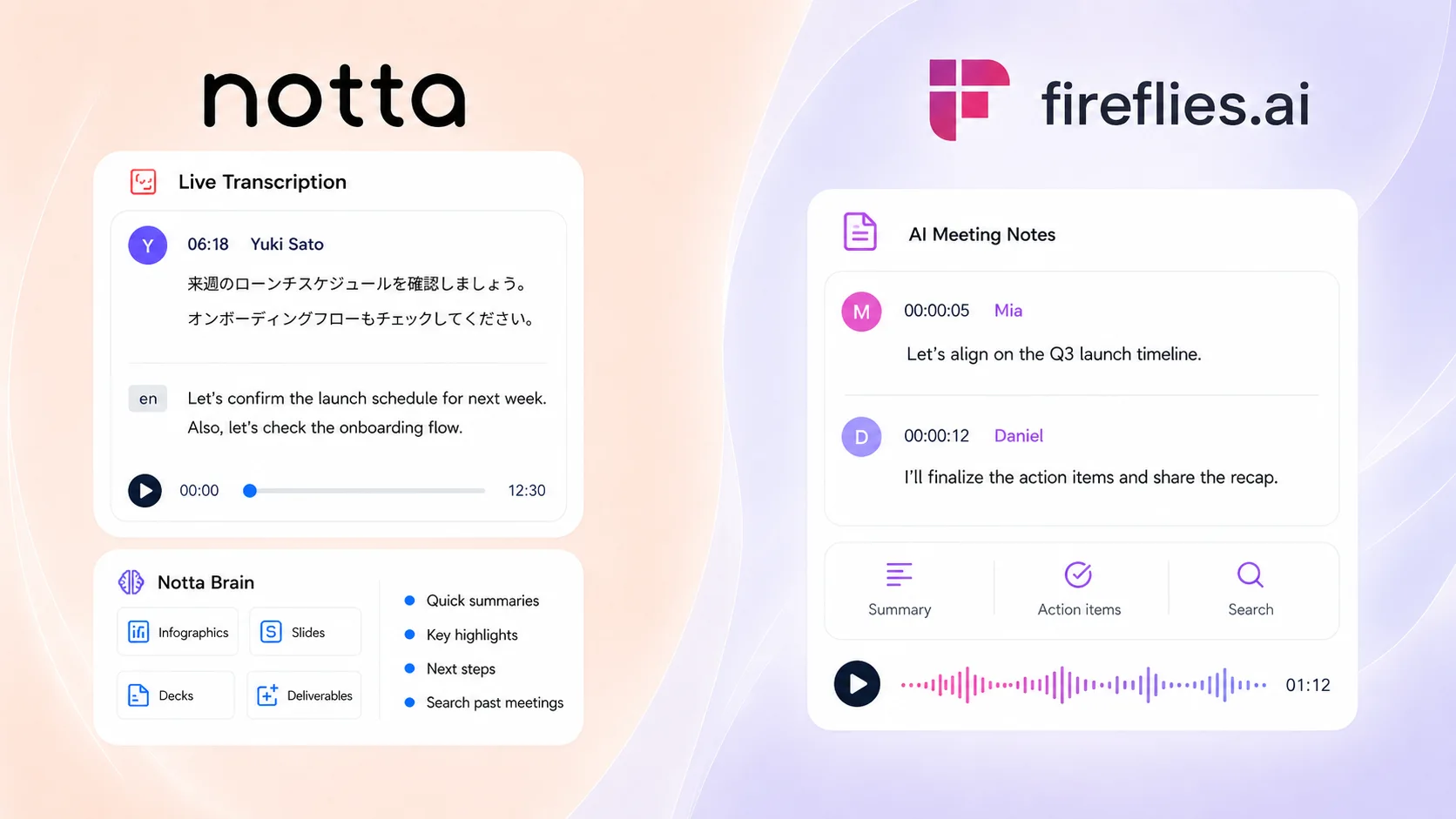
Notta vs. Fireflies.ai: Which AI Meeting Platform Should You Choose in 2026?

If you’re comparing Notta and Fireflies.ai, here’s the short version: I’d lean toward Notta if your meetings need to become real work afterward. Think reports, slides, follow-up emails, multilingual transcripts, reusable files, and client-ready outputs. Fireflies.ai is worth a look if your team specifically wants Voice Agents to run structured calls for you.
The Quick Verdict
Here’s how I’d think about it. Notta makes more sense if meetings are only the starting point. You can capture the conversation, then use Notta Brain, Notta’s AI Meeting Execution Engine, to turn it into reports, slide outlines, infographics, follow-up emails, tables, and action lists. That matters when your team needs something it can send, present, or save for later.
Fireflies.ai’s specialized angle is its Voice Agents. If your team wants an AI agent to run structured calls, ask preset questions, and create a summary afterward, Fireflies.ai may be useful.
| Use case | Fit | Why |
|---|---|---|
| Post-meeting deliverables | Notta | Notta Brain turns meeting content into reports, slides, emails, tables, and infographics. |
| Live multilingual work | Notta | 58+ transcription languages by default, plus bilingual transcription and real-time translation when needed. |
| In-person and mobile capture | Notta | Live recording, mobile recording, Apple Watch recording, and Notta Memo support more offline conversations. |
| Reusable exports | Notta | TXT, DOCX, XLSX, PDF, SRT, and VTT exports make meeting content easier to reuse. |
| AI-run structured calls | Fireflies.ai | Voice Agents can run structured calls for screening, discovery, qualification, and research. |
| Trying a free workflow | Fireflies.ai | Free plan can be useful for testing, with unlimited transcription but limited storage. |
How We Compared Notta and Fireflies.ai
We focused on the areas where the two tools actually feel different. Both can record meetings, create transcripts, summarize calls, and help you search meeting content. So we did not treat those shared basics as a reason to choose one tool over the other.
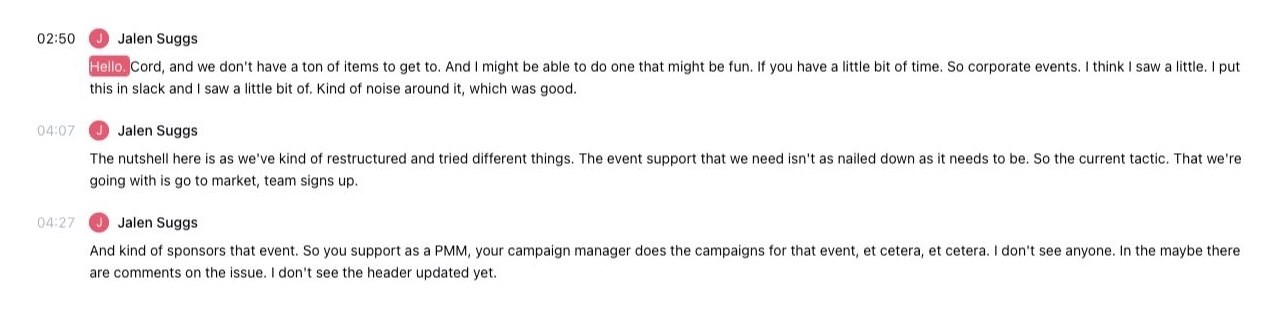
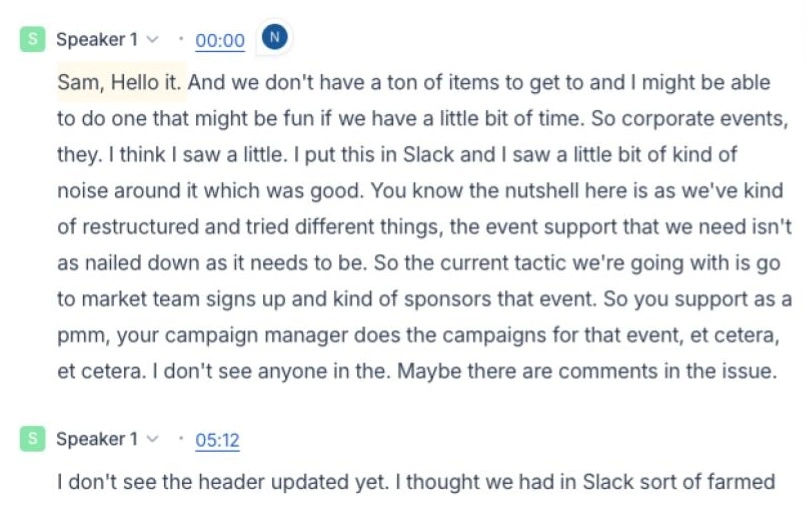
Instead, we looked at the parts that affect the workflow after the meeting.
- Deliverables: whether meeting content can become reports, slides, emails, tables, and reusable files.
- Capture: online meetings, uploaded files, desktop recording, mobile recording, in-person capture, and hardware-supported capture.
- Language support: transcription languages, bilingual transcription, live translation, and post-meeting translation.
- Automation: whether the tool can run structured calls, not just record them.
- Pricing: what each free and paid plan is useful for, without treating shared features as major advantages.
Notta vs. Fireflies.ai: Feature Comparison
| Feature | Notta | Fireflies.ai |
|---|---|---|
| Online meetings | Zoom, Google Meet, Microsoft Teams, Webex | Zoom, Google Meet, Microsoft Teams, and more |
| Meeting bot | ✅ | ✅ |
| Bot-free capture | Notta Desktop for Mac and Windows; 40+ apps | Desktop app and Chrome extension paths available |
| Mobile apps | iOS and Android | iOS and Android |
| In-person capture | Live recording, mobile, Apple Watch, and Notta Memo | Mobile |
| File transcription | ✅ | ✅ |
| Real-time transcription | ✅ | ✅ |
| Transcription languages | 58+ | 100+ |
| Bilingual transcription | ✅ 23 languages | ❌ |
| Real-time translation | ✅ 80 languages | ❌ |
| AI assistant | Notta Brain | AskFred |
| Ready-to-use deliverables | ✅ Reports, slides, infographics, emails, tables, action lists | ⚠️ Summary-focused |
| Voice Agents | ❌ | ✅ |
| AI Skills | ❌ | ✅ |
| CRM integrations | Salesforce, HubSpot, Pipedrive, Zoho, Zendesk, Freshsales, Salesflare | Salesforce, HubSpot, Pipedrive, Zoho, Close, Copper, Freshsales, and more |
| Security | SOC 2 Type II, ISO 27001, GDPR, CCPA, HIPAA, AES-256 | SOC 2 Type II, GDPR, HIPAA, AES, SSL/TLS |
Pricing and Plans
Pricing is mainly useful for understanding what each tool lets you test. Fireflies.ai is easy to try because its Free plan can unlock unlimited transcription, but storage is limited. Notta’s Free plan has a monthly minute limit, but it gives you a broader preview of the meeting-to-deliverable workflow.
Once you move to paid plans, the choice should not come down to transcription alone. Fireflies.ai may feel simple if you mainly want transcription volume. Notta makes more sense if you care about capture flexibility, live multilingual workflows, reusable exports, and Notta Brain deliverables.
| Plan detail | Notta | Fireflies.ai |
|---|---|---|
| Free plan | 120 min/mo; 10 AI summaries/mo; 50 file uploads/mo | $0; unlimited transcription can be enabled; limited AI summaries; 400 mins storage/seat |
| Pro plan | $8.17/mo billed annually; 1,800 min/mo; 1,000 Notta Brain credits/mo | $10/seat/mo billed annually; unlimited transcription; unlimited summaries; 8,000 mins storage/seat |
| Business plan | $16.67/user/mo billed annually; unlimited transcription; CRM and admin features | $19/seat/mo billed annually; unlimited transcription, unlimited storage, conversation intelligence, team analytics |
| Enterprise | Custom | $39/seat/mo billed annually; |
Where Notta Is Better
Notta starts to stand out when you do not want the meeting to stop at a transcript. Maybe you need a client recap. Maybe you need live translation on a bilingual call. Maybe you need to capture an in-person conversation with Notta Memo. Or maybe you need the call turned into a slide outline before your next internal review. That is where Notta feels more complete.
1. Turning meetings into deliverables
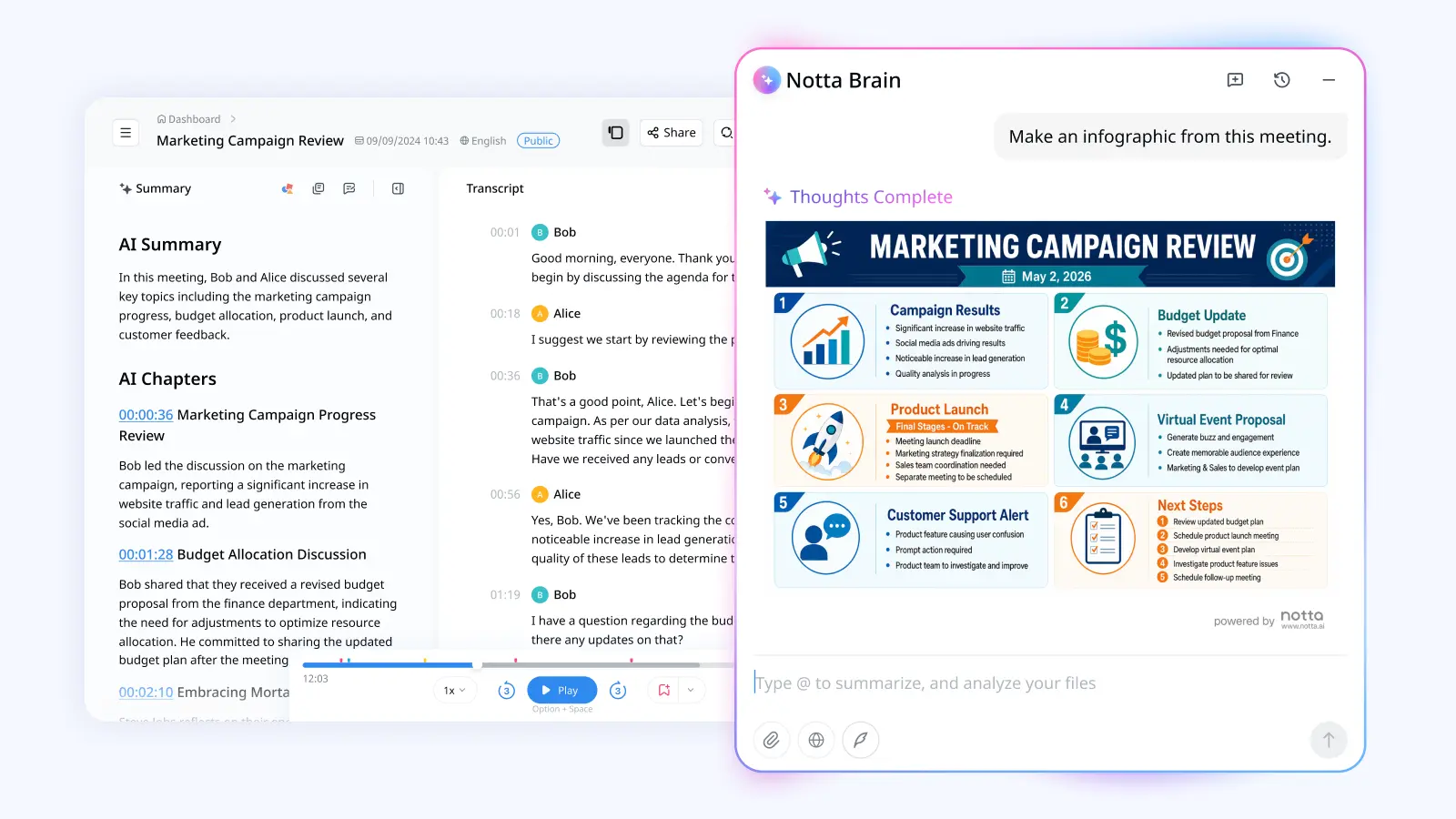
Think about the moment after a meeting ends. You have notes, but now you still need to turn them into something useful. Notta Brain can help create reports, slide outlines, infographics, emails, tables, comparison matrices, and action lists from meeting content.
Fireflies.ai can generate meeting summaries and insights through AskFred and AI Skills. The difference is the center of gravity. I’d lean toward Notta when the next step is a polished file or deliverable your team can send, present, or build from.
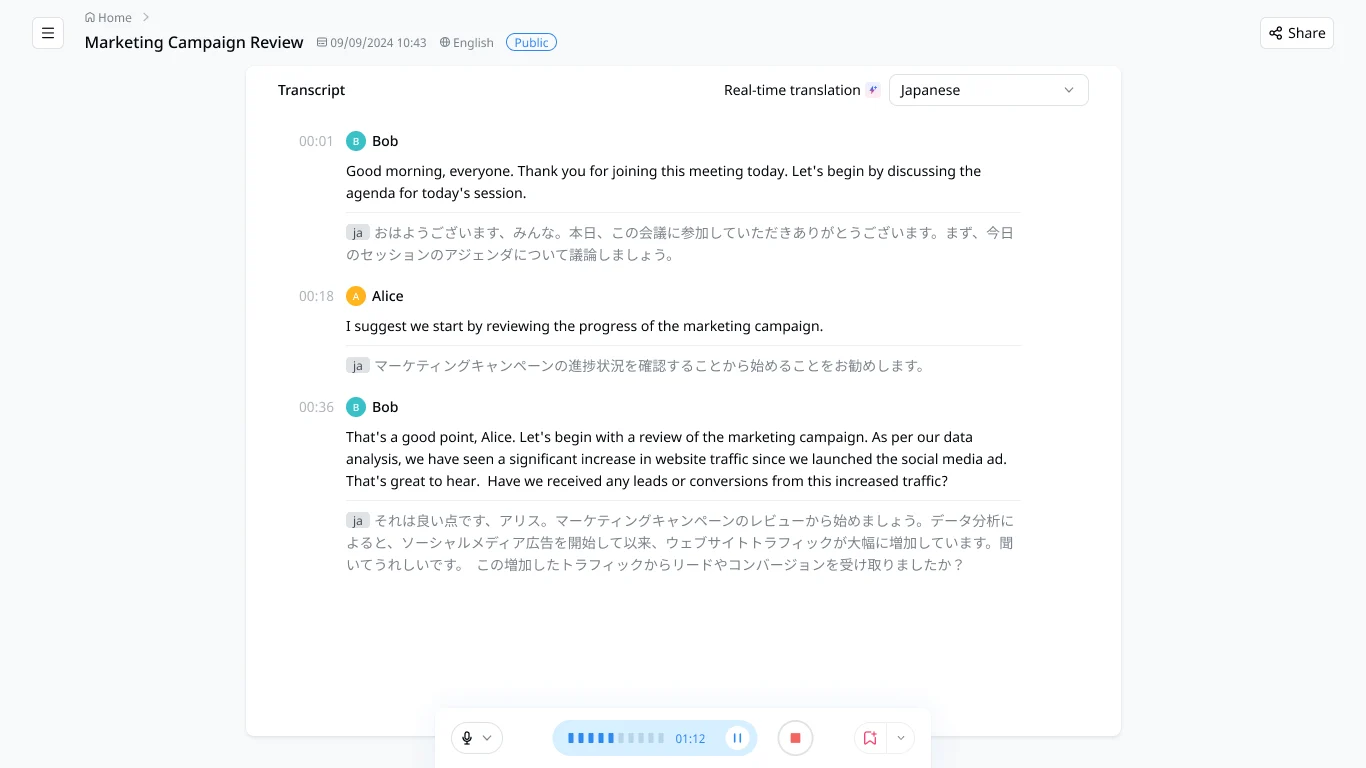
2. Multilingual transcription and live translation
For language support, Fireflies.ai has the broader raw transcription count with 100+ languages. Notta’s advantage is different: it supports 58+ transcription languages by default, plus bilingual transcription in 23 languages and real-time translation in 80 languages when you need live multilingual help.
That matters if your team works across regions or runs calls where people switch languages. Instead of waiting until after the meeting to translate or clean things up, Notta helps you follow the conversation while it is happening.
3. In-person capture with Notta Memo
Not every useful conversation happens in a scheduled video call. Sometimes it is a client visit, lecture, workshop, hallway chat, or field interview. This is where Notta Memo gives Notta a more real-world capture angle, because teams can bring in-person conversations back into the same Notta workspace.
Notta also covers online meetings, uploaded files, screen recording, mobile recording, Apple Watch recording, and Notta Desktop. Fireflies.ai also has mobile, desktop, upload, and Chrome extension capture. Notta makes more sense when your workflow includes both online calls and conversations away from the laptop.
4. Reusable files and exports
Exports sound boring until you need them. Notta supports TXT, DOCX, XLSX, PDF, SRT, and VTT exports. That helps when you need a client-ready transcript, subtitles, a spreadsheet-style record, or a file your documentation system can keep.
Fireflies.ai supports downloads on paid plans and works well inside its own meeting workspace. If your team often needs structured files outside the app, Notta is easier to build around.
Where Fireflies.ai May Be Worth Considering
I would not choose Fireflies.ai just for meeting notes, search, summaries, or action items. Notta covers those areas too. The Fireflies points I’d call out are more specific. Voice Agents can run structured calls, and the free plan can be useful if you mostly want to test unlimited online transcription.
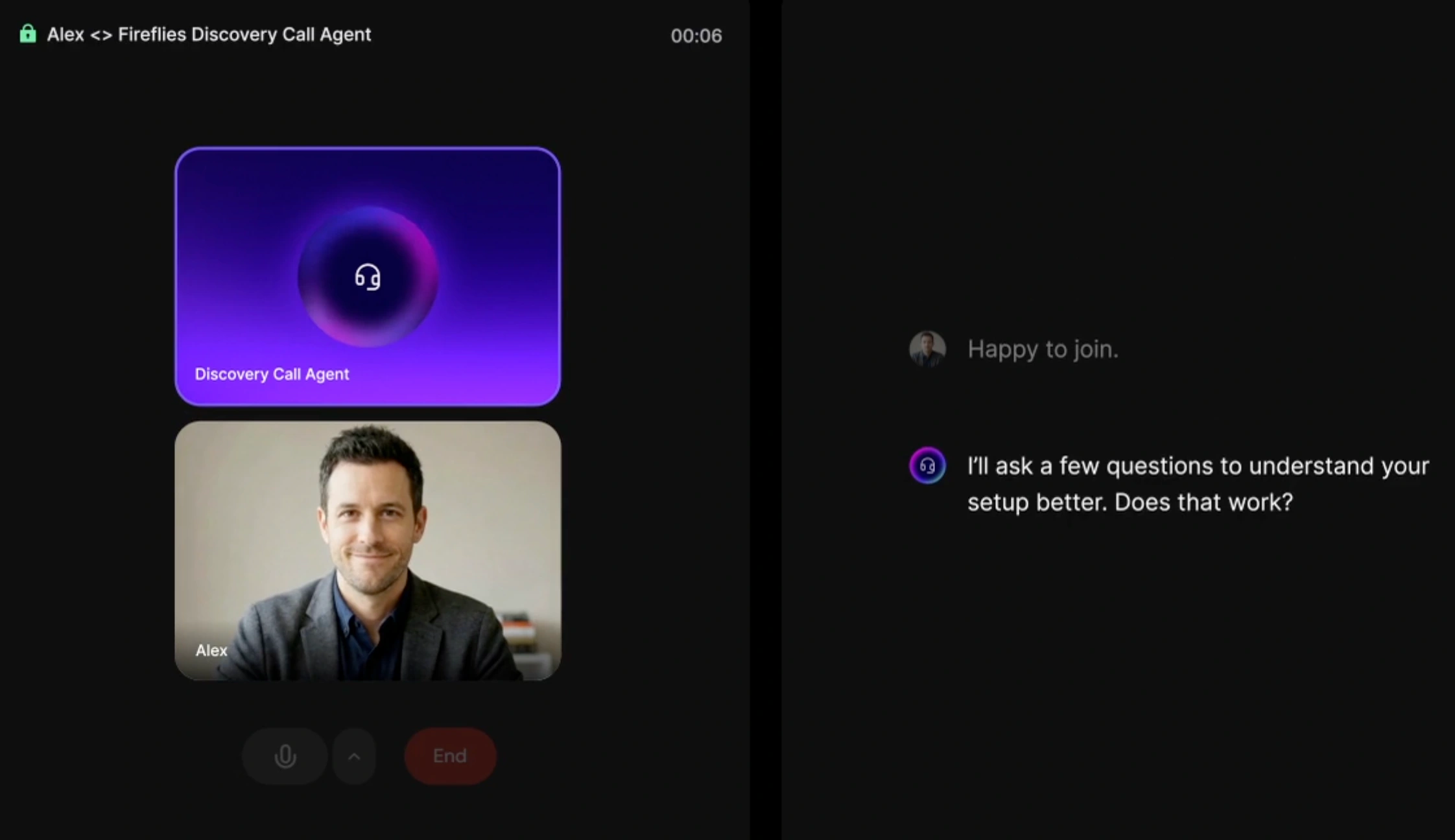
Voice Agents for structured calls
Fireflies.ai may be worth a look if your team wants an AI agent to run a structured call. Voice Agents can ask preset questions, follow instructions, and produce a summary after the call. That can be useful for screening interviews or user research.
AI Skills for repeatable meeting workflows
AI Skills can be useful if your team runs the same kind of meeting over and over. You can use templates or custom instructions to pull out things like sales notes, interview feedback, coaching points, or weekly trends.
The trade-off is setup. You need to choose the skill, set when it runs, and manage AI credits. Fireflies says AI Skills use AI credits, and some settings depend on whether the skill runs per meeting or across multiple meetings. Notta Brain can handle many of the same outputs too, but in a more natural way: you can simply ask it what you want to create, like a report, follow-up email, comparison table, or slide outline.
Free plan for testing transcription
Fireflies.ai also has a generous free-plan angle. Unlimited transcription can be enabled, so you can test a lot of online meetings without watching the minute counter too closely. The catch is storage: the Free plan has 400 minutes of storage per seat, so it is still more of a testing lane than a full team workflow.
What Users Are Saying About Notta and Fireflies.ai
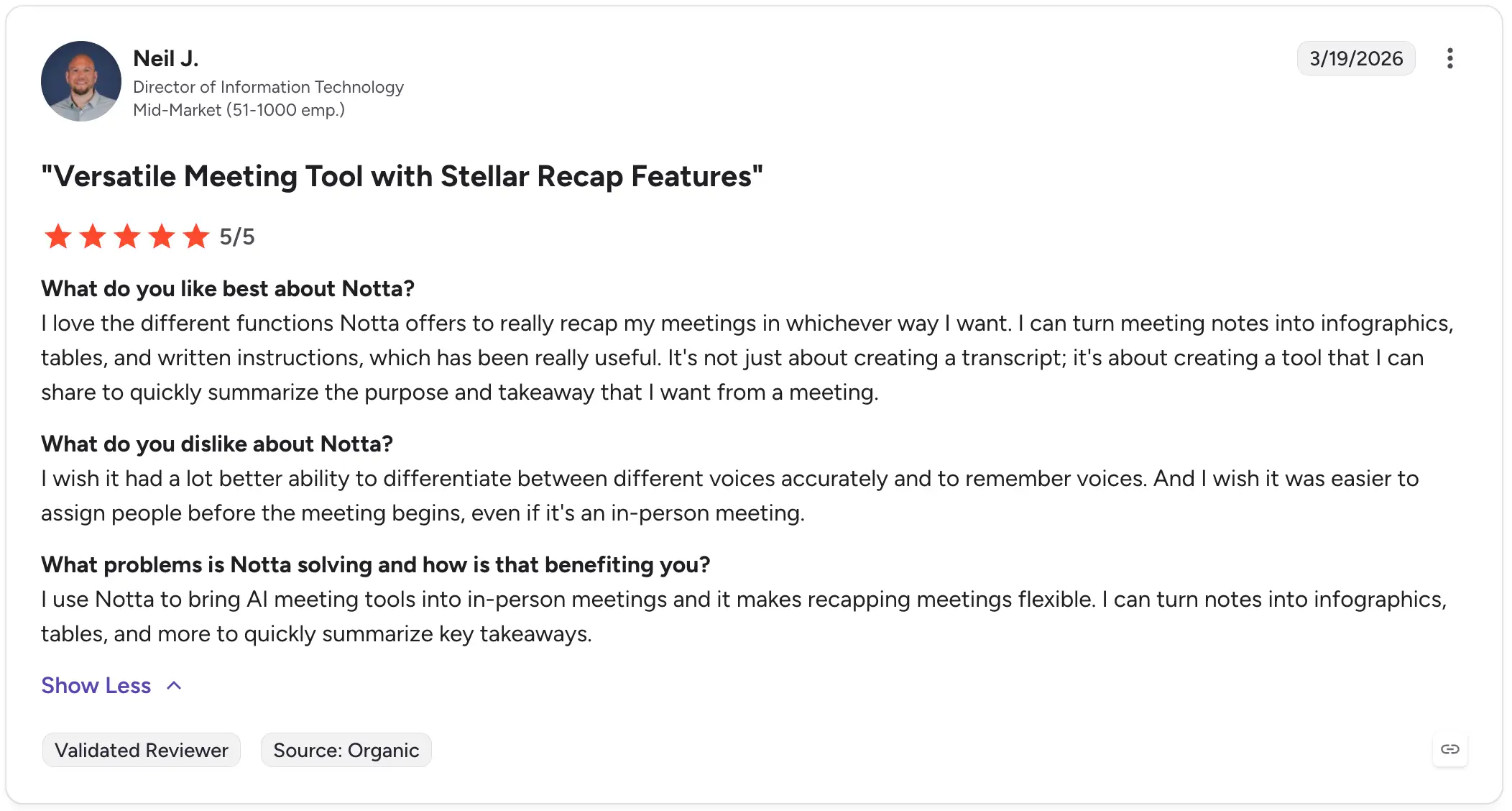
Notta users often mention fast transcription, flexible recaps, exports, and the ability to turn meeting notes into usable formats like tables, written instructions, and infographics. One reviewer said Notta is “not just about creating a transcript,” but about creating something they can share from a meeting.
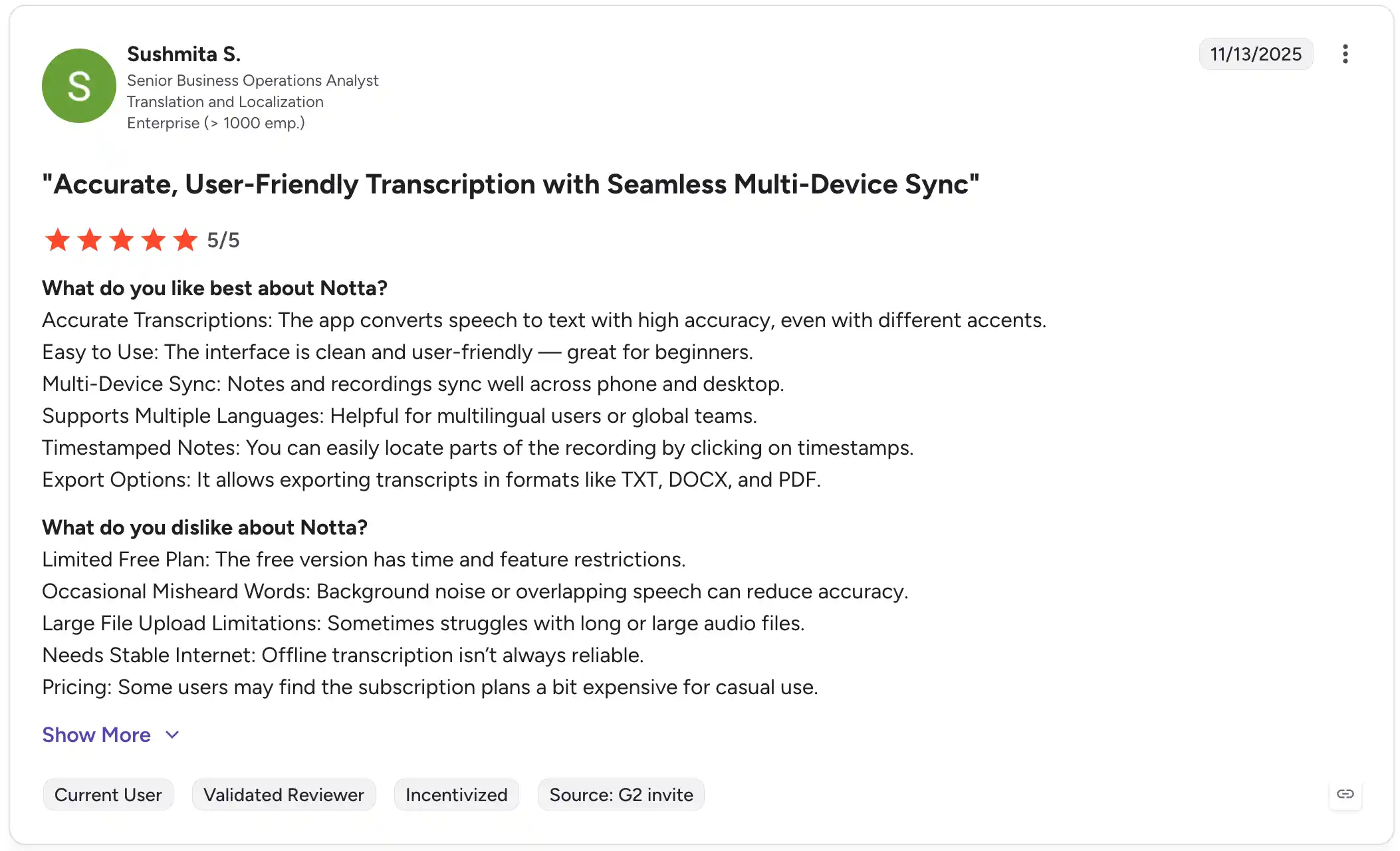
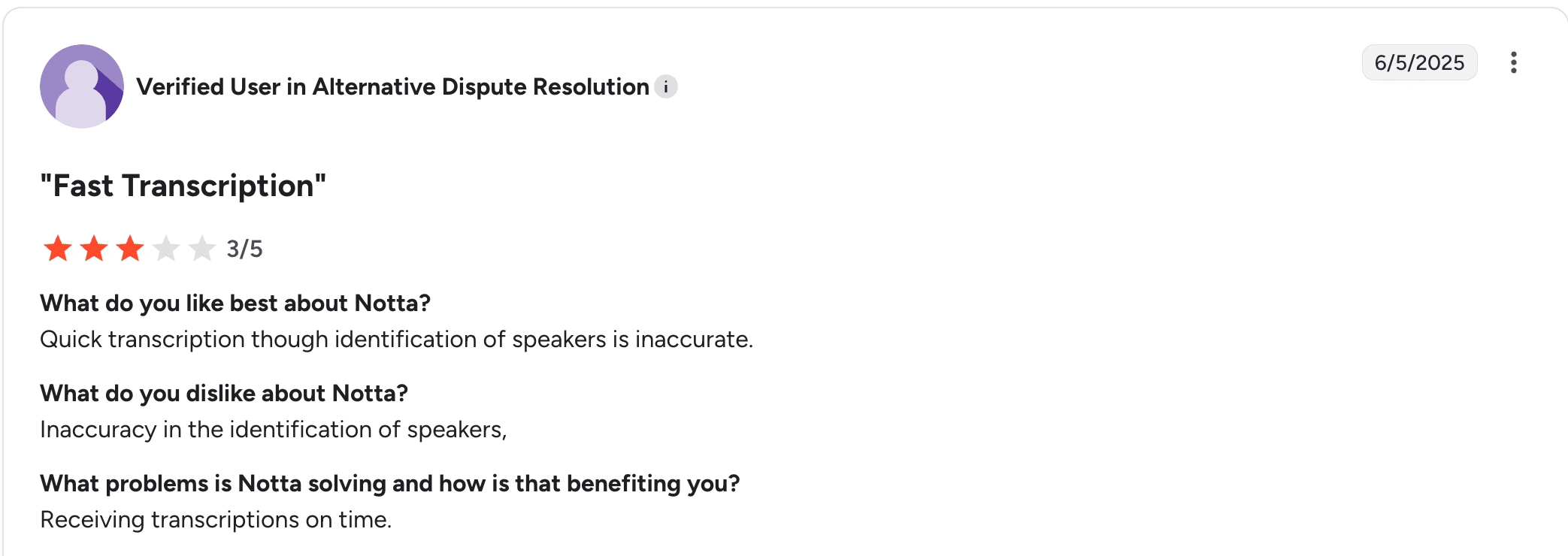
The main concern that comes up is speaker identification. A reviewer praised Notta’s quick transcription but said speaker labels were not always accurate. Notta has been actively improving speaker identification, so this is an area to watch as the product continues to get better.
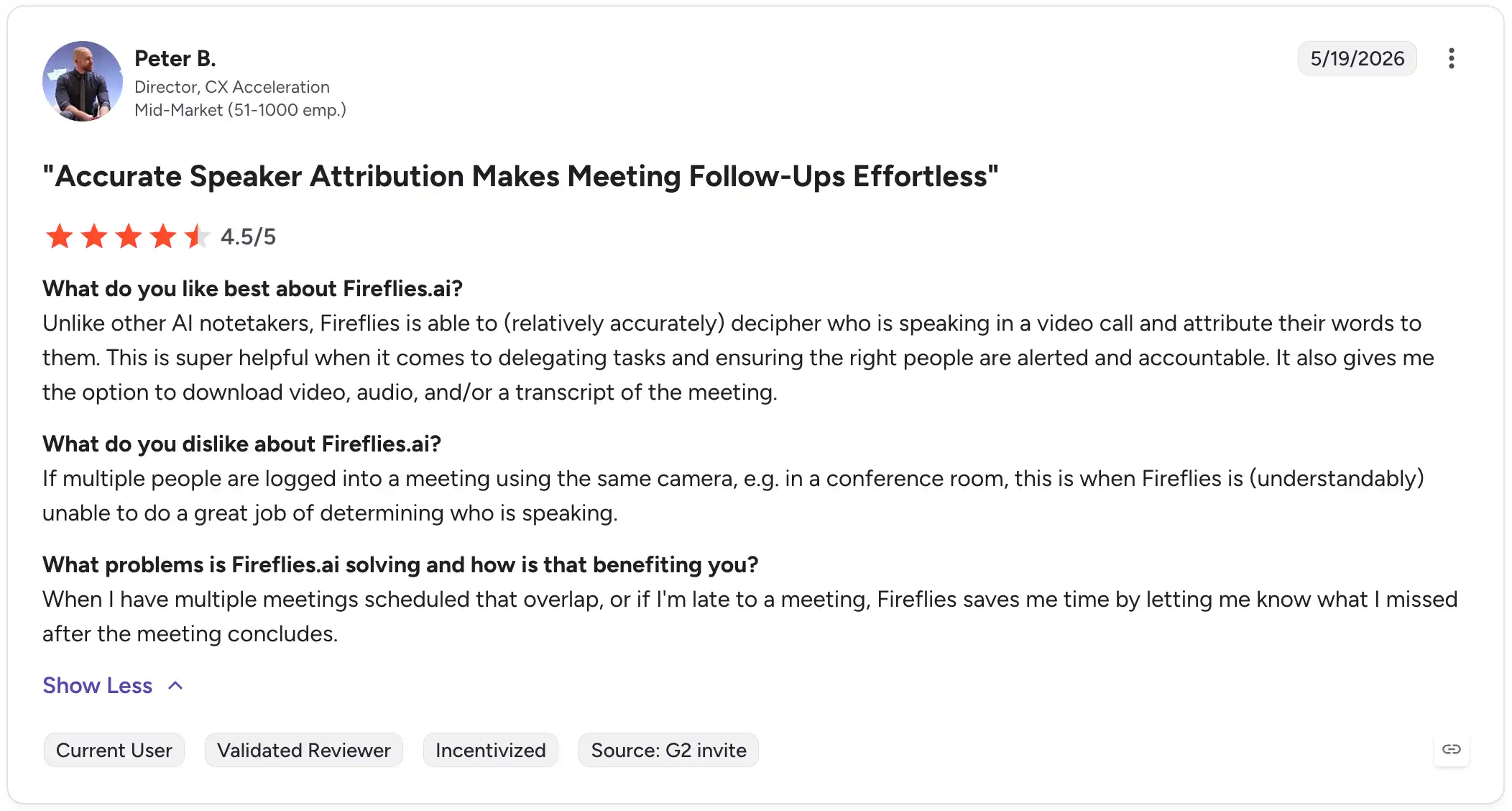
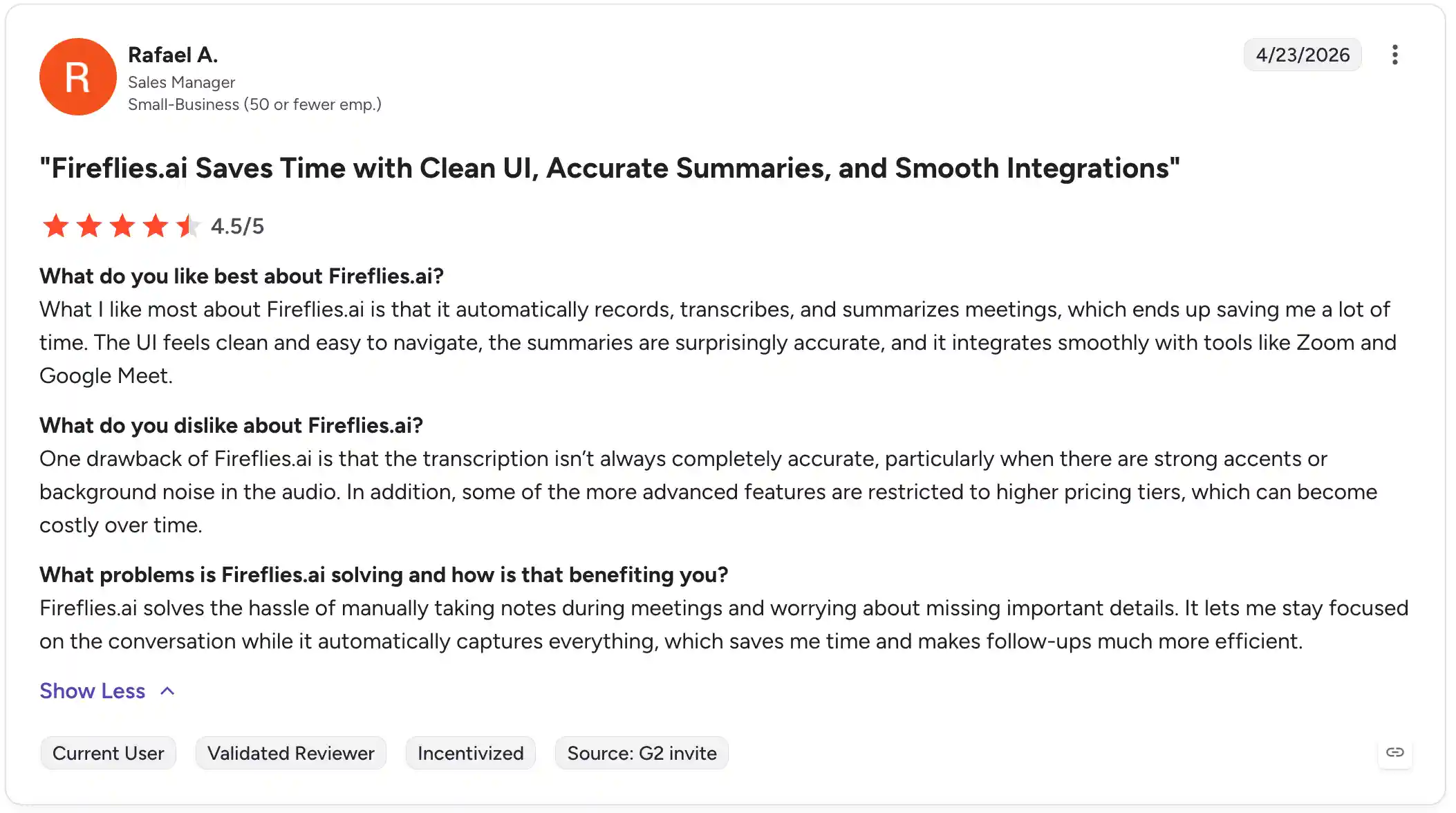
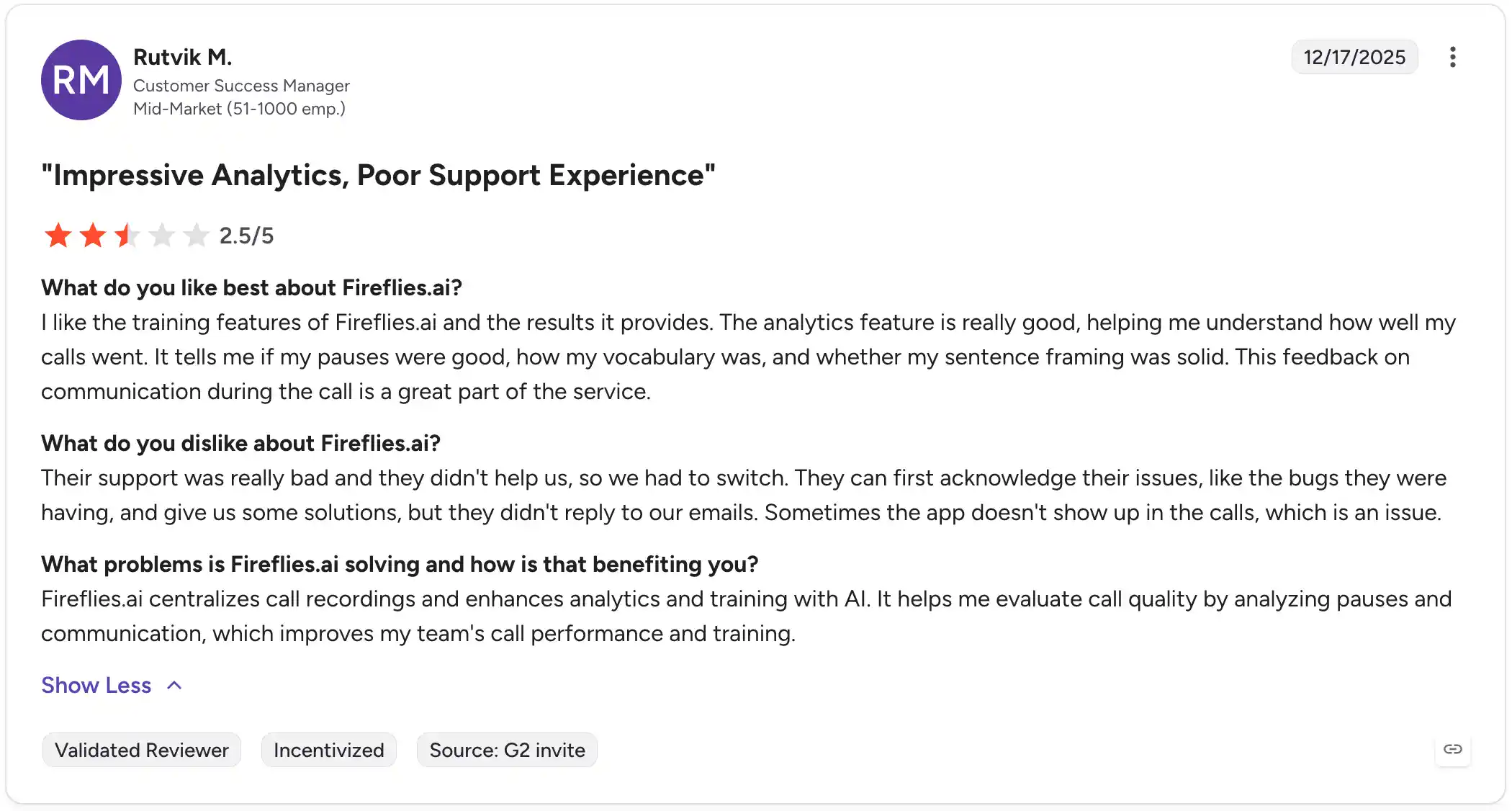
Fireflies.ai reviewers often like the automatic recording, transcription, summaries, clean UI, and meeting integrations. A few also call out speaker attribution and analytics as useful for follow-up and coaching.
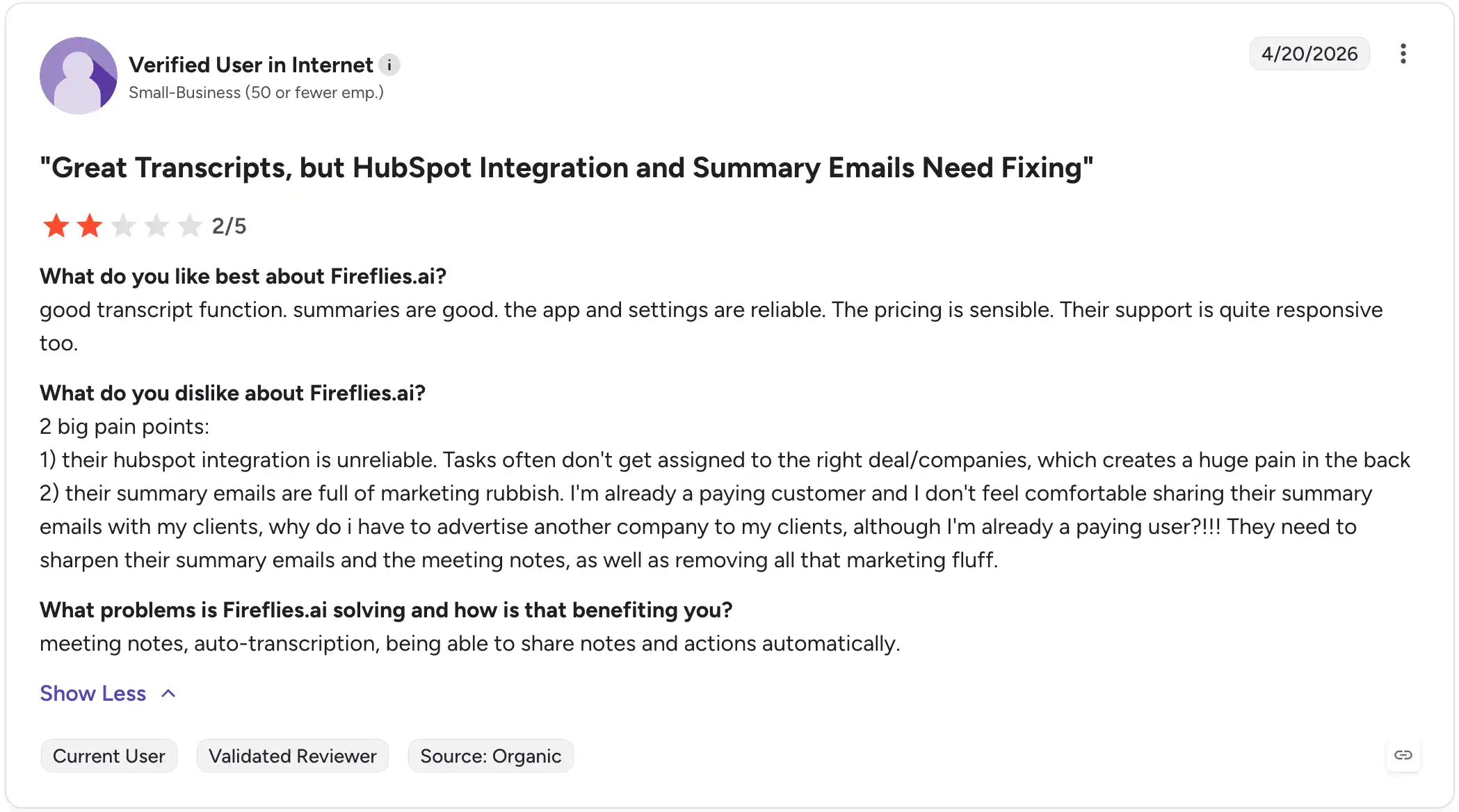
The complaints are mostly around reliability. Some users mention inaccurate transcription in noisy calls, integration issues, summary emails that are not client-ready, support problems, or the bot not showing up to meetings. So Fireflies.ai can work well for simple meeting capture, but I’d test the handoff pieces carefully if your team depends on CRM sync or client-facing summaries.
Which One Should You Choose?
I’d think about it this way: do you need the meeting turned into finished work, or do you need an AI agent to run structured calls? If the meeting creates follow-up work, I’d lean toward Notta. It gives you capture options, multilingual support, exports, and Notta Brain deliverables in one workflow.
Fireflies.ai is worth considering if Voice Agents are the thing you actually want. For example, your team might want an AI agent to run first-round candidate screens, qualify inbound leads, or ask user research questions. If that is not your use case, the Fireflies advantage becomes much narrower.
Role-Based Recommendations
| Team or role | Fit | Why |
|---|---|---|
| Global operations teams | Notta | Live transcription, bilingual transcription, and real-time translation help when teams work across languages. |
| Consultants | Notta | Notta Brain can turn client conversations into reports, emails, tables, and slide outlines. |
| Researchers | Notta | File uploads, exports, cross-language transcription, and Notta Brain outputs help compare interviews and notes. |
| Client-facing teams | Notta | Useful when conversations need to become recaps, follow-up emails, reports, or reusable client files. |
| Teams running AI-led screening or discovery calls | Fireflies.ai | Voice Agents may help when the goal is to have an AI agent run structured calls. |
FAQ
Is Notta better than Fireflies.ai?
Yes, if your meetings need to become finished work. I’d lean toward Notta for deliverables from Notta Brain, live multilingual workflows, reusable exports, and broader conversation capture. Fireflies.ai may make sense if you specifically want Voice Agents for structured calls.
What is Notta?
Notta is an AI-powered meeting productivity platform for business professionals and teams. It records online meetings, in-person conversations, and uploaded files, then turns them into transcripts, summaries, action items, and reusable follow-up work. It also supports multilingual workflows and Notta Brain outputs.
Does Notta support more languages than Fireflies.ai?
Not in raw transcription count. Fireflies.ai lists transcription in 100+ languages. Notta supports 58+ transcription languages, plus bilingual transcription in 23 languages and real-time translation in 80 languages. Notta’s edge is live multilingual meeting support.
Is Notta free?
Yes. Notta offers a free plan with 120 min/mo. Fireflies.ai also has a free plan with unlimited transcription available, limited AI summaries, and limited storage. Paid Notta plans add more minutes, more summaries, and Notta Brain credits.
Does Notta work with Zoom, Teams, Google Meet, and Webex?
Yes. Notta works with Zoom, Microsoft Teams, Google Meet, and Webex. It also supports file uploads, screen recording, mobile recording, and Notta Desktop for bot-free recording across 40+ meeting apps.
Is Notta secure?
Yes. Notta is built for business use with SOC 2 Type II, ISO 27001, GDPR, CCPA, HIPAA, and AES-256 encryption. Business and Enterprise plans add user roles, sharing controls, audit logs, SSO, and IP restrictions.
Final Recommendation
Here’s my honest take: I’d lean toward Notta for most teams comparing these two tools. Notta is built for the part of the workflow that happens after the meeting: turning conversations into reports, slides, emails, action lists, tables, and reusable files.
Fireflies.ai is worth a look if your team specifically wants Voice Agents to run structured calls. That is a useful extra for some recruiting, sales, or research workflows. But if your main goal is to capture conversations and turn them into usable work, Notta is the safer everyday choice.
Try Notta free and see how your next meeting looks when it becomes more than a transcript.
Try Notta Free