
Notta vs. tl;dv: Which AI Meeting Notetaker Should You Choose in 2026?

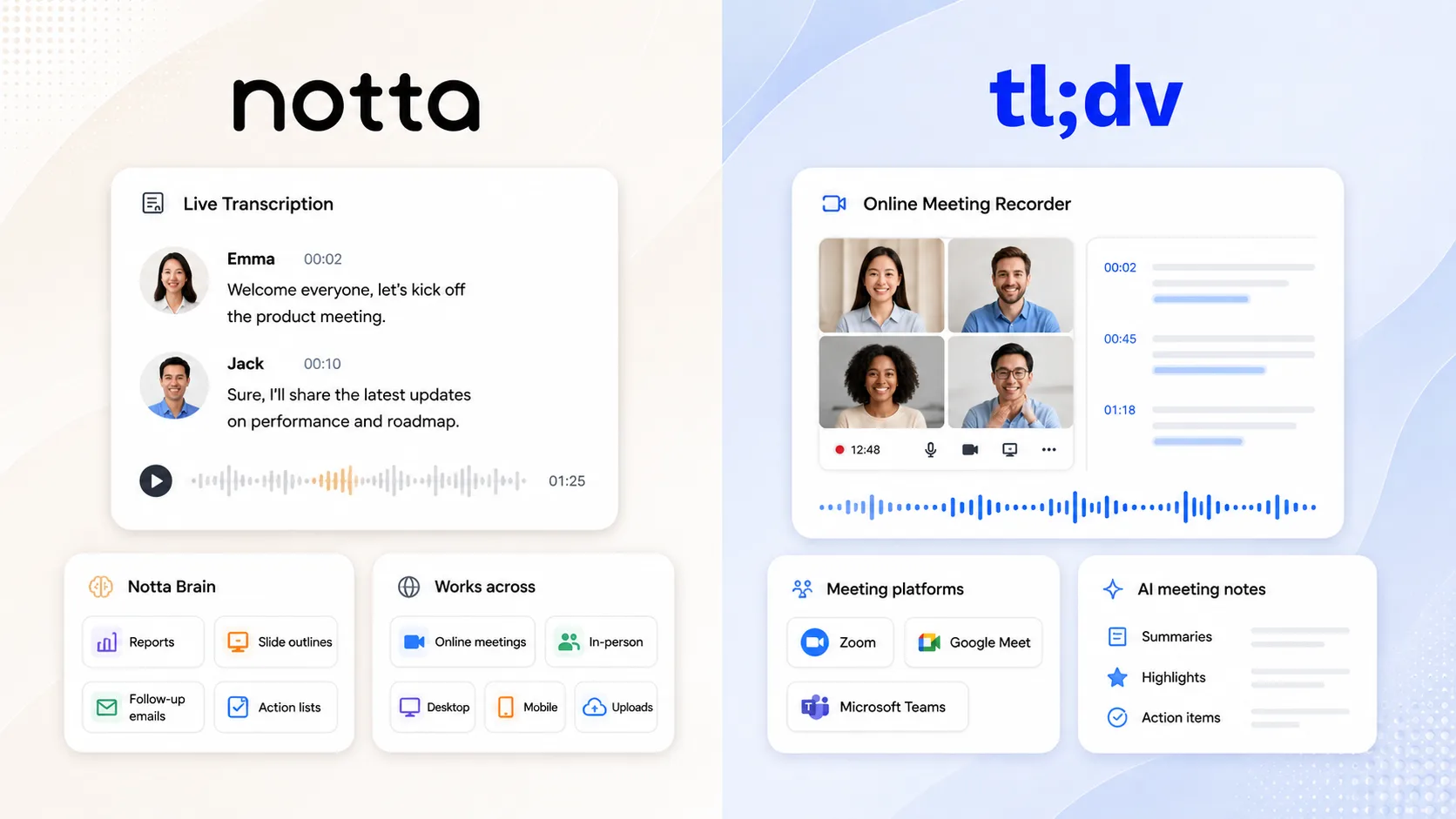
Notta is the stronger overall choice if you need more capture methods, multilingual workflows, and deliverables after the call. tl;dv remains attractive for free online recording, but its plan limits and a newly published 2026 security disclosure deserve close review. Notta covers online, in-person, desktop, mobile, and uploaded content, then uses Notta Brain to create reports, slide outlines, follow-up emails, tables, and action lists. This guide compares the workflow trade-offs and separates the documented security findings from broader claims circulating online.
The Quick Verdict
If you want the short version, I would lean toward Notta for most team workflows. Notta captures more kinds of conversations, supports 58+ languages, and turns meeting content into final deliverables through Notta Brain, the AI understanding and deliverable-creation capability built into Notta.
tl;dv can make sense if you mostly want to test online meeting recording for Zoom, Google Meet, or Microsoft Teams. Its free plan gives unlimited recordings and transcripts, which sounds great. The catch is that the free plan has real limits around storage, AI notes, prompts, reports, uploads, clips, and simultaneous meetings.
| Use case | Notta | tl;dv | My take |
|---|---|---|---|
| Online meeting notes | Zoom, Google Meet, Teams, and Webex | Zoom, Google Meet, and Teams | Both work, but Notta covers Webex too. |
| Free testing | 120 min/mo, 50 file uploads, and 10 AI summaries | Unlimited recordings and transcripts, with limits | tl;dv is easy to test, but read the fine print. |
| Long-term meeting memory | Search, folders, exports, and multi-source Brain Q&A | Free recordings stored for 3 months | Notta is better suited to teams that need history. |
| In-person conversations | Live recording, mobile apps, Apple Watch, and Notta Memo | Mainly online meeting capture | Notta covers more real-world conversations. |
| Multilingual workflows | 58+ languages, plus bilingual and real-time translation options | 30+ languages | Notta fits better when language is part of the work. |
| Ready-to-use outputs | Slides, reports, emails, tables, infographics, and action lists | Notes, clips, reports, and CRM follow-ups | Notta goes further when the output must become a file. |
How We Compared Notta and tl;dv
We focused on differences, not shared basics. Both products can handle online recordings, transcripts, summaries, and action items. So the useful question is where one tool changes the workflow in a way you would actually feel.
I checked six areas: capture scope, language support, AI output, free-plan limits, team workflow, and published security evidence. That gives a clearer picture than a feature checklist that treats every checkbox as equal.
Pricing and Plan Trade-Offs
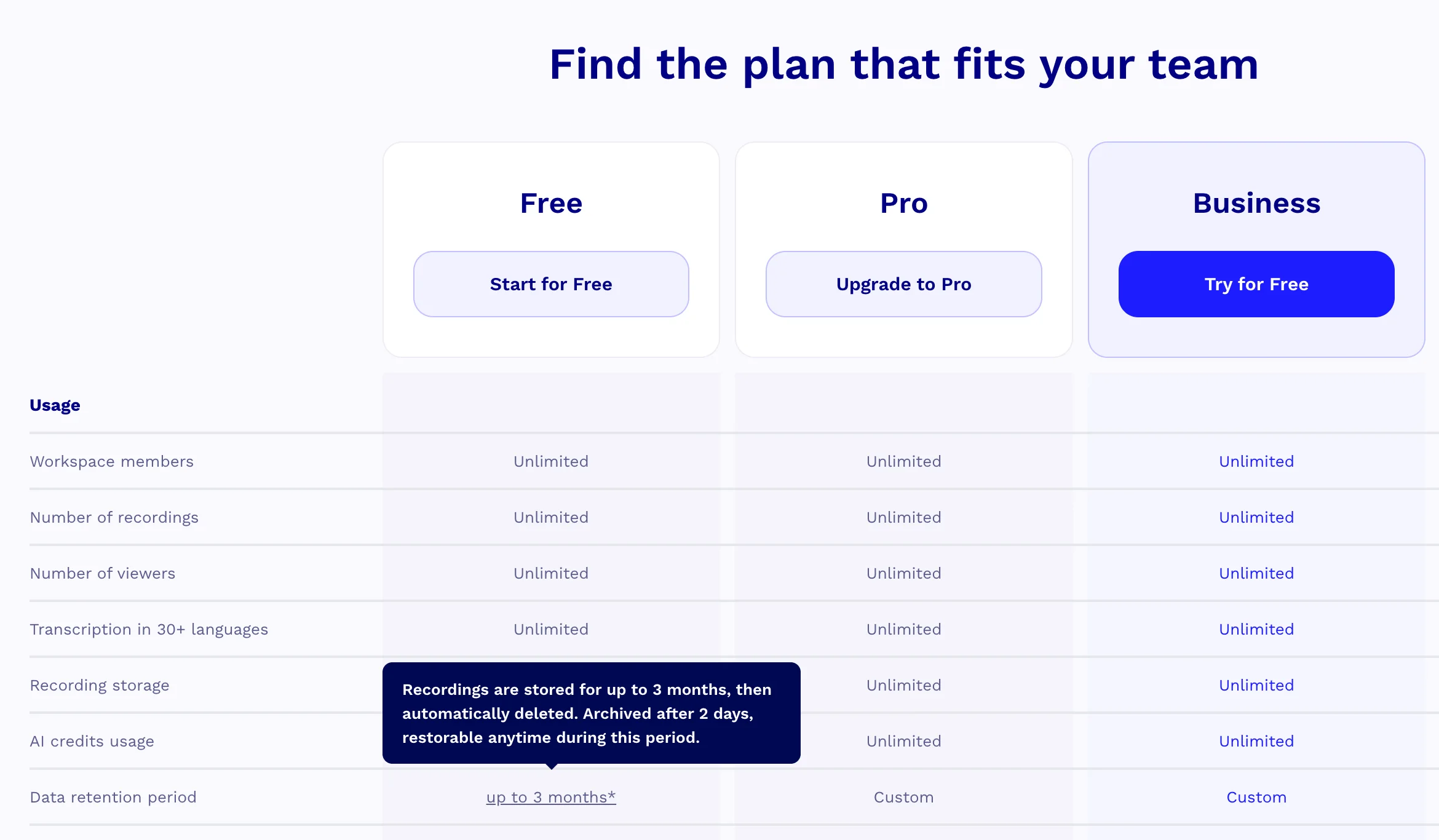
Pricing is where tl;dv can look tempting at first. Free unlimited recording is an easy headline. But unlimited does not mean unlimited value. On tl;dv's Free plan, recordings are stored for 3 months, full-meeting AI notes are limited after the first 10 meetings, and free users cannot record overlapping meetings.
Notta's free plan is smaller on minutes at 120 min/mo. The upside is that it gives you a clearer sample of the wider workspace: transcription minutes, file uploads, AI summaries, speaker identification, and exports. Once you move to paid plans, Notta Pro is $8.17/user/mo billed annually. Notta Business adds unlimited transcription at $16.67/user/mo billed annually.
| Plan detail | Notta | tl;dv |
|---|---|---|
| Free plan | 120 min/mo, 50 file uploads/mo, and 10 AI summaries/mo | Unlimited recordings and transcripts, with free-plan limits |
| Individual paid plan | Pro: $8.17/user/mo billed annually; 1,800 min/mo | Paid plans start from $18/mo according to tl;dv's Help Center |
| Team plan | Business: $16.67/user/mo billed annually; unlimited transcription | Team pricing changes, so check tl;dv's pricing page before buying |
Where Notta Makes More Sense
Notta makes more sense when the meeting is not the whole job. If your thought after every call is, 'Okay, now I still need to turn this into something useful,' this is where Notta feels more complete.
1. Turning Meetings Into Deliverables
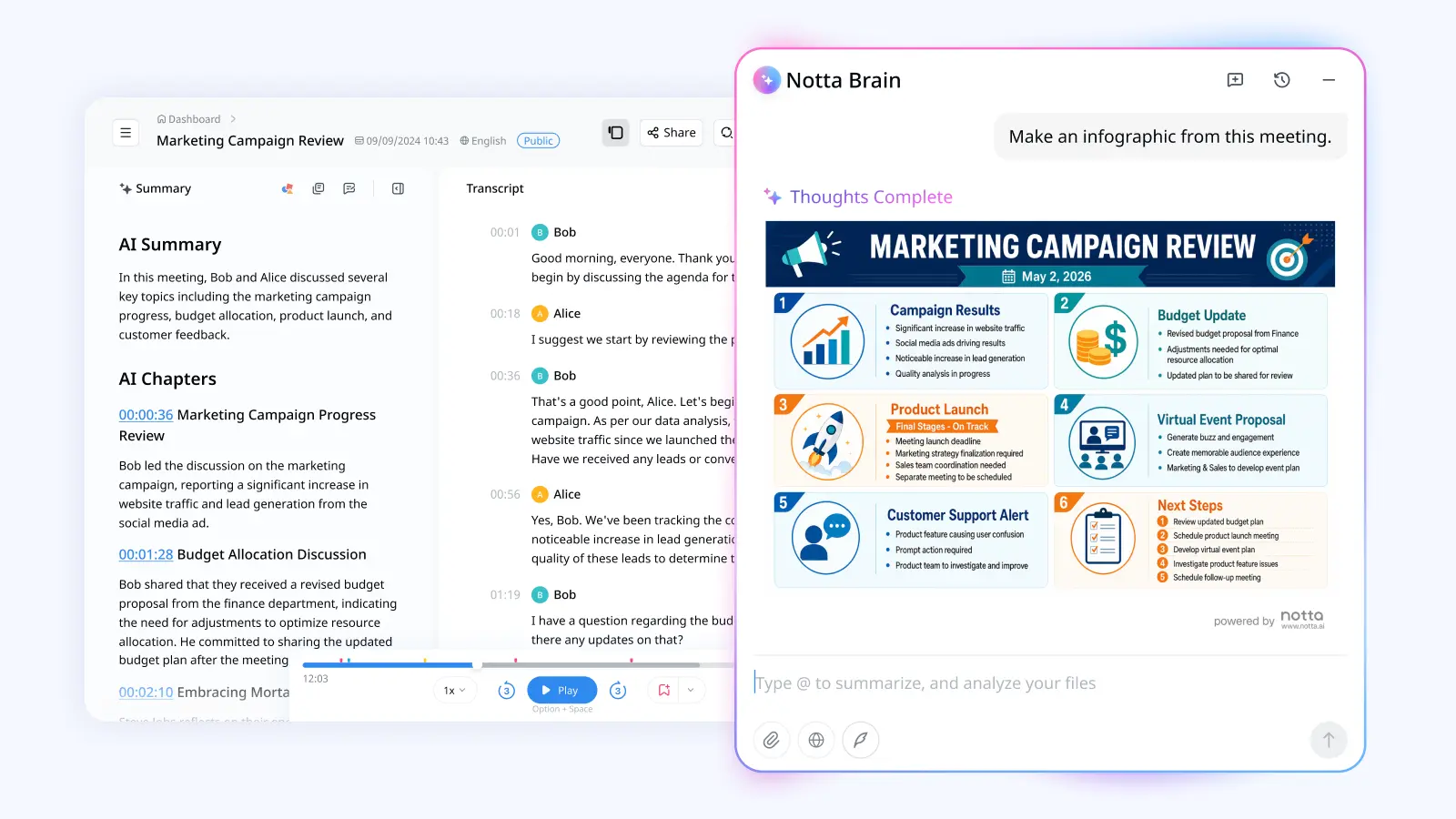
Notta Brain can turn meeting content into slides, reports, infographics, email drafts, tables, comparison matrices, and action lists. It can also answer questions across multiple recordings and files in one session.
This matters because a transcript is still raw material. A summary helps you catch up, but a slide outline or follow-up email moves the work forward. With tl;dv, you get useful notes, clips, AI reports, and CRM follow-ups. With Notta, the output can become the file you actually send.
2. More Ways to Capture Real Conversations
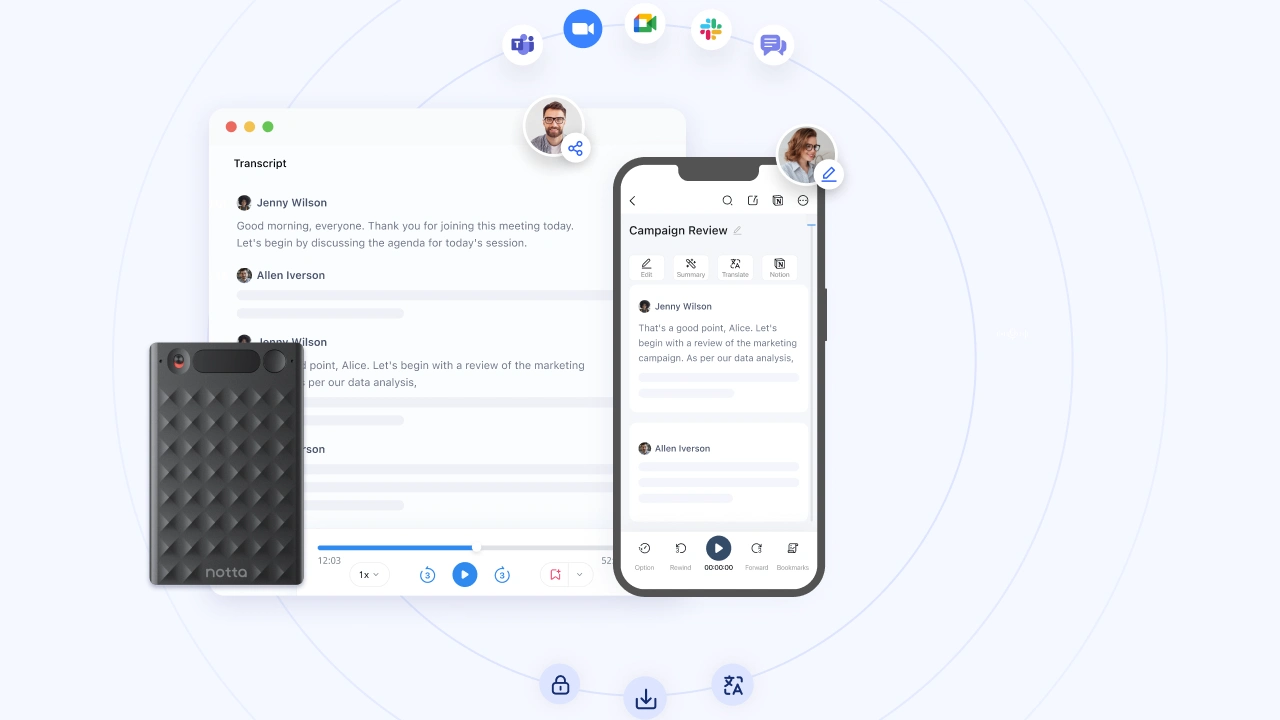
Notta is not only built around scheduled video calls. It supports Zoom, Google Meet, Teams, Webex, live recording, file uploads, screen recording, mobile apps, and Apple Watch. Notta Desktop is a distinct desktop transcription product and capture entry point with system-audio capture and bot-free recording. Notta Memo is a distinct portable recorder product for in-person and phone conversations.
That wider capture scope matters in normal work. Need to record a Webex call? Notta covers that. Need to upload an old interview file? Also covered. Need to capture a workshop that never touches a calendar? Notta fits that better than a video-call-first tool.
3. Multilingual and Bilingual Calls
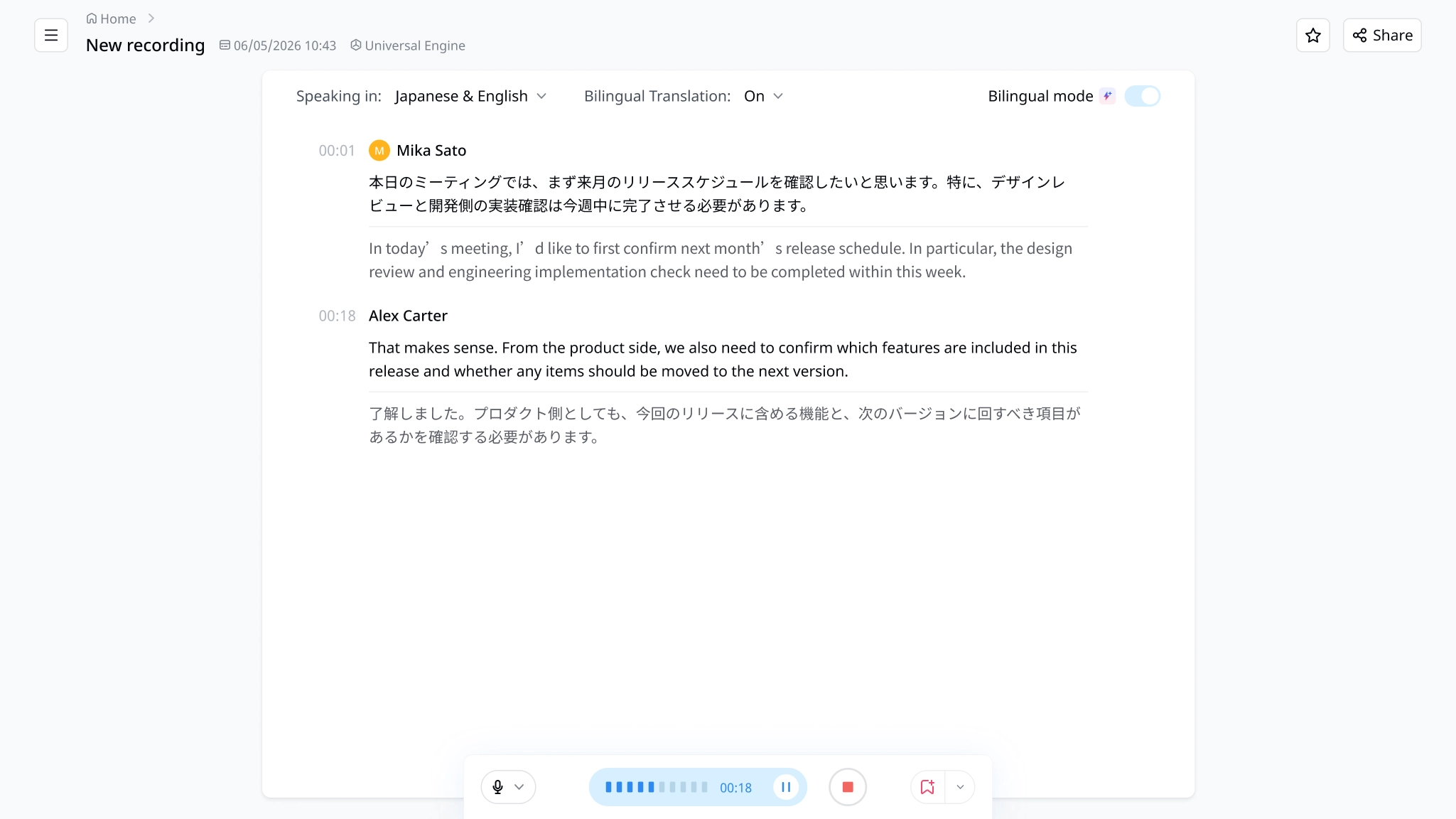
Notta supports 58+ transcription languages by default. If your calls are bilingual or live translation matters, Notta goes further with bilingual transcription and real-time translation options.
tl;dv supports 30+ languages for transcription and translation. That may be enough for some teams. It gets thin if your team needs mixed-language calls captured during the meeting, not just a translated transcript later.
4. Long-Term Meeting Memory
Notta also makes more sense when recordings need to stay useful after the first week. You can search transcripts, organize files, export them, and ask Notta Brain across multiple sources.
tl;dv's Free plan is not built for that kind of long-term memory. Videos older than 3 months get archived, and you can only access them again after upgrading. If your team treats meetings as a knowledge base, I would be careful about building that on a limited free tier.
5. Exports and Reusable Files
Notta gives you TXT, DOCX, XLSX, PDF, SRT, and VTT exports. That sounds boring until someone asks for a caption file, spreadsheet, Word doc, or PDF recap.
tl;dv is useful for sharing meeting moments and notes inside its workflow. But if your team keeps files in other systems, Notta gives you cleaner handoffs.
Where tl;dv May Be Worth Considering
tl;dv is not useless. It has a clear angle if your world is mostly online meetings and you want to test AI notes without thinking about minutes. I just would not treat the free plan as a full team knowledge system.
1. Testing Online Meeting Recording for Free
tl;dv's free plan is good for trying online meeting recording. Unlimited recordings and transcripts remove the minute-count stress while you are testing.
The limits matter once you rely on it. Free recordings are stored for 3 months. AI notes, prompts, reports, clips, uploads, integration credits, and overlapping meetings all have limits. So I would see it as a trial-friendly plan, not a forever plan.
2. Clips From Online Calls
tl;dv has a nice clips workflow for pulling shareable moments from calls. That can help if your team reviews sales calls, customer interviews, or training sessions from Zoom, Google Meet, or Teams.
The catch is that clips on the Free plan are limited, and tl;dv says free clips cannot be downloaded. If clips are central to your process, check the paid-plan rules before you build around them.
3. Sales Follow-Up and CRM Workflows
tl;dv leans into sales workflows with CRM updates, follow-ups, meeting reports, AI insights, and a sales coaching platform. If your team mostly reviews online sales calls, that can be useful.
I would still compare the whole workflow, not only the sales layer. Notta also supports CRM integrations and sales use cases, while giving you stronger language support, more capture methods, and deliverables from Notta Brain.
The tl;dv Fine Print I Would Check First
Here is the part I would read twice before choosing tl;dv. The public pages sound broad, but the help center shows several limits that can get annoying once a team depends on the tool.
1. Unlimited Does Not Mean Limitless
The word unlimited does a lot of work here. tl;dv's Free plan includes unlimited recordings and transcripts, but the help center also lists usage limits.
Free recordings are stored for 3 months. After the first 10 meetings, automatic AI notes cover only the first 10 minutes. Free users get 10 AI prompts, 10 AI reports, 20 integration credits, 4 clips, and 5 manual uploads. Free users also cannot record simultaneous meetings.
2. Bot-Free Recording Is Audio-Only
tl;dv has bot-free recording through its desktop app, but it is audio-only. Its help center says bot-free recording does not capture video, screen sharing, or chat messages.
That is not a small detail. If your meeting context lives in slides, screen shares, or chat, you may lose part of the story. tl;dv also warns that any sound on the computer may be recorded, so consent and setup still matter.
3. It Is Still an Online-Meeting-First Tool
tl;dv is fine when you want online meeting notes now and do not need much beyond that. It gets less comfortable when you need in-person capture, Webex coverage, bilingual meetings, export files, or long-term team memory.
That is the practical difference. tl;dv can record the call. Notta is designed to help you keep using the conversation after the call is over.
What tl;dv's Security Issue Means for You
Here is where things get really concerning. In January 2026, a security researcher found that tl;dv's database was exposing meeting records across customer accounts. According to the original security report, 181,874 records were accessible, including creator emails, conference IDs, meeting providers, recording status, and timestamps.
The researcher used exposed conference IDs to join two live meetings. Dark Reading reported that one was public. For private meetings, an outsider could pose as an AI notetaker and request entry from the host. Dark Reading also found the flaw active on August 4, after tl;dv was first notified in January.
If you ask me what this means, I would be careful. The flaw exposed email addresses, meeting status, timestamps, and conference IDs across customer accounts. For calls involving clients, HR matters, or confidential plans, that is a serious privacy risk.
What Users Are Saying About tl;dv
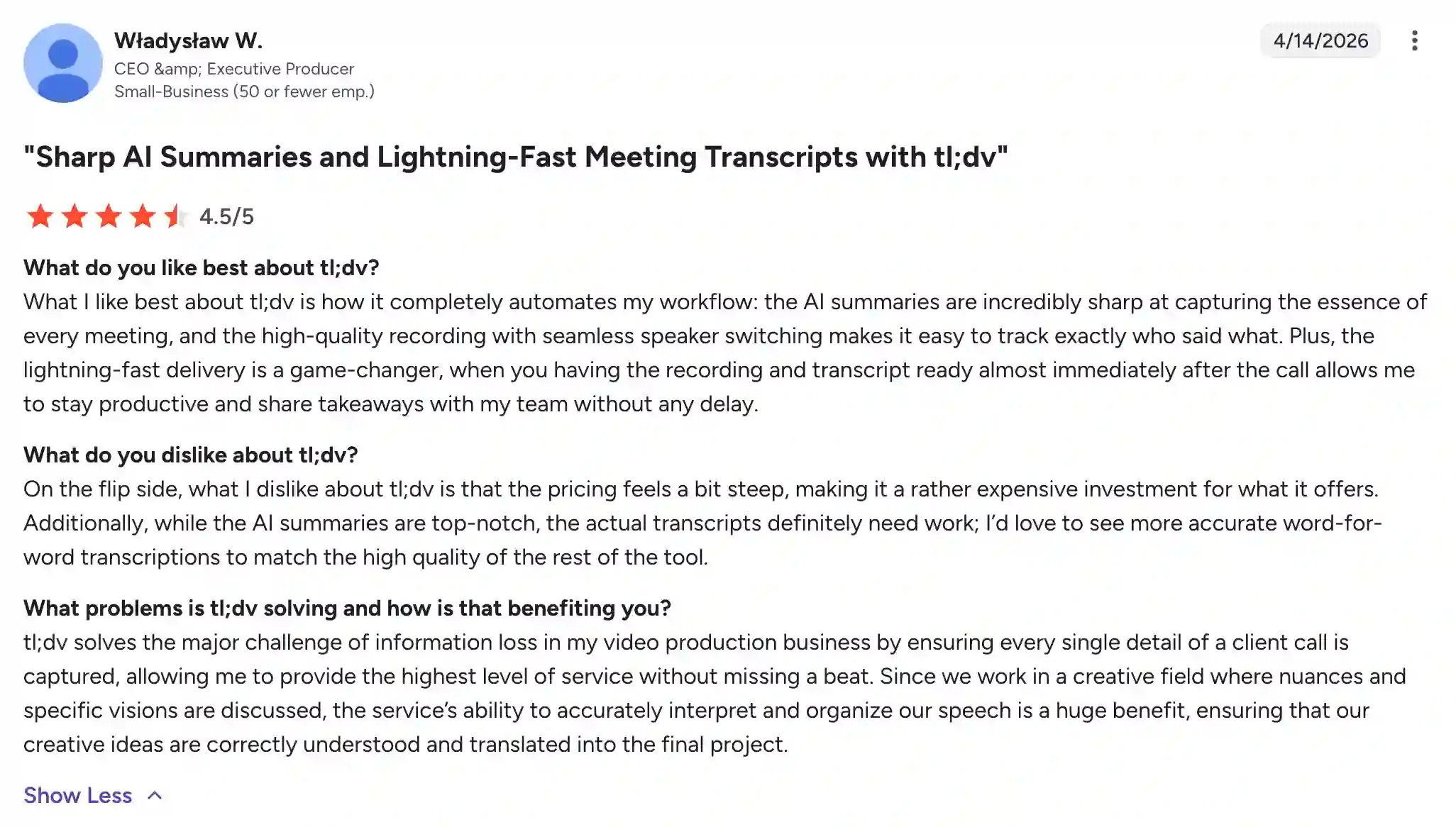
tl;dv does have happy users, especially when the workflow is simple online meeting recording. One reviewer liked the AI summaries, fast delivery, recording quality, and speaker tracking. For a video production workflow, they said it helped reduce information loss after client calls. That said, even this positive review mentioned two trade-offs: pricing felt steep, and the word-for-word transcripts still needed improvement.
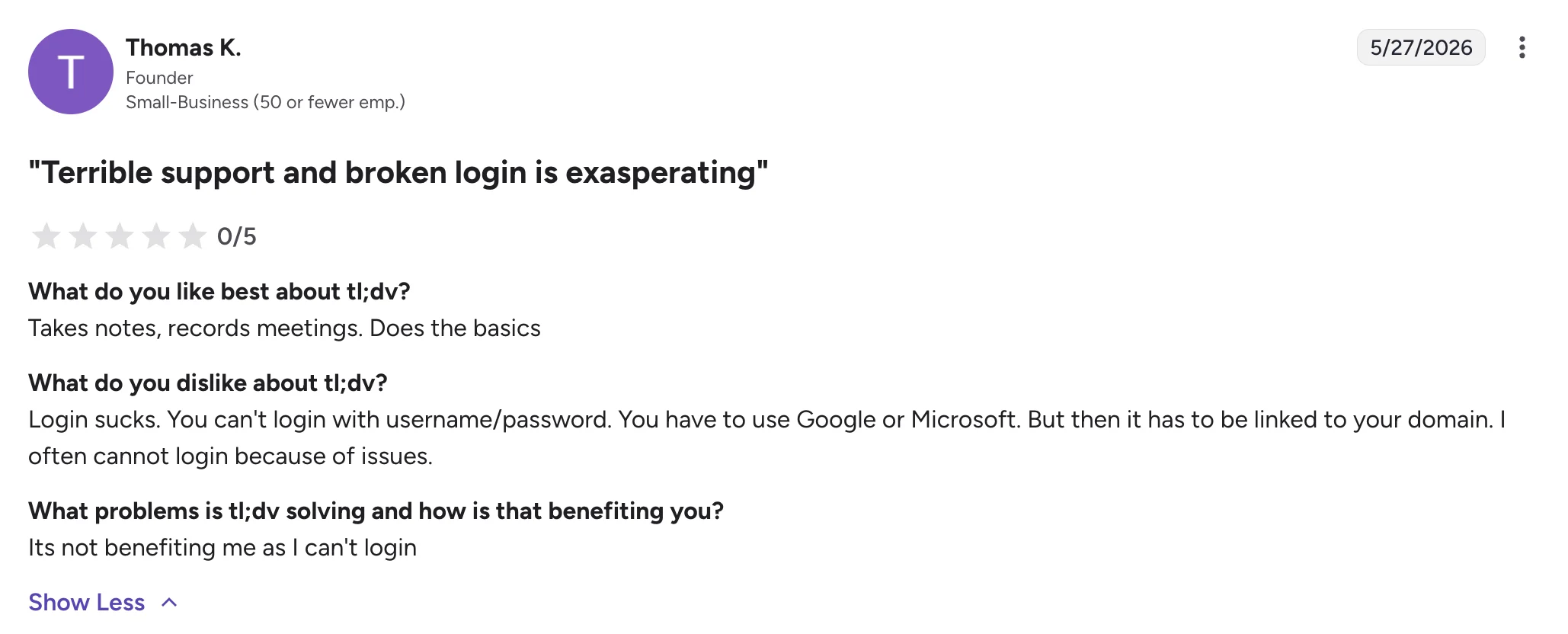
The more negative reviews point to a few recurring concerns. One reviewer said tl;dv handled the basics, like notes and meeting recording, but login issues made the product hard to use. Their complaint was mostly around account access: they could not reliably log in with Google or Microsoft because of domain-linking problems.
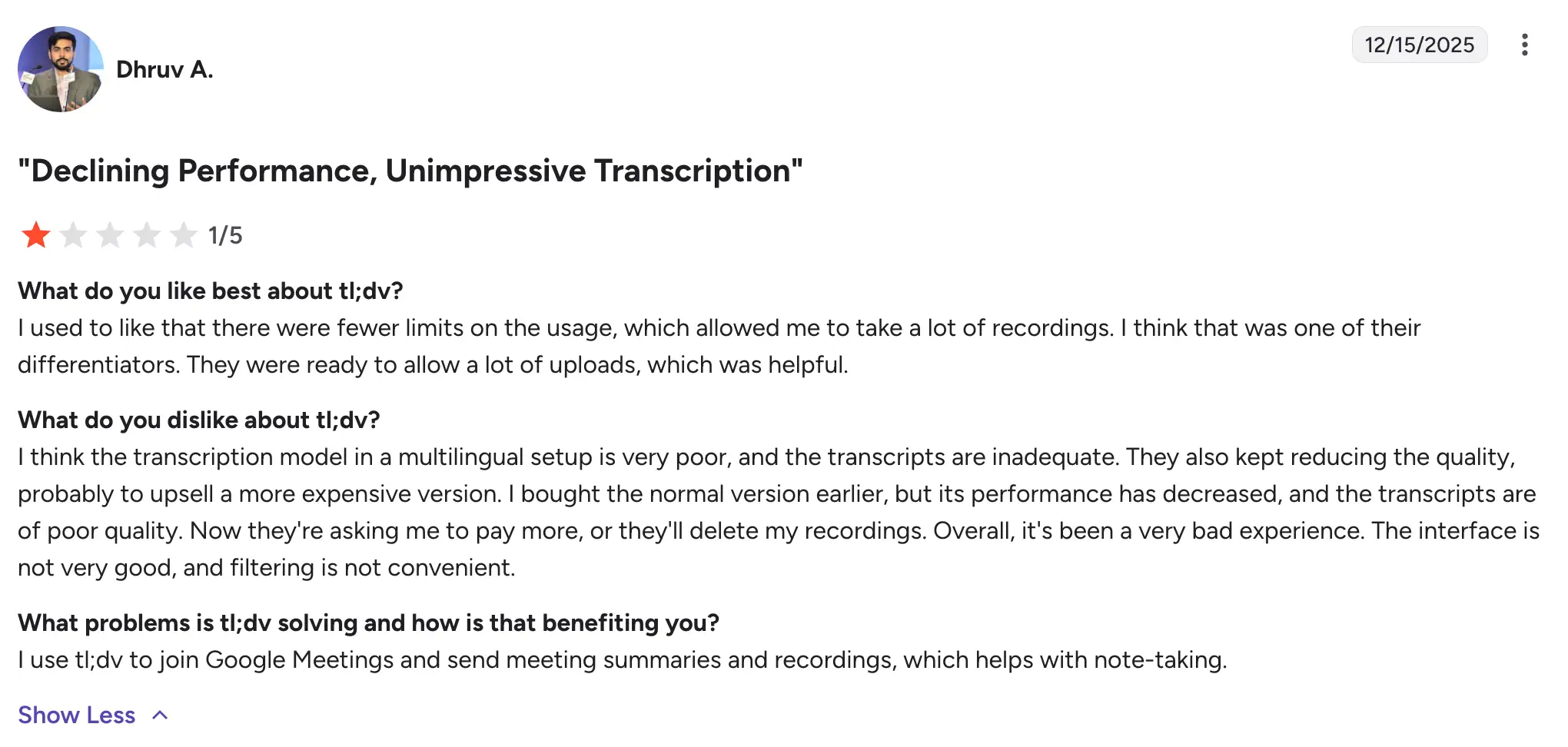
Another reviewer said they used to like tl;dv because it allowed plenty of recordings and uploads. But their experience changed over time. They complained about poor multilingual transcription, weaker transcript quality, pricing pressure, possible recording deletion, and an interface that felt hard to filter.
There is also a review that shows a gap between what some users expect and what they feel they get. The reviewer felt tl;dv had fallen behind newer options and said it did not give them the AI summaries they expected. Since tl;dv currently markets AI features, I would treat this as a user-experience warning rather than a feature claim: some users may not be finding the AI value clear enough in practice.
The strongest complaint was about reliability and support. One reviewer said setup was easy during the free trial, but later described the service as unreliable, with downtime, account downgrades, poor support, and pricing concerns. That kind of review matters if your team needs a meeting tool you can trust every week, not just something that works well in a trial.
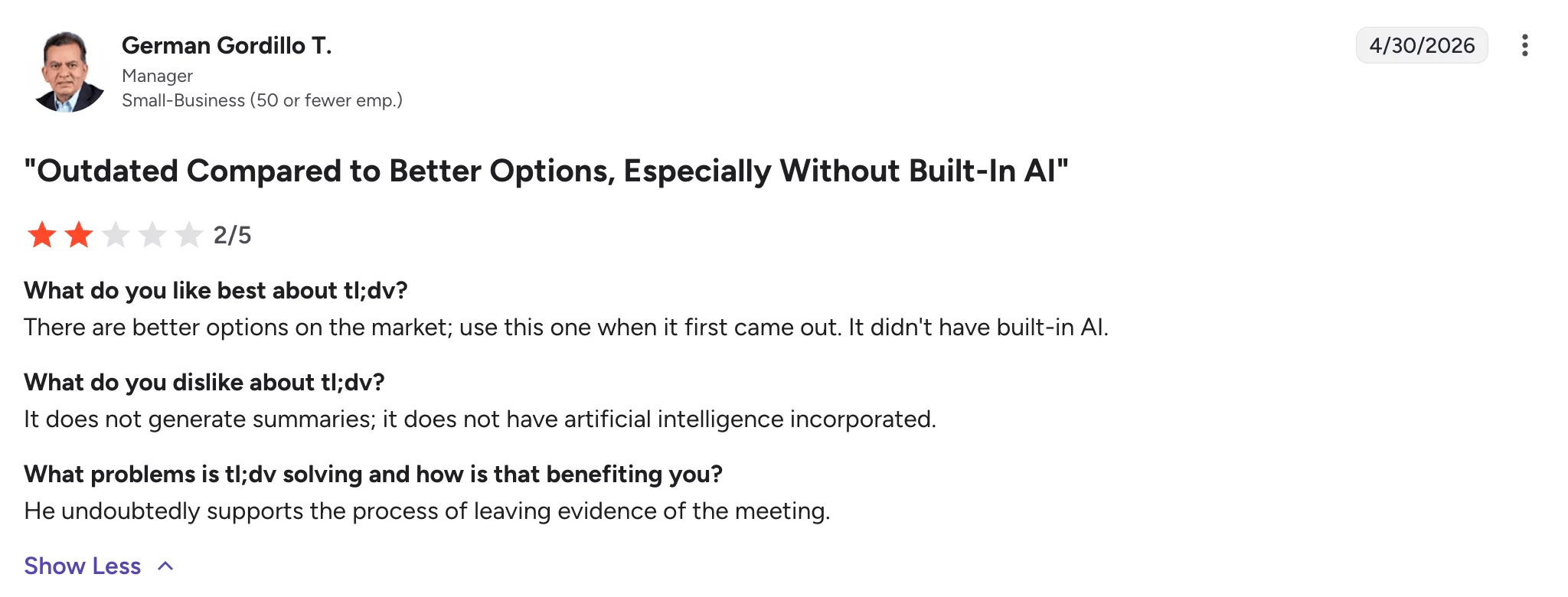
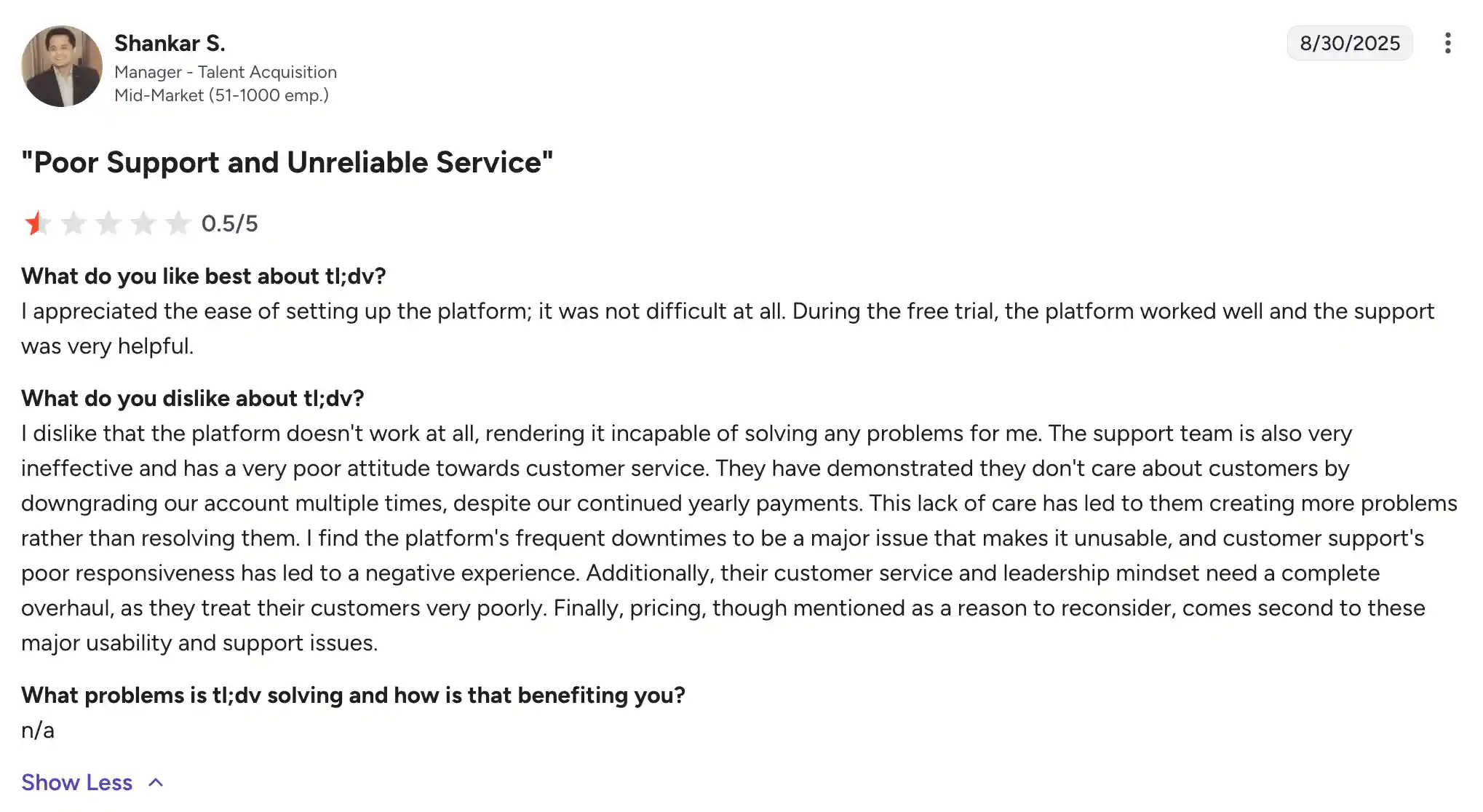
The simple takeaway: tl;dv can work well for online meeting summaries and fast call recaps, but user feedback is mixed once you look at reliability, support, transcript quality, login access, and pricing. If those areas are important to your team, I would test it carefully before making it your main meeting workspace.
What users say about Notta
Notta reviews tend to focus on what happens after the transcript is created. One user liked that Notta could recap meetings in different formats, including infographics, tables, and written instructions. That lines up with Notta’s main angle in this comparison: it is not only about keeping a record of the call, but helping you turn the meeting into something you can actually share or reuse.
Another reviewer pointed to accuracy, ease of use, multi-device sync, multilingual support, timestamps, and export options. That is a pretty practical mix. It is the kind of feedback you want to see if your team needs transcripts that are easy to find, edit, export, and use across devices.
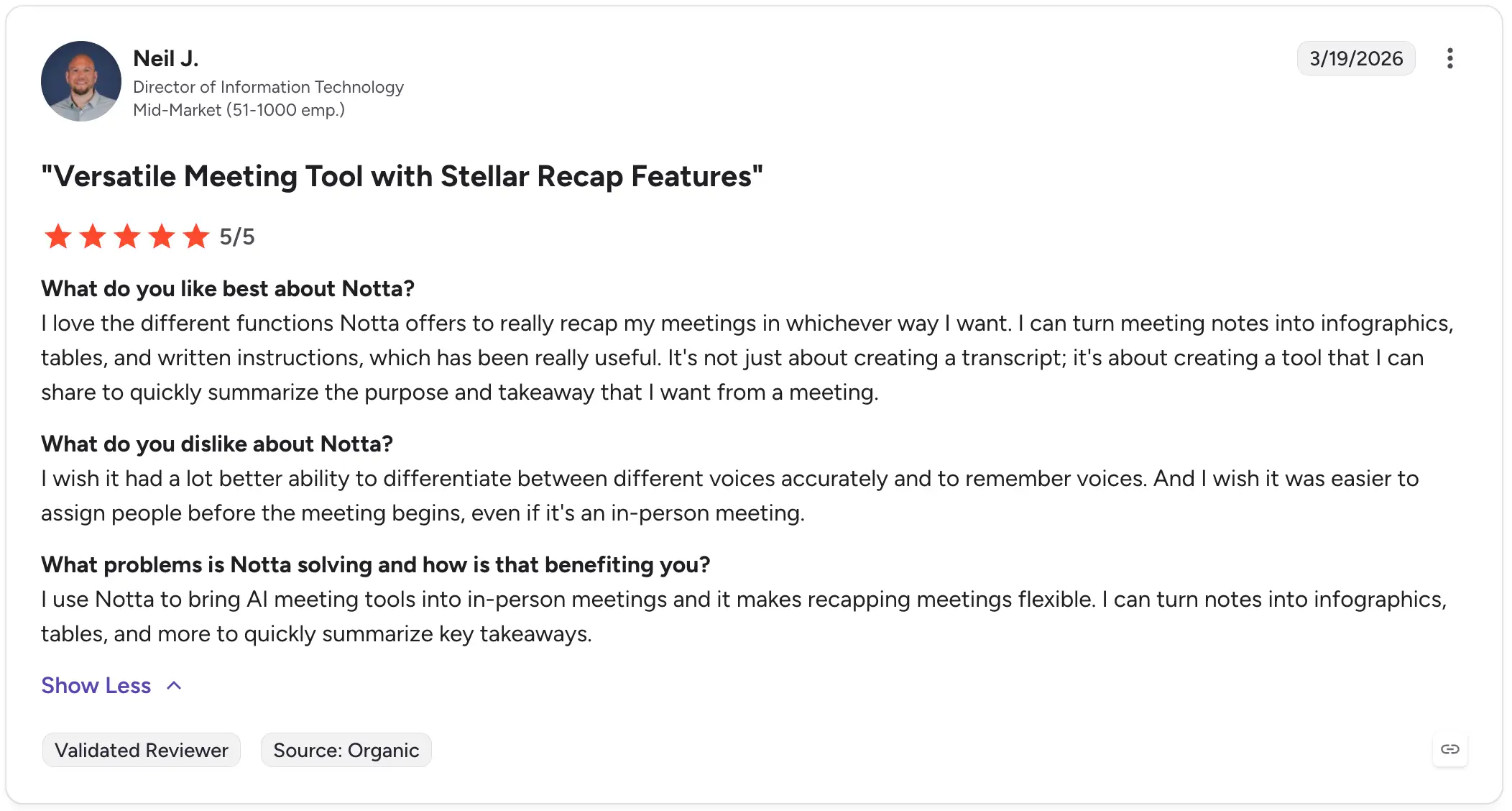
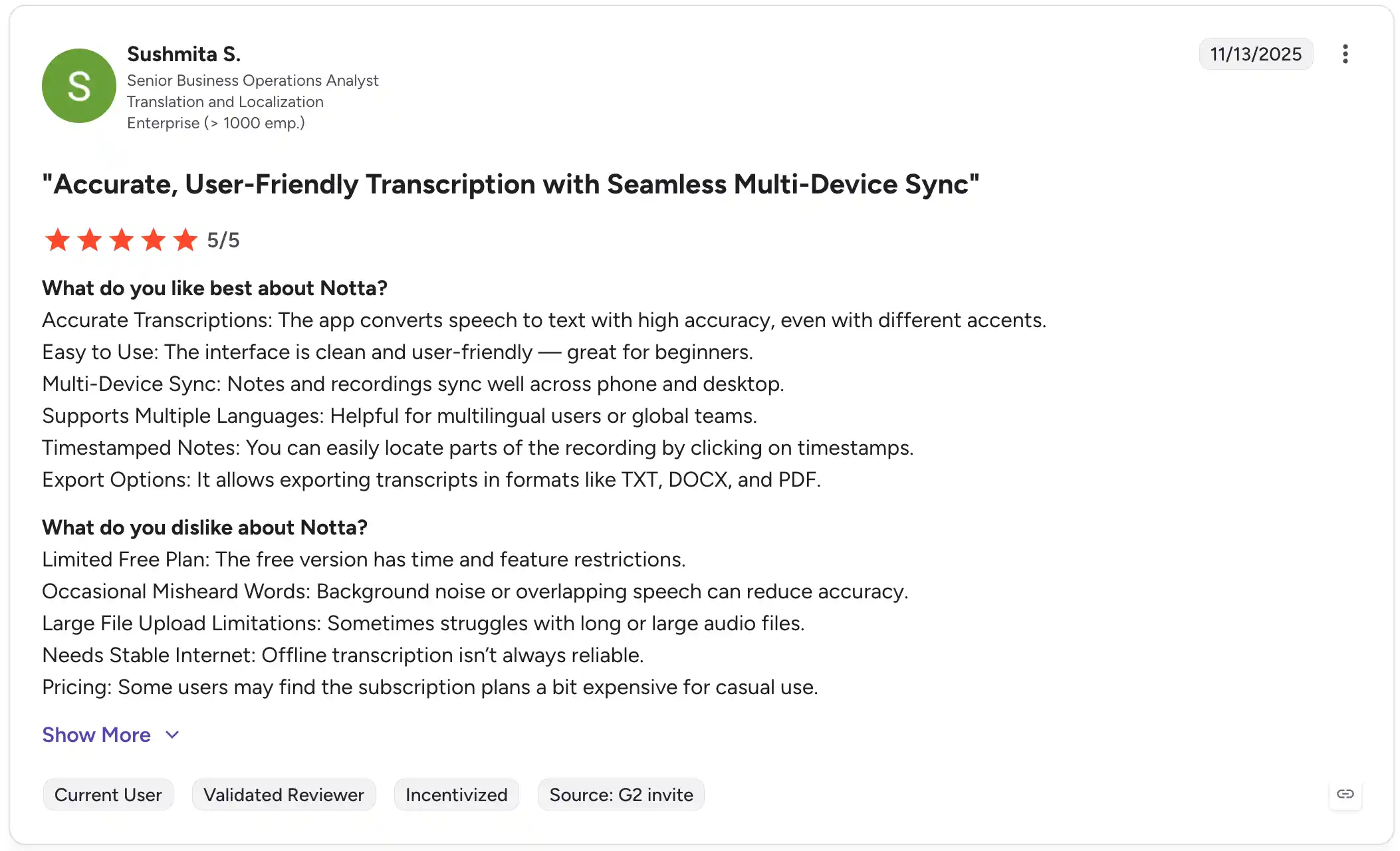
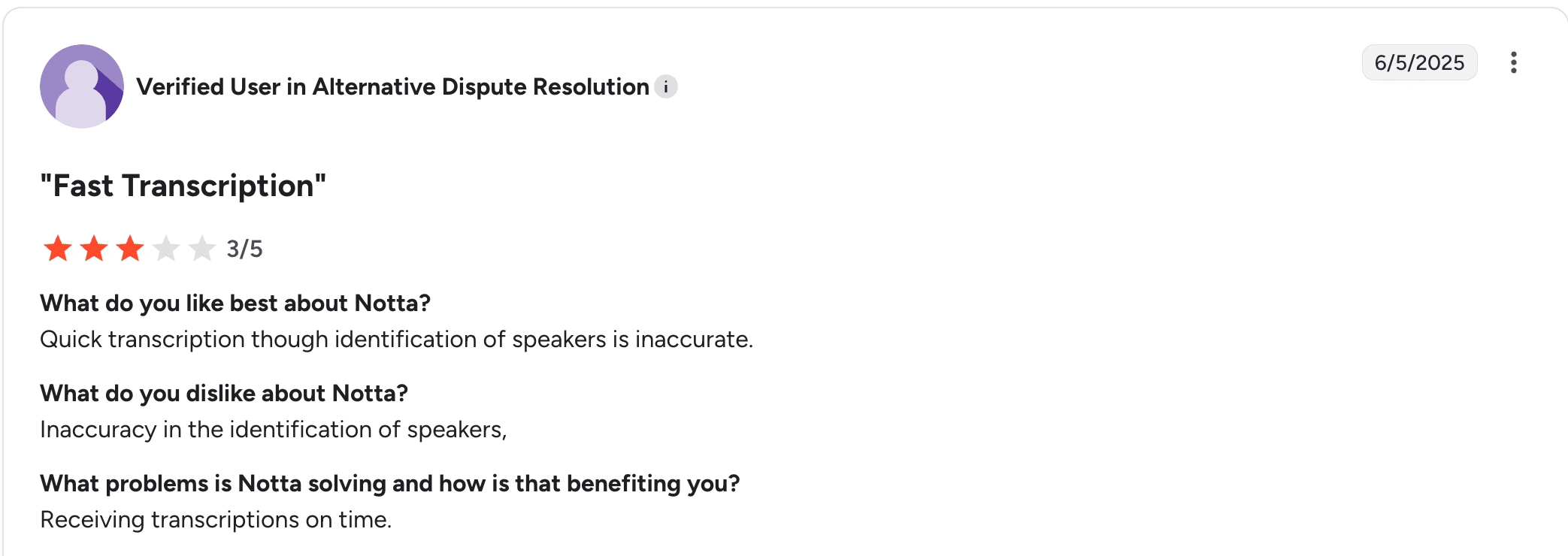
The area to watch is speaker identification. One reviewer liked Notta’s fast transcription, but said speaker labels were not always accurate. Notta has been actively improving speaker identification as the product continues to get better.
Role-Based Recommendations
Sales Teams
If your sales team only needs online call notes and wants to test a free tool, tl;dv is understandable. If you need multilingual calls, client-ready follow-ups, CRM integrations, and reports from the same workspace, I would lean toward Notta.
Consultants and Client-Facing Teams
For consultants, the call is usually just the start. You still need the recap, report, slide outline, follow-up email, or next-step list. Notta makes more sense here because Notta Brain helps turn the conversation into those deliverables.
Researchers and Knowledge Teams
Notta fits better if you record interviews live, upload files, work across languages, or need reusable exports. tl;dv can work for online interviews when clips and summaries are enough.
Educators and Students
Notta is useful for lectures, bilingual classes, mobile recording, in-person notes, and study-friendly exports. tl;dv can work for online classes on Zoom, Google Meet, or Teams.
Global Operations Teams
For global teams, I would not make the decision around free recording volume alone. Notta gives you 58+ languages, bilingual workflows, real-time translation options, Webex support, and outputs that can become briefs or follow-up emails.
Conclusion
Meetings should not disappear into a transcript folder. Notta helps you capture more of the conversation and turn it into work your team can use.
tl;dv is a decent test option for online meeting notes, but the free-plan limits make it weaker as a long-term workspace. If you need a tool that can capture meetings, handle languages, and create deliverables after the call, start with Notta.
Try Notta FreeFAQ
What is Notta?
Notta is an AI-powered meeting productivity platform for business professionals and teams. It records, transcribes, summarizes, and organizes conversations from online meetings, in-person discussions, mobile recordings, desktop calls, and uploaded files. The useful part is that Notta does not stop at notes. It helps turn meeting content into searchable knowledge and clear next steps.
What is Notta Brain?
Notta Brain is the AI understanding and deliverable-creation capability built into Notta. It helps turn meetings, recordings, transcripts, and uploaded files into reports, slide outlines, infographics, follow-up emails, tables, and action lists. If you have ever finished a meeting and thought, “Now I still need to write the recap,” this is where Notta Brain helps.
Is Notta better than tl;dv?
Notta is better for teams that need more than online meeting notes. It supports 58+ languages, Webex, in-person capture, file uploads, exports, and Notta Brain deliverables. tl;dv is easier to understand if you only want free online meeting recording for Zoom, Google Meet, or Teams.
Does Notta work with Zoom, Google Meet, Microsoft Teams, and Webex?
Yes, Notta supports Zoom, Google Meet, Microsoft Teams, and Webex. It also supports live recording, file uploads, screen recording, Notta Desktop, mobile recording, Apple Watch recording, and Notta Memo for in-person conversations.
Which tool is better for multilingual meetings?
Notta is the better fit for multilingual meetings. It supports 58+ transcription languages and offers bilingual transcription and real-time translation options when language support matters during the meeting itself. tl;dv supports 30+ languages, which may be enough for simpler online calls.
