
Notta vs. Sonix.ai: Which Transcription Tool Should You Choose in 2026?

If you are comparing Notta and Sonix.ai, here is the short version: I would lean toward Notta if your conversations happen in meetings, interviews, lectures, client calls, or in-person discussions. Sonix.ai makes sense when your work starts with recorded audio or video files and ends with a clean transcript, subtitle file, or translated media asset.
The Quick Verdict
Notta makes more sense if you need one place to capture live meetings, uploaded files, in-person conversations, desktop calls, and mobile recordings. It is also the easier pick if your team wants meeting content turned into finished work. Notta Brain, Notta's AI Meeting Execution Engine, can help create reports, slide outlines, follow-up emails, tables, and action lists.
Sonix.ai is worth a look if your workflow is more file-first. Think podcasts, webinar recordings, video projects and subtitles. It is a solid transcription and media workflow tool, but it is not built around live meeting execution in the same way Notta is.
| Use case | Better fit | Why |
|---|---|---|
| Live meeting transcription | Notta | Notta transcribes live meetings in real time; Sonix.ai is built around uploads and imported recordings |
| Multilingual and bilingual meetings | Notta | 58+ transcription languages, 23 bilingual languages, and 80 real-time translation languages |
| Bot-free desktop recording | Notta | Notta Desktop records locally on Mac and Windows across 40+ meeting apps |
| Post-meeting deliverables | Notta | Notta Brain creates slides, reports, infographics, emails, tables, and action lists |
| Mobile and in-person capture | Notta | Available on iOS and Android apps, Apple Watch, live recording, and Notta Memo |
| Meeting productivity stack | Notta | Meeting bots, calendars, Notion, Slack, and broader CRM options on Business+ |
| Subtitles and video production | Sonix.ai | Strong subtitle, caption, and video-oriented workflows for uploaded media |
How We Compared Notta and Sonix.ai
We did not treat basic file transcription as the whole story. Both tools can turn audio and video into text. The more useful question is what happens before and after the transcript.
So we focused on the areas where the tools actually feel different: live capture, file workflows, multilingual support, meeting outputs, subtitles, pricing, exports, and team use.
Notta vs. Sonix.ai: Feature Comparison
| Feature | Notta | Sonix.ai |
|---|---|---|
| Web app | Yes | Yes |
| iOS and Android apps | Yes | No |
| Chrome extension | Yes | Yes |
| Meeting bot | Yes | No |
| Bot-free desktop recording | Yes | No |
| Live meeting transcription | Yes | No |
| File transcription | Yes | Yes |
| Import from meeting platforms | Yes | Yes |
| In-person recording | Yes | No |
| Speaker identification | Yes | Yes |
| AI summaries | Yes | Yes |
| Action items | Yes | No |
| Slides, reports, and infographics | Yes, via Notta Brain | No |
| Transcription languages | 58+ | 54+ |
| Bilingual transcription | Yes, 23 languages | No |
| Real-time translation (live) | Yes, 80 languages | No |
| Export formats | TXT, DOCX, XLSX, PDF, SRT, VTT | DOCX, TXT, PDF, SRT |
| Google Calendar | Yes | No |
| Outlook Calendar | Yes | No |
| CRMs | Yes, HubSpot, Pipedrive, Zoho, and more | Limited: only Salesforce |
Pricing and Plans
Pricing is where the tools start to feel very different. Notta is easier to understand if your team records meetings every week. Sonix.ai is easier to understand if you have audio or video files and want to pay around upload volume.
| Plan detail | Notta | Sonix.ai |
|---|---|---|
| Free access | Free plan — 120 min/mo | No free plan — 30-minute trial on signup |
| Pay-as-you-go | — | $10/hr of audio or video uploaded (single-user; AI workspace not included) |
| Individual / entry paid | Pro — $8.17/user/mo (annual) 1,800 min/mo | Core — $25/mo or $275/yr 5 hrs/mo transcription 5 hrs/mo AI workspace |
| Team / volume paid | Business — $16.67/user/mo (annual) unlimited transcription | Advanced — $50/mo or $550/yr 20 hrs/mo 25 hrs/mo AI workspace |
| High-volume paid | Enterprise — custom | Pro — $80/mo or $880/yr 40 hrs/mo 100 hrs/mo AI workspace |
Where Notta Is Better
Notta starts to pull ahead when the transcript is only the beginning. Need to capture the conversation, find the useful parts, and share next steps? Notta gives you more of that workflow in one place.
1. Live meetings and bot-free recording
Notta supports live meeting capture on Zoom, Google Meet, Microsoft Teams, and Webex. You can also use Notta Desktop when you want bot-free recording from your own device. That helps when a meeting bot would feel awkward, or when the host does not allow one.
Notta Desktop works on Mac and Windows across 40+ meeting apps. You still need to tell participants when recording is required by law or company policy, but the recording experience itself is quieter because no extra bot joins the room.
2. Turning conversations into deliverables
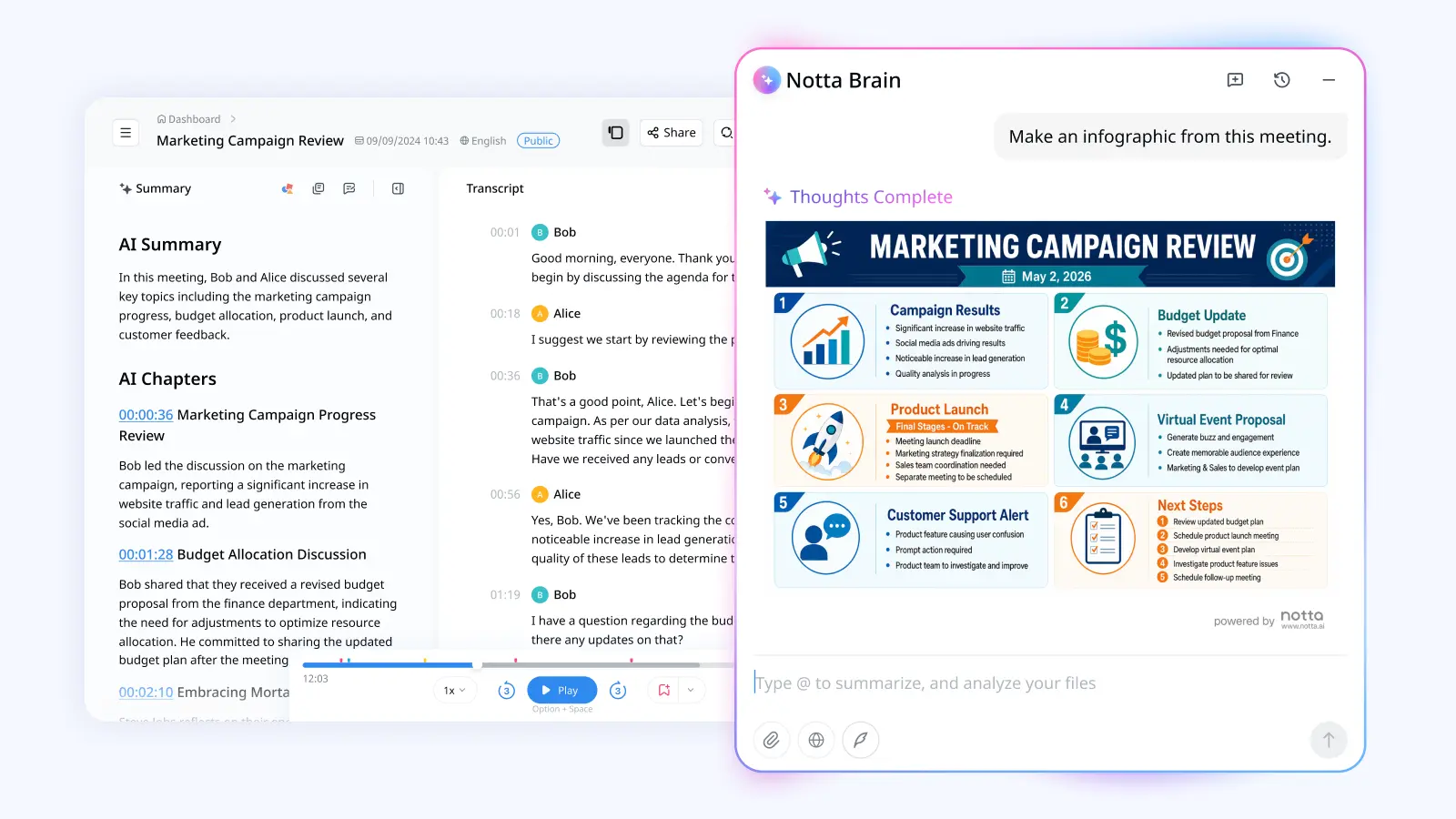
This is where I would lean toward Notta. Notta Brain can turn meeting content into reports, slide outlines, infographics, follow-up emails, tables, and action lists. So if you leave a meeting thinking, 'Okay, now I need to turn this into something useful,' Notta is built for that next step.
Sonix.ai has AI summaries and analysis for transcripts. That is helpful for understanding recorded content. Notta Brain feels more practical when the output needs to become a file your team can send, present, or save for later.
3. Multilingual meetings while they happen
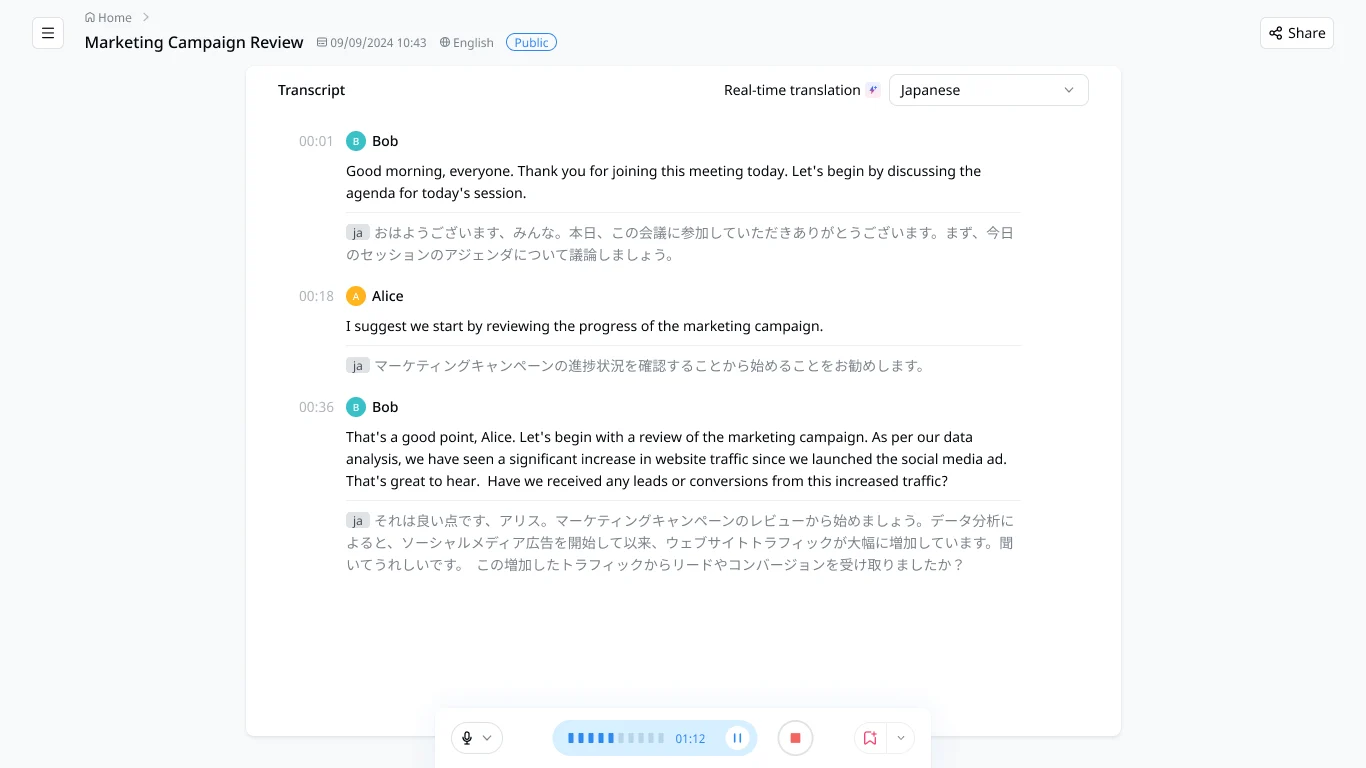
Notta supports 58+ transcription languages, bilingual transcription in 23 languages, and real-time translation in 80 languages. That matters for bilingual meetings, global teams, and calls where people need to follow the conversation right away.
4. In-person and mobile capture
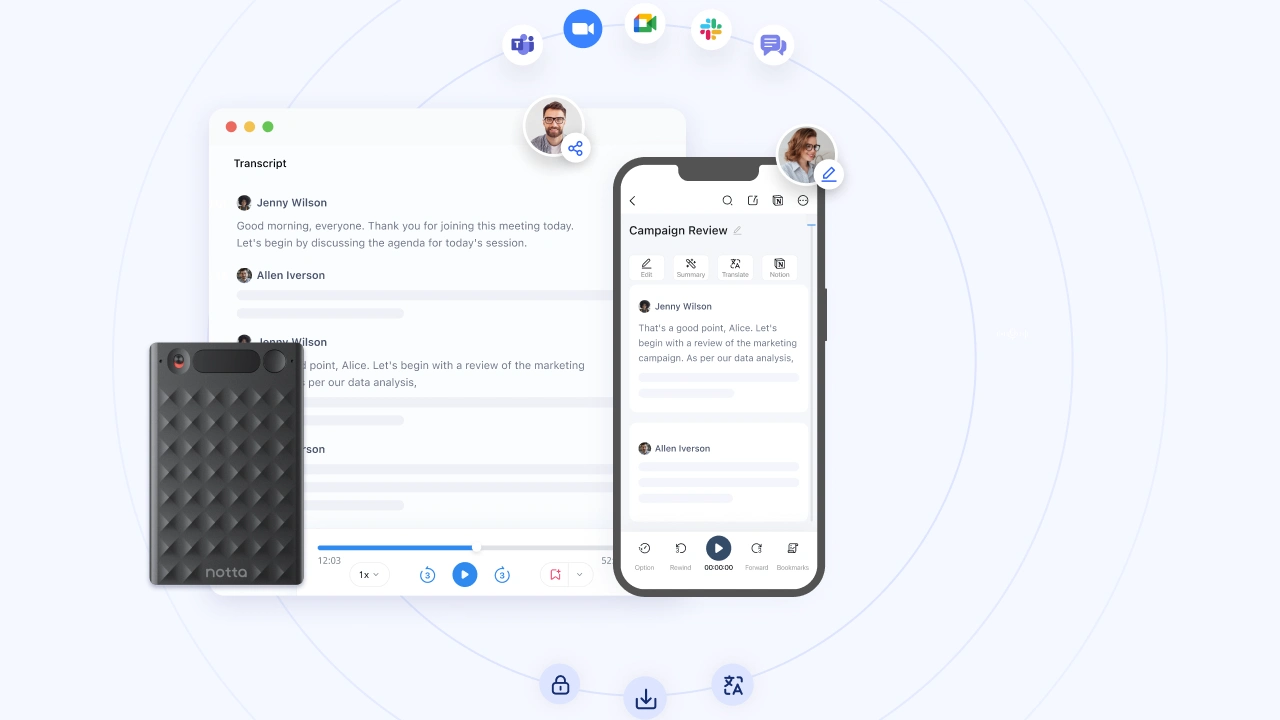
Not every useful conversation happens in a video meeting. Notta works on iOS and Android, supports Apple Watch recording, and can also capture in-person conversations with Notta Memo.
That makes Notta more flexible for client visits, lectures, field interviews, workshops, and quick conversations that never become a Zoom recording. Sonix.ai can still process the file afterward, but Notta covers more of the capture moment itself.
5. Reusable exports and meeting records
Notta supports TXT, DOCX, XLSX, PDF, SRT, and VTT exports. That is helpful when meeting content needs to move into a report, spreadsheet, subtitle workflow, client recap, or documentation system.
Sonix.ai also has useful exports, especially for transcripts and subtitles. I would just think of Sonix.ai as more media-file focused, while Notta is easier to build around as a recurring meeting workspace.
Where Sonix.ai May Be Worth Considering
Sonix.ai is not trying to be the same kind of product as Notta. Its best case is simpler: you already have audio or video files, and you want polished subtitles or analysis.
1. Subtitle and media production workflows
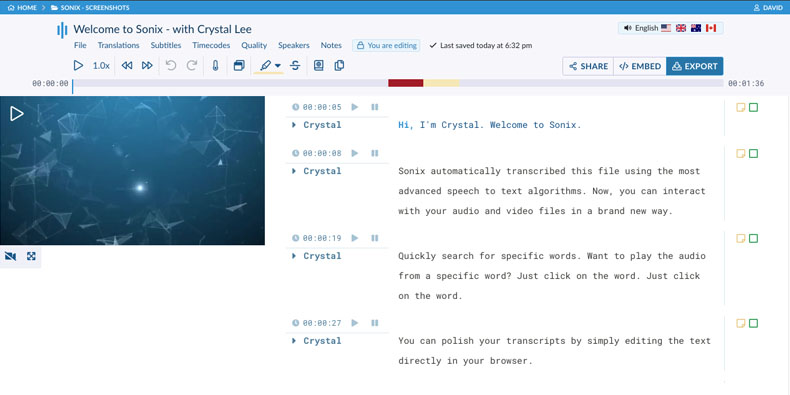
Sonix.ai makes sense for creators, podcasters, journalists, and video teams that spend a lot of time with recorded media. It offers transcript editing in the browser, subtitle exports, burned-in subtitles, and media-focused sharing tools.
Notta also exports SRT and VTT files. But if your whole workflow is built around finished recordings and subtitle delivery, Sonix.ai may feel more familiar.
2. Occasional transcription projects
Sonix.ai's pay-as-you-go plan is useful if you only transcribe files once in a while. You can pay $10/hr for uploaded audio or video, and new accounts get 30 free minutes to test the product.
The trade-off is that pay-as-you-go does not include AI workspace usage. If you need summaries, analysis, or team workflow features, you will likely compare the Core, Advanced, or Pro plans instead.
Which One Should You Choose?
I’d think about the scope of your workflow. If you need to capture meetings, handle bilingual conversations, record in-person discussions, and turn everything into final deliverables, Notta makes more sense. It gives you more of the full workflow, from live capture to reports, follow-up emails, slide outlines, tables, and action lists.
Sonix.ai is worth considering if your workflow is mostly focused on recorded audio or video files. It is especially useful when the job is transcript editing, subtitles, translation, and media production.
Global operations and program teams
Notta fits teams that coordinate across regions. You get live meeting transcription, real-time translation, file uploads, Notta Desktop, and Notta Brain outputs for status reports, briefs, and follow-up emails.
Consultants and client-facing teams
Notta makes more sense when meetings need to become client deliverables. Notta Brain can turn call content into reports, slide outlines, follow-up emails, tables, and action lists. Notta Desktop also helps when clients use different meeting apps.
Researchers and knowledge teams
I would lean toward Notta if you record interviews live, work across languages, import many files, or need multiple export formats. Notta Brain can also build tables, summaries, and comparison views from multiple sources.
Educators and students
Notta is useful for live lectures, bilingual classes, mobile recording, Apple Watch capture, and exports that support study and accessibility. Sonix.ai can work when you already have recorded lectures and mainly need transcripts or subtitles.
Media and video teams
Sonix.ai is worth considering when the workflow is mostly recorded audio or video, transcript editing, subtitles, translation, and media production. Notta makes more sense when production teams also need live meetings, bilingual conversations, in-person capture, and Notta Brain deliverables in the same workspace.
What Users Are Saying About Notta and Sonix.ai
User reviews are useful here because they show what people notice after using the tools in real workflows, not just what appears in the feature table.
What users say about Notta
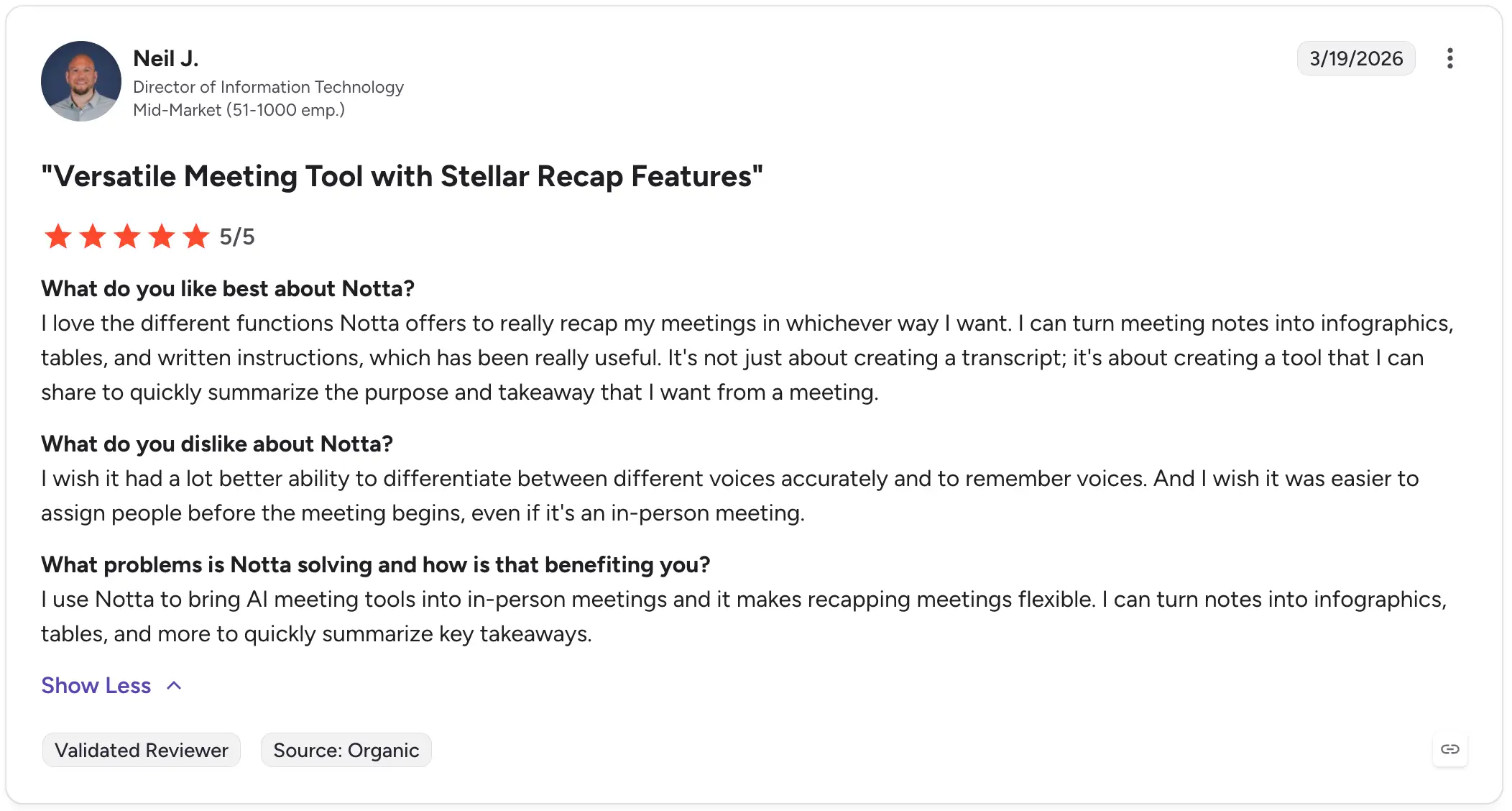
Notta reviewers often mention how useful it is after a meeting ends. One reviewer said they could turn meeting notes into infographics, tables, and written instructions, which made recapping meetings more flexible. They also pointed out that Notta helps bring AI meeting tools into in-person meetings, not just online calls.
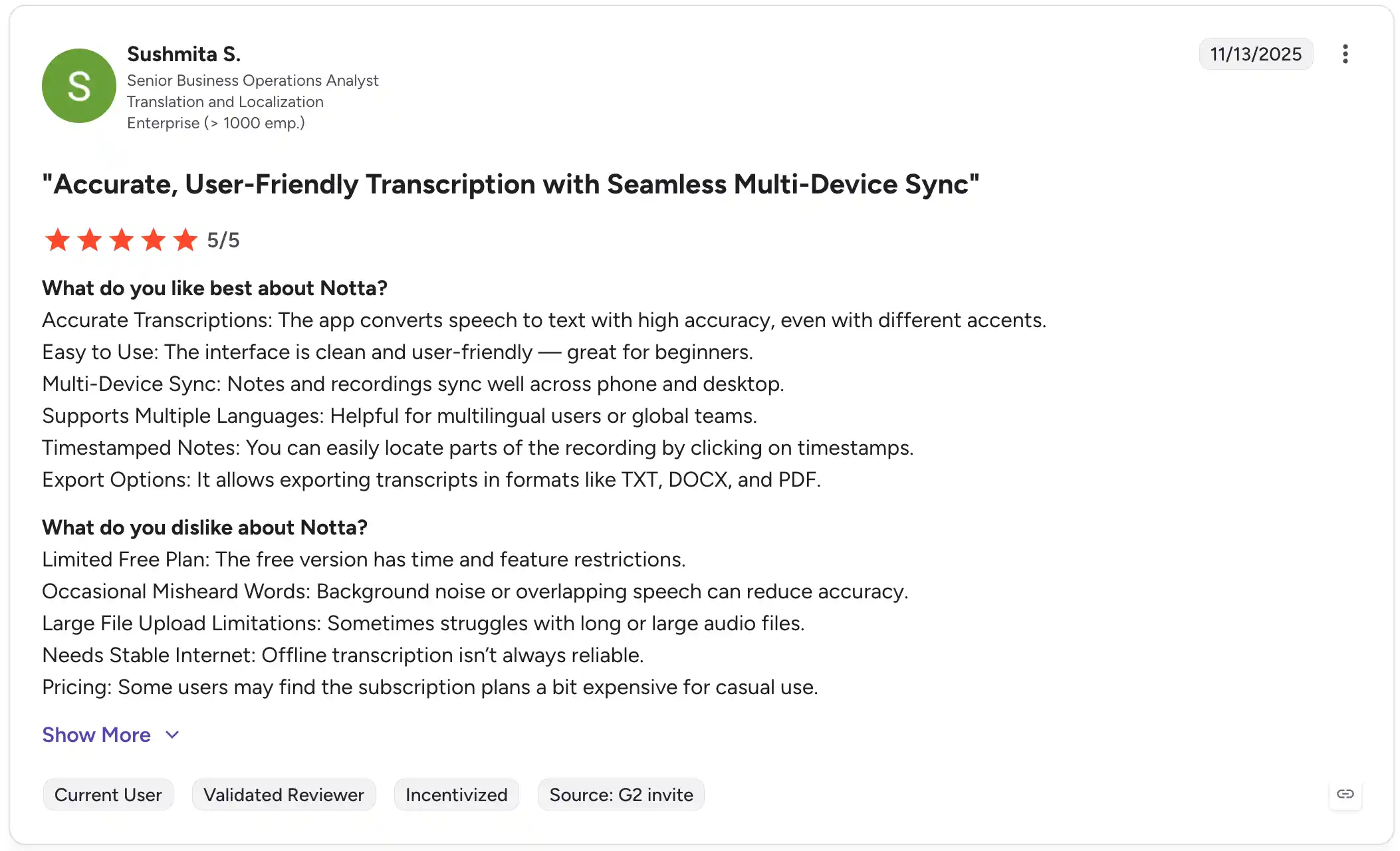
Another reviewer focused on the day-to-day basics: accurate transcription, a clean interface, multi-device sync, language support, timestamps, and export options. That lines up well with Notta’s role as a meeting workspace, especially when notes need to be found, shared, or reused later.
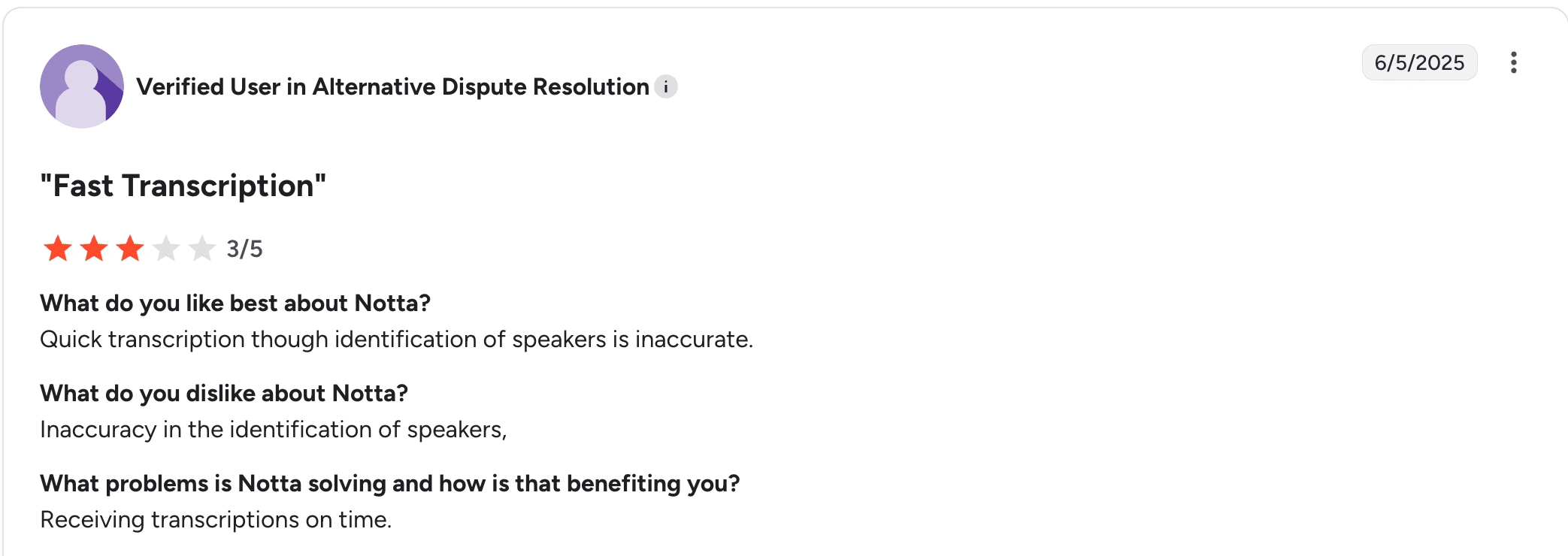
The main concern in these reviews is speaker identification. One reviewer liked Notta’s quick transcription and on-time transcripts, but said speaker labels were not always accurate. Notta has been actively improving speaker identification, so this is an area to watch as the product continues to get better.
What users say about Sonix.ai
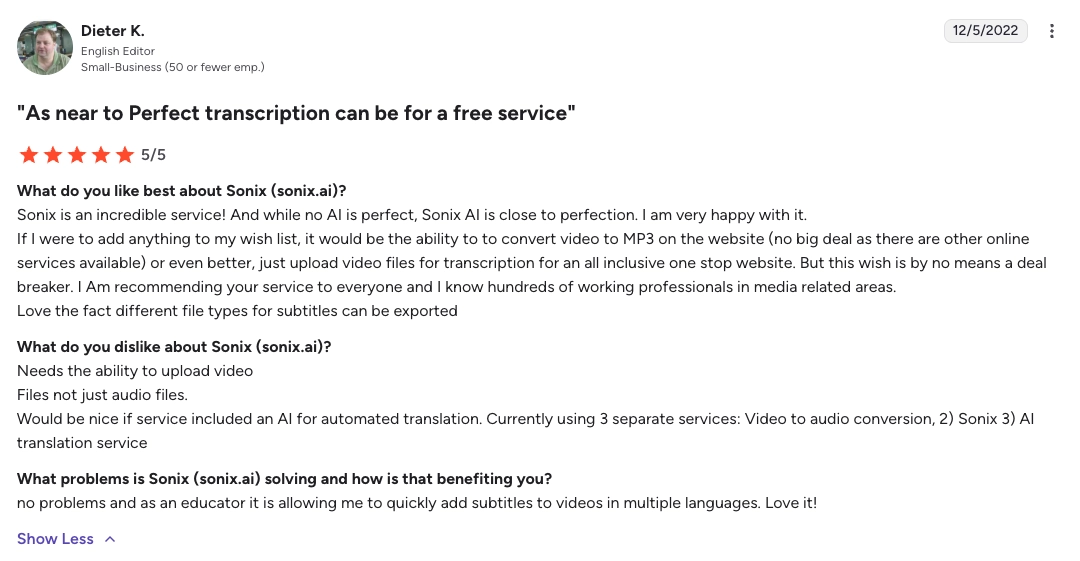
Sonix.ai reviewers often praise it for recorded media workflows. One reviewer used it to create subtitles for videos in multiple languages and called the transcription close to ideal for their needs. Since that review is from 2022, I would treat it as a useful signal about Sonix.ai’s media workflow rather than a current feature-limit checklist.
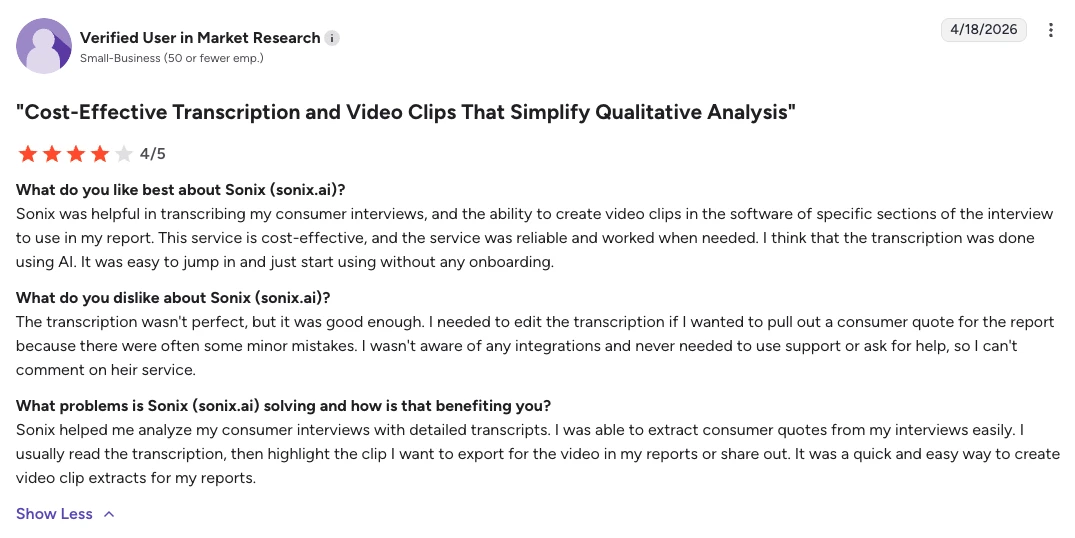
Another reviewer used Sonix.ai for consumer interviews and liked that they could create video clips from specific parts of an interview. They said the transcription was not perfect, but good enough after editing. That fits Sonix.ai’s best use case: working with recorded interviews, transcripts, and media clips.
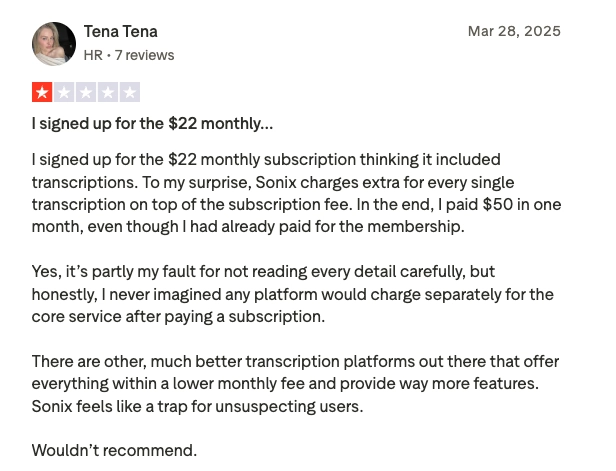
The biggest complaint in the provided Sonix.ai reviews is pricing clarity. One reviewer expected the monthly subscription to include transcription, then found that transcription was charged separately. So if you are considering Sonix.ai, it is worth checking how subscription fees, included hours, and extra transcription charges work before you commit.
FAQ
Is Notta better than Sonix.ai?
Yes, for live meetings and global operations. Notta is better if you need real-time meeting transcription, bilingual transcription, real-time translation, mobile apps, bot-free desktop recording, and deliverables from Notta Brain. Sonix.ai may be better if you mainly upload recorded files and need subtitles and video production workflows.
Does Notta support more languages than Sonix.ai?
For live multilingual work, yes. Notta supports 58+ transcription languages, 23 bilingual transcription languages, and real-time translation in 80 languages. Sonix.ai supports 53 transcription languages and claims translation across 53 languages for transcript-based workflows.
What is Notta Brain?
Notta Brain is Notta’s AI Meeting Execution Engine. It turns meeting content into slides, reports, infographics, email drafts, tables, and action lists. It can also answer questions about your meetings and work across multiple recordings.
What is Notta Desktop?
Notta Desktop is Notta’s bot-free recorder for Mac and Windows. It records locally from your device across 40+ meeting apps, with no visible bot in the call.
Final Recommendation
Sonix.ai is a good choice if your process starts with recorded audio or video and your priority is subtitles and video production — not live meeting capture across a global operations team.
Notta is the better Sonix.ai alternative when your team needs more than file transcription. It captures live meetings, desktop calls, in-person conversations, and uploaded files; supports bilingual transcription and real-time translation; and turns meeting content into action items, summaries, reports, slides, and infographics through Notta Brain, Notta’s AI Meeting Execution Engine.
Try Notta today to improve the way your team captures, organizes, and acts on conversations.
Try Notta Free