

Top 7 Medical Dictation Software Solutions in 2026
Saving time and effort with Notta, starting from today!
Medical dictation software converts spoken clinical notes into structured text using AI speech recognition. Medical professionals use it to document patient encounters, dictate into EHR systems, and generate SOAP notes. These tools reduce manual entry time and transcription errors across desktop, iOS, and Android devices.
Reports project that the medical dictation software market will reach$6.45 billion by 2030. Much of that growth comes from rising demand for AI tools that improve the accuracy, organization, and accessibility of medical records.
Today, we’ll cover the best medical dictation apps and software and demonstrate how you can use them to expedite your work. We’ll also share insights from medical experts who use medical dictation software.
What is the best medical dictation software for clinical documentation?
The best medical dictation software for clinical documentation is Notta for AI notes, multilingual transcription, and low-cost HIPAA compliance, Dragon Medical One for broad EHR integration across 200+ clinical systems, and Philips SpeechLive for secure cloud storage and priority-based workflow management. The right choice depends on your budget, EHR environment, and whether you need AI note generation or direct dictation.
The table below compares all seven platforms across price, integrations, mobile access, AI notes, and compliance.
| Software | Starting Price | EHR integration | Mobile access | AI medical notes | Security / compliance | Export / sharing |
|---|---|---|---|---|---|---|
| Notta | $8.17/month | Limited | Yes, iOS and Android | Yes, automated summaries and templates | AES-256 encryption, HIPAA-compliant | TXT, DOCX, PDF, plus share options |
| Fusion Narrate | $71/month | Yes | Yes | Yes, generates patient reports | AES 256-bit encryptio, HIPAA-compliant | Dictation into clinical systems |
| Philips SpeechLive | $12.90/month | Yes, external integrations | Yes | No | SSL encryption, secure cloud infrastructure | Organized cloud storage |
| VoiceboxMD | $49/month | Yes | Limited, no Android app | No | HIPAA-compliant, enterprise-grade encryption | PDF, EHR systems |
| Amazon Transcribe Medical | Based on audio minutes | API-based integration | No | No | HIPAA-eligible | API-based output |
| Dragon Medical One | $99/month | Yes, broad compatibility | Cloud access across workstations | No | 256-bit encryption, HIPAA- compliant | Direct dictation into systems |
| DeepScribe | Custom | Yes | Yes | Yes, structured note generation | HIPAA-compliant | Syncs notes to EHR |
How Did We Choose the Best Medical Dictation Apps?
To identify the best medical dictation apps, we reviewed speech-to-text tools that support healthcare documentation. Our research included analyzing product documentation, feature lists, and publicly available information about each platform. We focused on the following factors:
Security and compliance. We checked whether the software offers HIPAA-compliant environments or other safeguards to handle clinical documentation.
Medical-specific features. Some dictation tools include features for healthcare settings, such as support for medical documentation, medical templates, or integrations with medical systems.
Support for medical terminology. Medical dictation often includes drug names, anatomical terms, and commonly dictated phrases such as “patient presents with,”“past history,” and “assessment and plan.” Tools also need to recognize similar-sounding terms like hypertension and hypotension correctly to avoid documentation errors.
General dictation features. We also compared core features such as speech recognition accuracy, transcript editing, device compatibility, and export options.
What are the Best Medical Dictation Apps? (iOS, Android, and Desktop apps)
Medical dictation apps act like clinician assistants that help you handle clinical documentation by capturing spoken notes and organizing them into patient records. They also let you update records on the go and keep documentation organized across devices.
We’ve gathered the top choices, taking into account their features, accuracy, ease of use, and compatibility across systems.
1. Notta
Best for: Medical dictation in many languages
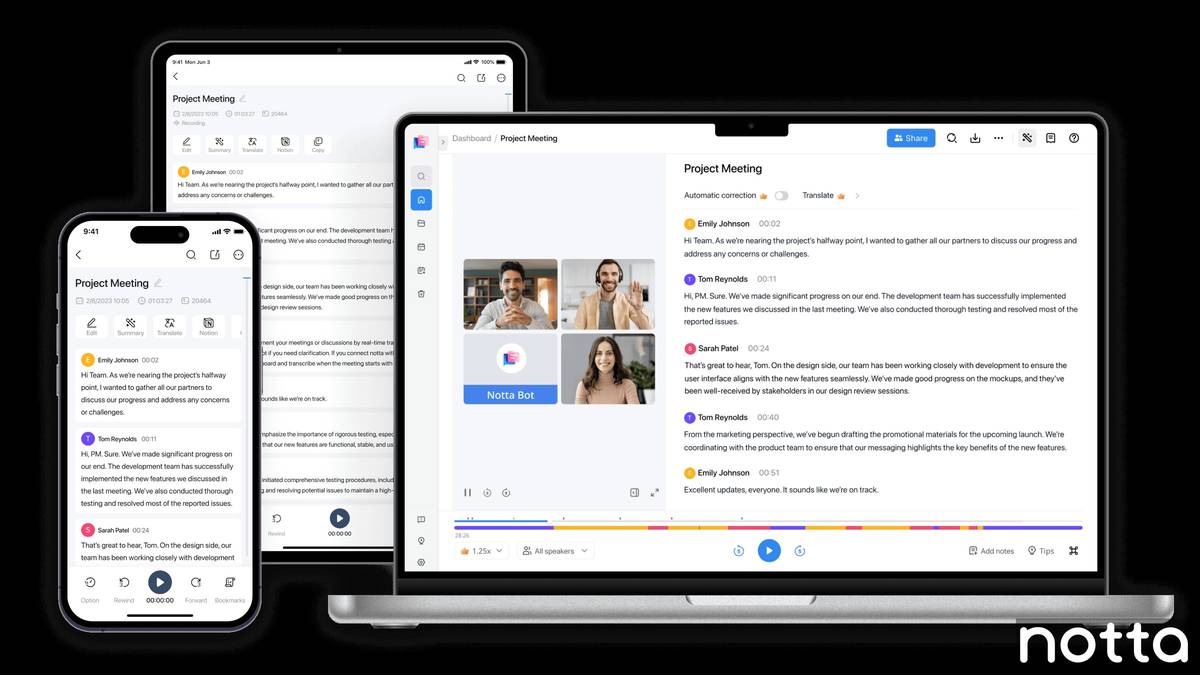
Notta is an AI note-taking and medical dictation tool that lets you dictate notes or record consultations and automatically convert them into structured transcripts. The platform transcribes speech with up to 98.86% accuracy, capturing medical terminology and turning conversations or dictated medical notes into clear clinical documentation.
You can also use built-in templates for SOAP notes and medical referral letters to structure your medical transcription. With the Notta Brain, you can analyze recordings, search transcripts, and query specific details from your documentation.
Finally, the platform protects recordings and transcripts with AES-256 encryption and follows HIPAA-compliantsecurity standards to safeguard patient data.
Key features
Medical transcription in 58 languages: Record consultations or dictate notes and convert them into transcripts in multiple languages, including English, Spanish, German, and French. Capture interpreter-assisted consultations or document visits with international patients without switching tools.
Custom medical templates: Built-in templates for structured SOAP notes (Subjective, Objective, Assessment, Plan) and medical referral letters help you structure clinical documentation quickly without manual formatting.
Accuracy and efficiency: Notta’smedical dictation software transcribes audio with up to 98.86% accuracy, so you can dictate notes, treatment plans, and referral letters instead of typing them manually.
Notta Brain analysis: Use the Notta Brain to analyze recordings, search transcripts, and query specific details from your documentation to review consultations and extract key information quickly.
Cross-device access and flexible exports: Access recordings and transcripts on desktop, iOS, or Android. Import common file formats like MP3, M4A, MP4, and MOV, and export transcripts to TXT or DOCX for sharing or uploading to medical systems.
Security and compliance: The platform protects recordings and transcripts with AES-256 encryption and follows HIPAA-compliant security standards to safeguard patient data. Notta also employs enterprise-level security practices, including compliance audits and admin controls to protect sensitive medical information.
“One of the standout features for me is the automatic transcription. It saves me hours of tedious note-taking by providing accurate transcriptions of my meetings. This feature alone has significantly improved my productivity.” - Sanath S.,G2 reviewer
Pricing
Notta offers a free plan with access to a limited number of features. After that, pricing is based on the number of seats, transcription hours, and advanced features. Pricing starts from:
Pro: $8.17/month for one seat
Business: $16.67/month for one seat
Enterprise: Custom pricing
Pros
Speedy transcription processing saves time and cuts down manual busy work.
Easily share and collaborate on transcripts with team members.
With patient consent, the Notta Bot can automatically join online consultations and transcribe your patient interactions.
Cons
Limited EHR integrations mean you need to export transcripts before adding them to electronic health record systems.
Can struggle with recognizing highly technical terms in some languages.
2. Fusion Narrate Smartphone App
Best for: Capturing highly technical medical terminology
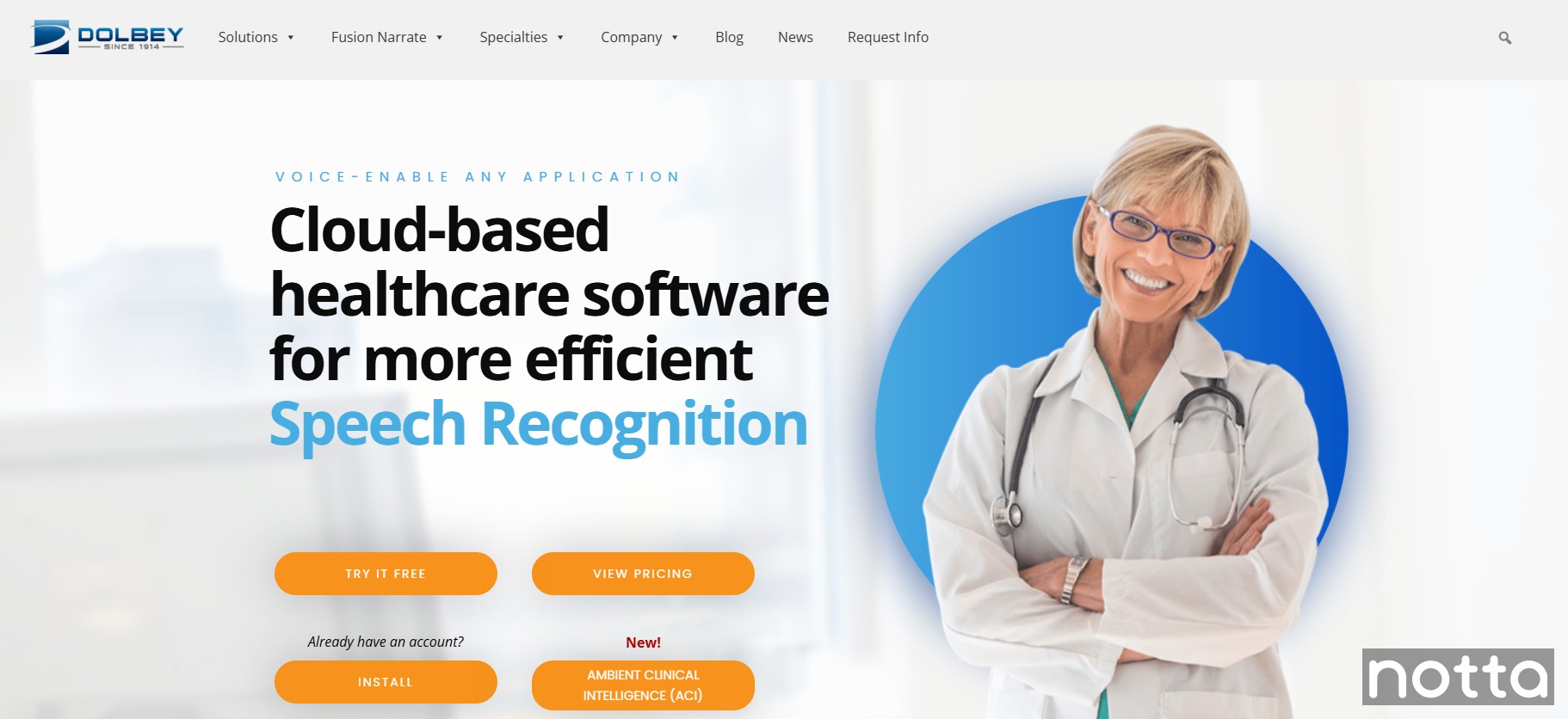
Fusion Narrate is specifically designed for the healthcare industry. You can dictate clinical notes and use voice commands to automate clicks, keystrokes, and navigation inside clinical software.
This speech recognition software integrates with a wide range of medical systems, including EHRs, PACS (Picture Archiving and Communication Systems), LIS (Laboratory Information Systems), RIS (Radiology Information Systems), and PIMS (Practice Information Management Systems). As a result, your staff can store and access a patient’s information quickly.
On top of that, Fusion Narrate ACI automatically generates a complete patient report from the visit so that you can focus on the patient instead of documentation.
Key features
Shortcut builder: Create custom voice commands that automate clicks, keystrokes, and navigation inside clinical software.
EHR compatible: Using your device’s microphone, you can easily dictate information into electronic health records.
Multiple devices: Medical practitioners can access their profiles across any number of devices to work on the go.
Pricing
You can try Fusion Narrate on a 14-day free trial. After that, pricing is on an annual basis, and AI features are an add-on:
Fusion Narrate: $850/year for one user.
AI Assist: $350/year for one user.
Pros
Responsive and knowledgeable customer service team that’s quick to resolve issues.
Regular software patches and updates to ensure the app runs smoothly.
Onboarding and training services available for installation, setup, and accuracy optimization.
Cons
Expensive annual pricing, which can be a deterrent for your medical practice.
Steep learning curve despite good onboarding and training.
3. Philips Dictation Smartphone App
Best for: Best-in-class file encryption
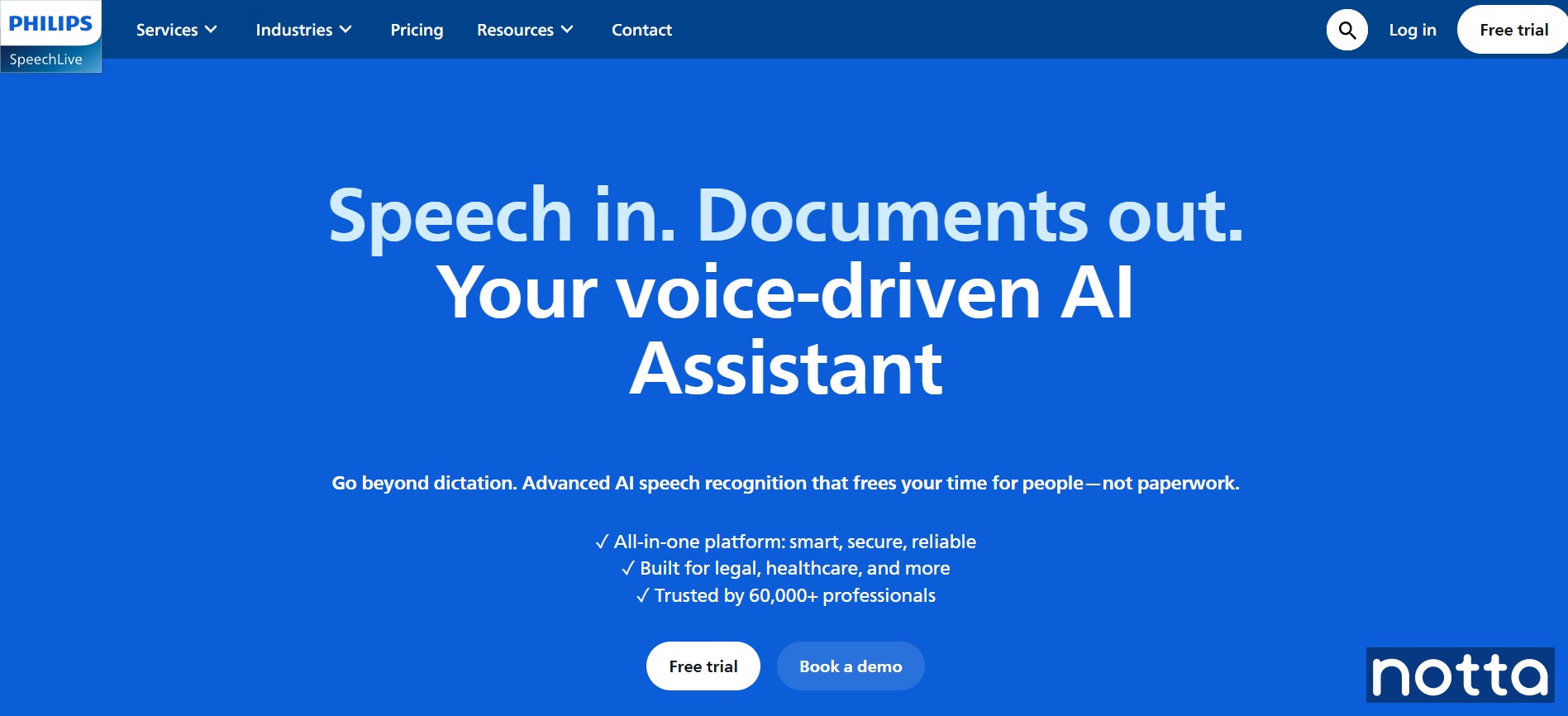
Philips SpeechLive is a medical dictation platform with a feature-rich interface for documenting patient information.
One of the most useful parts of the Philips app is its file storage system. The app lets you assign properties to voice recordings so you can organize dictations more easily. Another notable feature is the ‘priority’ function, which lets you mark dictations as urgent, for example when you need to send a lab request the same day.
The storage system both efficient and secure. Philips SpeechLive protects files with SSL encryption, and you can also encrypt recordings to safeguard sensitive patient information.
Key features
Secure cloud infrastructure: Philips SpeechLive stores dictations on Microsoft Azure servers and keeps data within your geographic region to meet strict security and privacy standards.
Organizational features: Label and organize recorded voice memos by filtering files by patient name or the clinician who created the dictation.
Wide integration support: Connect SpeechLive with external tools and systems, including Dragon Medical One, to dictate reports and send them directly for transcription and documentation.
Pricing
Philips SpeechLive offers a 14-day obligation-free trial. After that, you can choose from the following paid plans designed for individuals and teams:
Basic: $12.90/month/user
Pro: $17.90/month/user
Enterprise: $21.90/month/user
AI-powered speech recognition: $25.90/month extra/user
Pros
Clear playback, simple controls, and a convenient storage mechanism.
Straightforward interface compared to more specialized medical voice recognition software.
Available in English, French, German, and Dutch.
Cons
4. VoiceboxMD
Best for: Accurate transcriptions with accented speech
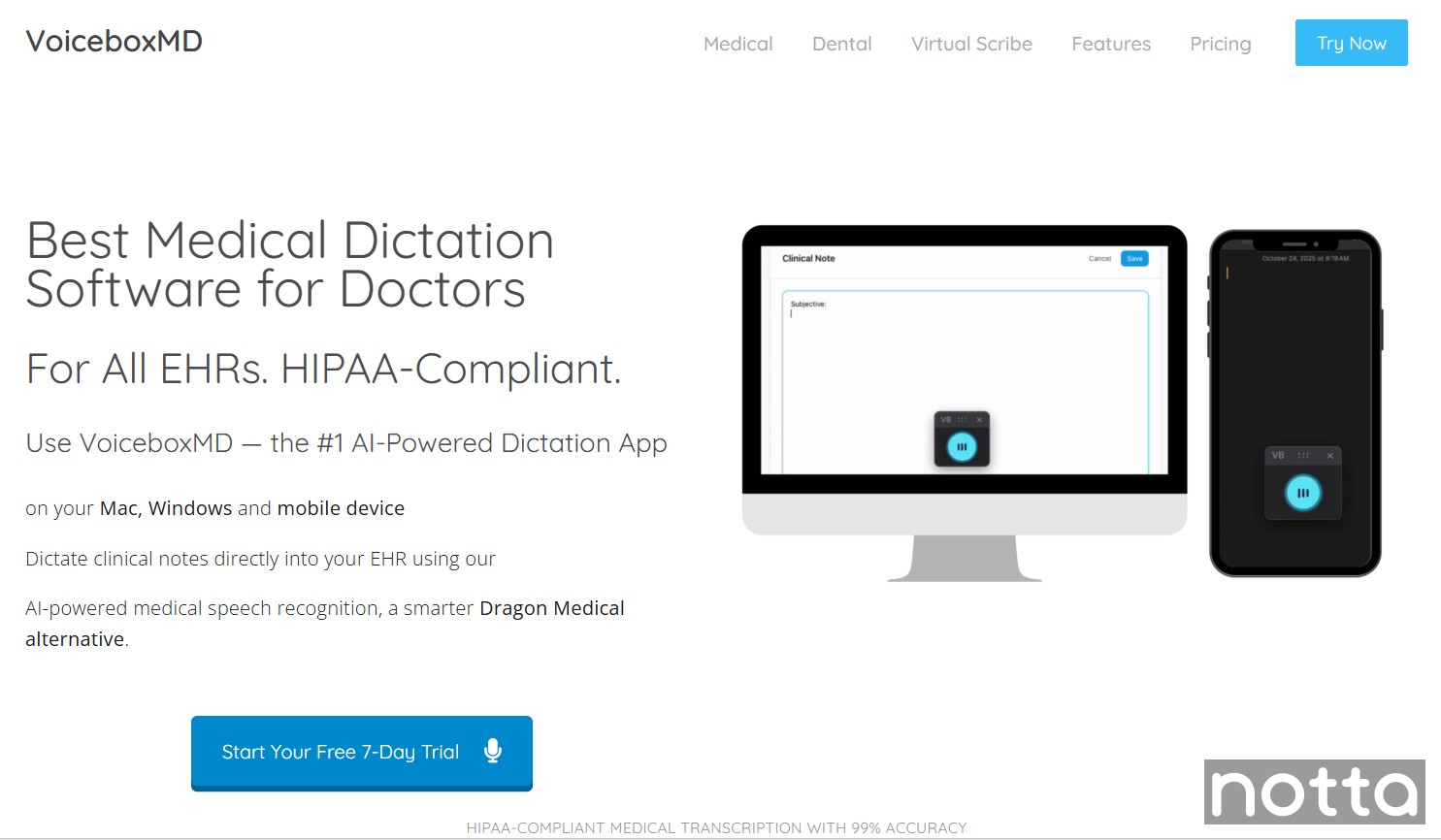
VoiceboxMD is a medical dictation tool designed by physicians for physicians. It uses machine learning algorithms to convert spoken notes into accurate text and adapt to your speaking style over time, improving accuracy when transcribing medical terminology and different accents.
The platform supports documentation across several clinical specialties, including internal medicine, radiology, gynecology, and veterinary medicine.
It also offers specialized solutions such as dental dictation software, which includes features like voice-activated periodontal charting and integrations with dental practice management systems like Dentrix and Eaglesoft.
Key features
High level of security: Protect dictations with enterprise-grade encryption and strict data handling protocols. The platform is HIPAA-compliant and undergoes regular third-party audits to maintain security best practices.
Regularly updated medical dictionary: The platform constantly updates its glossary of technical medical terminology, including prescription names.
EHR integrations: Integrate with major EHR systems including Epic, Cerner, Athena, and eClinicalWorks, with support for cloud, on-premise, and Citrix environments.
NLP enabled: Built-in natural language processing helps recognize medical terminology and adapt to different speaking styles and accents.
Pricing
VoiceboxMD has monthly pricing plans, and each offers a 7-day free trial.
Essential: $49/month
Power: $79/month
Premium: $139/month
Pros
The speech recognition engine learns your voice over time and improves transcription accuracy.
Includes a built-in medical vocabulary and allows you to add custom terminology.
Cons
The Essential plan limits you to one device.
VoiceboxMD does not offer an Android app.
5. Amazon Transcribe Medical
Best for: Best-in-class machine learning
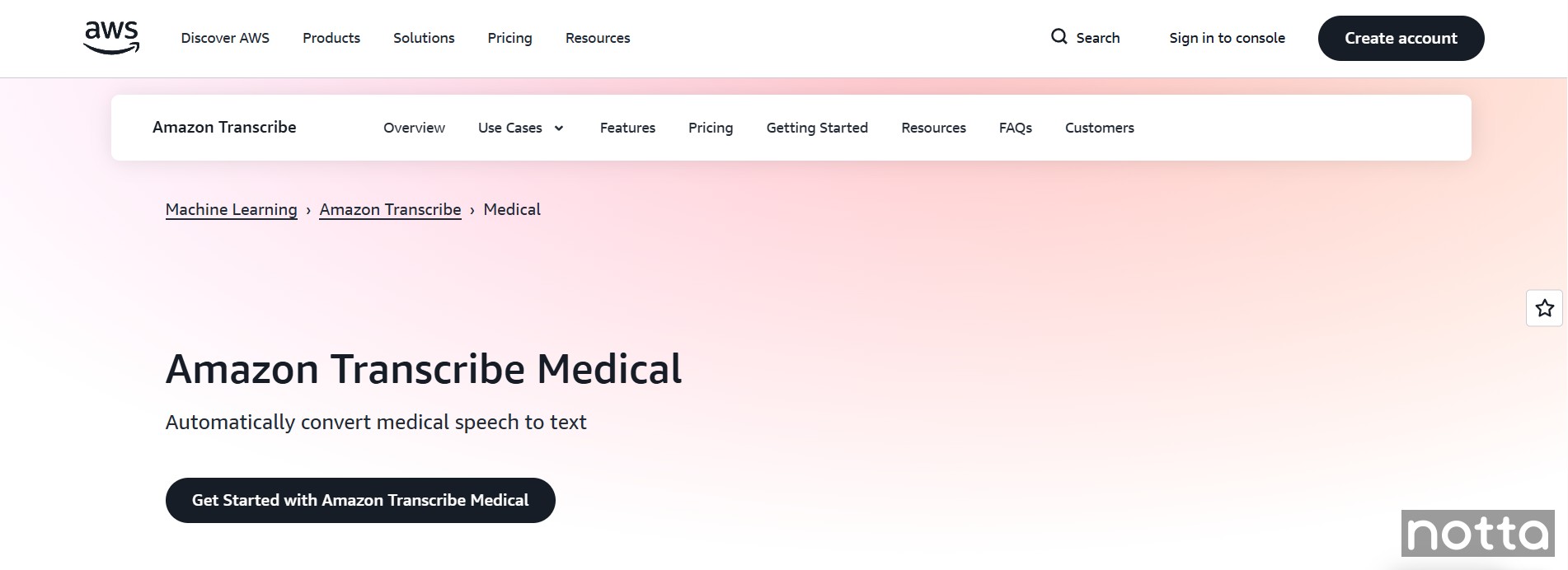
Amazon Transcribe Medical is an automatic speech recognition service that converts medical speech into text inside healthcare applications. Amazon uses machine learning models trained on medical terminology to recognize and transcribe procedures, diagnoses, and medications.
The service is HIPAA-eligible and follows strict security standards for handling patient data.
Keep in mind that Amazon Transcribe Medical is an API, not a standalone app. You need to integrate it into your own software using code, which means it requires technical setup before you can use it.
Key features
Specialized language learning models: Medical Amazon Transcribe is trained specifically on medical data from fields such as radiology, cardiology, and primary care. The language models are designed to recognize complex jargon, medicine names, and procedures with excellent accuracy.
Automatic archive generation: You can easily search for past media. Transcriptions are automatically indexed and organized, allowing for quick retrieval and review of patient consults.
Speaker separation: Differentiates between multiple speakers, which helps you document conversations with your patients.
Pricing
The Amazon Transcribe Medical free trial gives you 60 monthly audio minutes per month for 12 months. After that, you pay a rate based on the number of minutes you transcribe.
Pros
Batch transcription handles large volumes of audio files at the same time.
Integrates easily with other AWS services.
Solid customer support.
Cons
Primarily operates in English, which is limiting if your practice requires multilingual support.
Requires developer integration because it is an API.
6. Nuance Dragon Medical One
Best for: Integration with most clinical systems
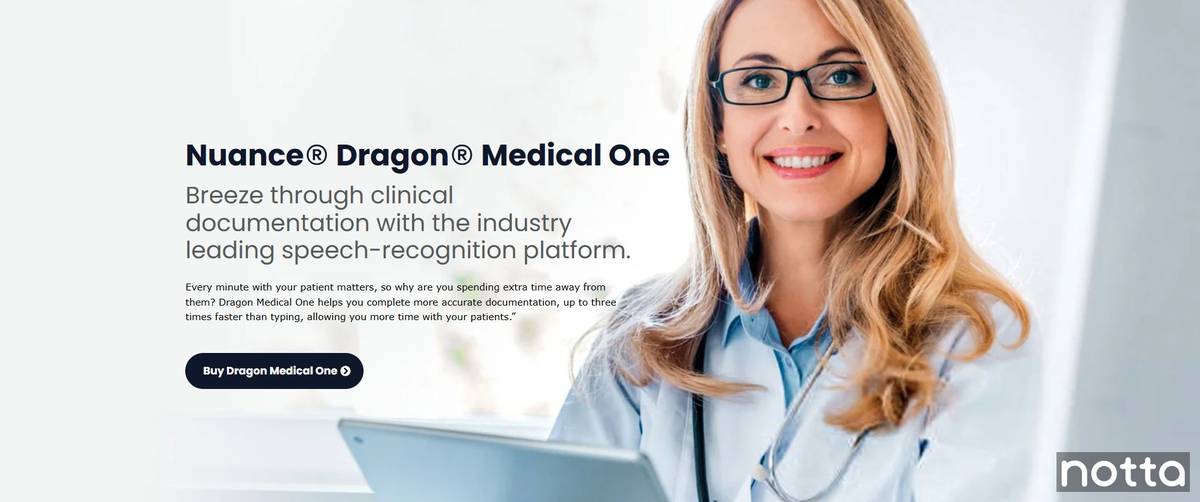
Nuance Dragon Medical One integrates easily with the documentation systems in your existing workflow. The cloud-based platform lets you dictate clinical notes directly into EHRs, emails, or other applications using your voice.
Because your voice profile is stored in the cloud, you keep full control over your notes. You can log in from different workstations and keep the same vocabulary, commands, and preferences wherever you document patient care.
Key features
Works with most clinical systems: Seamless integration with over 200 EHRs, practice management platforms, and other clinical applications, so you can use it with the systems already in place.
Auto punctuation: Automatically pinpoints where you should punctuation marks such as full stops, commas, and question marks, reducing the need for manual editing. It also ensures consistent punctuation formatting throughout your documentation.
Custom voice commands and shortcuts: Create voice commands, Auto-texts, and step-by-step commands to insert templates, automate repetitive actions, and navigate clinical systems faster.
Pricing
You need to purchase and configure Dragon Medical One through a third party. Microsoft Marketplace lists these 1-year subscription prices:
Dragon Medical One: $123/user/month
Dragon Medical One + PowerMic Mobile: $99/user/month
PowerMic Mobile: $20/user/month
Pros
Accurate transcriptions, even with accented speech.
Offers good customer support with chat, live agent support, and a resource library.
Includes advanced tools like step-by-step commands, Auto-texts, and formatting controls.
Cons
There’s a learning curve to teaching the platform to recognize different voice profiles.
7. DeepScribe
Best for: AI medical scribe with a large database of clinical conversations
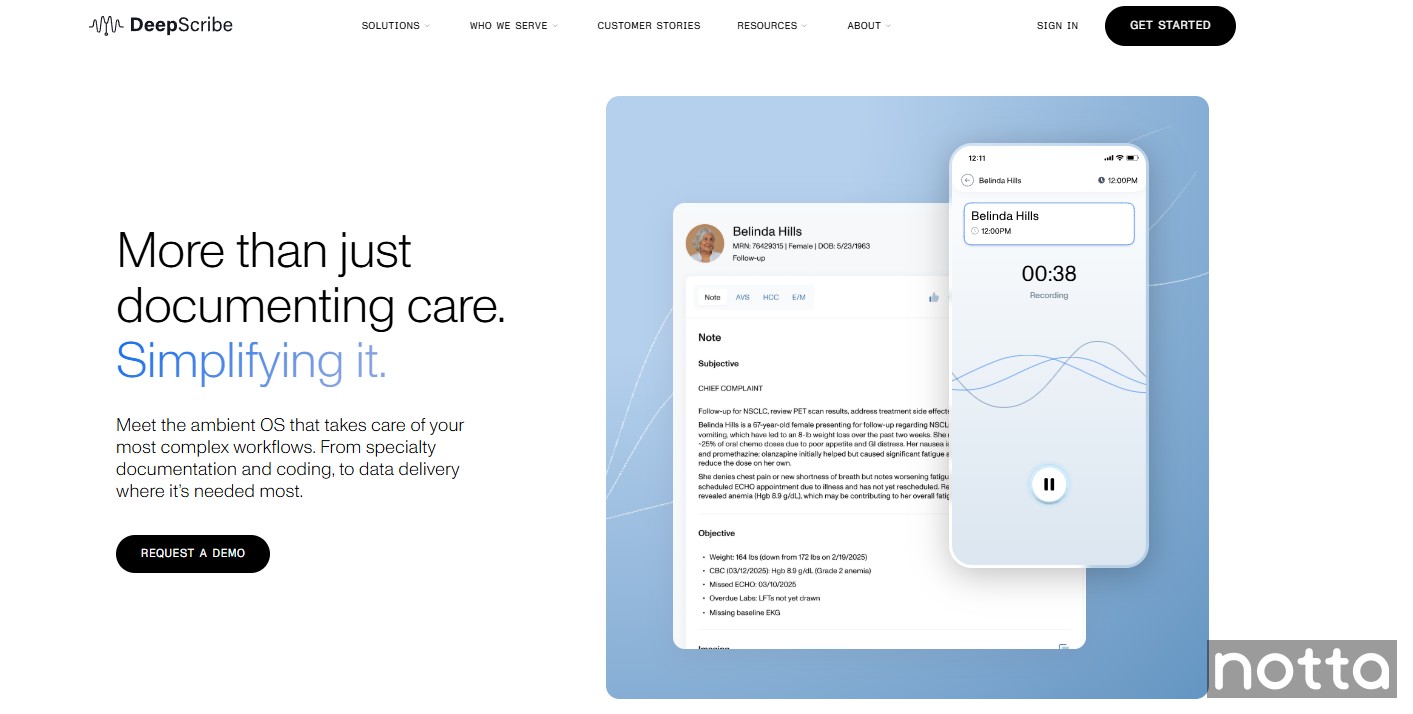
DeepScribe offers medical speech recognition software that automatically transcribes any dictations or real-time patient consultations and turns them into structured notes. It uses AI technology to identify and transcribe medical terminology with high accuracy.
It’s also compatible with many EHRs, which makes it easy to sync notes to your records. This feature alone will save you hours of administrative tasks.
Key features
AI and machine learning: Quickly identifies medical terminology through learning from a large database of natural patient conversations.
Customize notes: Use specialty templates alongside AI dictations to edit notes and customize layouts to match your workflow requirements.
Compatible in telemedicine environments: Whether working face-to-face with patients or consulting online, you have flexibility in their care settings.
Pricing
You must consult with the sales team to get custom pricing for DeepScribe.
Pros
Excellent customer support.
HIPAA compliant.
Accuracy improves every time you use the software.
Cons
Inconsistent transcription that requires a heavier touch of editing.
Who needs medical dictation software?
Medical dictation software serves medical professionals who need to record patients’ health information. It helps you accurately convert speech to text and track a patient’s medical history, diagnosis, and treatment plan. The software is commonly used by:
Doctors: Physicians and doctors use medical dictation tools to document patient encounters, diagnoses, and treatment plans. In turn, you can fully focus on patient care in the exam room, rather than on paperwork.
Medical transcribers: These professionals use medical voice recognition software as an assistant to speed up the transcription process. After the software creates the transcript, a medical transcriptionist reviews and edits it for accuracy.
Hospitals, clinics, and medical practices: These institutions use dictation software to improve documentation, keep records organized, and support compliance with healthcare regulations.
What are the Benefits of Medical Dictation Software?
Medical dictation software offers three main benefits for medical professionals: faster clinical documentation through automated speech-to-text, higher accuracy through medical vocabulary recognition, and built-in compliance that protects patient data. These benefits reduce administrative time, lower transcription errors, and keep clinical records audit-ready.
Simplified Workflows
Medical dictation software runs on mobile devices, desktop computers, and laptops. As a result, it allows healthcare professionals to access and update patients’ information on the go.
One reason many healthcare professionals rely on medical dictation software is its ability to connect with EHR systems, which makes documentation easier during a busy day. As Dr. Linda Koshaba explains:
“As a naturopathic endocrinologist, access to dictation software is crucial. It's integrated into my electronic health record (EHR) system, making it seamlessly accessible from any computer within the clinic. This integration streamlines my workflow significantly. Instead of spending countless hours typing detailed patient notes, treatment plans, and referrals, I can dictate them efficiently while examining patients or reviewing their charts.” —Dr. Linda Koshaba, Natural Endocrinology Specialist and CEO at NESAZ
Functionality
Purpose-built medical dictation platforms include specialized medical dictionaries. These dictionaries recognize drug names, anatomical terms, and specialty-specific abbreviations, which reduces manual correction after each session.
“Using dictation software specifically designed for healthcare, and even more specifically for endocrinology, offers several advantages. It understands medical terminology and abbreviations, reducing errors in transcription.
“It also often comes with built-in templates for common patient encounters, progress notes, and discharge summaries, further accelerating the documentation process. Additionally, these software solutions often incorporate features like voice recognition and auto-formatting, enhancing efficiency and accuracy.”—Dr. Linda Koshaba, Natural Endocrinology Specialist and CEO at NESAZ
Compliance
Lastly, most platforms safeguard your patient data through compliance with international regulatory bodies, such as HIPAA. By adhering to these standards, you ensure that your patient data is secure and that you remain compliant with legal standards.
“Ensuring patient privacy and data security is paramount in healthcare. My dictation software is HIPAA-compliant, meaning it adheres to strict regulations for protecting patient information. It uses encryption to secure data both at rest and in transit. Moreover, the software integrates seamlessly with our EHR, ensuring that all documentation is stored securely and accessible only to authorized personnel.” -Dr. Linda Koshaba, Natural Endocrinology Specialist and CEO at NESAZ
How to choose the best medical dictation software
Six factors determine which medical dictation software you should choose: speech recognition accuracy, EHR integration, HIPAA compliance, multilingual support, AI summarization, and sharing options. Accuracy and compliance carry the highest risk in clinical environments, where documentation errors create legal risk.
Accuracy: Look for software with high accuracy rates in speech recognition. Advanced AI algorithms and large medical vocabularies reduce errors, ensuring precise transcription of medical terms and patient information. For example, the software should correctly recognize abbreviations like “BP” (blood pressure) or “PRN” (as needed).
Integrations: Make sure the software integrates with your existing electronic health record (EHR) system and other medical tools so you can add notes directly to patient records.
Security and compliance: Protecting patient data is essential in healthcare. Choose software that supports encryption, secure storage, and compliance with HIPAA regulations, and make sure the vendor is willing to sign a Business Associate Agreement (BAA) to confirm responsibility for protecting patient data.
Multiple language support: If you work with patients who speak different languages, choose software that can accurately transcribe and document conversations in their native language.
AI summarization: The best software can automatically summarize long dictations into clear notes. Notta includes AI templates with built-in SOAP note formats and customizable note structures to quickly organize transcripts and highlight key points.
Easy sharing: Pick software that lets you share transcriptions and records within your team and with other healthcare providers. With Notta, you can export transcripts in various formats, such as TXT, PDF, DOCX, or SRT, and share them via email, link, and apps like Notion, Salesforce, etc.
Can You Improve Your Clinical Workflows with Medical Dictation Software?
Traditional dictations and manual typing quickly add to your mental load when documenting patient encounters. At worst, they actively distract you from engaging with your patient. Medical dictation software reduces that burden by converting consultations directly into text, helping you record patient information faster and with fewer interruptions.
Notta supports this process with real-time transcription that reaches up to 98.86% accuracy, HIPAA-compliant data protection, and automatic note generation, so you can stay engaged with the patient and improve the overall patient experience. Built-in collaboration features also make it easy to share transcripts with your clinic or colleagues when you need to.
Try Notta for free to capture your consultations and keep patient records clear and consistent.
FAQs
1. What is an EHR?
An Electronic Health Record (EHR) is a digital patient file that stores medical history, diagnoses, medications, treatment plans, and test results. You can access EHRs from any authorized workstation to review and update patient data in real time.
Medical dictation software connects directly to EHR systems, so you can dictate notes instead of typing them manually.
2. Is it worth paying for medical dictation software?
Medical dictation software is worth the cost for clinicians who document multiple physician-patient conversations daily. According to the American Medical Association, AI medical scribes save physicians an average of one hour a day on documentation. These tools recognize medical vocabulary, support several audio formats, work across devices, and make it easier to export and share patient information securely.
3. Are medical dictation apps accurate?
Medical dictation apps deliver high accuracy when trained on clinical vocabulary. For example, Notta reaches up to 98.86% transcription accuracy. Apps built specifically for healthcare also recognize drug names, anatomical terms, and specialty-specific phrases that general speech-to-text tools miss.
4. Are medical dictation apps HIPAA compliant?
Not all medical dictation apps are HIPAA compliant. To verify compliance, review the vendor’s security documentation and confirm that the platform supports encryption and will sign a Business Associate Agreement (BAA). Keep in mind that “HIPAA-eligible” only means the software can support compliance, and it doesn’t make the software automatically compliant.
5. How can medical dictation improve patient care?
Medical dictation improves patient care by reducing the time physicians spend on documentation. Doctors and physicians can use the software to record patient consultations or dictate on Mac, desktop PCs, and mobile devices. By dictating notes instead of typing, clinicians can stay more focused on the patient and keep records up to date after each visit.
This one looks like it's well-written, but only at first glance - it's got a LOT of fluff and weirdly pointless phrasing (such as "It can be a handy guide to help you choose the best software if you’re short on time." lol)
Main kw: medical dictation software
Competitors:
1. https://www.lindy.ai/blog/best-medical-speech-to-text
2. https://www.medesk.net/en/blog/medical-transcription-software/
3. https://voiceboxmd.com/medical-dictation/
To Do List:
1. Rewrite the intro into a much shorter, Claude-approved form
2. Update all the apps for features/pricing/etc, including screenshots, and rewrite the associated text for errors along the way. If there is a new player (or more than one) that has suddenly changed the whole market, swap them in.
3. Review the flagged sections, and resolve the following CA notes where highlighted:
- Add a comprehensive comparison table for the listed software options (affects users looking for quick comparisons).
- Detail the methodology used to evaluate the software (builds trust and authority).
- Expand on common medical dictation terms.
-----
I think this last one is going to have to be scattered throughout the document. Do a bit of research on common terms to include, and explain why they matter in dictation and potential issues. We could also include a bit of discussion about this in the new 'how did we choose the best app' section.
4. Run through the Claude analysis, and improve the score using all reasonable suggestions (check with me if you're unsure).
5. Optimize in Surfer. Let's aim for a score above 85 on this one, since the top comp is 83. Push as high as you can get it without making it sound forced.
https://claude.ai/share/7dc3a4aa-8a59-4ca7-993d-b9b5e707d0ca
https://claude.ai/share/80338ef1-bc21-435d-ba2b-8075608764e1
Surfer is 86
OK so the C1 score is still pretty low on this article, but it seems to have chosen one its divergent response formats for this one. Please run through the comments below and then re-run it in a new chat window so it has clean context (hopefully we'll get a more useful version of the response)
https://claude.ai/share/5caa7e8a-89f1-4f06-b363-b840267ff38f Take a look and LMK if you want to add anything else. Maybe the FAQs? I can't touch some of the hedging language due to internal links.
original paragraph just explained how speech recognition works, so i rewrote it a bit and added more info about the app, i think we can reposition it as best for dentists
https://voiceboxmd.com/dental-dictation-software/
Honestly, I think we should just scrap the 'best for' lines - they don't really add any value.
https://marketplace.microsoft.com/en-us/product/nuance_gskaff.dragon_medical_one_per_user?tab=PlansAndPrice
"Doctors and physicians can use the software to record patient consultations or dictate on Mac, desktop PCs, and mobile devices" — removed from existing answer as it's a device list that dilutes the patient care focus of this specific FAQ
maybe we should move this internal link somewhere?

