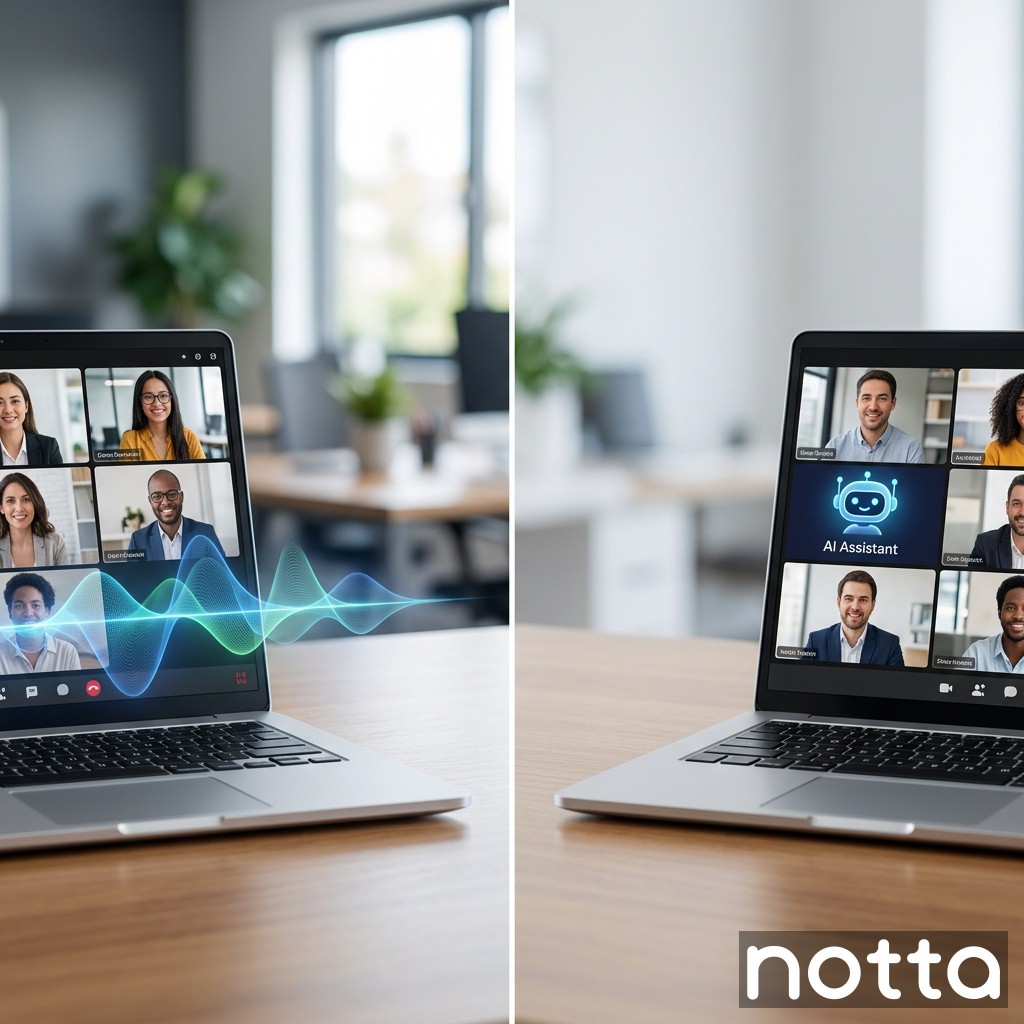
Botless Meeting Recorder vs Joining Meeting: Which Captures Meetings Better?
Saving time and effort with Notta, starting from today!
Botless Meeting Recorder vs Joining Meeting: Which Captures Meetings Better?
A botless meeting recorder captures audio without sending a visible notetaker bot into the call. A joining meeting recorder enters as a participant, then records and transcribes inside Zoom, Teams, or Google Meet. Botless tools usually win on privacy perception, fewer joining failures, and cleaner user experience. Joining bots still work well for automatic capture and basic workflows.
If a customer asks which is better, the short answer is this: botless recording fits external meetings, regulated teams, and bot-sensitive clients. Joining bots fit simple internal workflows where every participant already accepts meeting assistants.
What is the difference between botless meeting recording and joining meeting recording?
A botless meeting recorder captures meeting audio directly from your device, browser, mobile app, or approved system connection without adding a visible bot participant. A joining meeting recorder sends an AI assistant into the meeting as another attendee. Both can create transcripts, summaries, and action items. The capture method is the real difference.
That difference affects four things fast:
Attendee trust
Meeting join success rate
IT approval
Recording consistency
A visible bot can trigger objections in sales, legal, healthcare, and executive meetings. A botless workflow avoids that friction.
Botless recorder vs joining bot at a glance
Factor
Botless meeting recorder
Joining meeting recorder
Visible participant in meeting
No
Yes
User friction
Low
Medium to high
Client objections
Lower
Higher
Setup speed
Usually 1-2 clicks
Often auto-join or invite flow
Failure points
Device/browser permissions
Bot admission, waiting room, host permissions
Best for external meetings
Yes
Sometimes
Best for internal recurring meetings
Yes
Yes
Privacy perception
Stronger
Weaker
Capture source
Local device/system audio/app
In-meeting participant stream
Works if host blocks bots
Often yes
No
Why many teams are moving away from meeting bots
Teams moved fast on AI note takers in 2023 and 2024. Then the friction showed up. Buyers started pushing back when every sales call included an unknown bot attendee. Some companies now block third-party meeting bots by policy. Others require manual approval for every session.
In practice, three issues drive the shift:
Bots change the room. Prospects notice them. Some get uncomfortable.
Bots fail to enter. Waiting rooms, host controls, and domain restrictions stop them.
Bots create security reviews. IT and compliance teams ask harder questions when a third-party participant joins every call.
A botless recorder removes those three objections at the source.
When botless meeting recorders perform better
Botless meeting recorders perform better when the meeting owner wants low friction, no visible AI participant, and fewer approval steps. They also fit industries where trust and discretion matter. That includes legal, finance, healthcare, consulting, and enterprise sales.
Here are the strongest use cases.
External sales and client meetings
Sales reps do not want a deal slowed down by “Who is this bot?” A visible recorder can derail the first 2 minutes of a 30-minute call. That is 6.7% of the meeting gone before discovery even starts.
A botless workflow keeps the room clean. The rep can still disclose recording and request consent. The difference is that the prospect sees the rep, not an extra machine attendee.
Executive and board meetings
Executives care about optics and confidentiality. A botless recorder feels less intrusive than an assistant with a robot name joining the room. That matters in investor updates, M&A discussions, and senior leadership reviews.
Restricted meeting environments
Some Zoom and Teams environments block unknown participants, external bots, or auto-join tools. Botless recording avoids the admission problem. If your workflow depends on 100% automatic bot entry, restricted meetings will break it.
Interviews and multilingual conversations
Journalists, researchers, and international teams often need to record in person, online, and offline. Botless tools usually support broader capture modes across calls, uploaded files, and face-to-face conversations. That makes the workflow more flexible.
When joining meeting recorders still make sense
Joining meeting recorders still make sense for teams that want automation over discretion. If your meetings are internal, repetitive, and already approved for bots, the model works.
Common fits include:
Weekly internal stand-ups
Department meetings
Routine project syncs
Training sessions
Large internal all-hands with standard permissions
The big advantage is automation. A calendar-connected bot can auto-join scheduled calls and record without the user remembering to start anything. For a manager in 6 hours of meetings per day, that convenience matters.
The trade-off is reliability. Auto-join sounds great until a waiting room, changed host setting, or external domain policy blocks entry.
Reliability: which method fails less often?
Botless meeting recorders usually fail less often because they remove one dependency: admission into the meeting. A joining bot can fail if the invite is wrong, the bot is not admitted, the host changes permissions, or the platform blocks external assistants.
That leaves botless tools with a shorter failure chain.
Common failure points for joining bots
Failure point
Joining bot impact
Botless impact
Waiting room not admitted
Recording fails
No effect
Host blocks external apps
Recording fails
Often no effect
Calendar invite mismatch
Bot misses meeting
No effect if user starts manually
Bot joins late
Partial transcript
Low risk
Participant objects to bot
Meeting delayed
Lower risk
Network issue on local device
Low to medium
Medium
Botless recording is not perfect. It still depends on microphone permissions, system audio permissions, and local network quality. But the total number of moving parts is smaller.
Privacy and compliance differences
Botless recording often feels safer to attendees because no third-party participant appears in the room. That perception matters. It can improve consent rates and reduce objections. Perception is not the same as compliance, though. Buyers still need hard controls.
You should check these security items before choosing either model:
AES-256 encryption
SSL/TLS in transit
SOC 2 Type II
ISO 27001
GDPR support
CCPA support
HIPAA support if healthcare data is involved
Admin controls and audit logs
Data retention settings
A platform like Notta pairs botless-style flexibility with enterprise controls including SOC 2 Type II, ISO 27001, GDPR, CCPA, and HIPAA support. That matters more than marketing language about “secure AI”.
User experience: which method feels better in real meetings?
Botless meeting recording usually feels better because it does not interrupt the meeting experience. Nobody asks why another attendee joined. Nobody wonders if the bot should speak. Nobody waits for the host to admit it.
That sounds minor. It is not. In buyer-facing meetings, small moments shape trust fast.
The user experience difference in one example
Imagine a 45-minute demo with a Japanese prospect and a US sales rep.
With a joining bot: - The bot appears as another attendee - The prospect asks if it is required - The host admits the bot from a waiting room - The rep explains security for 90 seconds
With a botless recorder: - The rep discloses recording - The meeting starts - Notes are captured in the background
That is the difference. Less theatre. More conversation.
Accuracy and transcript quality depend more on the platform than the method
Capture method matters less than audio quality, speaker overlap, noise, and transcription engine quality. A bad engine will produce bad transcripts whether it uses a bot or a botless workflow.
Look for these benchmarks instead:
Accuracy above 95% in clear audio
Speaker identification
Custom vocabulary
Searchable transcripts
Action item detection
Summary generation
Multilingual support
Export formats like DOCX, PDF, SRT, and VTT
Notta reports up to 98.86% transcription accuracy, supports 58 languages, and can process 1 hour of audio in about 5 minutes. Those numbers matter more than whether capture starts with a bot avatar.
Cost and operational trade-offs
The direct software price gap between botless and joining tools is often small. The hidden cost gap is bigger. Failed joins, delayed meetings, and user resistance all carry an operating cost.
A simple model shows the issue.
If a 20-person sales team loses 3 minutes on bot friction in 4 meetings per week, that equals:
12 minutes per rep per week
240 minutes across the team
4 hours per week
About 208 hours per year
At an average loaded labour cost of A$60 per hour, that friction costs about A$12,480 per year. That is before counting lost momentum in live deals.
Where Notta fits in this comparison
Notta is an AI-powered meeting productivity platform built for teams that need accurate transcription, multilingual capture, and flexible recording workflows. It serves business professionals and teams that want meeting transcription, summaries, and action items without adding more admin.
For this comparison, Notta stands out on three points:
Up to 98.86% accuracy
58-language support
Real-time bilingual transcription and translation
It also supports Zoom, Microsoft Teams, Google Meet, and Webex, plus file uploads up to 10GB for video and 1GB for audio. That broader capture range matters because meeting work does not happen only inside one live video call.
Pricing is also competitive. Notta Pro starts at US$8.17 per month billed annually for 1,800 minutes per month. That works out to roughly US$0.0045 per minute, based on company pricing data. Business starts at US$16.67 per user per month with unlimited transcription.
How to choose the right approach
Choose a botless meeting recorder if you need low-friction capture, stronger attendee comfort, and fewer admission failures. Choose a joining meeting recorder if your top priority is fully automatic capture in standard internal meetings.
Use this shortlist.
Choose botless if you have:
External client or prospect meetings
Bot-sensitive stakeholders
Strict IT or compliance reviews
Multilingual meetings
In-person and online recording needs
Executives who hate extra participants
Choose joining meeting if you have:
Mostly internal meetings
Stable host permissions
Low privacy sensitivity
High value on auto-join
Teams that never forget to approve recording bots
Final verdict
Botless meeting recording is the better choice for most modern business meetings because it reduces friction, avoids visible bot objections, and fails less often in restricted environments. Joining meeting recorders still work for internal automation, but they add more points of failure and more social resistance.
If your team runs sales calls, executive reviews, interviews, or regulated meetings, start with botless capture. If your workflow is internal and standardised, a joining bot can still do the job.
If you want both flexibility and strong AI output, test a platform with high accuracy, multilingual support, and enterprise security controls. Notta is a practical place to start because it combines up to 98.86% accuracy, 58-language support, AI summaries, action items, and secure recording workflows in one platform.
FAQs
Is a botless meeting recorder better for client calls?
Yes. A botless recorder is usually better for client calls because it avoids a visible bot participant, reduces objections, and keeps the meeting flow cleaner. That matters in sales, consulting, legal, and executive conversations where trust forms in the first few minutes.
Do joining meeting bots reduce transcript accuracy?
Not necessarily. Transcript accuracy depends more on audio quality, noise, speaker overlap, and the transcription engine. A strong platform can produce high-quality transcripts with either method. Look for measured accuracy, speaker labels, and custom vocabulary support.
Is Notta a botless meeting recorder?
Notta supports flexible meeting capture workflows across live meetings, uploaded files, mobile recording, and offline recording. It also supports Zoom, Teams, Google Meet, and Webex. For teams comparing capture styles, the bigger value is Notta’s up to 98.86% accuracy, 58-language support, and enterprise security controls.
Are botless meeting recorders more secure?
Not automatically. Security depends on the vendor’s controls, not just the capture method. Check for AES-256 encryption, SOC 2 Type II, ISO 27001, GDPR, CCPA, HIPAA support, admin controls, and audit logs before approving any meeting recorder.
Which option is better for internal team meetings?
Joining meeting bots can work well for internal meetings if your hosts allow auto-join and your team values automation. Botless tools still offer a cleaner experience and fewer join failures. For most teams, botless is the safer default and bots are the niche option.

