
Turn Meetings into Actionable Deliverables
Connect insights across your meetings and files, understand what matters, and turn that knowledge into reports, presentations, and more with less manual work.
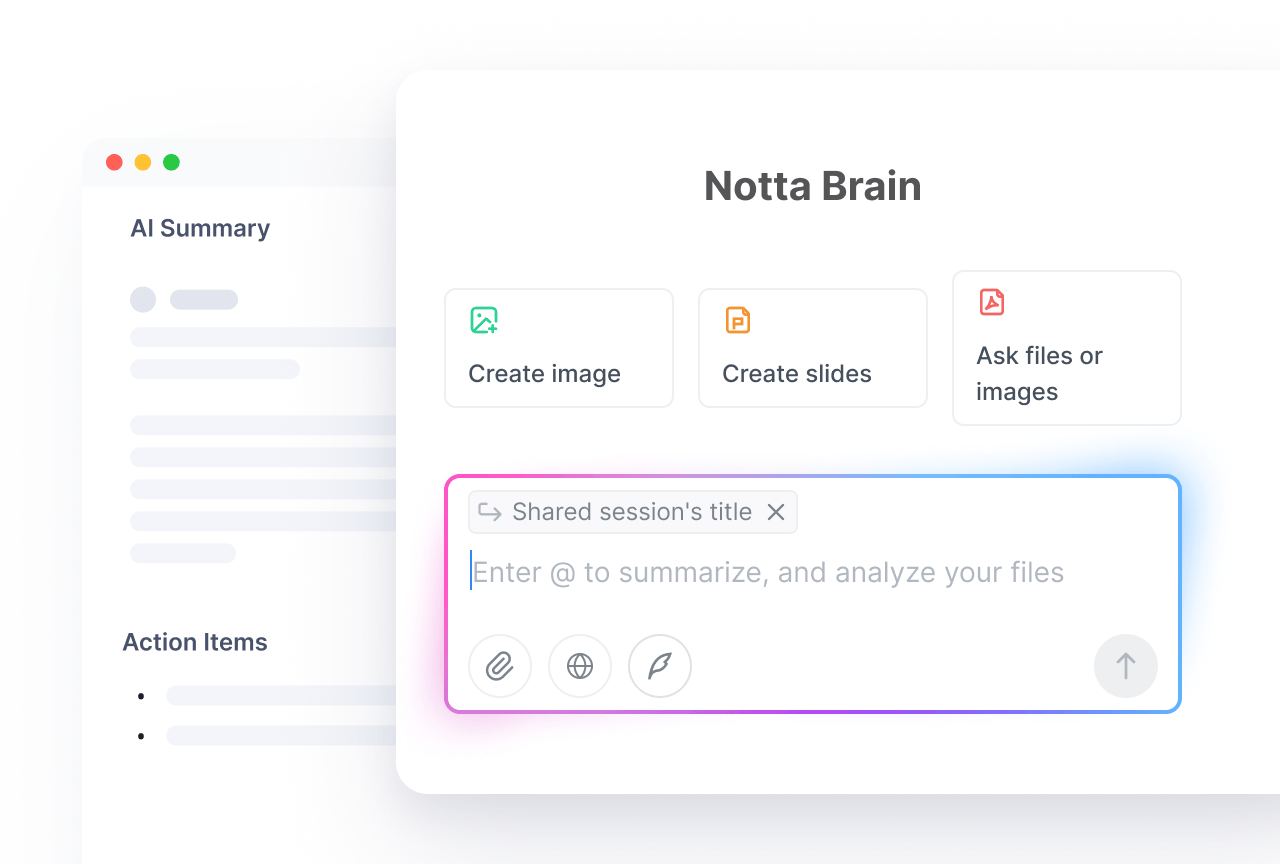
From Conversation to Deliverables
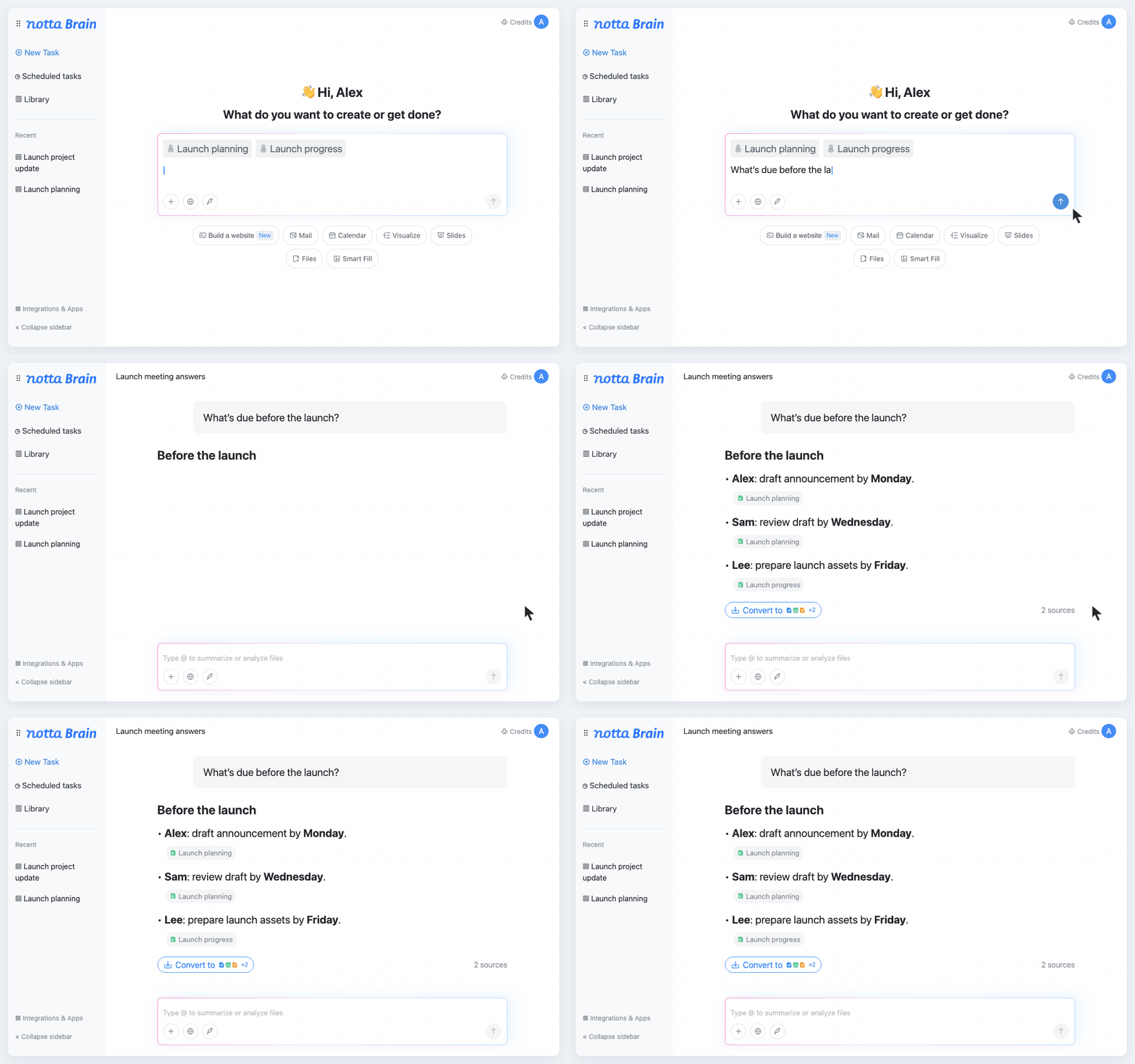
Get the Context You Need from Your Meetings
Find past decisions and understand what changed. Brain searches your workspace, or you can use @ to focus on specific meetings and files.
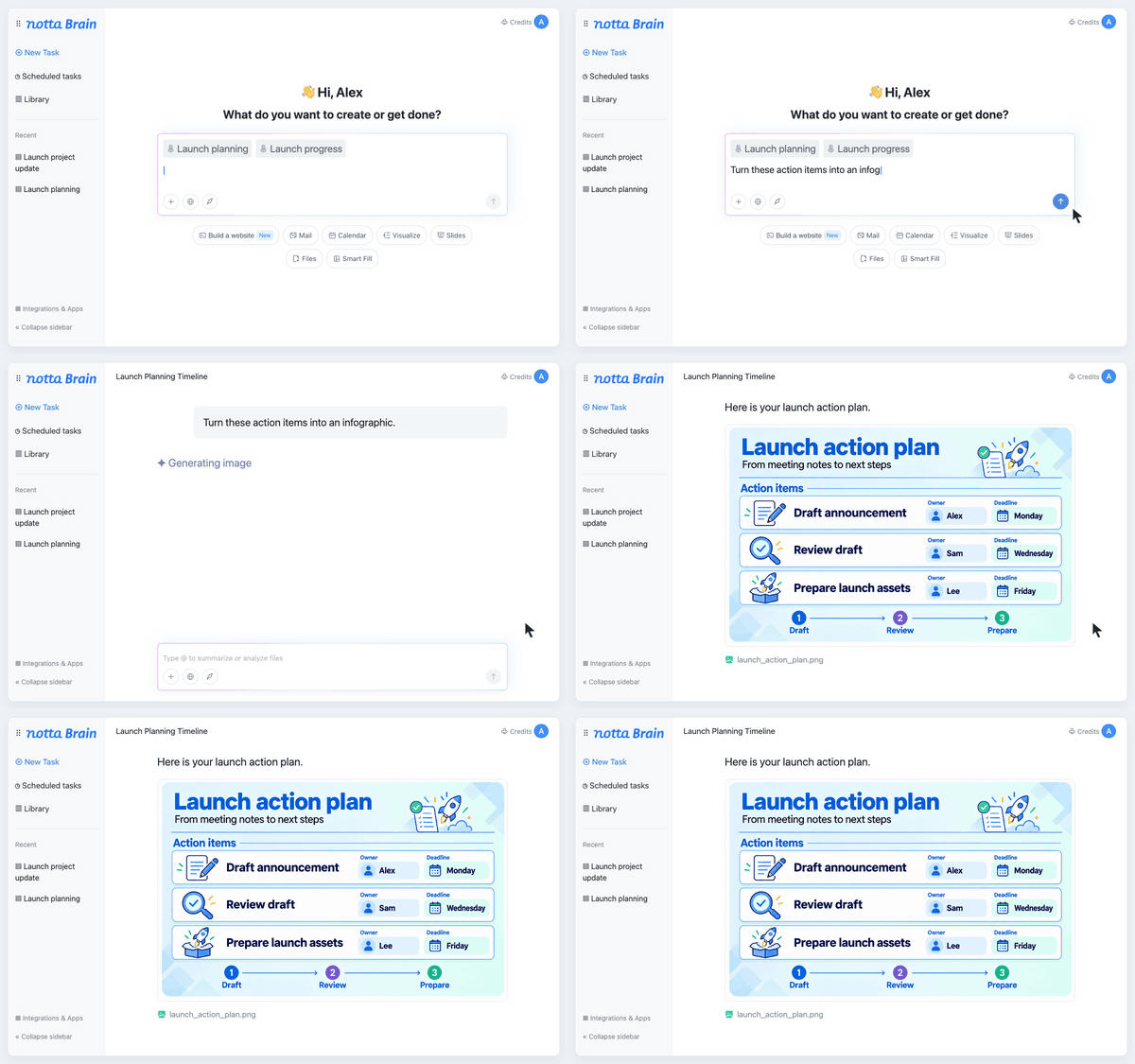
Make Your Findings Easier to Explain
Help your audience see the point. Turn findings from your meetings and files into a presentation or infographic that makes complex ideas easier to follow.
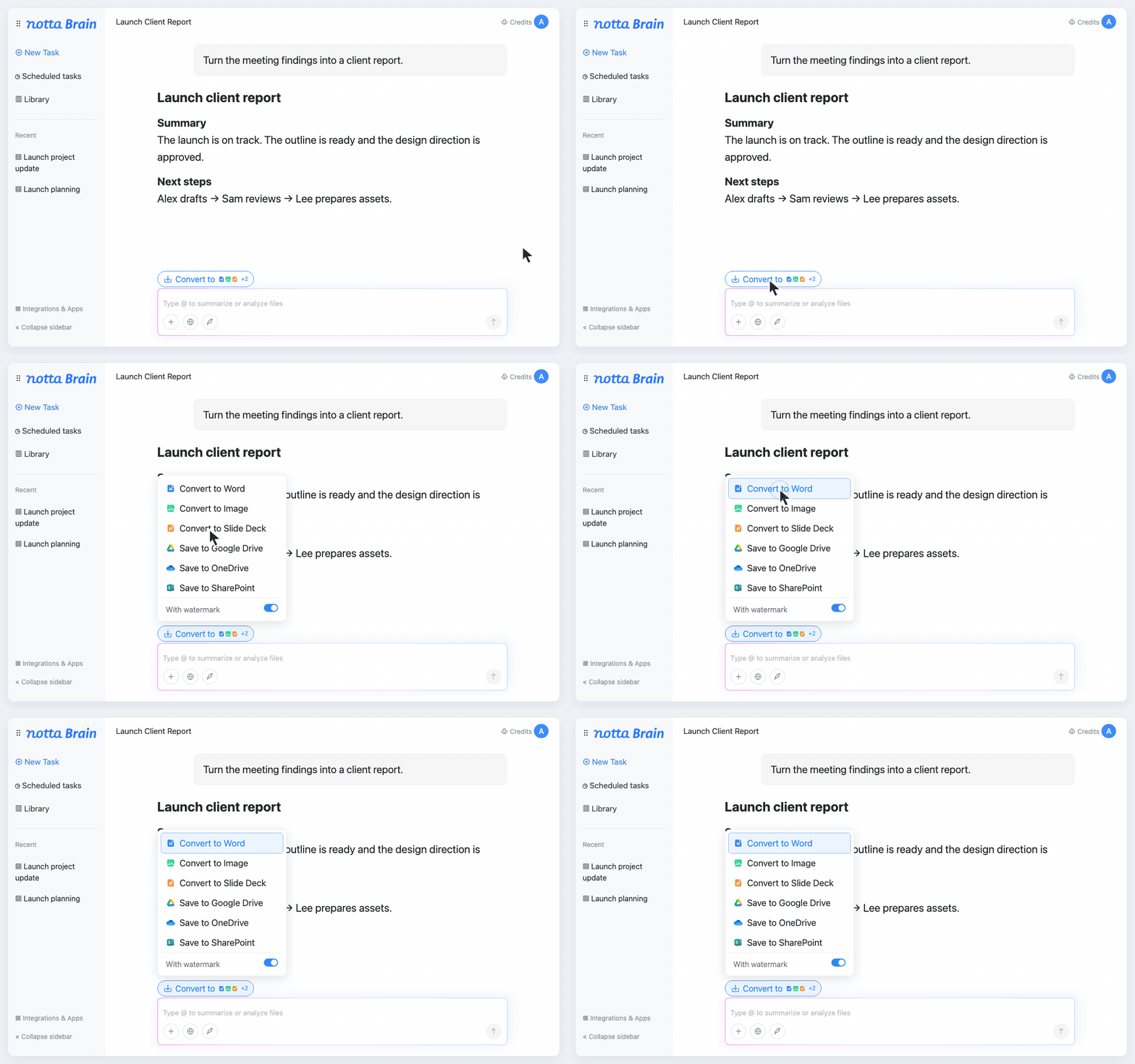
Create Deliverables Without Starting from Scratch
Turn meeting context into a report or website you can use. Create Word, Excel, PDF, or PowerPoint files without assembling everything yourself.
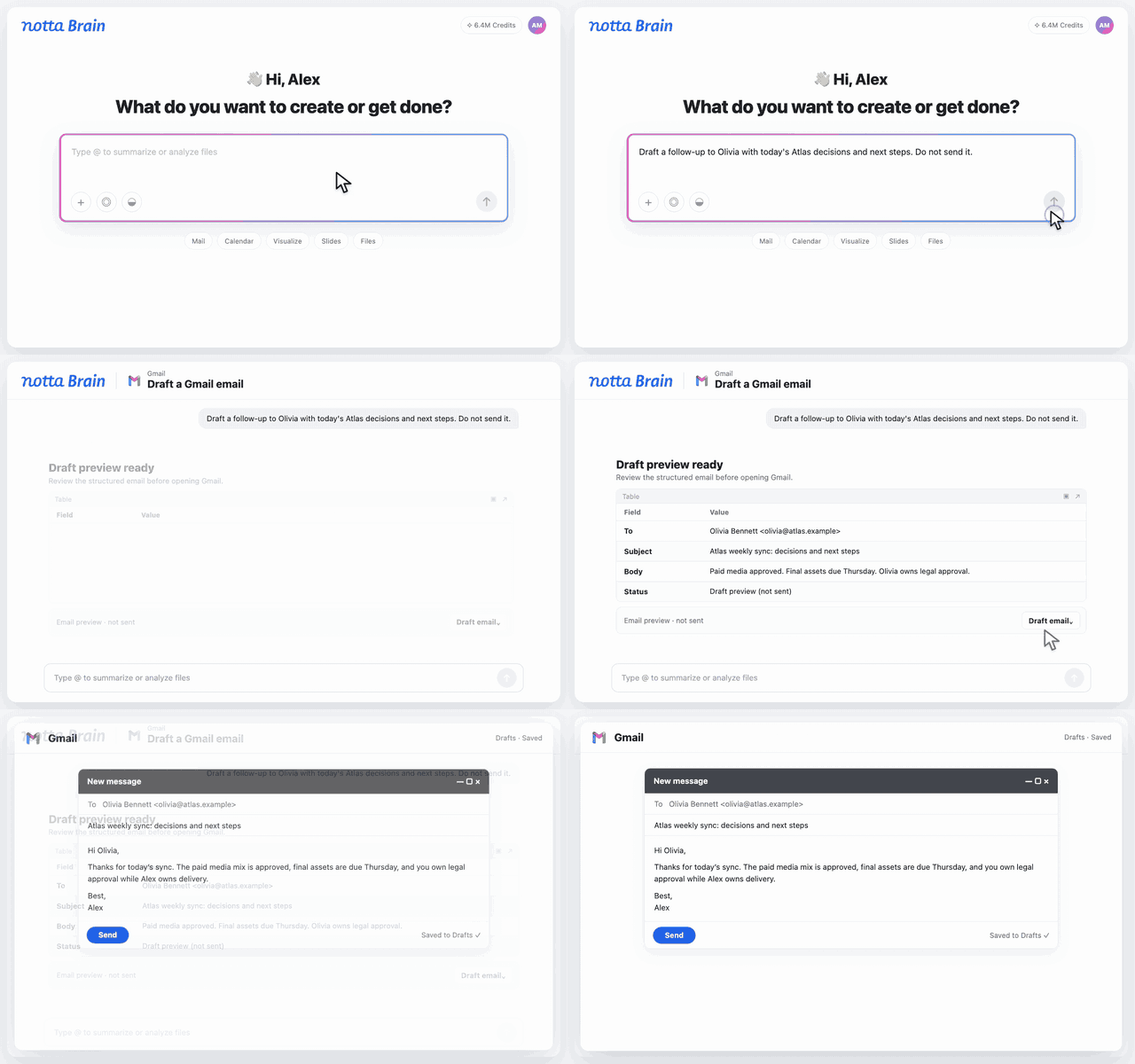
Turn Meeting Context into Email Drafts
Put meeting context to work in Gmail drafts, calendar planning, and files saved to Drive, all from Notta Brain.
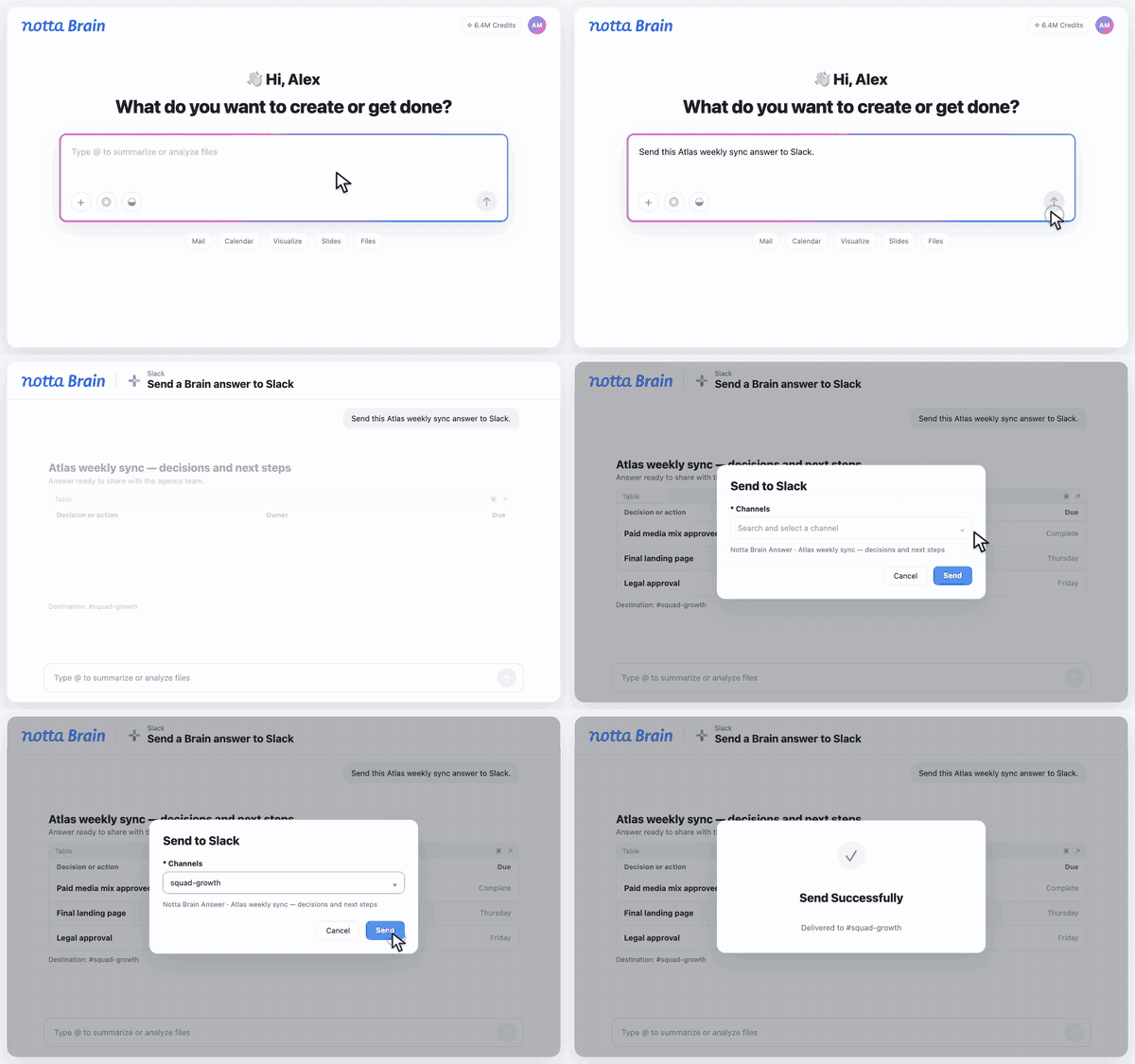
Connect Meeting Decisions with the Discussion in Slack
Bring Slack context into Brain and share meeting insights back to your channels, keeping your team’s discussions and decisions connected.
How to Use Notta Brain
1. Access Notta Brain
Click the Notta Brain icon or open Brain inside a meeting record to get started.
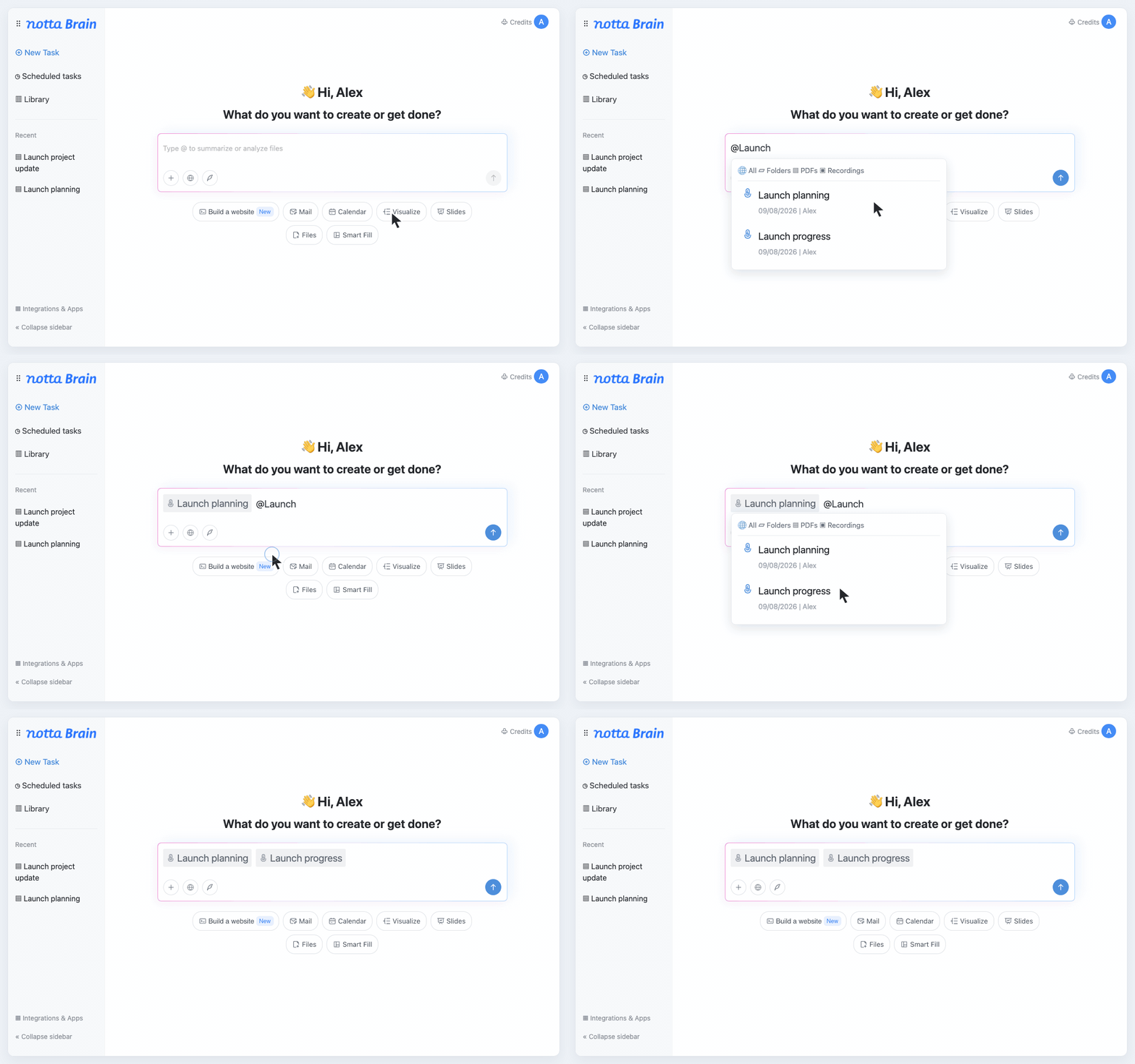
2. Find the Context You Need
Let Brain automatically find relevant meetings and files across your workspace, or use @ to focus on specific sources.
3. Ask for What You Need
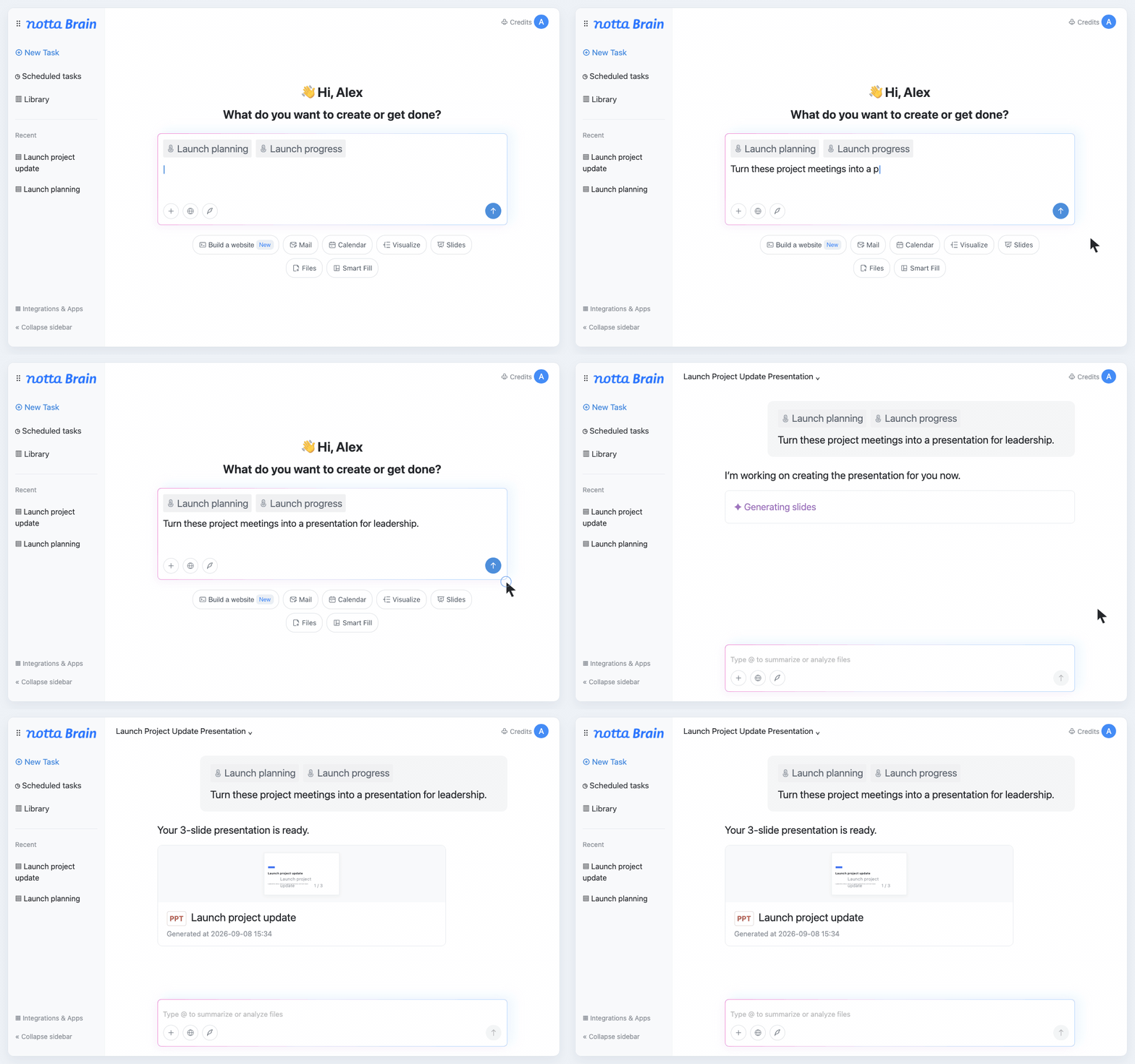
Describe the information or deliverable you want. Try: “Turn these project meetings into a presentation for leadership.”
4. Put Your Deliverable to Work
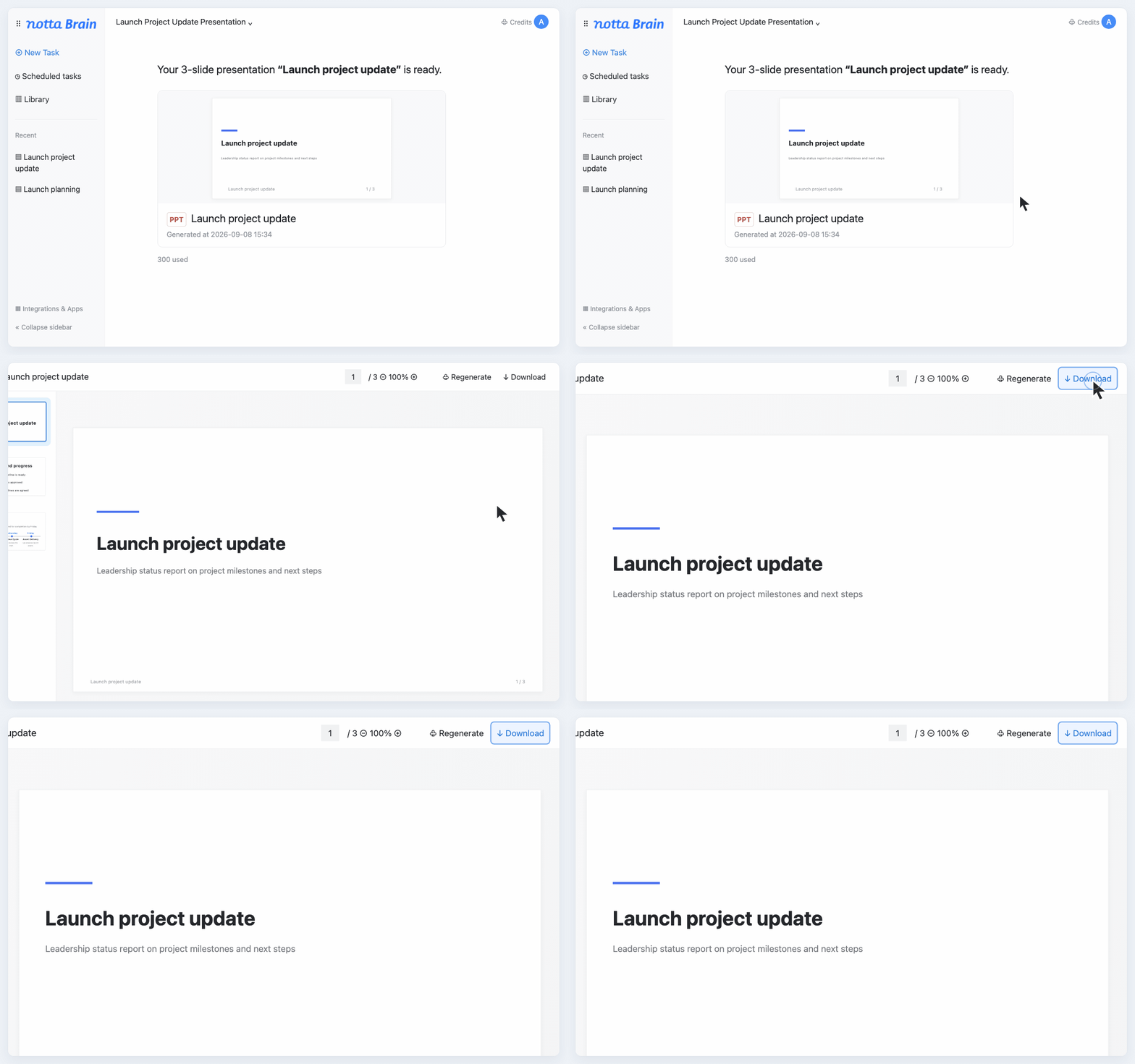
Use what you’ve created in your next project or share it with the people who need it.
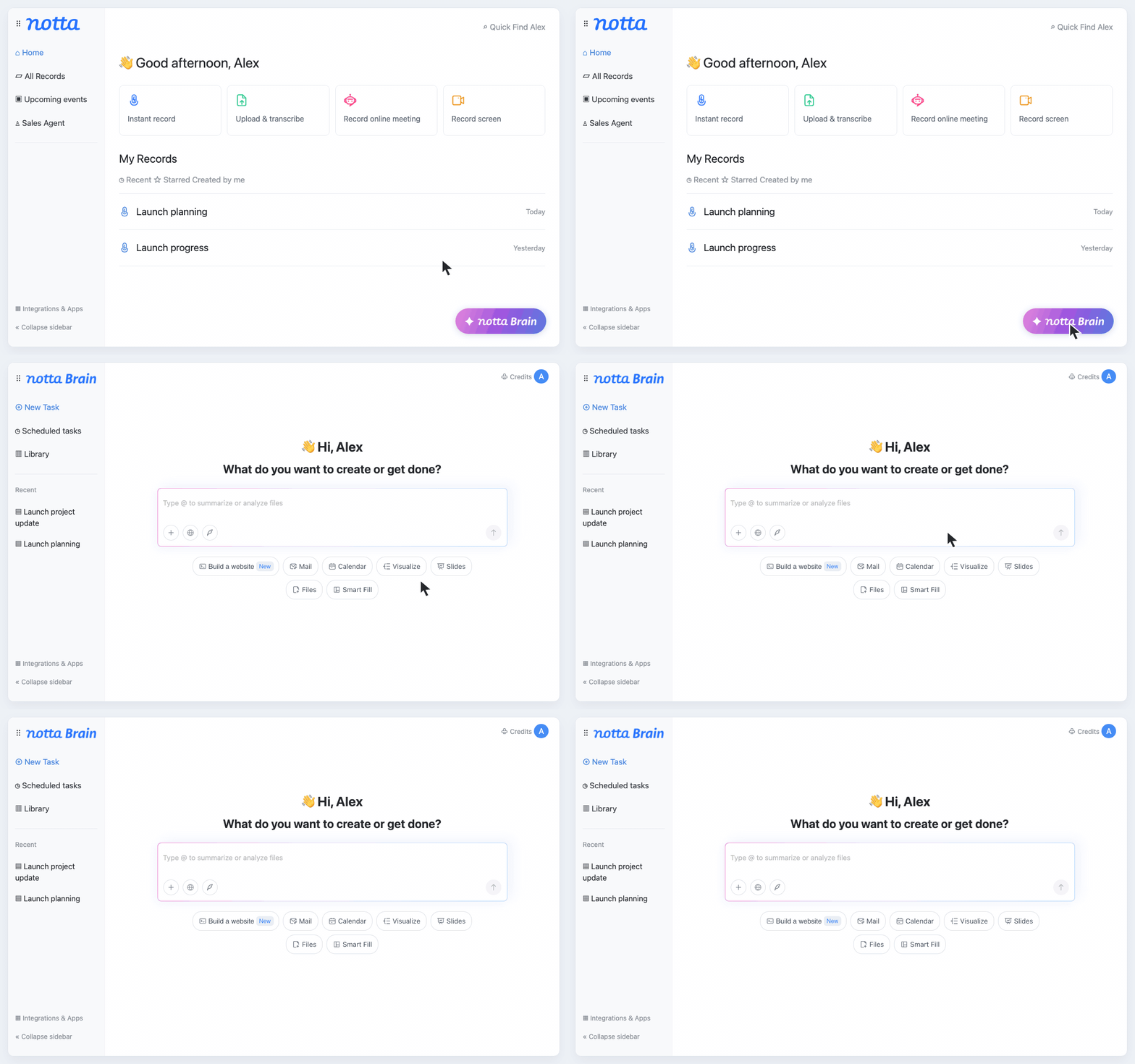
1. Access Notta Brain
Click the Notta Brain icon or open Brain inside a meeting record to get started.
2. Find the Context You Need
Let Brain automatically find relevant meetings and files across your workspace, or use @ to focus on specific sources.
3. Ask for What You Need
Describe the information or deliverable you want. Try: “Turn these project meetings into a presentation for leadership.”
4. Put Your Deliverable to Work
Use what you’ve created in your next project or share it with the people who need it.
Built for the Work That Follows the Conversation

How Notta Brain Helps Consultants
Turn client conversations into a clear report. Brain brings the findings together so you can focus on checking the evidence, shaping your recommendations, and delivering advice your client can act on.

How Notta Brain Helps Agencies
Give your team a clear brief after discovery. Brain turns client conversations into a shared direction for the project, helping you confirm the scope and get everyone working toward the same outcome.

How Notta Brain Helps Project Managers
Keep past decisions easy to find and current updates easy to prepare. Brain connects recurring project meetings into a status report you can check and share, so your team knows where things stand.

How Notta Brain Helps in Education
Bring lectures, interviews, and course materials into a clearer picture. Brain connects key ideas across your sources, helping you create a study guide or research synthesis you can build on.



FAQs
Is Notta Brain the same as AI Chat?
Notta Brain is the upgraded experience formerly known as AI Chat. It builds on meeting Q&A with cross-meeting analysis, file understanding, and deliverable creation, including reports, presentations, and infographics.
Why can answers change when I ask the same question again?
Answers depend on your prompt and the sources Brain uses. For more focused results, specify the meeting, file, project, or time range you want it to use.
How do I make sure Notta Brain uses the right meetings or files?
Brain can search across your workspace automatically. Use @ to focus on specific meetings and files, and include a project name or date range to narrow the context.
How do AI credits work in Notta Brain?
Brain uses AI credits for tasks such as answering questions and generating images or slides. Your allowance depends on your Brain plan. Notta transcription plans do not automatically add Brain credits.
Can I preview and export generated files?
Yes. Preview and export options depend on the output. Slides support PowerPoint and PDF export, and generated images can be downloaded. You can also share supported outputs directly.
Put Your Meeting Knowledge to Work
Turn what you’ve discussed into the report, presentation, or next step your team needs.
