AI Note Taker for Teams | Free Microsoft Teams AI Note Taking
Saving time and effort with Notta, starting from today!
If you use Microsoft Teams every day, you probably spend hours jumping from one meeting to the next. Project updates, client calls, and "quick" check-ins add up fast. By the end of the week, all you have is brain fog and half-remembered conversations.
Trying to take notes on top of that only makes things harder, but meetings became more manageable once I discovered AI assistants.
In this article, I’ll share the best AI note-taker for Teams and how it helps you save time, reduce stress, and make the most out of your meetings.
Why Should You Use an AI Note Taker for Microsoft Teams Meetings?
People miss important meeting details that affect big decisions. An AI note-taker for Microsoft Teams captures everything and turns discussions into clear summaries that help the entire team. Here’s why it makes such a difference:
Accurate Real-Time Transcription
A good note taker captures every word as people speak and creates precise, time-stamped notes. You don’t have to worry about missing key details or struggling to remember who said what. With a complete transcript in front of you, you always have an exact record of the full discussion.
Better Focus During Meetings
Automated note-taking lets you focus fully on conversations. Teams contribute better ideas and engage more naturally, instead of splitting their focus between listening and writing. This active participation leads to better collaboration and faster problem-solving.
Searchable and Shareable Notes
After the meeting, you can search through transcripts by keyword, timestamp, or speaker to find exactly what you need. Sharing is just as simple: send a link, drop notes into chat, or export them for easy access. This makes it easier for everyone to stay on the same page, even if they couldn’t attend the meeting.
Automated Summaries
Reading through a long transcript isn’t always practical. Automated summaries condense the meeting into the essentials, highlighting key decisions, follow-ups, and action items. Instead of re-reading everything, you can see the most important outcomes.
Free Plans Offer High Value
Not every team can invest in expensive software. With a free plan like Notta’s, you still get the core features like real-time transcription and meeting recaps without paying extra. This makes professional-grade note-taking accessible for small teams, startups, or anyone testing AI note takers for the first time.
Better Overall Productivity from Meetings
You save hours on manual note-taking when every meeting automatically concludes with a clear transcript and summary. Teams waste less time repeating conversations and can act on decisions right away. The result is faster progress, fewer missed tasks, and more efficient meetings overall.
What Features Should You Look for in an AI Note Taker?
When selecting an AI note-taker for Teams, prioritize real-time transcription accuracy, speaker identification, multilingual support, automated summaries with action items, easy integration with your calendar, searchable transcripts, and enterprise-grade security with GDPR and SOC 2 compliance.
Real-Time Transcription
Your note taker should capture conversations as they happen, with accurate, time-stamped text. This way, you don’t waste time typing notes or risk missing important details. Real-time transcription also keeps participants engaged in the discussion instead of being distracted by note-taking.
Speaker Identification
A transcript isn’t useful if you can’t tell who said what. A good AI notetaker for Teams can distinguish between different speakers, which makes it easier to assign follow-up tasks and monitor accountability.
Easy Integration with Microsoft Teams
The best AI notetaker should connect directly with Teams. Look for a tool that syncs with your calendar and automatically joins scheduled meetings so you don’t have to think about setup.
Multilingual Support and Translation
In global teams, not everyone speaks the same language. Choose a notetaker that can transcribe in multiple languages and even translate in real time. This ensures everyone stays included in the conversation and the notes are useful to all team members.
Extracting Key Points and Action Items
A transcript is useful, but what makes it powerful is when AI highlights the key insights. The right tool should generate clear summaries, decisions, and action items so your team can quickly move from discussion to execution. This eliminates confusion and keeps projects moving forward.
Searchable and Shareable Notes
Meeting notes should be easy to find and share. A well-designed tool will let you search by keyword, speaker, or timestamp, and give you quick options to share notes or summaries with teammates.
Security and Privacy
Most meetings include sensitive information, so data protection is non-negotiable. Make sure the notetaker you choose offers secure storage, encryption, and compliance with industry standards. This gives your team peace of mind that your information is safe.
What is the Best AI Note Taker for Teams?
| Feature | Notta | Fireflies | Otter | Read.ai | TeamsMaestro |
|---|---|---|---|---|---|
| Transcription Accuracy | 98.86% | ~95% | 85-90% | High | N/A |
| Languages | 58 | 100+ | 3 | 20 | 20+ |
| Free Plan | Yes | Yes | Yes (300 min) | Yes (5 meetings) | No |
| Meeting Length | 5 hours | 2-4 hours | 30 min - 4 hours | 1-4 hours | N/A |
| Best For | Highly accurate transcriptsGlobal teams | General use | English teams | Analytics | Team-native workflows |
Many AI tools that can take notes in Microsoft Teams, but not all of them deliver the same results. Here are the top options to consider, and why each one stands out.
Notta
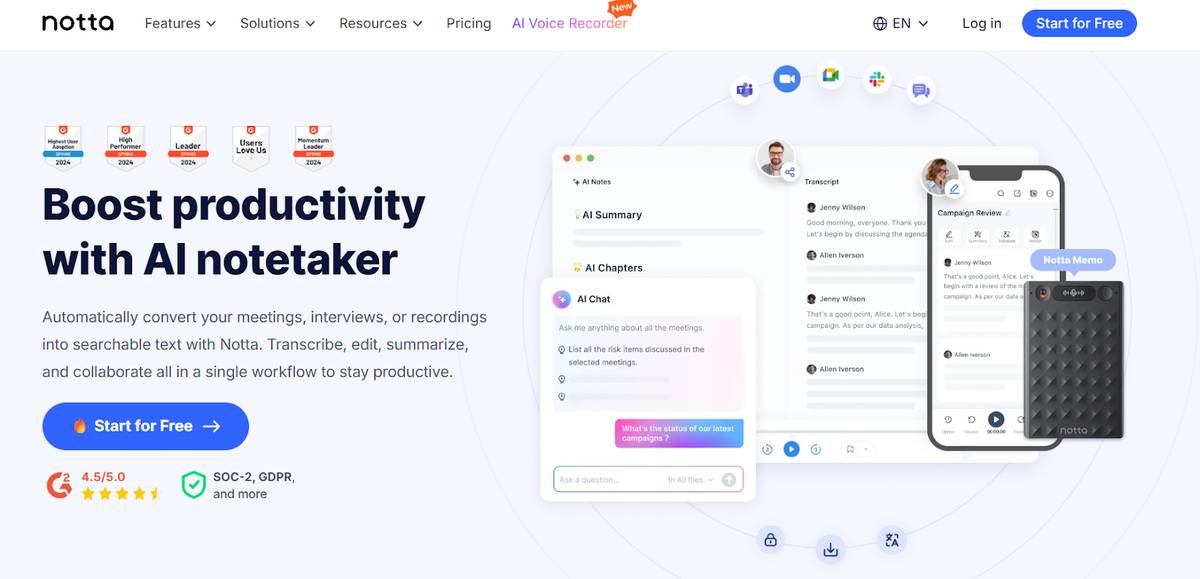
Notta makes your Microsoft Teams meetings easier to manage. It joins your calls, transcribes conversations in real time, and generates meeting notes with key points, action items, and decisions. With up to 98.86% accuracy, the transcripts need minimal editing.
The platform supports transcription in 58 languages and live translation in 36, so it’s great for international teams. You can export notes in Word, PDF, TXT, or SRT, or send them straight to Teams chat, Slack, Notion, or OneDrive.
Notta keeps your data safe with SOC 2 Type II and ISO 27001 certifications, as well as GDPR, CCPA, and HIPAA compliance. If you’re in sales, consulting, education, or running a large enterprise, it helps you save up to 50% of the time you’d normally spend on notes while keeping everything secure and organized.
2. Fireflies
Fireflies is an AI notetaker that offers transcription with an accuracy rate of around 95%. That’s good enough for general transcription, but it causes problems in fast-paced or technical meetings where precision matters. Even a 5% error rate can mean missing important points when you rely on transcripts for decisions or follow-ups.
Notta achieves up to 98.86% accuracy, which is close to human transcription quality. This higher standard ensures you get cleaner, more reliable transcripts that need fewer edits. For organizations that rely on precise meeting documentation, Notta’s accuracy offers a clear advantage.
3. Otter
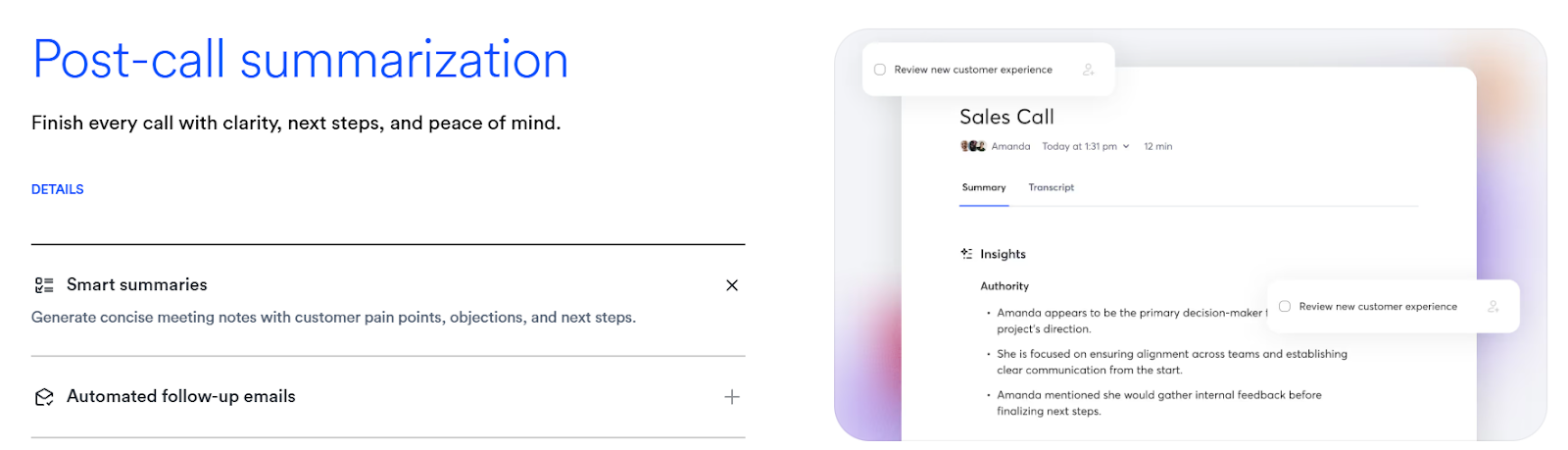
Otter is a popular AI note taker that offers accurate real-time transcription, speaker identification, and automated summaries. The free plan includes 300 minutes per month, but each meeting is capped at 30 minutes, which is limiting for longer discussions.
Another drawback is language support: Otter only works in English, Spanish, and French. Notta supports 58+ languages with real-time transcription and translation, making it a stronger option for global or multilingual teams using Microsoft Teams.
4. Read.ai
Read.ai is solid for meeting analytics like engagement, talk time, and sentiment. These features help managers track participation and customer success teams, but they can be distracting if all you want are clear notes.
On top of that, it’s limited to just 5 meetings per month. That’s enough for small teams, but not for those with frequent meetings. Notta focuses on productivity and provides transcripts, summaries, and shareable recaps that make follow-ups faster and easier.
5. TeamsMaestro
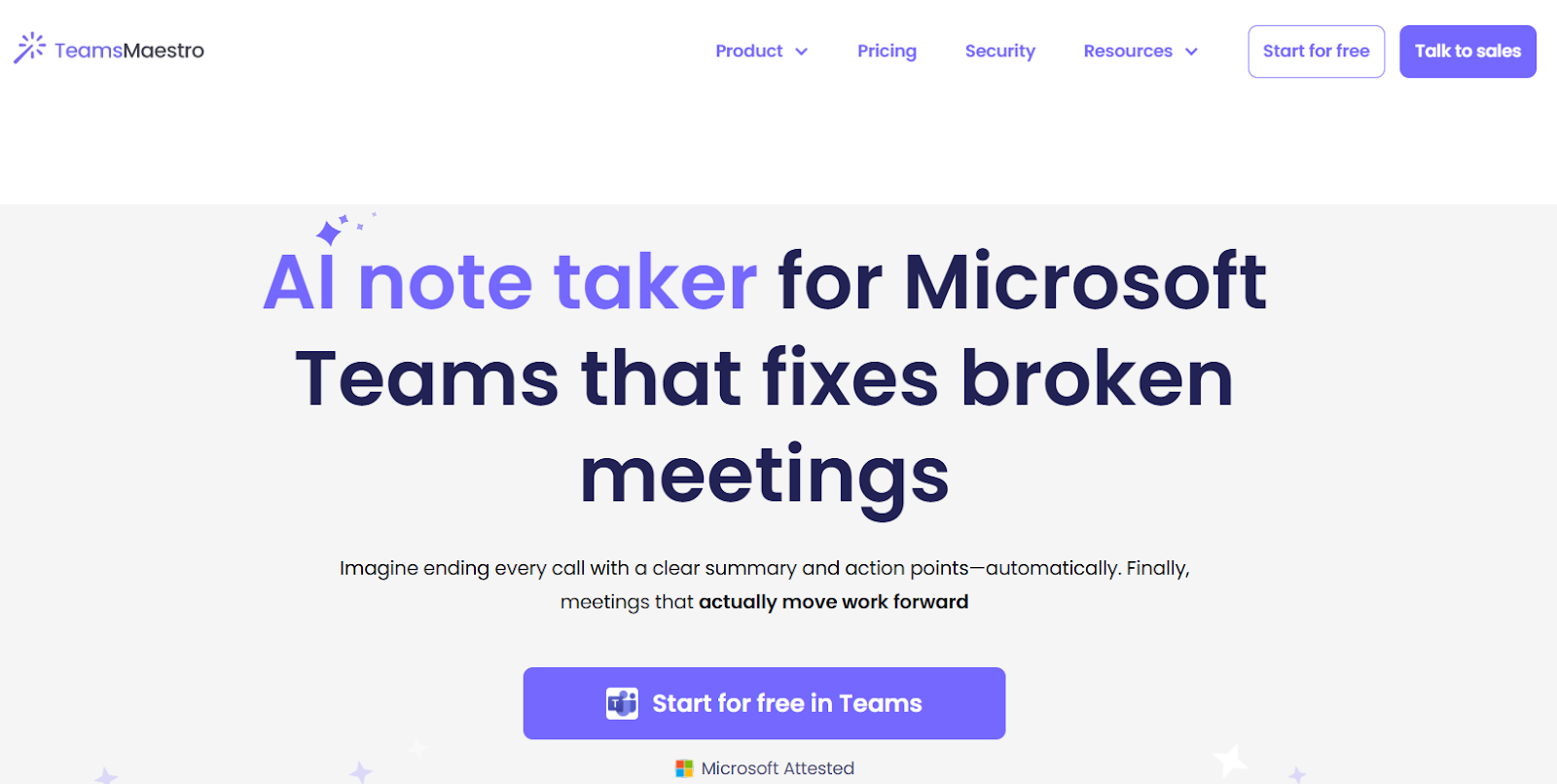
TeamsMaestro is an AI note taker built directly for Teams. With centralized storage in Teams, it’s a safe and native choice. It also supports transcription in 20+ languages.
Notta, however, goes further. It supports 58+ languages with live transcription and translation, making it more inclusive for international teams. It also exports transcripts and summaries to Slack, Notion, OneDrive, or CRM tools, so your meeting notes aren’t locked inside Teams.
How Do I Use Notta's AI Note Taker in Microsoft Teams?
Using Notta to take notes in Microsoft Teams is straightforward. You can set it up to join your meetings, transcribe conversations, and create shareable summaries for your team in four steps.
To use Notta with Microsoft Teams, create a free account, and connect your Teams meeting by pasting the meeting link. Let Notta join and transcribe automatically, review the AI-generated summary with action items, and share notes directly with your team through Teams chat or export to Slack, Notion, or OneDrive.
Let's take a closer look at the process:
1. Create a Free Notta Account
Visit Notta and log in or sign up for your account. If you’re new, you can create one for free in a few quick steps using your Google, Microsoft, or Apple account.
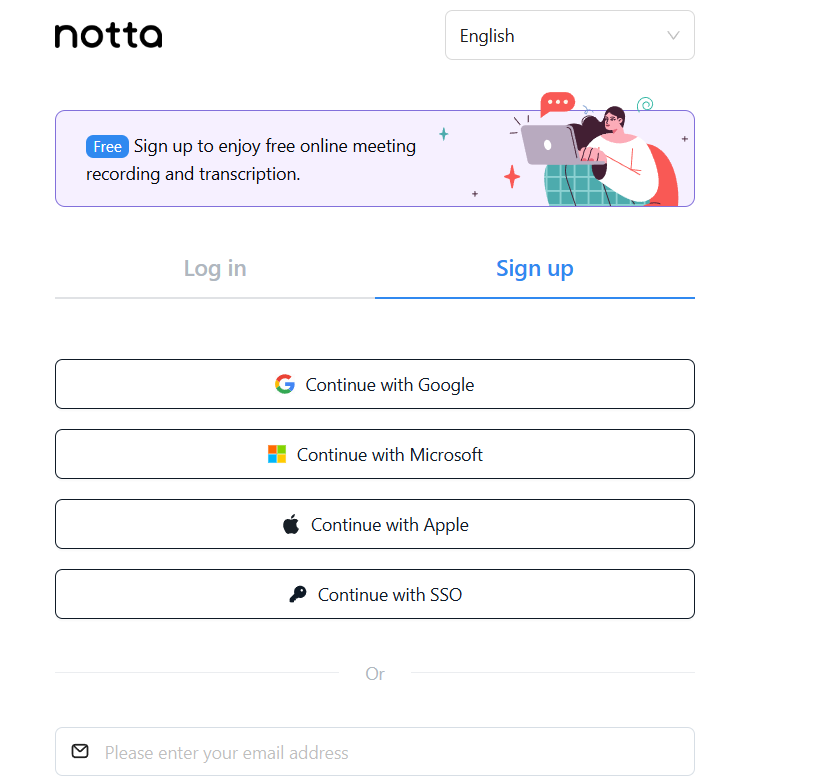
Notta is available on the web, as a Chrome extension, and as an app for both Android and iPhone. In this guide, we’ll use the web version as the example.
2. Connect your Teams Meeting to Notta
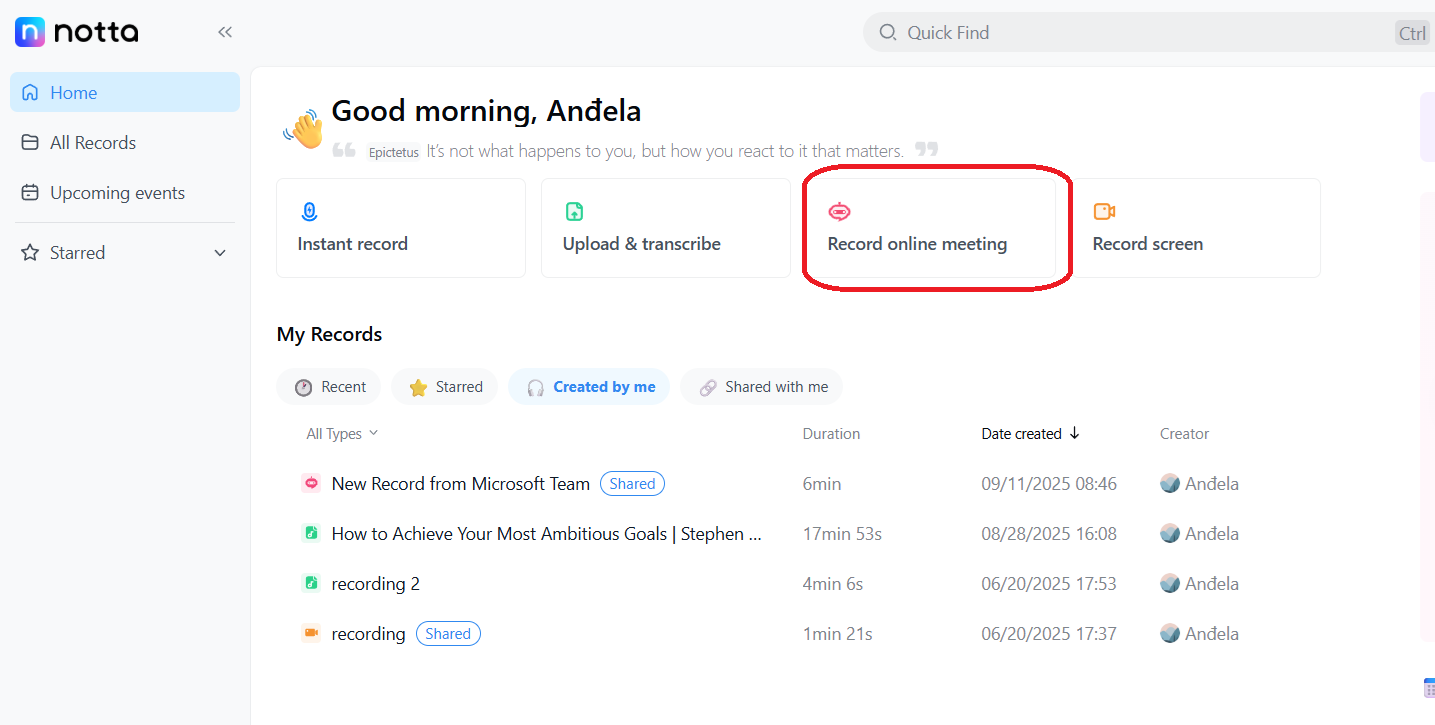
When you log into your account, you’ll be redirected to the Notta dashboard. To start transcribing Microsoft Teams meetings, click on the ‘Record online meeting’ option.
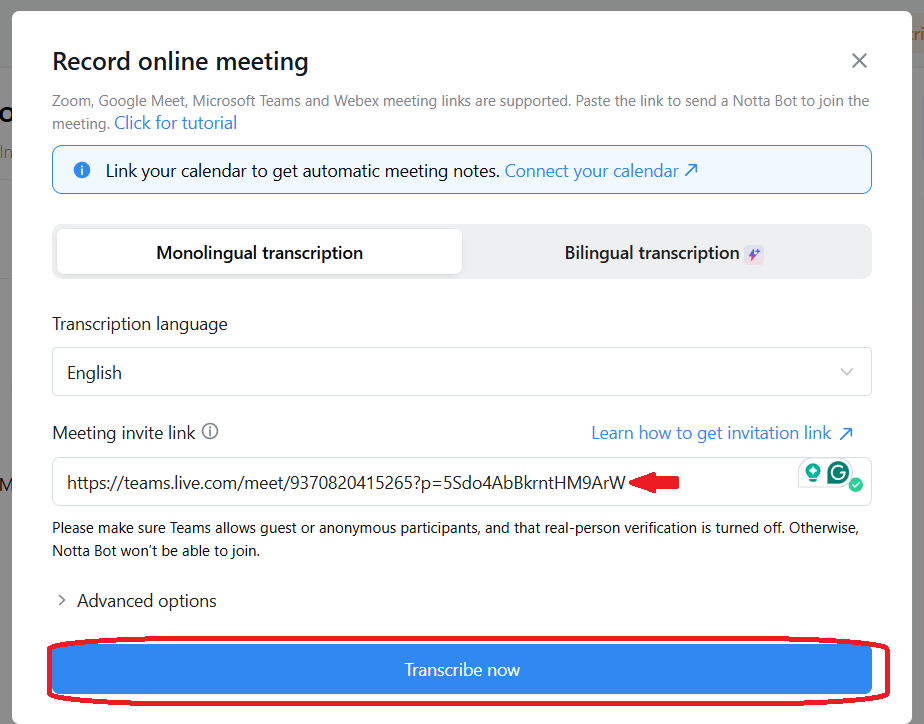
You’ll see a new window where you can select your transcription language. Paste your Microsoft Teams meeting link in the box, click ‘Transcribe now’, and the Notta bot will join the call to start transcribing automatically.
Notta joins your Microsoft Teams call and works quietly in the background. You can also follow the transcription in real time directly in the Notta dashboard.
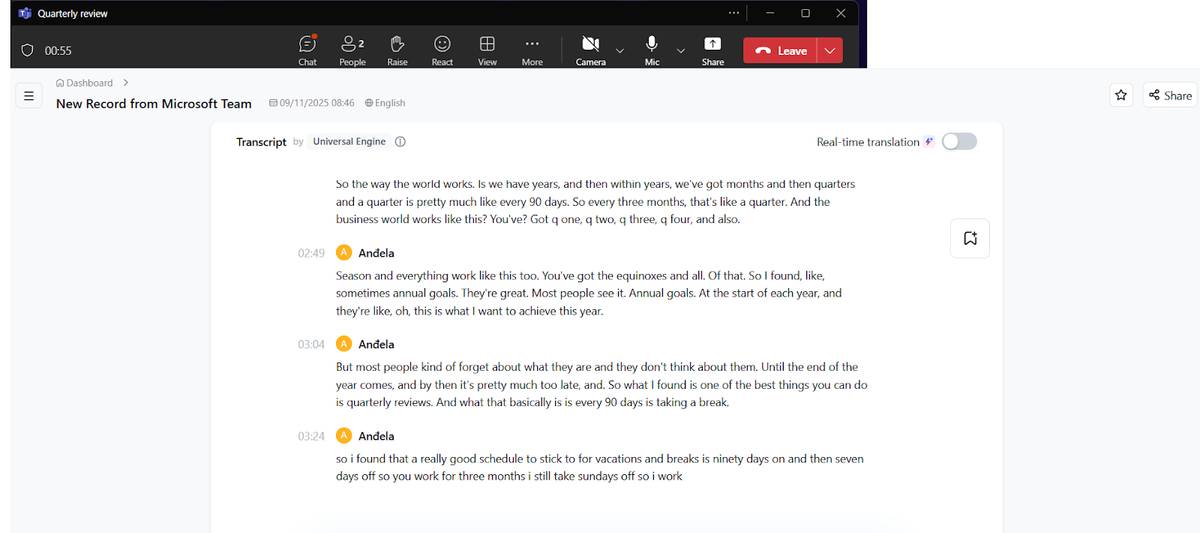
3. Review and Edit the Transcript and AI Summary
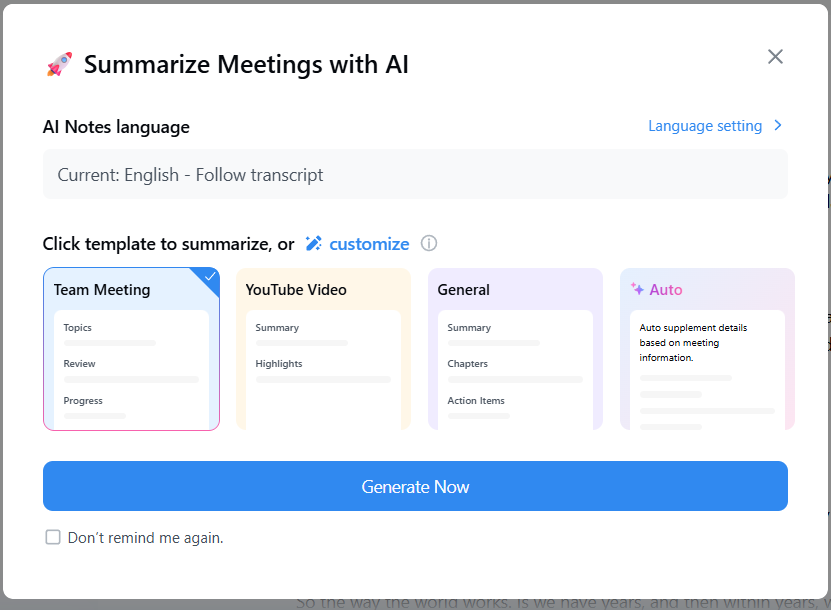
When the meeting ends, Notta prompts you to choose a summary template. Select the one you want and click ‘Generate Now’.
If you upgrade to a paid plan, you can also create custom prompts to control how Notta generates your summaries.
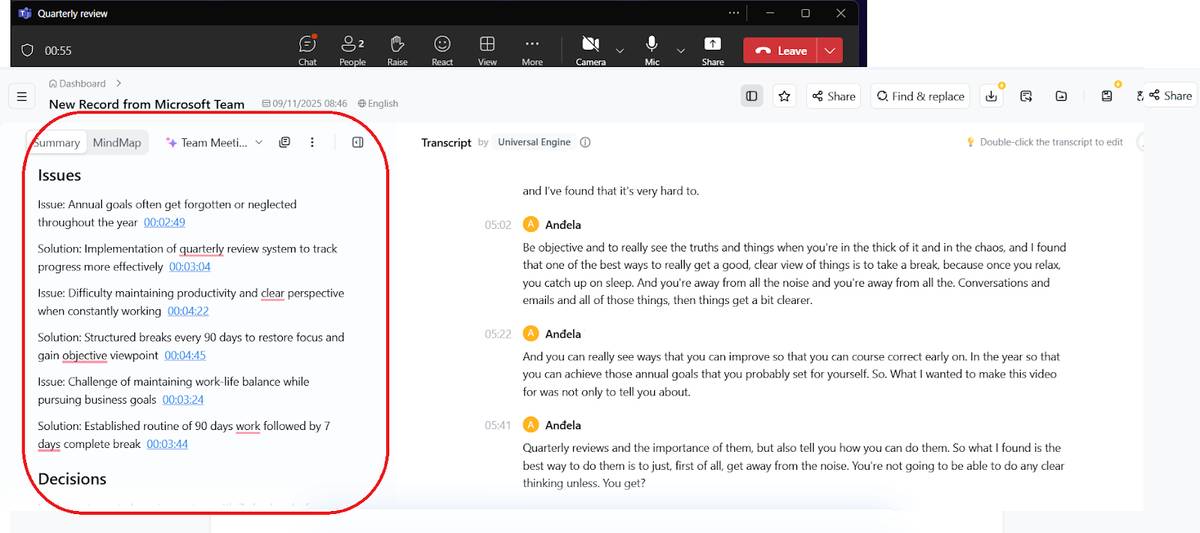
On the left side of the dashboard, Notta shows a summary with issues, key moments, and action items. These are your meeting notes.
On the right, you’ll see the full transcript for a complete record of the meeting discussion. You can edit it directly by double-clicking on any text you want to change.
4. Share and Collaborate with your Team
Sharing your notes and transcript is simple. You can generate a custom link and copy it to share with your team.
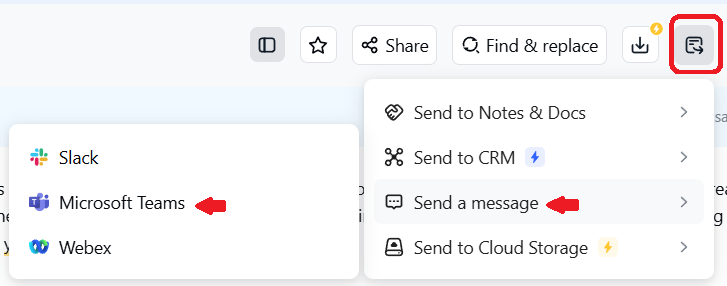
Notta also integrates with Microsoft Teams, allowing you to send notes directly to your work chat so each meeting participant stays informed. Just click the icon below, select ‘Send a message’ and choose Microsoft Teams.
Notta keeps your team aligned by letting anyone comment on the transcript and bookmark important moments.
This makes collaboration easier, since teammates can highlight what matters most and clarify points without a separate follow-up meeting.
FAQs
What is the Best Free AI Notetaker for Teams?
Notta is the best free AI notetaker for Teams. It’s easy to use, doesn’t require a special license, and syncs with your calendar to automatically join meetings and take notes.
Does Microsoft Teams have an AI notetaker?
Yes, Microsoft Teams has an AI notetaker via Copilot, but it’s limited and hard to set up. Notta is easier to use and offers additional features, including live translation, file uploads, and advanced sharing options.
How can I add an AI notetaker to Teams?
You can add an AI notetaker to Teams by connecting Notta to your Microsoft account. Log in to Notta, go to ‘Integrations & Apps’, choose ‘Video Meetings’, and connect MS Teams with your account. After that, Notta automatically joins all your meetings, transcribes them, and creates shareable notes.

