
6 Best Meeting Recorders for Project Meetings: Bot, Bot-Free, and Private Options
Notta is my best overall pick for project teams that want flexible recording and useful follow-up work. It offers bot and bot-free recording, plus supported private transcription. Its wider AI capabilities can turn meeting content into project updates, documents, and presentations. The best meeting recorder for project meetings depends on what your team needs afterward.
Scroll horizontally to compare all columns on smaller screens.
| Recorder | Best fit | Bot, bot-free & private options | Useful project capability |
|---|---|---|---|
| Notta | Recording choice and project deliverables | Bot; bot-free desktop; supported Privacy Mode | Reports, documents, presentations, and cross-meeting analysis |
| Fellow | Follow-through across recurring meetings | Bot; bot-free desktop | Unfinished actions carried into the next meeting |
| ClickUp AI Notetaker | Teams already working in ClickUp | Bot | Meeting Docs alongside project tasks |
| Krisp | Noisy hybrid meetings | Bot; bot-free desktop; Enterprise on-device option | Live noise and echo reduction |
| Otter | Presentation-heavy project reviews | Bot; bot-free desktop | Automatic slide images through its bot |
| Fireflies | Tracking recurring project topics | Bot; bot-free desktop without saved audio | Topic dashboard with filters and transcript links |
This table focuses on bot, bot-free, and private options for computer-based meetings, not every recording channel each product offers. AI outputs vary by mode. Private recording does not automatically include online AI or sharing features. For every option, follow applicable recording laws and company rules, tell participants, and obtain any required consent.
Which meeting recorders are best for project teams?
1. Notta: best overall for recording choice and project deliverables
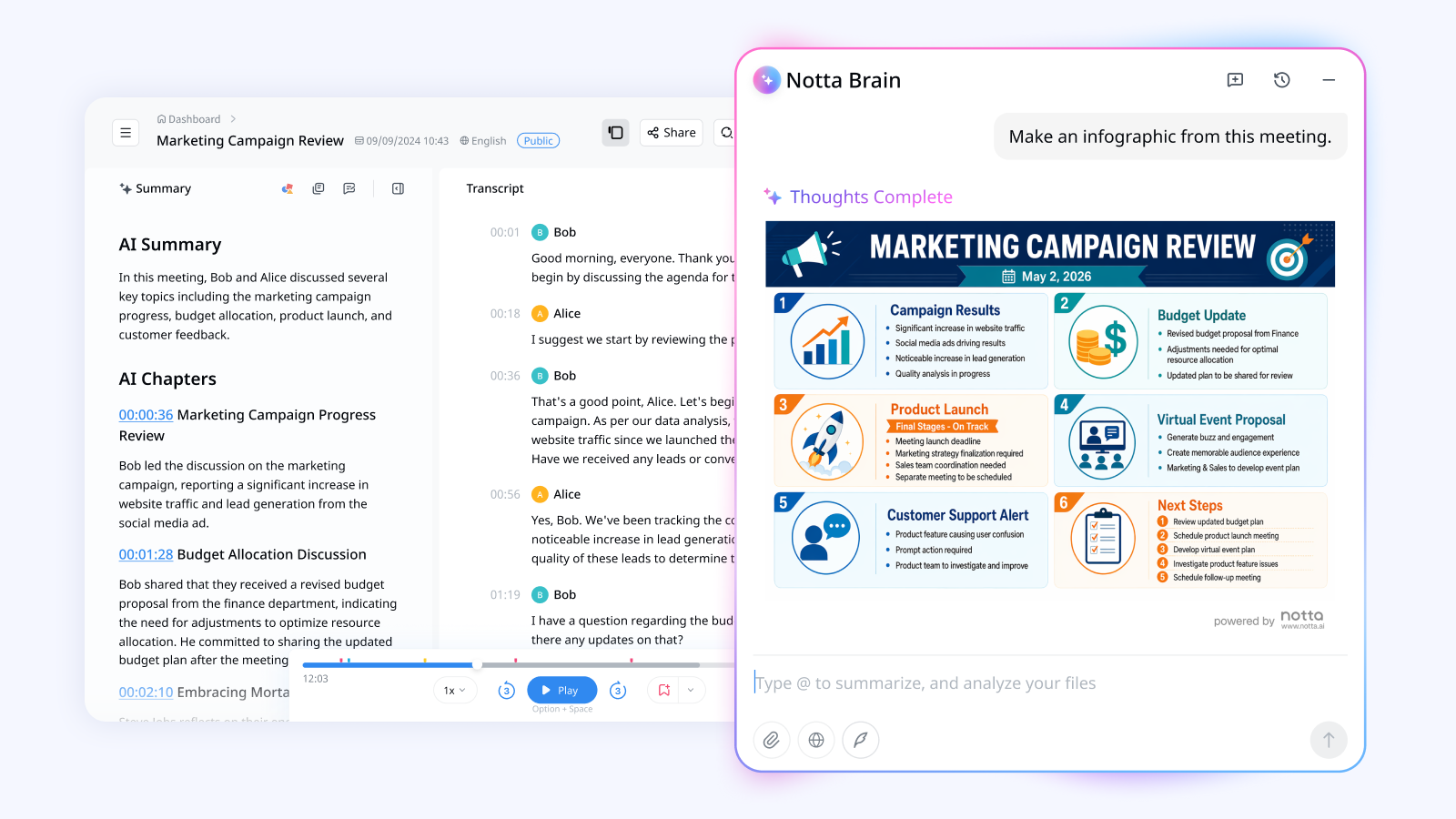
Notta is an AI meeting and transcription platform for teams that need to use what was said, not just save it. I'd choose it when the same project involves stand-ups, stakeholder reviews, and a report or presentation due afterward.
You can use a bot for scheduled calls or Notta Desktop's bot-free recording while you attend. Notta Desktop is Notta's desktop app for recording and transcription on Mac and Windows. Standard Bot-Free Recording records the meeting sound and your voice, then encrypts and uploads the audio for live transcription. It needs an internet connection.
Beyond recording, Notta can combine meeting content with project files to draft reports, documents, tables, and PowerPoint presentations. Notta Brain, the AI capability built into Notta, powers that work. For example, you could compare two steering meetings and draft an update covering changed dates, open decisions, and dependencies.
For restricted discussions, Privacy Mode can keep supported recording and transcription on your computer after setup and model download. It is available on supported paid plans, including Pro. New recordings are transcribed afterward; setup and periodic account checks still need internet. Check support for your computer and meeting language.
Privacy Mode keeps recordings and transcripts in your chosen folder. It does not automatically send them into Notta's online AI workflow. Also, desktop recordings may group speakers rather than name each attendee. Check who made each commitment before sharing the result.
2. Fellow: best for follow-through across recurring meetings
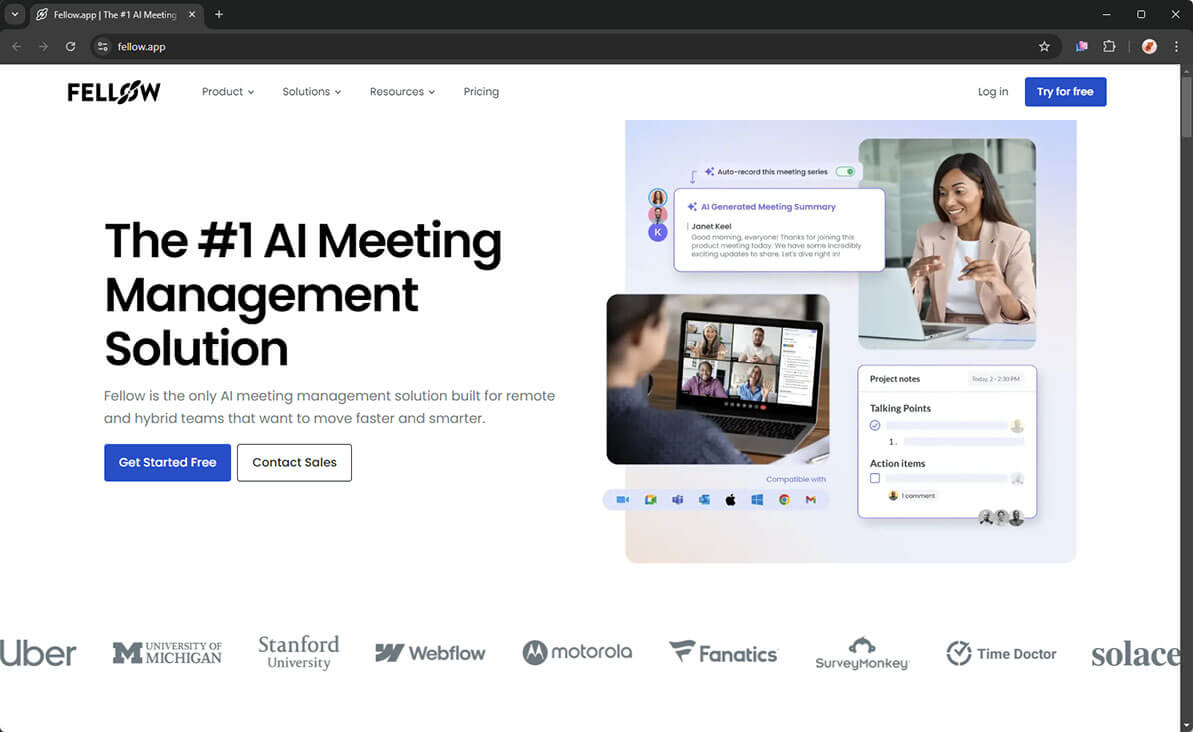
Fellow is worth considering when the same unresolved actions keep returning to your project meetings. It offers a meeting bot and bot-free desktop recording, with recordings, transcripts, and AI notes.
Its useful distinction is how recording fits a recurring meeting series. Fellow can carry unfinished talking points and action items forward, so the next discussion starts with work still outstanding. Suggested AI actions need to be accepted before joining its action-item workflow.
I'd consider Fellow for a retrospective series where agreed improvements need another look next time. The benefit depends on your team using its agenda and action workflow, not merely saving recordings. Its bot-free recording is uploaded for processing; it is not an offline option.
3. ClickUp AI Notetaker: best for teams already managing projects in ClickUp
ClickUp AI Notetaker fits teams that want meeting records inside the place where they already manage tasks. Its bot joins Zoom, Google Meet, and Microsoft Teams. The resulting Doc contains the recording, transcript, summary, and next steps. An admin needs to enable it.
You can turn selected text in a Doc into a task. That is useful when a sprint discussion produces work you want beside the existing backlog. Still, check assignments and dates rather than treating every suggested next step as a finished task.
I'd shortlist it if ClickUp is already your team's project home. I would not switch project systems just to get a recorder. This option uses a meeting bot, so it is not the fit for a call where bots cannot join.
4. Krisp: best for project calls disrupted by background noise
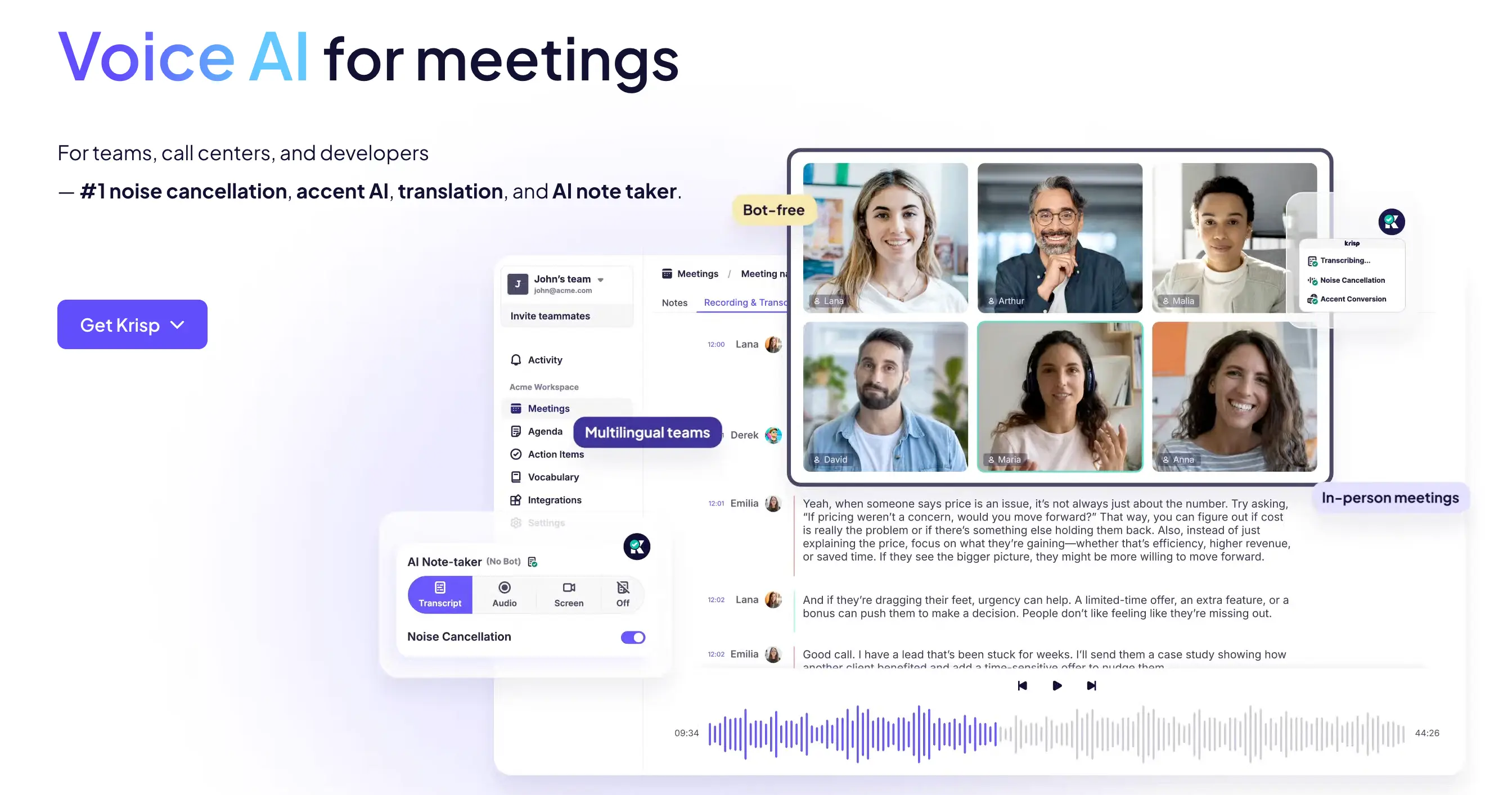
Krisp is worth considering when noise makes the live discussion harder to follow. Its meeting assistant combines recording with noise cancellation that reduces background sounds, other voices, and echo. That addresses the conversation itself, not just the notes created afterward.
Krisp offers bot-free desktop capture and a bot option. I'd consider it for hybrid stand-ups where people join from busy offices and spend time repeating updates.
Krisp also advertises Enterprise on-device transcription and recordings. Check the supported language and setup before choosing that option for restricted meetings. Do not assume every Krisp recording or AI output stays on your computer. Noise reduction is a useful reason to shortlist it, not a guarantee that every speaker or project term will be transcribed correctly.
5. Otter: best for presentation-heavy project reviews
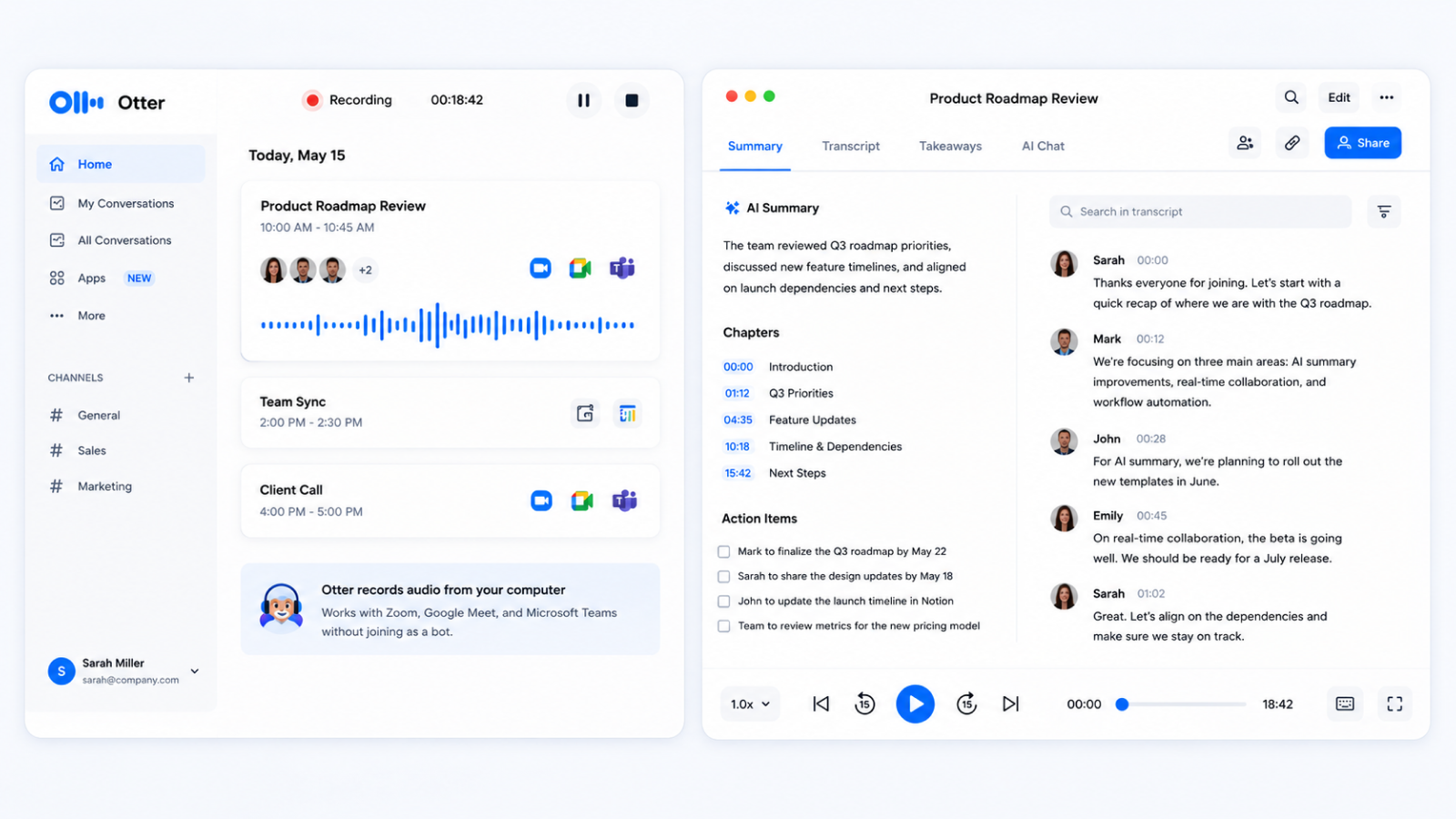
Otter is useful when the slide on screen explains as much as the spoken discussion. Its bot can automatically capture slide and screen-share images during Zoom, Google Meet, and Microsoft Teams meetings. Those images sit alongside the conversation.
For a steering meeting, that can help you reconnect a comment about a milestone with the chart being discussed. I'd consider it when reviewing presentation context matters more than creating a new deck afterward.
Otter also offers bot-free desktop recording on Mac and Windows. However, the automatic slide-capture benefit described here uses its bot. Do not choose desktop recording expecting the same slide workflow or local, offline transcription.
6. Fireflies: best for a dashboard of recurring project topics
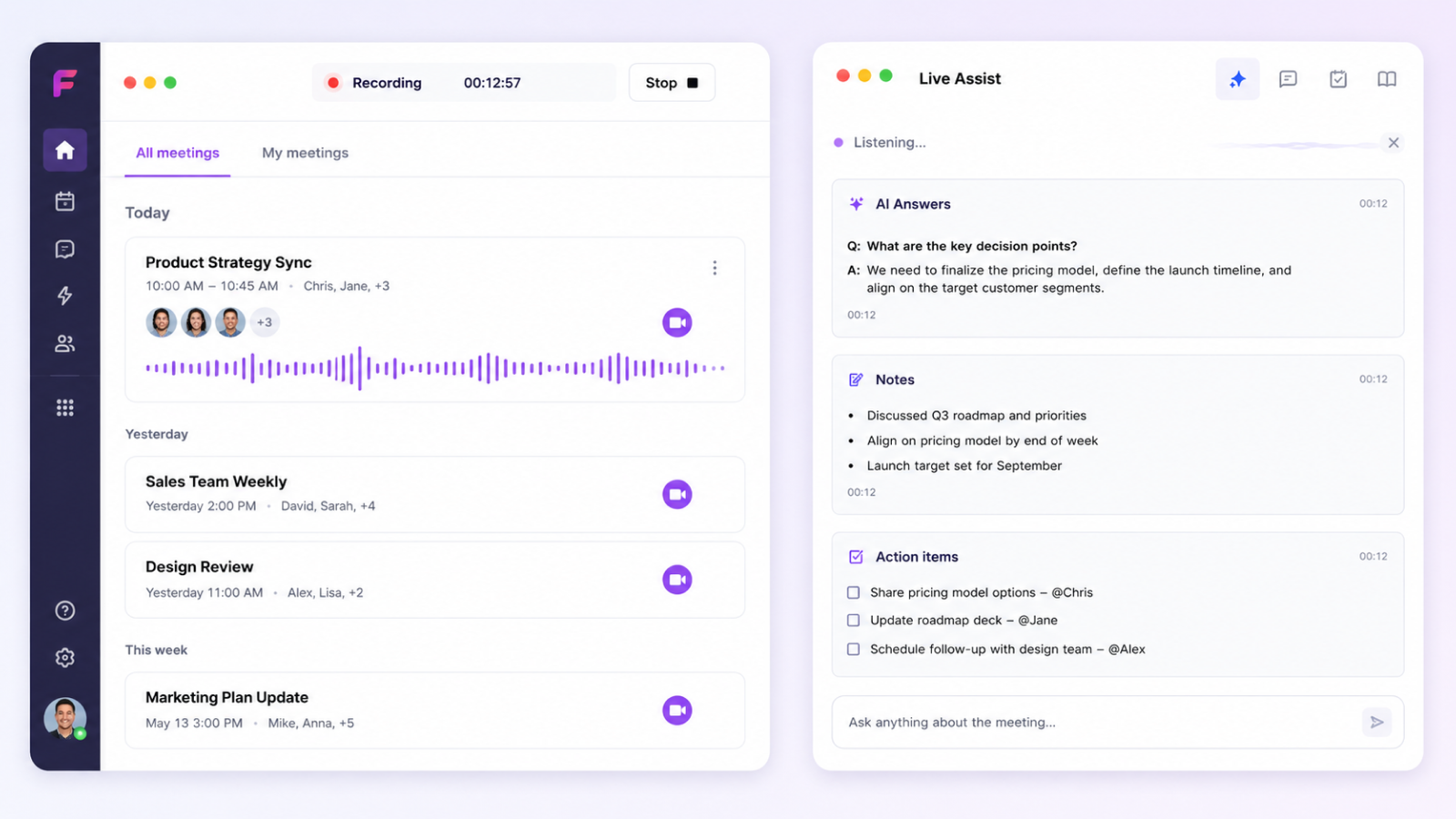
Fireflies fits project management office teams that want to see which topics keep appearing across meetings. Its Topic Tracker groups chosen keywords and links their mentions to transcript passages. Its analytics dashboard adds meeting counts, filters, and spreadsheet export on Business and Enterprise plans.
For example, you could track discussions mentioning a dependency, then open the matching passages to understand what changed. More mentions do not necessarily mean more risk.
Fireflies offers bot and desktop bot-free capture, but the outputs differ. Its current desktop guide says bot-free mode does not retain audio or video or provide speaker labels. If you need to replay a decision, consider its bot recording instead.
Which recorder fits each type of project meeting?
Choose the recorder for the meeting's purpose, then choose a recording option that your participants and company rules allow. The least disruptive choice is not always the one without a bot. An expected bot can suit a recurring call; an unexpected one can interrupt a stakeholder review.
A meeting bot joins the call as a participant. A bot-free desktop recorder records while someone attends, without adding another participant. Private or local transcription means the supported recording and transcription stay on the computer. It can also be bot-free, but bot-free alone does not mean offline.
Use this selector as a starting point, not a rule that every meeting needs recording.
Scroll horizontally to compare all columns on smaller screens.
| Project meeting | Product fit | Recording choice | Useful result |
|---|---|---|---|
| Stand-up | ClickUp for an existing ClickUp team; Krisp for noisy calls | An expected bot, or Krisp desktop while attending | Blockers and next steps |
| Steering meeting | Notta for reports and presentations; Otter for saved slide context | Notta bot-free, or Otter's bot for slide capture | Decisions and a project update |
| Retrospective | Fellow for carrying agreed actions into the next session | Bot-free if the team agrees to recording | Improvements and follow-up actions |
| Executive review | Notta for routine updates and restricted discussions | Bot-free, or supported Privacy Mode when required | Meeting record and an executive recap where permitted |
For a retrospective, I'd put the team's comfort ahead of collecting a complete transcript. Leave recording off if it would prevent people from speaking candidly. For an executive review, the restrictions on the discussion matter more than the seniority of the attendees.
Local recordings also need a different follow-up plan. If files must stay on your computer, do not upload them just to generate a presentation. Create the recap using a method your company permits.
For a fuller evaluation of recording support, permissions, and follow-up needs, use this project meeting recorder checklist.
Which recorder fits executive assistants, PMO teams, and product managers?
Choose for the work your role needs to complete, rather than assigning one recording method to every person with the same title.
Executive assistants: bring several meetings into one clear brief
Notta fits an executive assistant who needs to turn several discussions into a short briefing document. Instead of sending separate summaries, you can draft one update covering decisions, unanswered questions, and commitments. Bot-free recording suits a review you attend when an extra participant would be unwelcome. The chair or executive office should confirm the final minutes.
PMO teams: separate recurring themes from actual project changes
Notta fits a written report across project reviews; Fireflies fits a dashboard showing recurring topics. A bot can suit an established meeting series where automatic attendance is expected and permitted. I'd use topic counts to find discussions worth reviewing, not to assign a risk rating. For a weekly report, check whether a dependency changed or was simply mentioned again. Keep the relevant project document linked beside each important conclusion.
Product managers: connect the discussion to the work
ClickUp AI Notetaker makes sense when your backlog already lives in ClickUp. Use the meeting Doc to review next steps and turn selected items into tasks. If you need a product brief combining several meetings and files, Notta offers another route. Keep ideas, user evidence, and settled decisions separate. An enthusiastic suggestion in a meeting is not a roadmap commitment, and a summary is not a substitute for the original research.
Turn your next project meeting into work your team can use.
Choose Notta when you want recording options and help creating the update, document, or presentation that follows. Start with one useful output, then review it against the discussion before sharing.
Questions about meeting recorders for project meetings
What's the best meeting recorder for project meetings?
Notta is my overall recommendation for project teams that need recording choices and useful follow-up documents. Consider ClickUp if your projects already live there, Krisp if noise is the main problem, or Otter for automatic slide capture. Choose for the meeting's needs rather than the longest feature list.
What's a good bot-free meeting recorder for project managers?
Notta Desktop is one option for recording while you attend without adding a bot to the call. You still need to tell participants, obtain required consent, and follow company rules. Bot-free describes how the meeting is recorded; it does not automatically mean the audio stays on your computer.
When is a private meeting recorder for PMO teams useful?
Choose supported local recording when your company's rules require the recording and transcript to remain on the computer. Notta's Privacy Mode is one option for compatible setups. Confirm that it supports your language and device, and plan how you will create the follow-up without moving restricted files into an online service.
Can a meeting recorder create project updates and presentations?
Some can help draft them. Notta can use meeting content and project files to create reports, documents, and presentations, including PowerPoint files. Check important dates and decisions before sharing. These wider AI capabilities are separate from Privacy Mode; a local transcript does not automatically become an online presentation.
Can meeting action items become tasks in a project management tool?
Yes, but listing an action and creating an assigned task are different steps. ClickUp lets you create tasks from selected Doc text. Notta can send meeting notes and transcripts to ClickUp. Check the owner, due date, and destination rather than assuming a suggested action is ready to use.
