
7 Best Bot-Free AI Meeting Tools for Consultants in 2026
Notta is the best overall bot-free AI meeting tool for consultants in this comparison. It combines real-time transcription in 58 languages with summaries, searchable meeting records, reports, presentations, and follow-up emails. It also offers a separate supported option for keeping recordings local. The other six tools fit narrower needs.
| Tool | Platforms | Supported languages | Live transcription | Standout outputs and workflow | Best for |
|---|---|---|---|---|---|
| Notta Desktop | Mac and Windows; Zoom, Meet, Teams, Webex, Slack, and other desktop meeting apps | 58 transcription languages; bilingual support for 23 language pairs | Yes, in standard Bot-Free mode | Notta turns supported meetings and related files into summaries, reports, presentations, follow-up emails, and other reviewed client work | Consultants who want multilingual meeting records and a practical path from client conversation to deliverable, with a separate supported local option when needed |
| Fireflies | Mac and Windows; records meetings and calls from your computer | 100+ transcription languages; Multi-Language Auto-Detect is beta | Yes, with a visible live transcript | Live Assist, AskFred, AI Skills, and customizable meeting automation in the no-bot workflow | Consultants who want AI guidance and automation during the call |
| Otter | Mac and Windows; records supported online meetings from your computer | English, Spanish, French, German, Japanese, and Simplified Chinese | Yes | Speaker identification and Otter Chat support live-transcript collaboration | Consultants who prioritize a simple, collaborative live transcript in Otter's six supported languages |
| Granola | Mac and Windows; mobile support is also available | 10 documented desktop languages; additional mobile languages | Yes, with a live transcript panel | The consultant's rough notes guide the AI-generated recap; folder chat and integrations extend the note-first workflow | Consultants who prefer to write a few judgment-based cues and have AI expand them into a structured recap |
| Jamie | Mac and Windows | 80+ languages in current documentation | No visible live transcript is documented; notes normally appear several minutes after the meeting | Reusable Speaker Memory carries speaker context into post-call summaries and tasks | Consultants who meet the same clients repeatedly and want the tool to remember speakers across post-call notes |
| Krisp | Mac and Windows across major meeting apps; mobile options are also available | 16 documented languages; where transcription happens depends on the language and settings | Yes, with plan and language conditions | Noise and echo cancellation plus supported Accent Conversion improve the sound used for meeting notes | Consultants taking calls from noisy offices, client sites, or while traveling, where audio clarity is the main failure point |
| Fathom | Current bot-free 3.0 rollout: Mac and English-language meetings | English in the current bot-free rollout; 38 transcript languages in the broader Fathom product | Live summary; the full transcript is available after the call | Live summaries, Ask Fathom, and a per-meeting choice between Transcript Only and Audio Only | Mac-based consultants with English meetings who want live summaries and control over whether the original recording is saved |
Comparison date: August 25, 2026. Languages, live features, supported platforms, plans, and privacy rules can change. Confirm the current product documentation and your approved client workflow before recording.
How did I compare the best bot-free AI meeting tools for consultants?
I compared the seven products by the complete consultant workflow. Removing the meeting bot was only one criterion. All seven can record at least some meetings without adding a visible assistant.
- Platform fit: Does the app support your computer, meeting platform, and headphones? Does it cover scheduled and ad hoc calls?
- Language coverage: Which transcription languages are documented? Can one meeting include more than one language?
- Live assistance: Can you see a live transcript or notes, or must you wait until the call ends?
- Privacy and storage: Where is the meeting handled and stored? Is the original recording kept? Is a local option available?
- Consulting outputs: Can the result become a report, presentation, email, table, or action list? Can you export it or update an approved tool?
- Reviewability: Are speakers labeled? Can you replay the meeting when you need to check a figure, quotation, or disputed decision?
- Best-fit job: Which consultant workflow benefits most from the product's strengths?
I rank Notta first because it covers more of these jobs in one platform. It combines multilingual meeting records with practical client work. It also offers exports, integrations, and a separate supported local option. It is not the only bot-free product.
What does bot-free recording mean for consulting calls?
A bot-free AI meeting tool records a call from your computer without adding another participant. That describes the meeting experience, but it does not explain where your data goes or what is saved.
Cloud-connected recording
The meeting is recorded on your computer, while the service creates and stores the transcript or notes online.
Temporary audio
The service uses the audio to create a transcript, then deletes the audio while keeping the transcript or notes.
Local or offline recording
The recording and transcript stay on a supported computer. Availability depends on the plan, device, model, and language.
The key difference is where transcription and storage happen. A tool can record on your computer without adding a bot and still send audio to the cloud for processing. Only a workflow explicitly described as local or offline keeps supported recording and transcription on the device. Check each product's current data flow before recording.
The 7 best bot-free AI meeting tools for consultants in detail
The following sections explain how each product records meetings, what it creates after the call, and where it fits best in consulting work.
1. Notta: best overall for multilingual, multi-source consulting deliverables
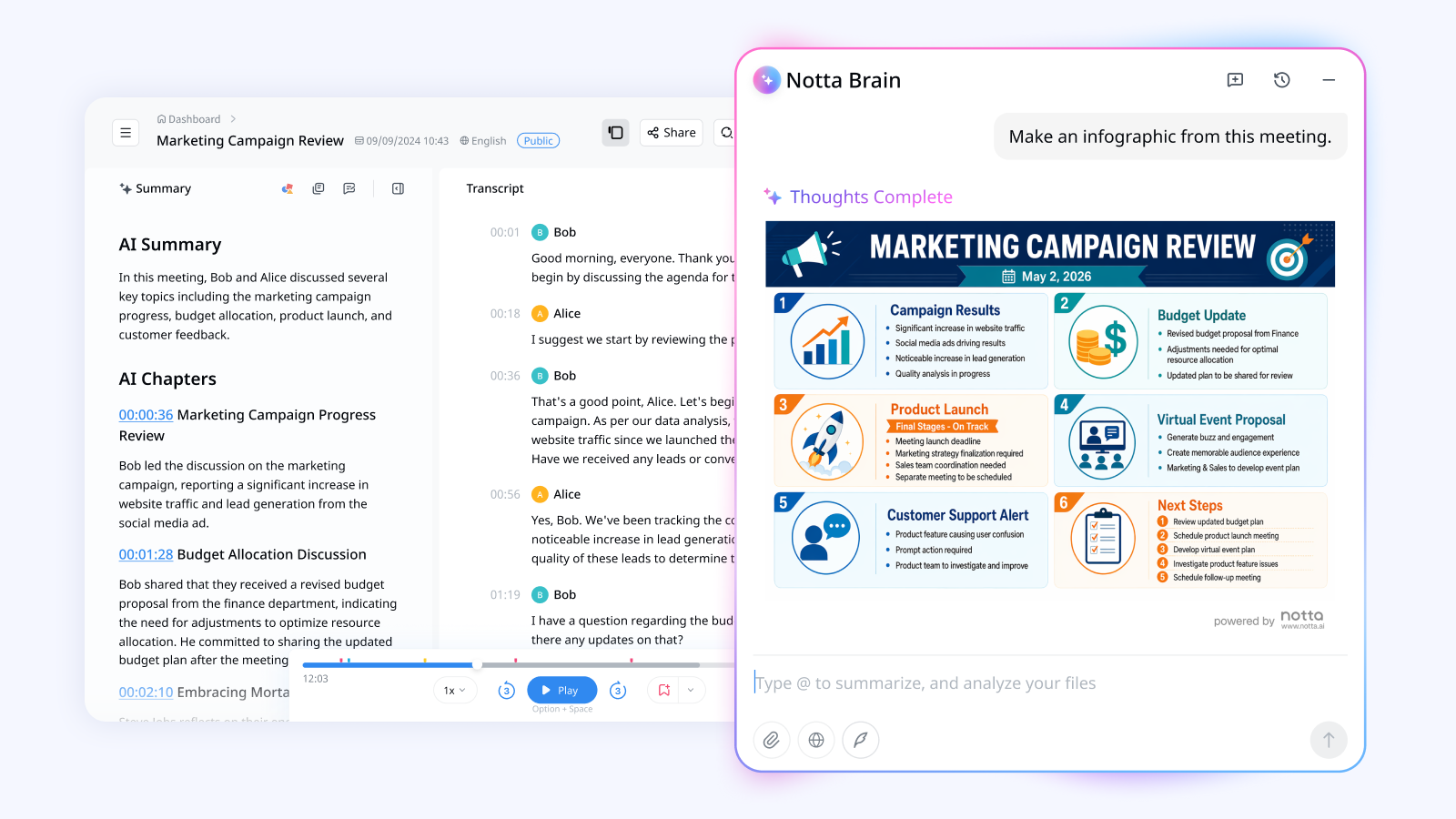
Notta Desktop Bot-Free Recording records Mac and Windows consulting calls without adding a bot. You can follow the transcript in real time while staying focused on the client.
Notta supports monolingual transcription in 58 languages and bilingual support for 23 language pairs. That helps with English calls, multilingual interviews, and international workshops. After an approved online meeting, review the transcript and AI Summary. Check action items, timestamps, speakers, and the searchable record.
The wider Notta workflow is where I see the main difference. Through capabilities such as Notta Brain, Notta can bring meetings and related files together. You can then shape the information into reports, presentations, follow-up emails, and other client work before reviewing and sharing it.
Privacy Mode is a separate option for meetings that must stay local. When the plan, computer, model, and language are supported, it can record and transcribe offline after setup. The recording and transcript stay in your chosen folder and do not sync to Notta automatically.
Best for: Consultants who combine multilingual client calls and related files into reviewed deliverables. It also fits teams that need a separate supported local option.
Watch for: Choose standard Bot-Free or Privacy Mode before the call. The first connects to Notta online, while the second keeps supported recording and transcription local.
2. Fireflies: best for live AI guidance and customizable automation
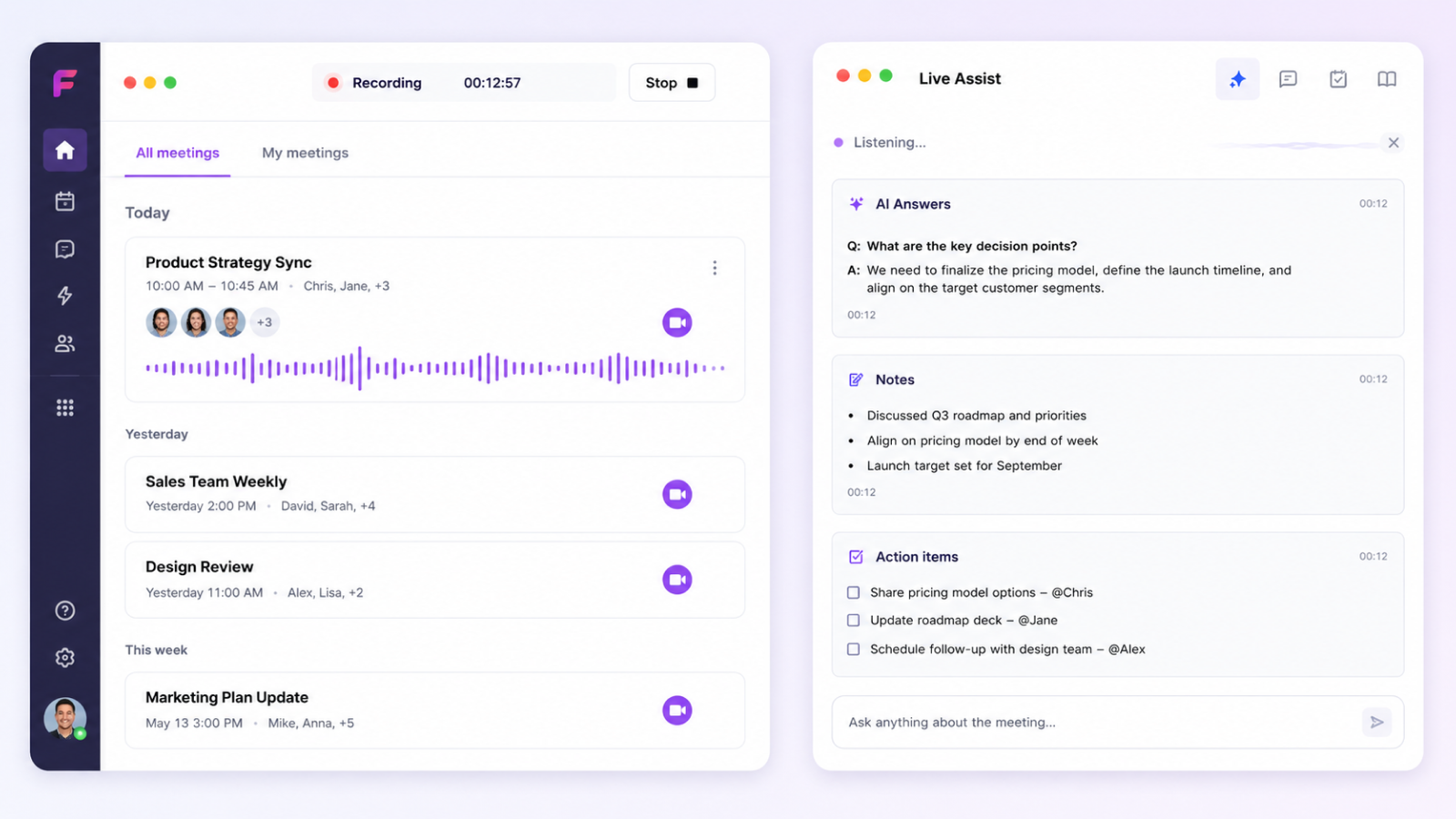
Fireflies Desktop records the meeting from your computer without inviting its Notetaker. Its current documentation lists 100+ transcription languages. Multi-Language Auto-Detect can handle language switching in one meeting, but Fireflies currently labels that mode beta.
The no-bot experience includes a live transcript, Live Assist, AskFred, and AI Skills. It also provides manual notes, instant summaries, and post-call tasks. This suits consultants who want prompts or automated analysis during a call. This mode does not save an audio or video recording, and it omits named speaker labels and Sales Assist.
Best for: Consultants who want live AI guidance and customizable meeting automation during the call, not only a post-call recap.
Watch for: Generic speaker labels need careful review. Without a saved recording, it can be harder to check who said what.
3. Otter: best for live transcript collaboration in six languages
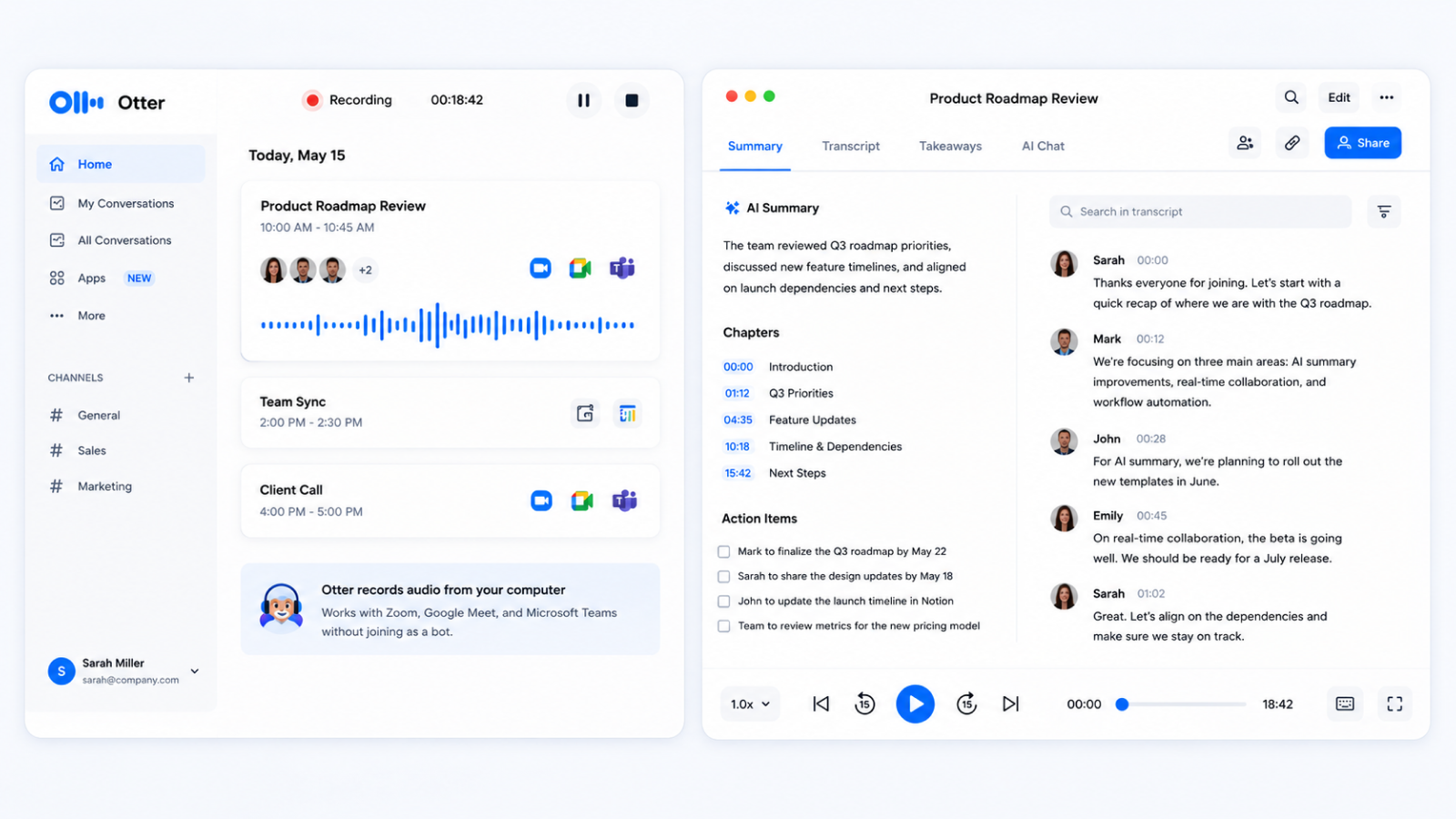
Otter Desktop supports bot-free recording on Mac and Windows. You can open the live transcript during a supported meeting. After the call, use summaries, editing, sharing, speaker identification, and Otter Chat.
Otter transcribes English, Spanish, French, German, Japanese, and Simplified Chinese. German and Simplified Chinese remain beta features in current documentation. This language set may not cover every international client portfolio.
Otter says it stores data in AWS's West US region. Eligible workspaces can also control how long meeting data is kept. Confirm that these choices fit the client engagement before recording.
Best for: Consultants who want simple live text, speaker correction, and team collaboration in one of six languages.
Watch for: Review speaker names after the meeting, especially when new participants appear with generic labels.
4. Granola: best for consultant-led, note-first recaps
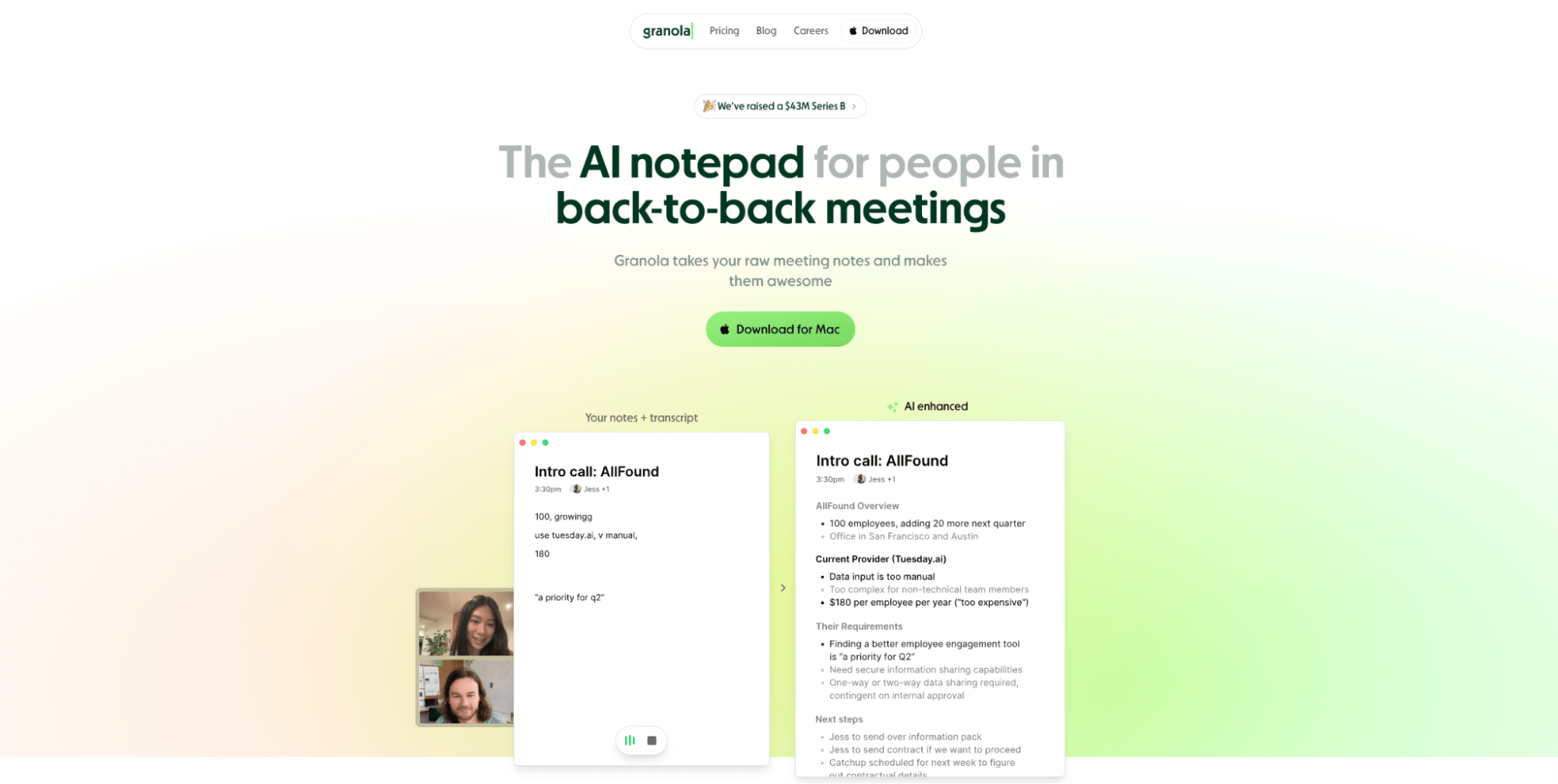
Granola records the meeting from your computer without joining it as a participant. Its desktop app shows a live transcript that you can search, copy, pause, or resume during the call.
Granola documents 10 desktop languages: English, French, German, Spanish, Italian, Portuguese, Dutch, Japanese, Russian, and Hindi. Write rough notes while listening. Granola can use the transcript and your cues to improve them. Templates, actions, follow-ups, and folder chat extend the workflow. Sharing and integrations depend on the plan.
Granola uses another provider to create the transcript, but it says it does not keep an audio or video recording you can access. Notes and transcripts are stored in a US AWS environment. Without a replay, you have one less way to check an important quotation later.
Best for: Consultants who prefer to write a few judgment-based notes themselves, then have AI expand those cues into a structured recap.
Watch for: Make sure a meeting without a replay fits the engagement's evidence and recordkeeping needs.
5. Jamie: best for recurring client conversations and reusable speaker context
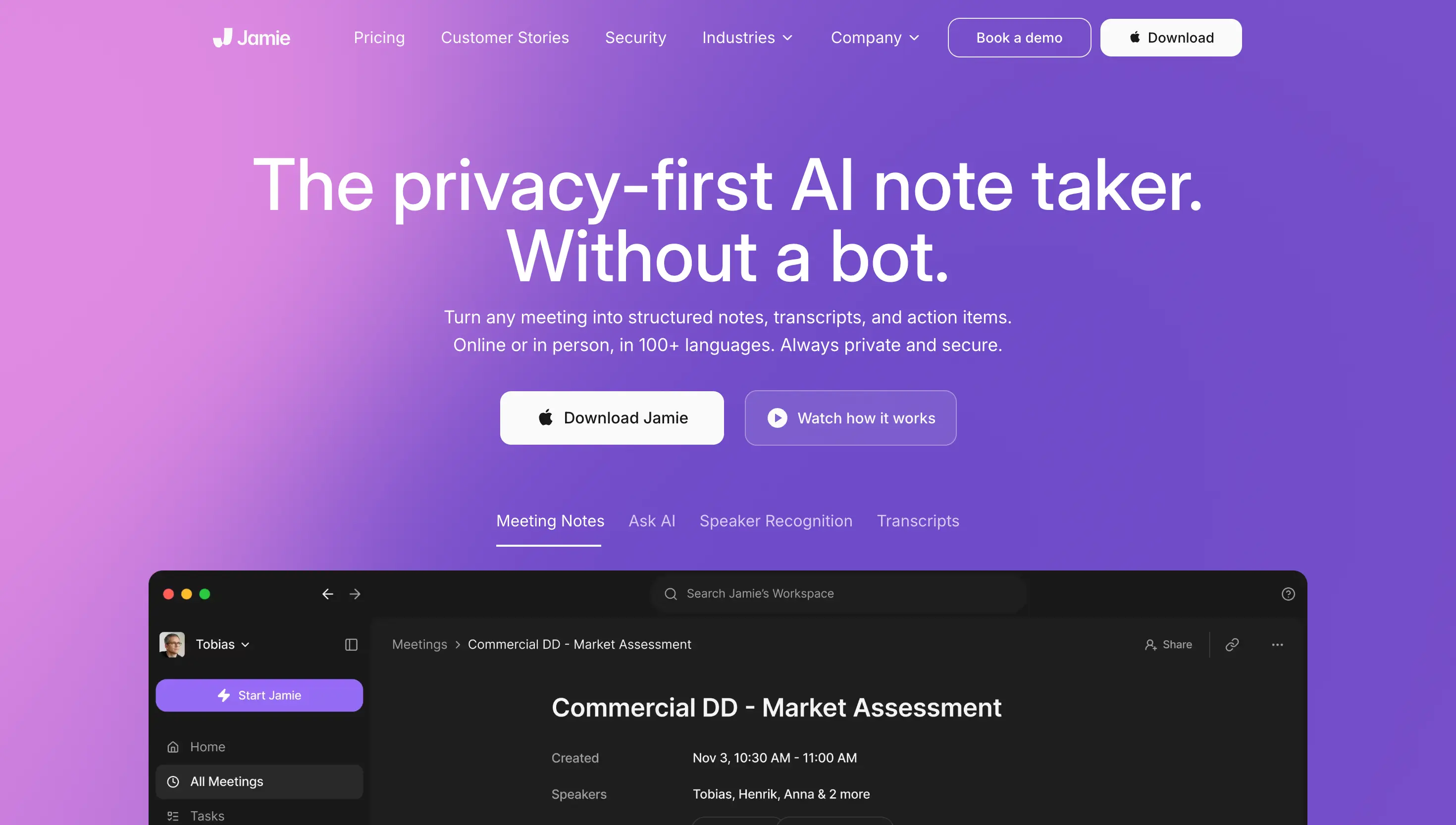
Jamie records meetings on Mac and Windows without a virtual participant. Its current documentation lists more than 80 languages for transcription and summaries.
Jamie is not the strongest choice when you need a live transcript. After recording, it transcribes the call and matches speakers where supported. It then writes an executive and full summary and extracts tasks. Current documentation says this takes about five to ten minutes. Templates, speaker memory, scratchpad notes, and integrations add more options.
Jamie documents that it handles audio in Frankfurt, deletes the audio after transcription, and stores transcripts in the EU. Other AI providers may help create the notes. Treat the storage region as one vendor-review field, not proof that the entire workflow stays with one provider.
Best for: Consultants who meet the same clients or project teams repeatedly and want less speaker-label cleanup across post-call notes. A live transcript is not essential.
Watch for: Jamie deletes the meeting audio. You cannot replay the original call inside Jamie to settle a disputed detail.
6. Krisp: best for noisy consulting calls
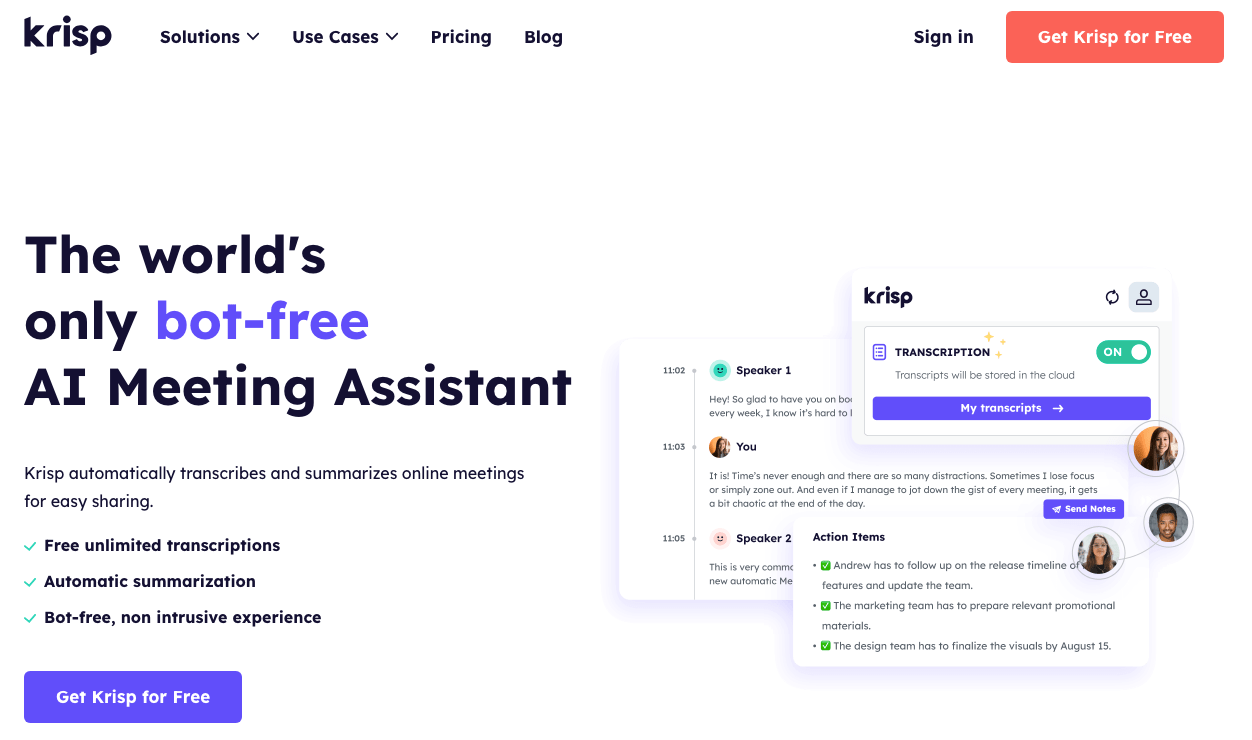
Krisp works across major meeting apps without adding a visible participant. Its main advantage is the combination of meeting transcription with noise and echo cancellation.
Krisp documents live transcription in 16 languages. Depending on the language and settings, it may create the transcript on your computer or on Krisp's servers. Krisp says server-processed audio is deleted after transcription. Supported beta workflows also include real-time Accent Conversion, with availability varying by plan and accent.
Do not assume every Krisp meeting stays on your computer. Saved recordings use cloud storage, and the exact setup depends on your language, meeting mode, and settings.
Best for: Consultants taking calls in noisy offices, at client sites, or while traveling, where audio clarity is the main risk.
Watch for: Check the language, whether a recording is saved, where it is stored, and whether your plan includes live transcription.
7. Fathom: best for Mac-based live summaries and control over what is saved
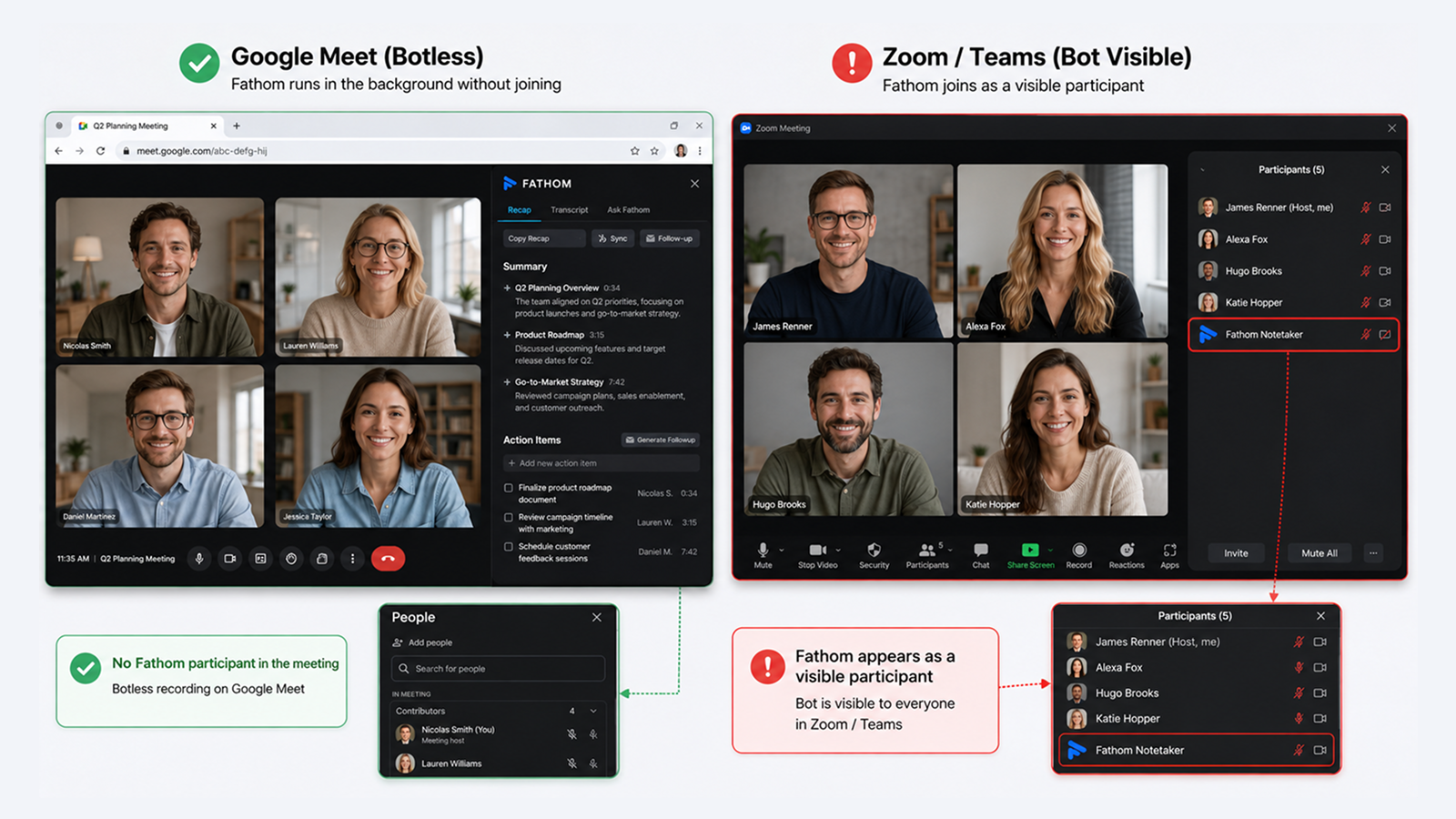
Fathom 3.0 offers two bot-free choices. Transcript Only keeps the text but no recording. Audio Only records the meeting audio, while the separate Audio and Video option uses a bot.
The new experience provides a live summary that updates during the meeting. The full transcript appears after the call rather than in a live transcript panel. Afterward, you also get the final summary, action items, and Ask Fathom. You can replay the meeting only if you chose an option that saves it.
Fathom supports 38 transcript languages across the broader product. Its current bot-free experience is limited to Mac users with English meetings, so the wider language list does not apply here.
Best for: Mac-based consultants with English calls who want live summaries and per-meeting control over whether the original recording is saved.
Watch for: Check current computer and language support, where meeting data goes, what is saved, and how notes can be shared.
What should you define before choosing a tool?
Define the engagement rules, required output, reviewer, and where the notes must go next before comparing convenience features.
- Meeting: platform, scheduled or ad hoc, online or in person, and whether you must attend
- Permission: applicable law, participant consent, contract, NDA, client policy, and company policy
- Privacy: approved service, where meeting data goes, what is stored, who can access it, how long it stays, and whether it must remain local
- Output: recap, decision brief, recommendation input, report evidence, action list, or internal notes
- Reviewer: consultant, engagement lead, attorney, medical reviewer, compliance owner, or client approver
- Environment: Mac or Windows, permissions, network, language, available storage, and supported meeting app
- Next step: keep the notes local, export them manually, or move them to an approved work tool
I would first remove any tool that cannot meet the engagement's privacy and storage rules. Only then would I compare convenience features.
How should consultants choose and test an AI meeting tool?
Start with the client rules and deliverable. Then test the full workflow on approved, non-sensitive material.
- Classify the client callIdentify the meeting type, sensitivity, participants, platform, and languages. Decide whether the tool must record without you present and whether you need video or a replay.
- Confirm permission and data handlingCheck recording law, participant consent, contract and NDA terms, client policy, and company policy. Confirm which service you can use, where the data goes, how long it stays, who can access it, and how it can be shared.
- Choose where the meeting can be processedUse an approved online service when you need live transcription or collaboration. A service that deletes the audio can work when you do not need a replay. Choose a local option only when your computer, language, and policy support it.
- Test a representative meetingUse a non-sensitive call with several speakers, specialist terms, names, and figures. Check the live transcript, speaker names, replay options, exports, and the final client output.
- Review and approve the outputCheck speakers, names, figures, dates, technical terms, quotations, decisions, owners, and deadlines. Separate client evidence from your interpretation and route regulated statements to the responsible reviewer.
Which bot-free AI meeting tools fit different consulting fields?
The best product changes with each engagement. Privacy rules, specialist terms, the need to replay a meeting, and the final client work all matter. These are workflow recommendations, not financial, medical, legal, privacy, or compliance advice.
Financial consultants
I would shortlist three products for approved financial-planning workshops, process reviews, or advisory calls:
- Notta: Meetings in several languages, searchable client records, and a way to combine conversations and related files into reviewed briefs or follow-up work. Notta Desktop can handle client calls without adding a participant, while Privacy Mode offers a separate supported local option.
- Fireflies: Live guidance and customizable automation during calls. Its no-bot option does not save the meeting audio, so the review process must not depend on replay.
- Otter: Simpler live-transcript collaboration when its six languages, US data storage, and workspace settings match firm policy.
Check names, monetary figures, dates, assumptions, suitability context, recommendations, and recordkeeping obligations. Current guidance written for registered investment advisers also stresses consent, privacy, records, and compliance review. Other financial consultants should apply the rules that govern their own role and engagement.
Business consultants
Business consultants should match the tool to how the engagement produces work:
- Notta: Projects that combine several calls, workshops, and related files into a reviewed report, presentation, follow-up email, or action plan. Bot-free recording is one way to start that broader workflow.
- Granola: A lighter personal process in which your own rough notes should guide the final recap.
- Fireflies: Approved calls where live help and customizable automation matter more than keeping a replay.
Review decisions, owners, deadlines, quotations, and the boundary between client evidence and your recommendation.
Medical consultants
For approved healthcare-operations and administrative discussions, different products solve different problems:
- Notta: Meetings in several languages followed by reviewed operational summaries, reports, or action plans. Teams can use an approved online option or Privacy Mode when the recording and transcript must stay local.
- Krisp: Calls where noise, echo, or accent clarity is the main obstacle. The organization must approve where the data goes and what is saved.
- Jamie: Recurring participants when reusable speaker context can reduce post-call cleanup and you do not need live text or a later replay.
No product automatically authorizes recording patient information or satisfies every healthcare requirement. Confirm privacy, notice, consent, contract, retention, vendor review, and security obligations. Current healthcare legal guidance treats audio, transcripts, summaries, and logs as distinct records. A qualified reviewer should check terminology and anything that could be read as medical advice.
Legal consultants
For approved legal-operations interviews and matter discussions, I would compare these workflows:
- Notta: Conversations in several languages and related files organized into searchable records, reviewed summaries, timelines, or client follow-ups. Notta Desktop offers bot-free recording, while Privacy Mode offers a separate supported local option.
- Jamie: Recurring matter teams when reusable speaker context is helpful and losing the ability to replay the meeting does not harm the matter.
- Granola: An attorney-led note process in which the user's observations should shape the recap and a replay is not required.
The responsible attorney or organization must set the rules for consent, confidentiality, privilege, retention, and third-party processing. A New York City Bar opinion emphasizes consent, confidentiality, judgment, and accuracy review. Local processing can reduce one transfer path, but it does not automatically preserve privilege.
How does Notta Desktop turn a consulting call into client-ready work?
Standard Notta Desktop Bot-Free mode records the meeting without a bot and sends the transcript and notes to Notta. Privacy Mode provides a separate supported option for keeping the recording and transcript local.
Standard Bot-Free and Notta workflow
- Obtain required permission and start Notta Desktop Bot-Free Recording.
- Record the meeting without a bot joining the participant list.
- Follow the live transcript, then let the notes appear in your Notta workspace after the meeting.
- Review the transcript, AI Summary, speakers, decisions, and action items.
- Shape the reviewed meeting into a report, presentation, follow-up email, action plan, or other client output.
- Edit, verify, export, share, or archive the approved work.
This route fits ordinary approved calls where the client expects a reviewed deliverable. The transcript is an input, not the finished work.
Supported Privacy Mode
- Confirm consent, policy, computer, available storage, and language support.
- Complete the required setup and enter Privacy Mode before recording.
- Record and transcribe locally and offline, keeping the recording and transcript in your chosen folder.
- Review the transcript there. Move the files online later only when the organization approves it.
Privacy Mode files do not automatically appear in Notta online. Choose this mode when the meeting must stay local, not simply because a meeting feels sensitive.
Explore the broader Notta workflow for consultants when approved calls must become reports, recommendations, or client follow-up.
Frequently asked questions
Is a bot-free AI meeting tool automatically more private?
No. Bot-free only means the tool records from your computer without adding another participant. It does not tell you where the meeting is handled, what is saved, how long it stays, or who can access it. Check the full privacy policy and your client's rules.
What should consultants compare when replacing Fireflies, Otter, or another assistant?
Compare languages, live transcription, where meeting data goes, whether a replay is saved, speaker labels, outputs, exports, integrations, and best fit. Fireflies and Otter both record without a bot. Replace either only when its complete workflow no longer fits your calls or client work.
Which bot-free AI meeting tools provide live transcription?
Notta, Fireflies, Otter, Granola, and Krisp show a live transcript in supported meetings. Fathom provides a live summary, then shows the full transcript after the call. Jamie creates the transcript and notes after recording stops.
When should a consultant use local transcription?
Use a supported local option when the engagement requires the recording and transcript to stay on your computer. Before recording, confirm consent, policy, computer and language support, available storage, and where the files may go later.
Can AI meeting notes be sent directly to a consulting client?
They should be reviewed first. Verify material details against the source where available. Correct names and figures, separate evidence from interpretation, and obtain required specialist or client approval. The reviewed deliverable, not the raw AI output, is the final product.
Choose the workflow that finishes the client work
Notta is my best overall choice for bot-free meetings in several languages and useful client work afterward. The final choice must still fit your privacy rules and recording mode. Also consider whether you need to replay the call and who must review the result.
