
Turn Any Notes into an AI Visual Summary
Paste your notes, meeting content, research, or any text — get a beautiful visual summary powered by AI in seconds.


Popular Infographic Examples
Browse infographics created with real content
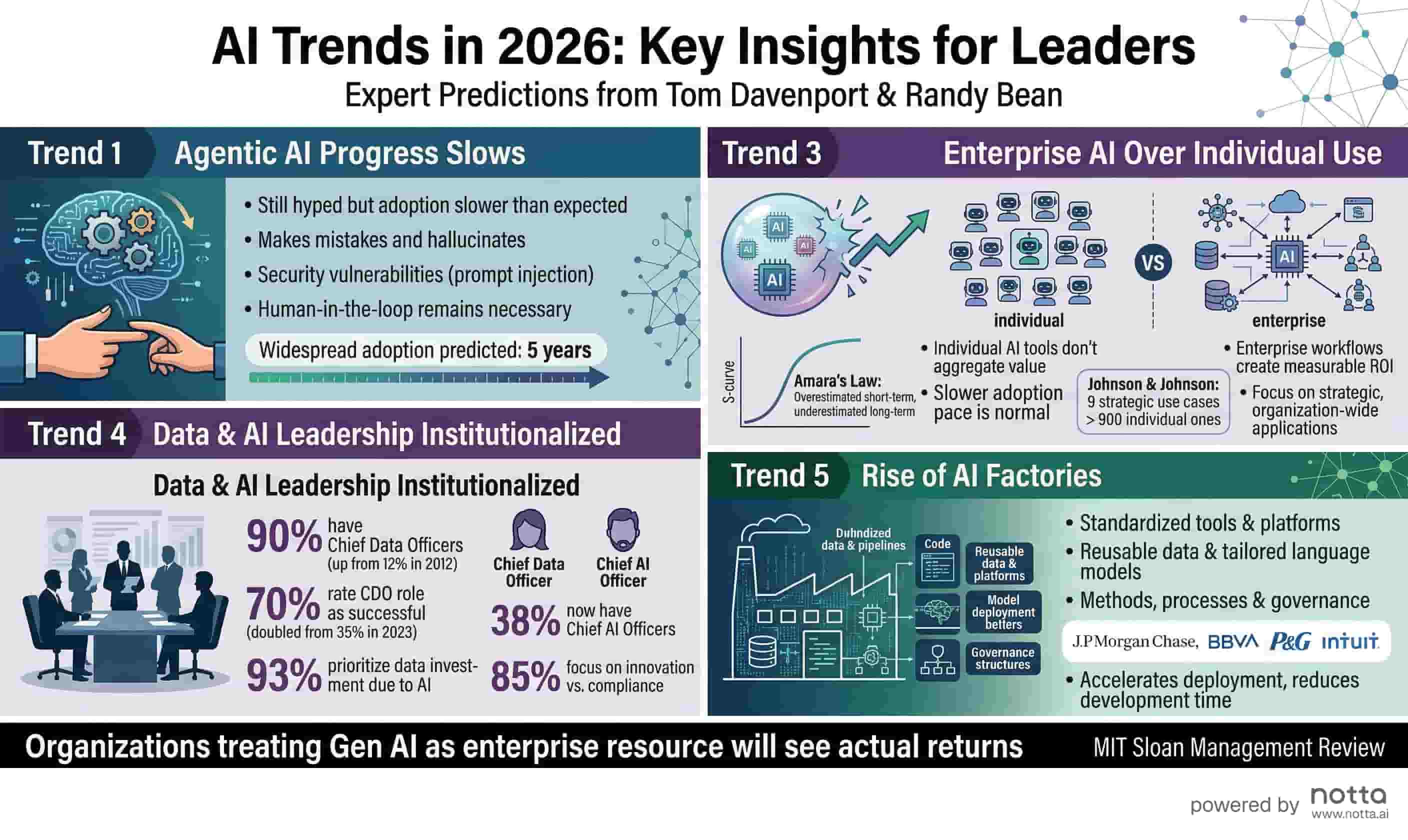
AI Trends 2026
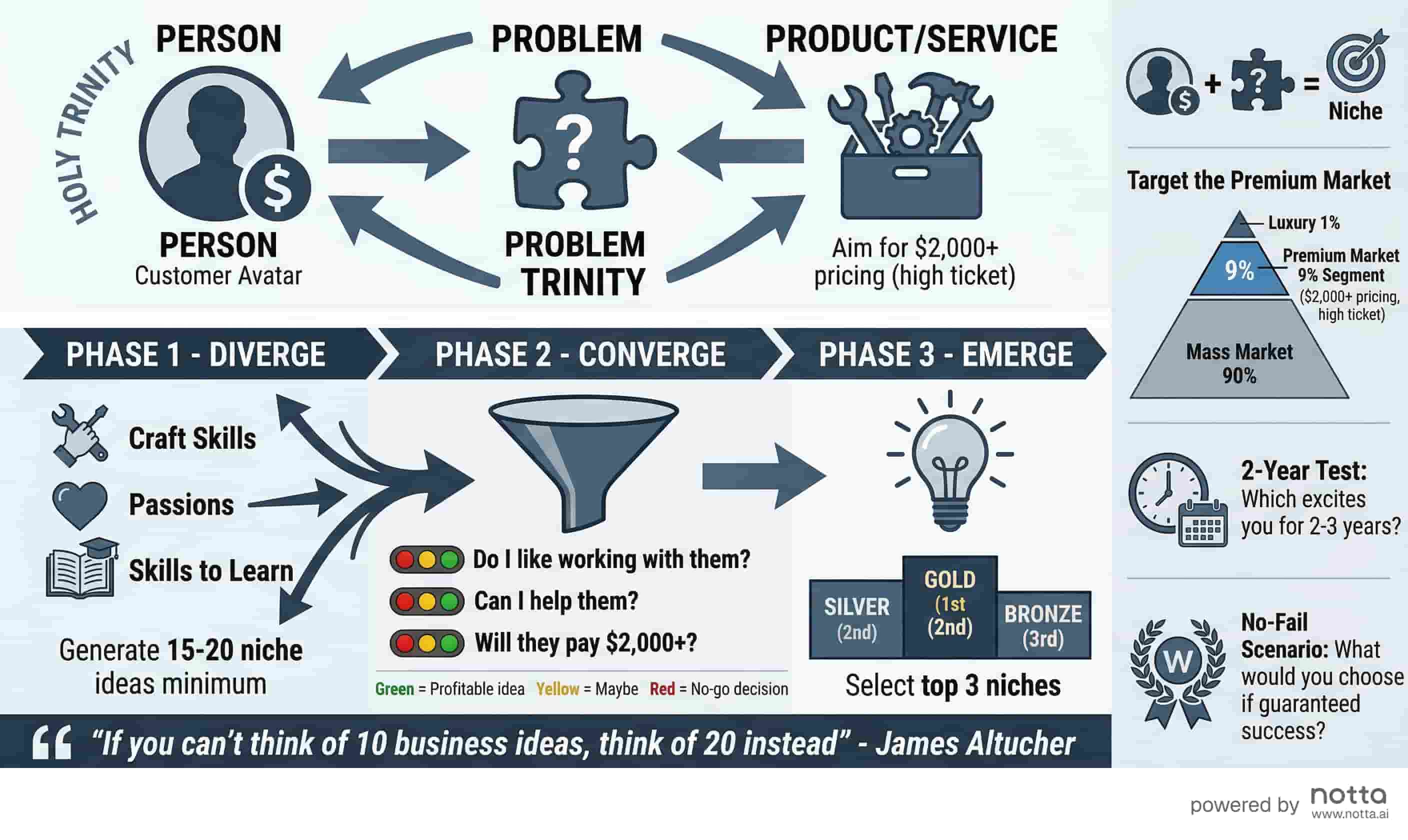
Business Idea Generation Framework
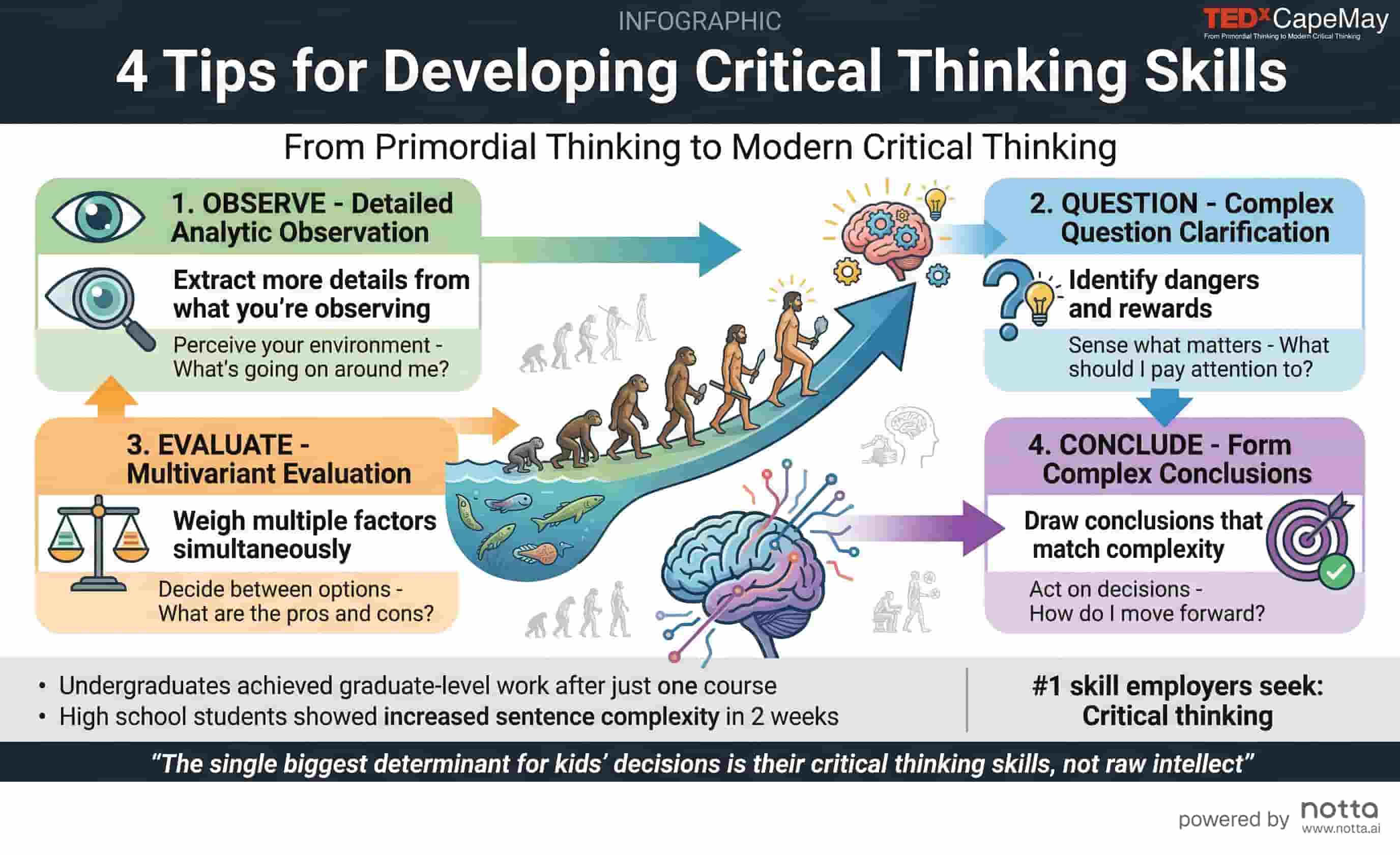
Critical Thinking Skills
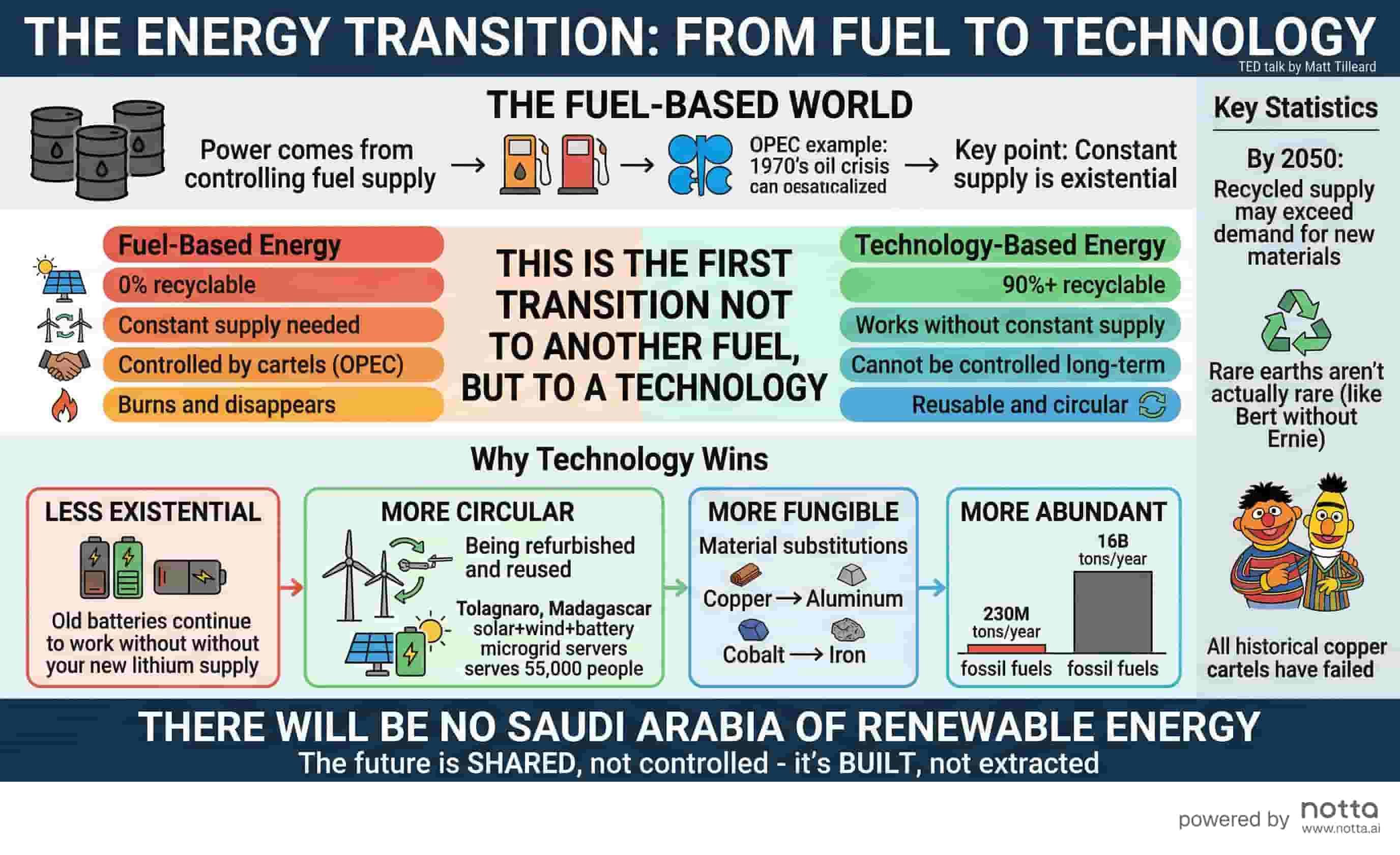
Energy Transition
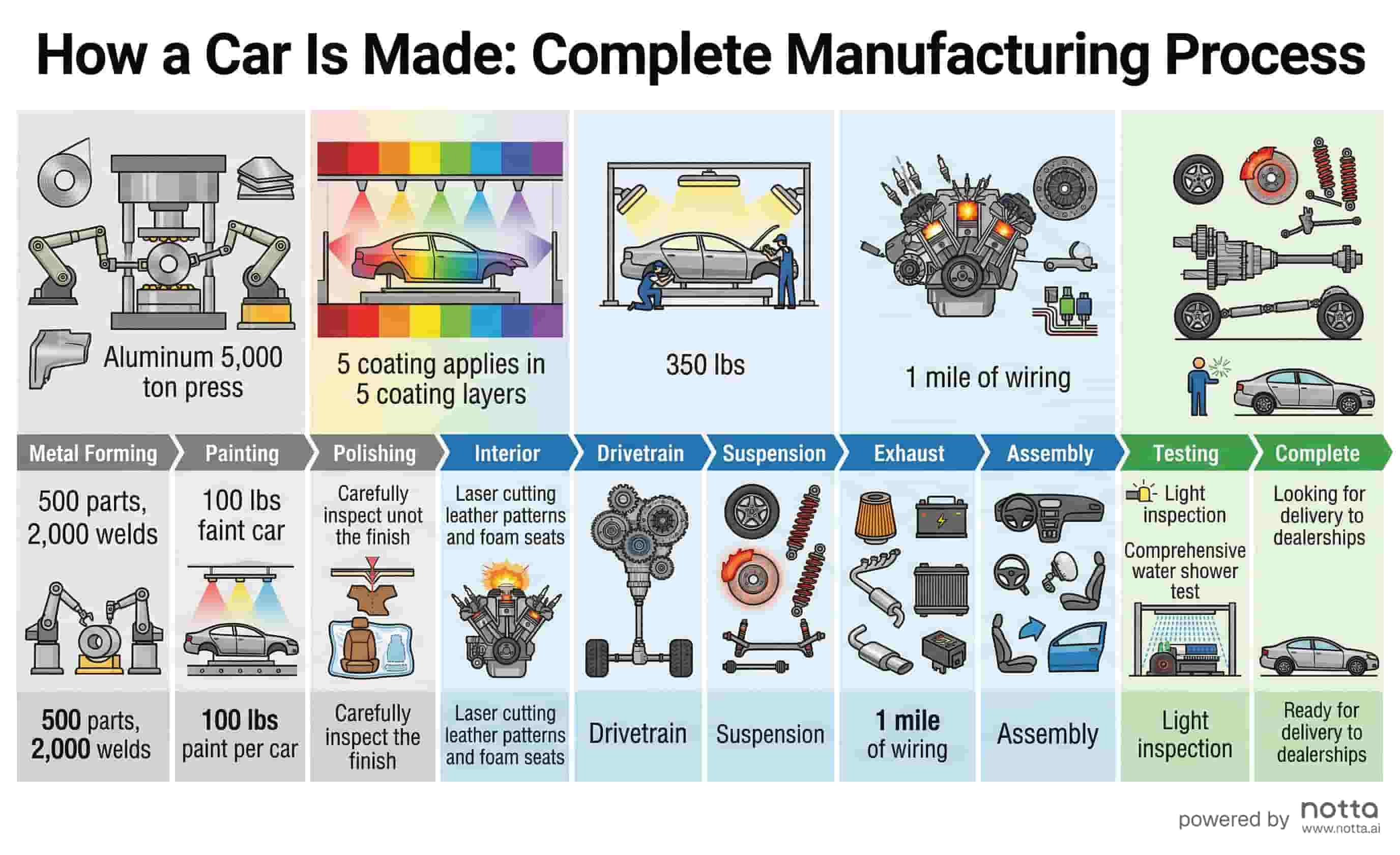
Car Manufacturing Process
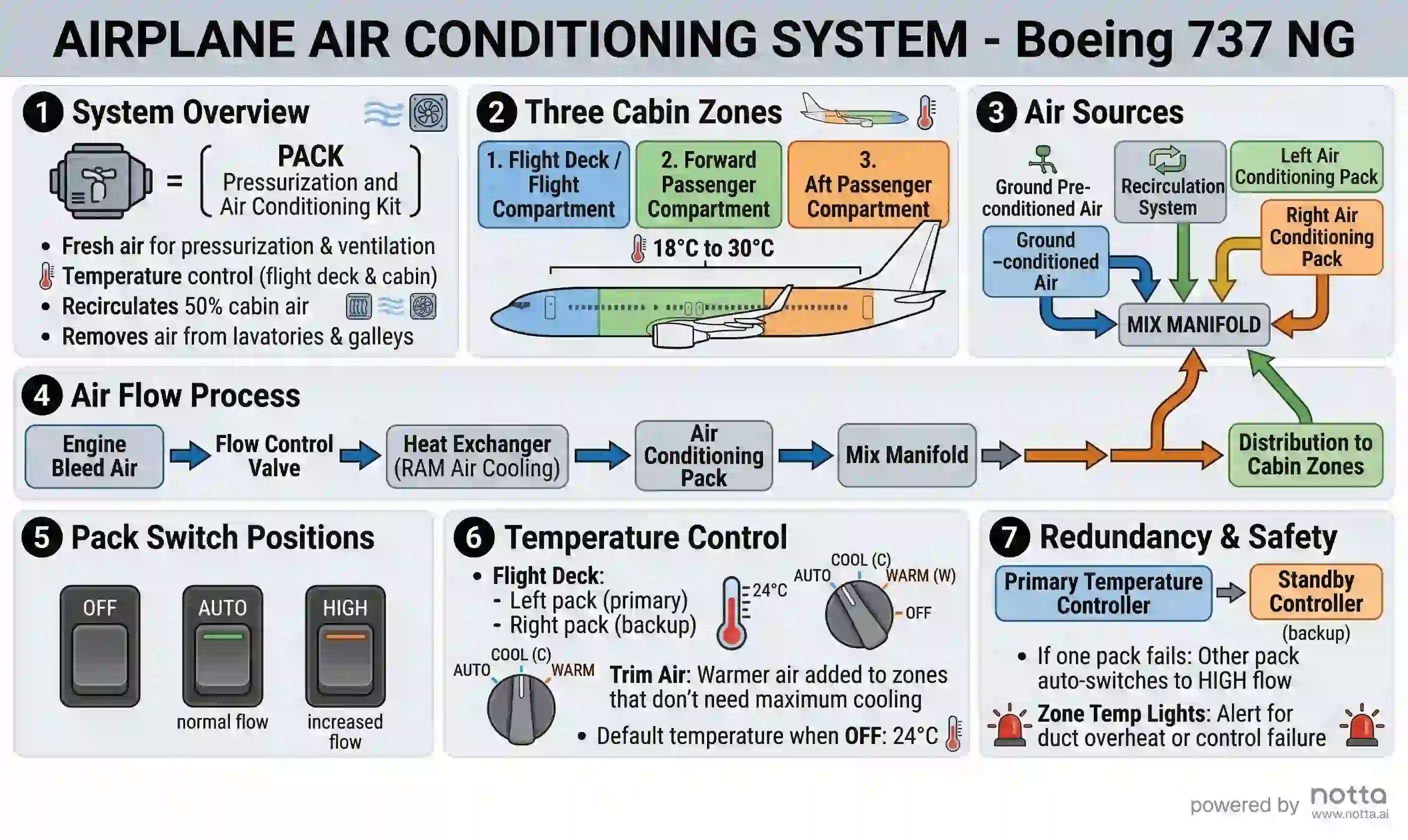
737 Air Conditioning System
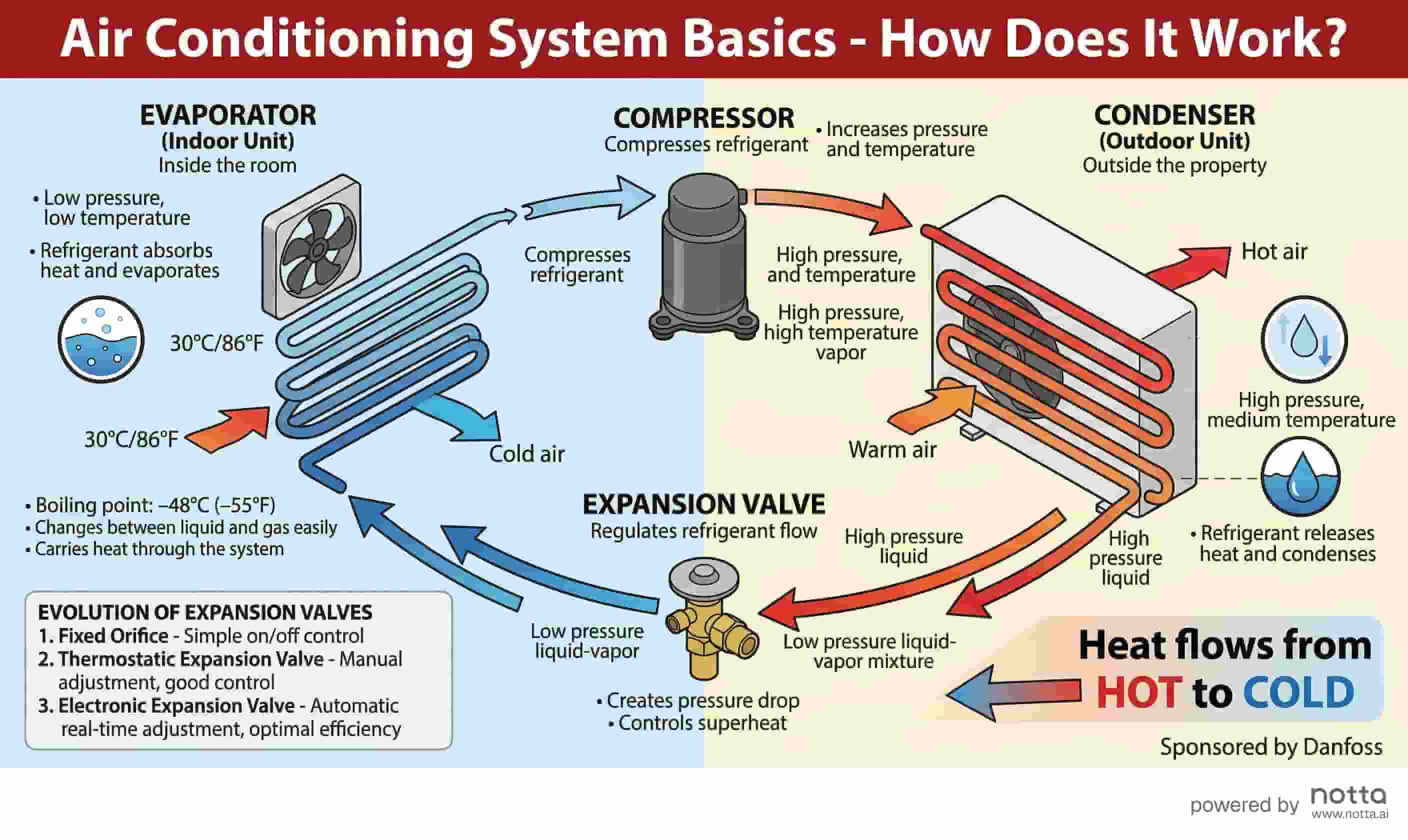
Air Conditioning System Basics
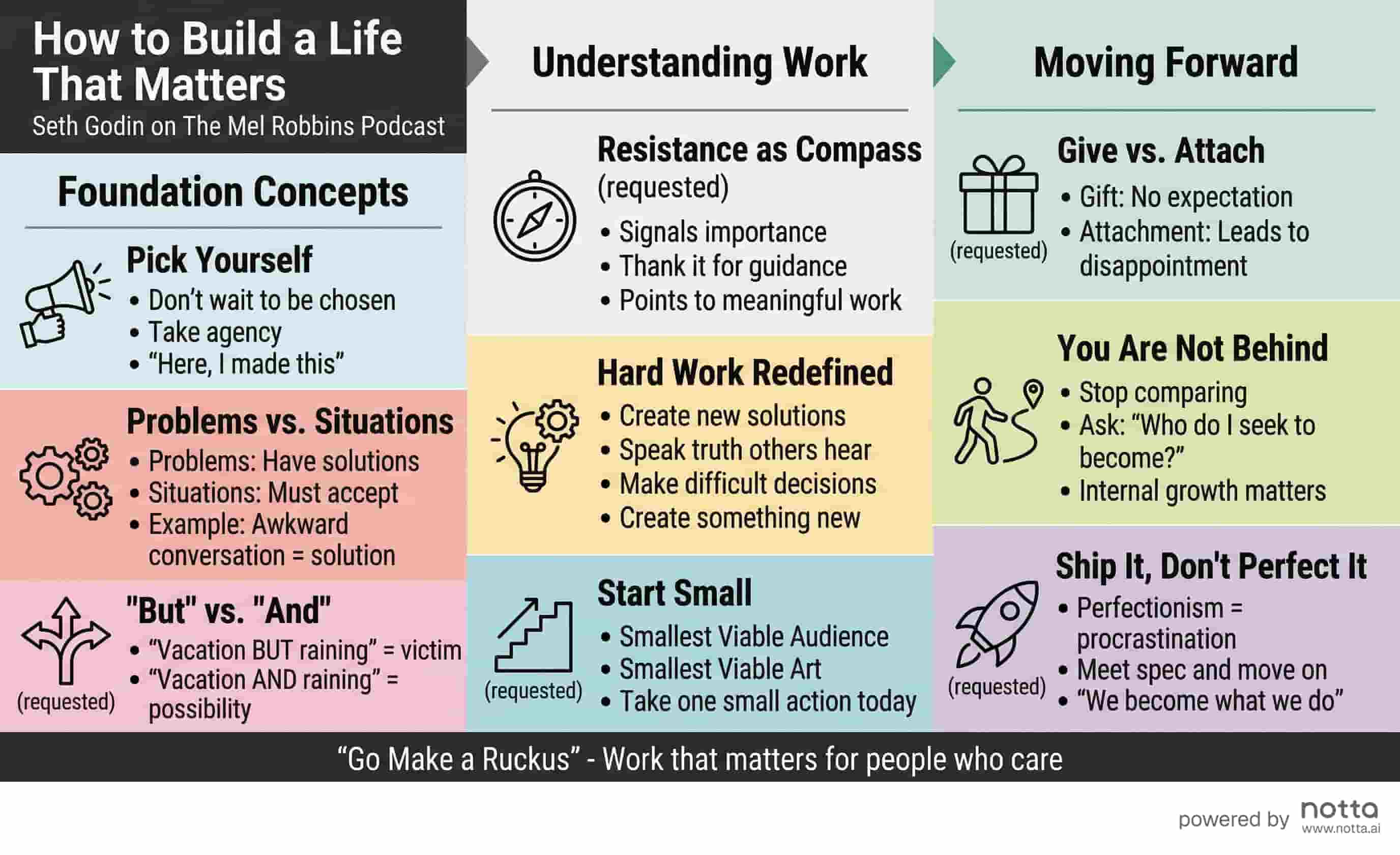
Seth Godin: Life Matters
How to Create an AI Visual Summary in 3 Steps
No design skills needed. Go from any text to a shareable visual summary in seconds.
Paste Your Content
Copy any notes, meeting content, research findings, or document — and paste it into the input box.
AI Generates Your Visual
Our AI analyzes your content, identifies key themes, and automatically designs a structured visual summary.
Download & Share
Save your AI visual summary as PNG and share anywhere — in presentations, Slack, or email.
Why Use Notta's AI Visual Summary Generator?
True AI generation — not templates. Your content becomes a unique visual every time.
Understands Any Content
Works with meeting notes, research summaries, reports, articles, and any structured text.
Get started free →True AI Generation
Not just a template filler — AI reads, structures, and designs your visual from scratch every time.
Get started free →Ready to Share
Professional output that's immediately shareable — no design adjustments or post-processing needed.
Get started free →Instant Export
Download as PNG and use in any presentation, document, or team communication tool.
Get started free →What People Are Saying
“I paste research notes, meeting summaries, even podcast episode notes — and get a clean visual every time. It's become my default way to process and share information.”
Priya S.
Strategy Consultant
“Our team uses this to create visual summaries of weekly briefs. What used to take an hour in Canva now takes seconds with actual AI.”
Chris Martin
Content Strategist
“I share AI visual summaries with clients after every consulting session. It looks incredibly professional and takes zero effort to produce.”
Ana Goey
Independent Consultant
Frequently Asked Questions
Notta's AI Visual Summary Generator is a free tool that converts any text — meeting notes, research findings, reports, articles, or lecture notes — into a structured visual summary automatically. Unlike template-based design tools like Canva or Venngage, it uses AI to read and understand your content, identify key themes and structure, and generate a unique, professionally designed visual from scratch. The output is immediately shareable as a PNG — no design adjustments needed. Supports up to 15,000 characters. No account required to generate your first visual summary.
Explore More AI Tools
Start Creating AI Visual Summaries for Free
No design skills, no templates, no credit card. Just paste your content and generate.
