
Free Meeting Infographic Generators — Full Review
Saving time and effort with Notta, starting from today!
You can turn your meeting notes into a shareable infographic for free — no design skills needed. After testing every free meeting infographic generator available in 2026, we found 6 tools worth your time. Notta's free tool is the only one built specifically for meeting content. The rest work best with plain text or data you've already organized. Here's how each one performs.
What Makes a Good Free Meeting Infographic Generator?
We scored each tool on five criteria. A perfect score is 5/5. No tool scored perfectly, but some came close for specific use cases.
| Criteria | What We Tested |
|---|---|
| Meeting input support | Can it handle meeting notes, transcripts, or summaries directly? |
| AI quality | Does the AI produce a usable visual, or just a rough layout? |
| Free tier limits | How much can you create before hitting a paywall? |
| Ease of use | Can you get a result in under 5 minutes with no design background? |
| Export options | Can you download as PNG, PDF, or share directly? |
Free Meeting Infographic Generators Reviewed
1. Notta (Meeting Summary to Infographic) — Best Free AI Tool Built for Meeting Content
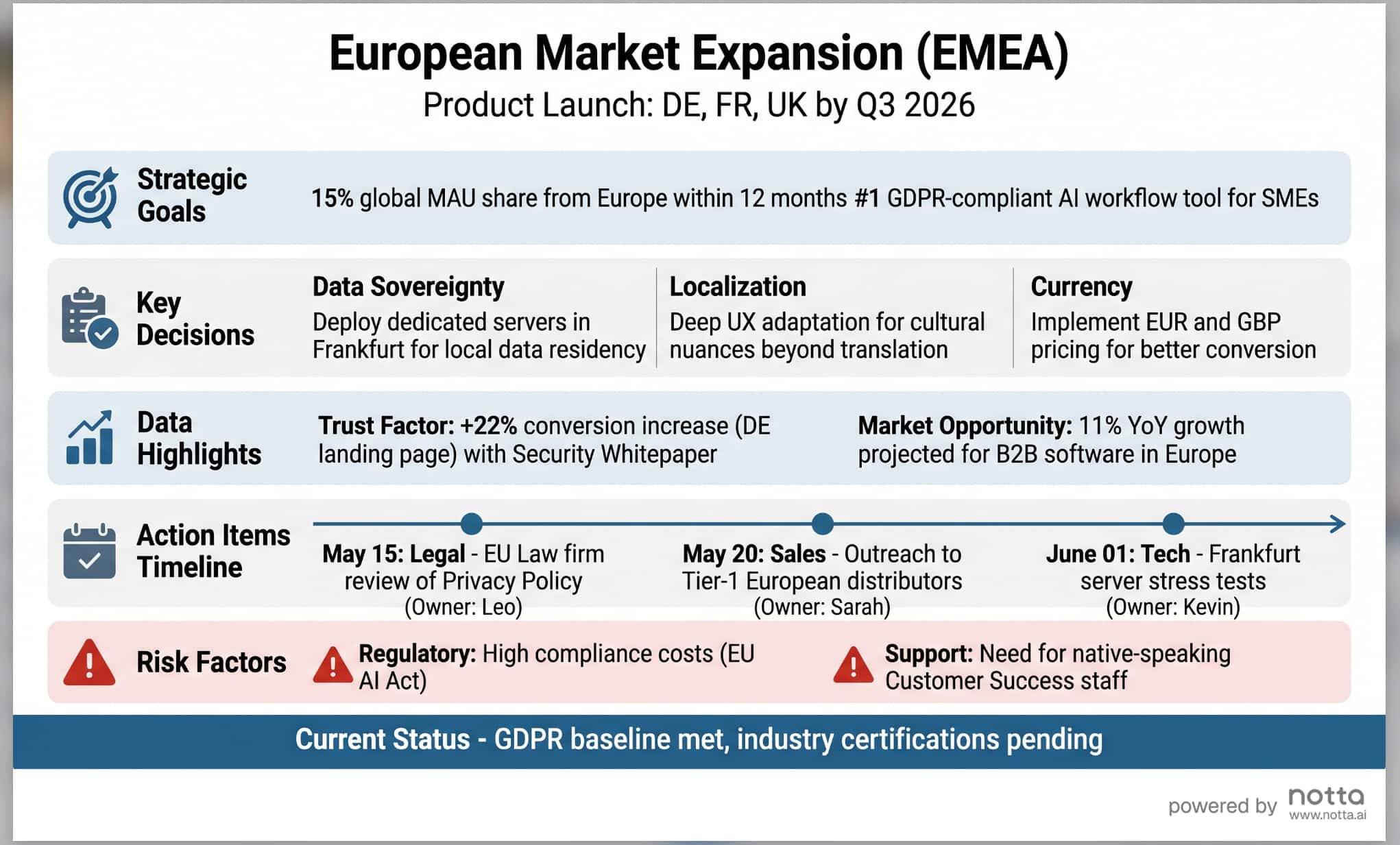
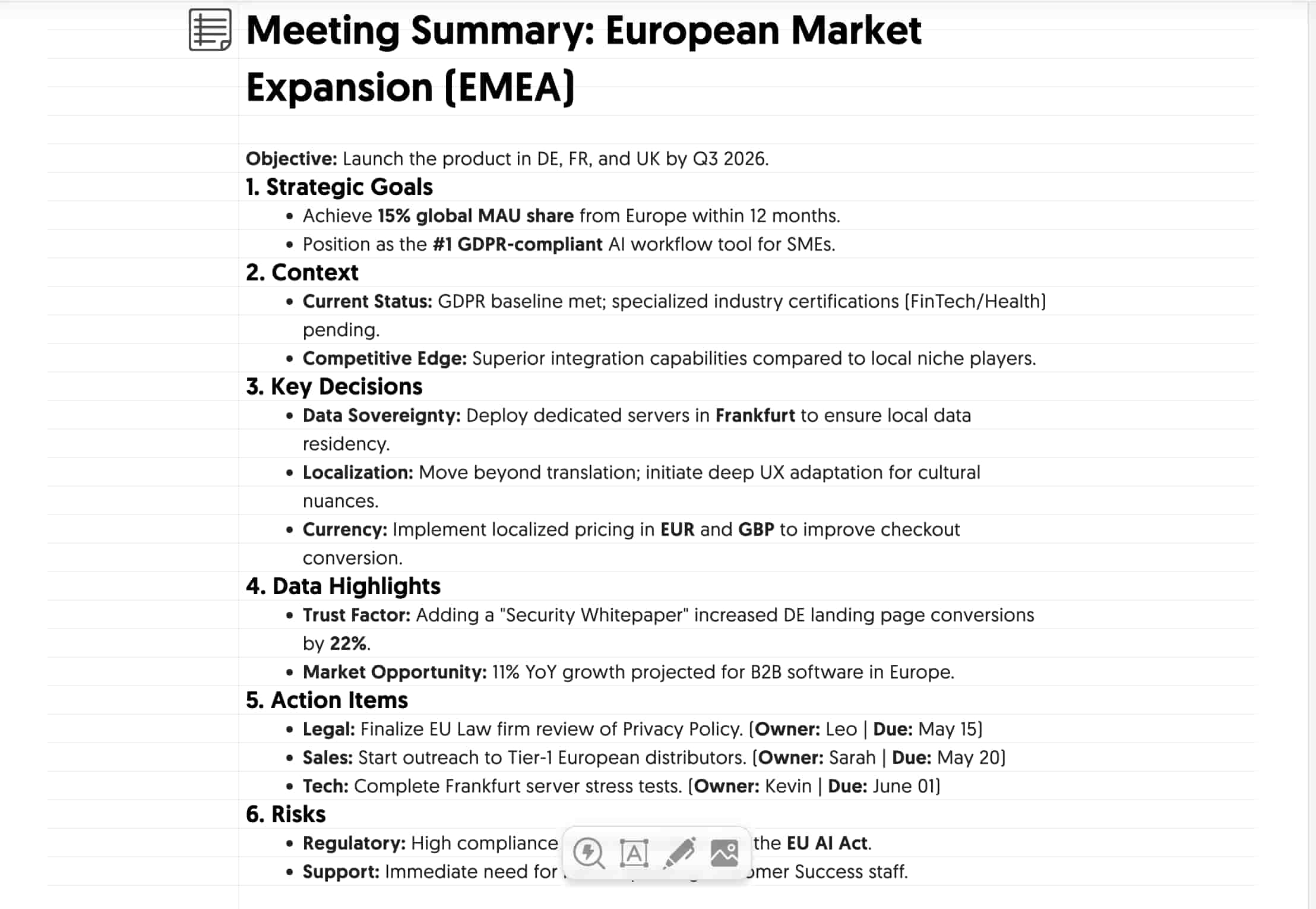
Notta's free meeting infographic generator is the only tool on this list designed specifically for meeting content. Paste your meeting summary, transcript, or AI-generated notes, and it creates a structured infographic in seconds.
What sets it apart: the AI understands meeting-specific content. It knows what decisions, action items, and key points look like. Other tools treat your input as generic text. Notta treats it as a meeting.
Free tier: Free 20 online meetings and file transcription and 10 infographics per month . No credit card needed.
Pros:
Built for meeting content — understands decisions, action items, speakers
Clean, professional output
It only takes 2 minute from meeting to infographic
Connects to the full Notta ecosystem (transcription, AI summary, infographic & slides & chat)
Cons:
Output style is fixed — less design customization than template-based tools
Best results come from structured meeting notes (not raw transcripts)
Rating: 4.5/5
Best for: Anyone who wants to turn meeting or notes into a visual in under 60 seconds with zero friction. Do not need design skills and save time.
If you already have text or notes, use the Notta Notes to Infographic tool. It serves as a direct pathway to convert text notes into professional visual assets in seconds. Simply paste your text into the tool, and it will instantly generate your infographic.
2. Napkin AI — Best Free Text-to-Infographic Tool
Napkin AI turns any plain text into diagrams, flowcharts, and infographics. Paste your meeting notes, click generate, and pick from several visual styles. The AI is fast and the output looks polished.
Free tier: 500 AI credits per week. No credit card needed.
Pros:
Generous free tier (500 credits/week resets weekly)
Multiple visual styles per generation
Export to PPT, PNG, PDF, SVG
Customizable icons, colors, and connectors
Cons:
Text-only input — no meeting platform connection
Doesn't understand meeting structure (treats all text the same)
No collaboration features on free plan
Rating: 4/5
Best for: Quick visuals from meeting notes you've already written out. Great when you need a diagram or flowchart, not just a summary.
3. Canva — Best Free Templates (Limited AI)
Canva offers a massive library of infographic templates you can customize with drag-and-drop. The AI feature generates a starting template from a text prompt, but it's limited on the free plan — 10 lifetime AI uses total.
Free tier: Unlimited manual design. 10 lifetime AI template generations.
Pros:
Largest template library (1,000+ infographic templates)
Easiest drag-and-drop editor
Brand kit basics on free plan
Export as PNG, PDF, SVG
Cons:
AI generation limited to 10 uses ever (then requires Pro at $13/mo)
No meeting-specific features
Manual work required — expect 15–30 minutes per infographic
Not truly "AI-generated" on free tier after 10 uses
Need basic design skills
Rating: 4/5
Best for: People who want full design control and have time to customize. Not ideal if you need speed.
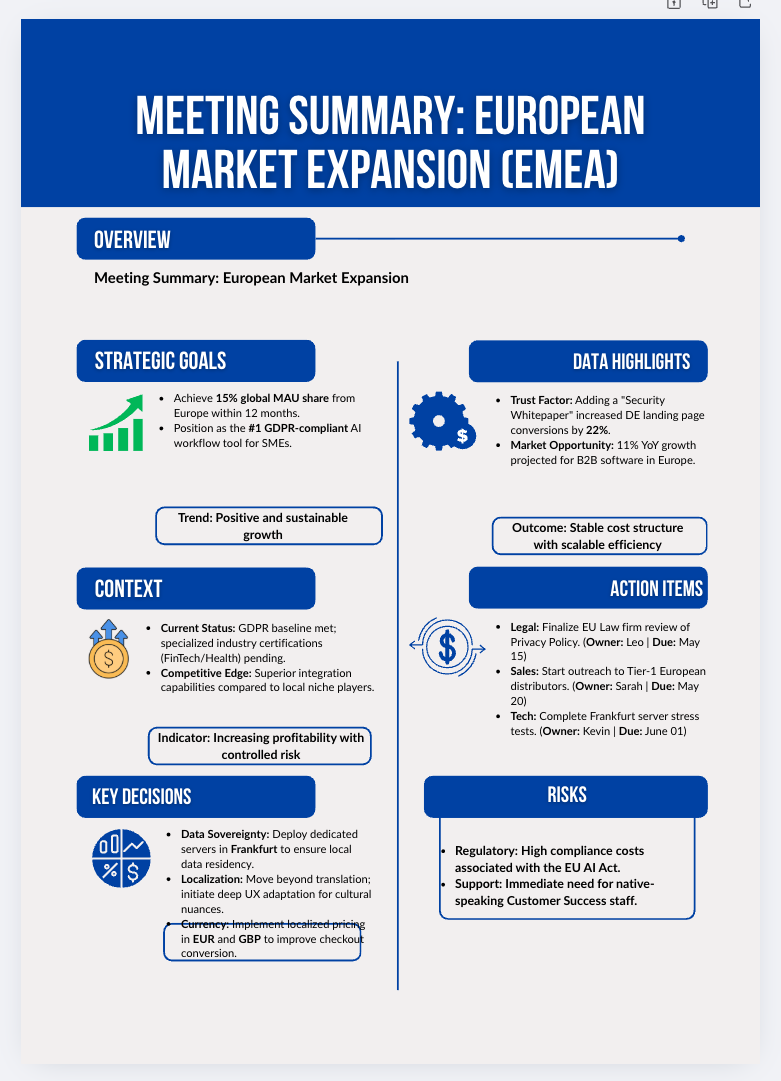
4. Piktochart AI — Best Free AI for General Infographics
Piktochart's AI generates infographics from text prompts. Type a topic or paste content, and it builds a template you can edit. The free plan includes AI generation with limited monthly uses.
Free tier: 2 infographics per month. Team collaboration included.
Pros:
AI generates full infographic layouts from text
Team collaboration on free plan
Clean, professional templates
Export as PNG, PDF
Cons:
Free plan has limited AI generations per month
No meeting-specific input or integration
Watermark on free exports
Need to organize your notes before pasting
Rating: 3.5/5
Best for: Teams that want AI-generated infographics for reports and presentations. Good for structured data.
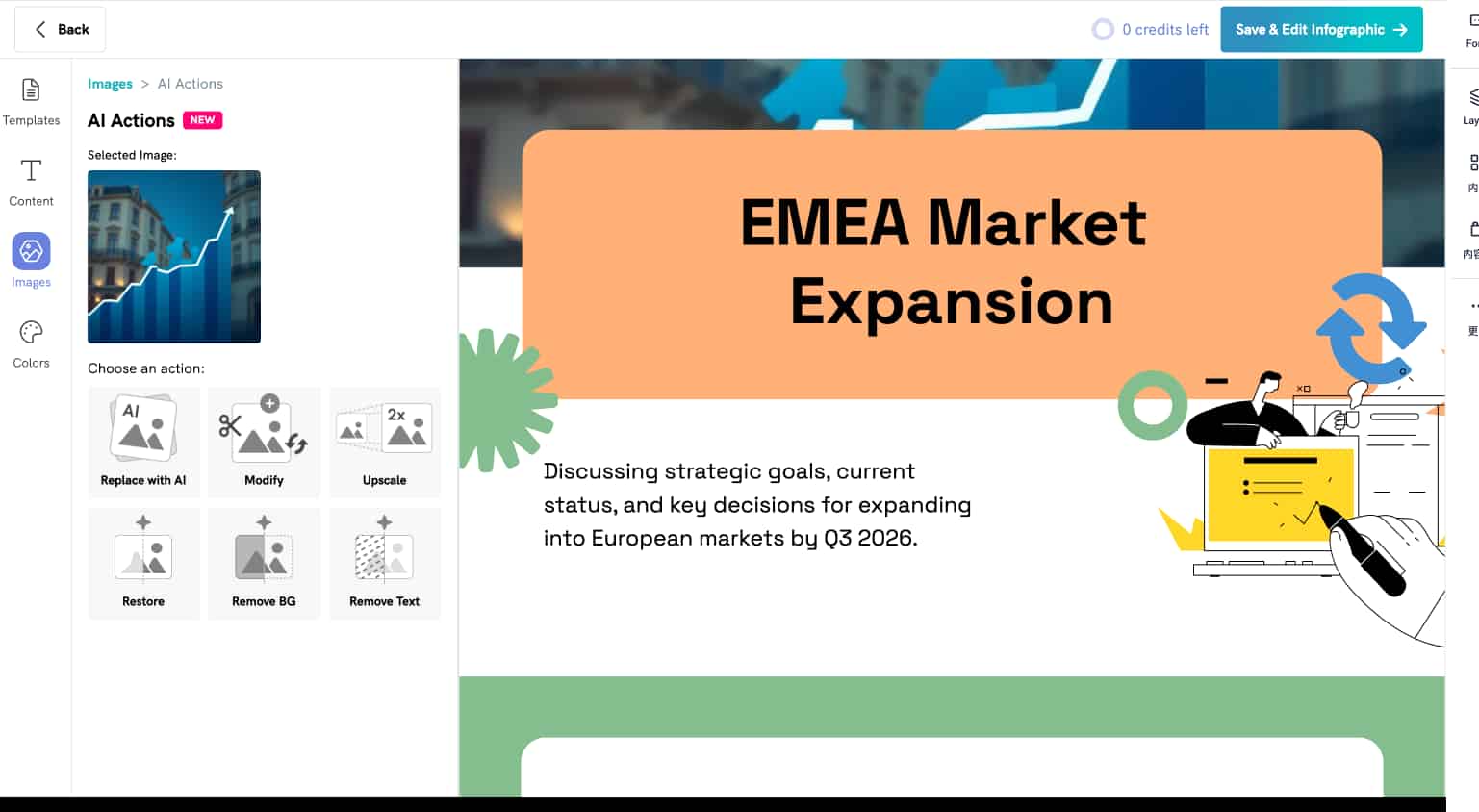
5. Infografix — Best for Quick One-Off Visuals
Infografix uses Azure AI to generate infographics from text. It's free, fast, and requires no design skills. The AI also generates content suggestions if you're stuck.
Free tier: Free to use. AI content generation included.
Pros:
Built-in AI content generation (helps if your notes are thin)
Fast output
No design skills needed
Multiple infographic styles
Cons:
Generic output — not meeting-aware
Limited export options
Less polished than Napkin AI or Canva
No collaboration features
Rating: 3/5
Best for: Quick one-off infographics when you don't need high polish. Good for internal use.
Comparison Table
| Tool | Free Tier | Meeting Input | AI Generation | Signup Required | Export | Rating |
|---|---|---|---|---|---|---|
| Notta | ✅ Unlimited | ✅ Built for meetings | ✅ | ✅ | Image, shareable | 4.5/5 |
| Napkin AI | ✅ 500 credits/wk | ❌ Text only | ✅ | ✅ (free account) | PPT, PNG, PDF, SVG | 4/5 |
| Canva | ✅ (10 AI uses) | ❌ Generic | ✅ (limited) | ✅ | PNG, PDF, SVG | 3.5/5 |
| Piktochart AI | ✅ (limited) | ❌ Generic | ✅ | ✅ | PNG, PDF (watermark) | 3.5/5 |
| Infografix.app | ✅ Free | ❌ Generic | ✅ | ❌ No signup | Image | 3/5 |
Have meeting notes or a meeting summary ready?
Notta's Meeting Summary to Infographic tool. It's the only free option that understands meeting structure — decisions, action items, speakers, next steps.
If you want the entire process automated — from recording the meeting to getting the infographic?
Notta, an AI note taker platform, captures your meeting in several ways. It can generate your meeting summary and infographic in two minutes.
Have plain text or bullet points?
Napkin AI. Best free output quality, generous weekly credits, multiple visual styles.
Want full design control and have 15+ minutes?
Canva. Massive template library, but the AI is limited to free.
Need something right now with zero signup?
NoteGPT or Infografix. Lower quality, but zero friction.
Working with data-heavy content?
Piktochart. Good at structured data layouts, and free plan includes team collaboration.
When to Upgrade from Free
Free tools work well for occasional use. But they hit limits fast if you create meeting infographics regularly:
Canva locks AI after 10 uses — forever
Piktochart adds watermarks and limits monthly AI generations
Napkin AI resets weekly, but 500 credits goes fast with complex content
NoteGPT and Infografix.app lack customization for professional output
If you run 3+ meetings per week and want an infographic after each one, the free tier math breaks down. That's where a full meeting-to-infographic workflow saves time.
From Meeting to Infographic: The Full Notta Workflow
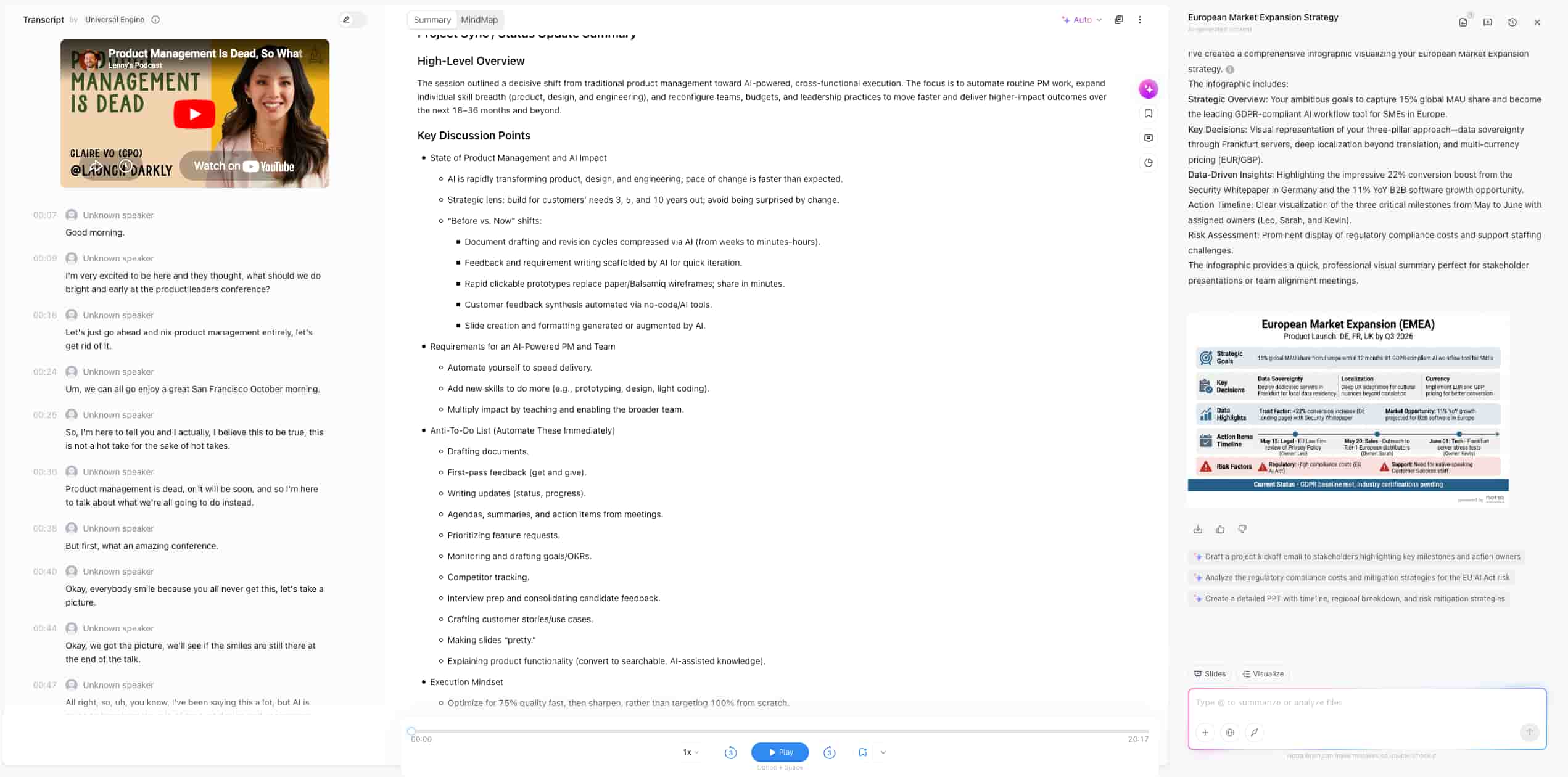
Notta's free web tool handles meeting notes you've already written. But what if you want the entire process automated — from recording the meeting to getting the infographic? Under 2 minutes from meeting end to finished infographic.
That's what the full Notta platform does:
1.Record the meeting. Notta, an AI-powered meeting productivity platform, captures your meeting in several ways. A bot auto-joins Zoom, Microsoft Teams, Google Meet, or Webex for real-time transcription. Notta Desktop, a Bot-Free meeting recording client, records locally with zero delay. Notta Memo, a pocket-sized AI recorder, captures in-person talks. Or upload an existing recording. All methods produce a searchable transcript with speaker labels in 58+ languages.
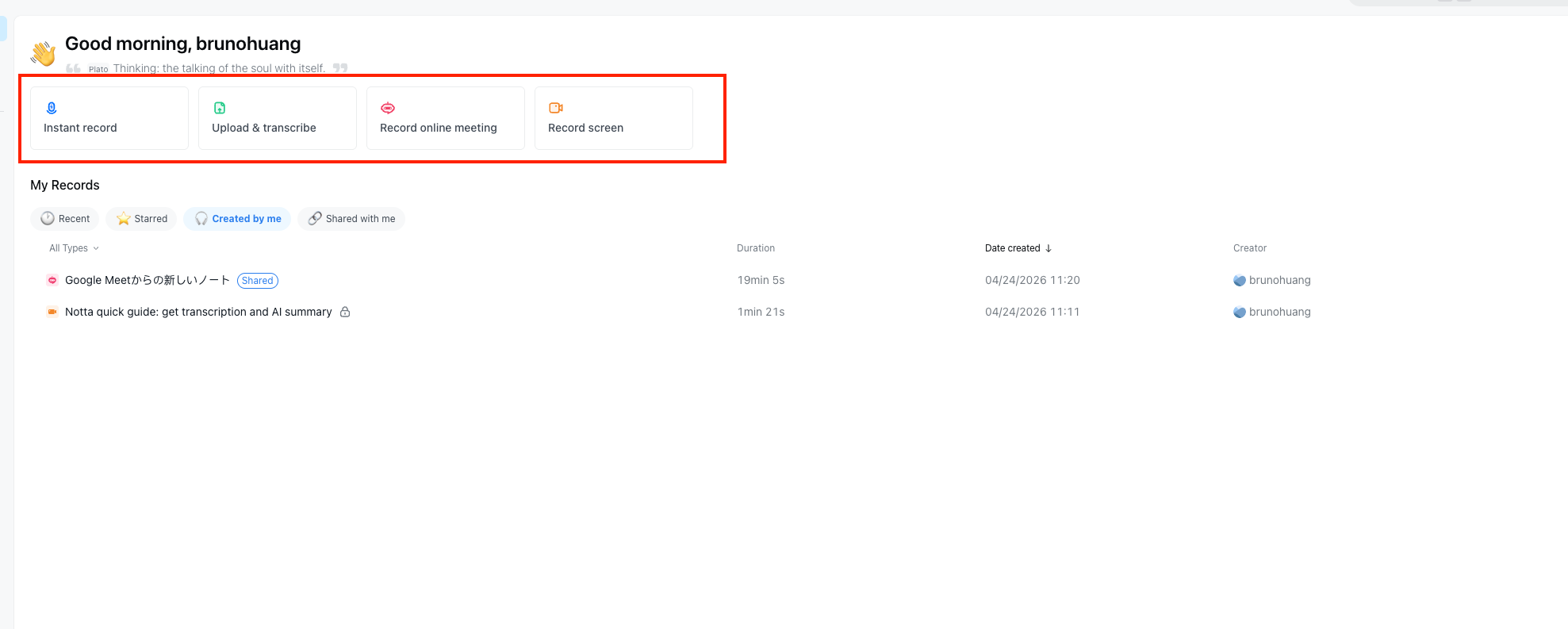
2.Get the AI summary. Notta pulls out key decisions, action items with owners, and next steps. Custom AI templates match your team's format.
3.Generate the infographic. Notta Brain, Notta's AI Meeting Execution Engine, reads the full transcript and summary, finds the most important details, and builds a clear visual infographic. You can @ reference several meetings at once to combine insights across sources.
4. Edit, export, share. Every output is editable. Share directly with your team or clients.
Total time: under 2 minutes from meeting end to finished infographic. Start your Notta free trial today!
Notta Pro starts at $8.17/month (annual billing, 40% off). Free and Pro plans include 1,000 AI Credits/month for Brain. An add-on at $93.59/year gives you 8,000 credits/month. Credits are only charged for successful outputs.
Your data stays secure with SOC2 Type II, ISO 27001, GDPR, CCPA, and HIPAA compliance, plus AES-256 encryption.
Frequently Asked Questions
What is the best free meeting infographic generator?
Notta's Meeting Summary to Infographic tool is the best free option for meeting content. It's the only free generator built specifically for meeting notes — it understands decisions, action items, and key points. For plain text, Napkin AI offers the best free output quality with 500 credits per week.
Can I turn a meeting transcript into an infographic for free?
Yes. Paste your transcript into Notta's free tool or Napkin AI. For best results, use a meeting summary rather than a raw transcript — summaries give the AI clearer structure to work with. Notta's platform also generates AI summaries from recordings for free (10/month on the Free plan).
Do I need design skills to create a meeting infographic?
No. All 6 tools reviewed here use AI to handle the design. You paste text, the AI builds the visual. Notta and Napkin AI produce ready-to-share output with no editing needed. Canva gives you more control but requires manual work.
How many infographics can I create for free with Notta?
The free web tool (Meeting Summary to Infographic) has no stated limit — use it as often as you need. For the full Notta Brain workflow inside the platform, Free plans include 1,000 AI Credits for 10 infographics per month. Each infographic generation uses credits, and you're only charged for successful outputs.

