

What Is a Meeting Summary Visual? A Guide to Turn Notes into Visual Insights
Saving time and effort with Notta, starting from today!
A meeting summary visual is a graphic way to show meeting results. It captures key decisions, action items, and next steps in a format that is easy to scan and share. Unlike a long text transcript, these visuals use icons and tables. This helps everyone see the most important info in seconds, making team follow-up much faster.
Key Definition: Essentially, a meeting summary visual transforms complex conversations into a clear, actionable overview. By putting complex discussions into a one-page infographic or slide, it makes information easier to handle. This helps teams act on decisions quickly instead of searching through pages of notes.
What a Meeting Summary Visual Typically Includes
To serve as a functional "single source of truth," a high-quality visual deliverable must do more than look professional. For specialists managing high meeting volumes, an effective summary consists of these five core elements:
Meeting Context: Include the title, date, and attendee list to ensure the record is easily searchable within your Notta library.
Themed Grouping: Group key points by subject rather than time. This allows teammates to find the information most relevant to them instantly.
Decision Log: Use a dedicated section to list finalized agreements. This prevents repeating the same debates in future sessions.
Action Item Table: Create a structured list of tasks. To ensure accountability, every task must show a specific owner and a deadline.
Next Steps: Provide a brief roadmap of what happens next, such as the date for a follow-up milestone.
Types of Meeting Summary Visuals
Choose a layout based on your audience, such as a client or a teammate.
| Type | Best For | Features |
|---|---|---|
| **Infographic** | Status updates or Slack news | Vertical layout with icons; optimized for viewing on mobile devices. |
| **Slide Deck** | Client recaps or formal reviews | Professional 1–2 page layout for presentations. |
| **Action Table** | Project sprints or daily standups | Focuses only on Task / Owner / Due Date. |
| **Mind Map** | Brainstorming sessions | Shows how different ideas connect like a tree. |
Why Visuals Work Better Than Plain Text
In today's workplace, "information overload" stops progress. For Sales leaders, PMs, and Consultants, visuals fix three big problems:
Fast Processing: The brain processes images 60,000 times faster than text. You can understand a color-coded infographic in a 5-second glance.
Clear Accountability: When an owner's name is next to a task icon, everyone knows who is responsible. This makes it easier for stakeholders to stay on track.
Better Global Work: For teams in different time zones, a visual is the best tool for catching up. Teammates can understand a 1-hour talk in 60 seconds. Notta also offers real-time translation, making it even easier for global teams to stay aligned.
The Efficiency Gap: Manual vs. AI-Generated Visuals
Teams used to avoid visuals because they took too much time to make.
The Manual Path (\~150 min): You read notes (60 min) → pick out themes (40 min) → draw it in a design tool (50 min). Often, the summary is sent too late to be useful.
The Notta Path (\< 2 min): Notta, an AI-powered meeting productivity platform, optimizes this workflow by automating the transcription and synthesis phases. Notta Brain (Notta’s AI Meeting Execution Engine) finds the "Big Rocks" and builds the visual for you instantly.
How to Create a Meeting Summary Visual
1. Capture and Transcribe
Record your meeting with Notta on Zoom, Google Meet, or Teams. It supports 58+ languages and is 98.86% accurate. Notta’s unique bilingual transcription ensures that every word is captured correctly, even in multi-language meetings.
2. Summarize with Notta
Let Notta do the hard work. It finds decisions and tasks for you. It can even analyze across many different meetings to find patterns.
3. Turn Notes into Visuals
If you already have text notes, use the Notta Notes to Infographic tool. It serves as a direct pathway to convert text notes into professional visual assets in seconds. Simply paste your text into the tool, and it will instantly generate your infographic.
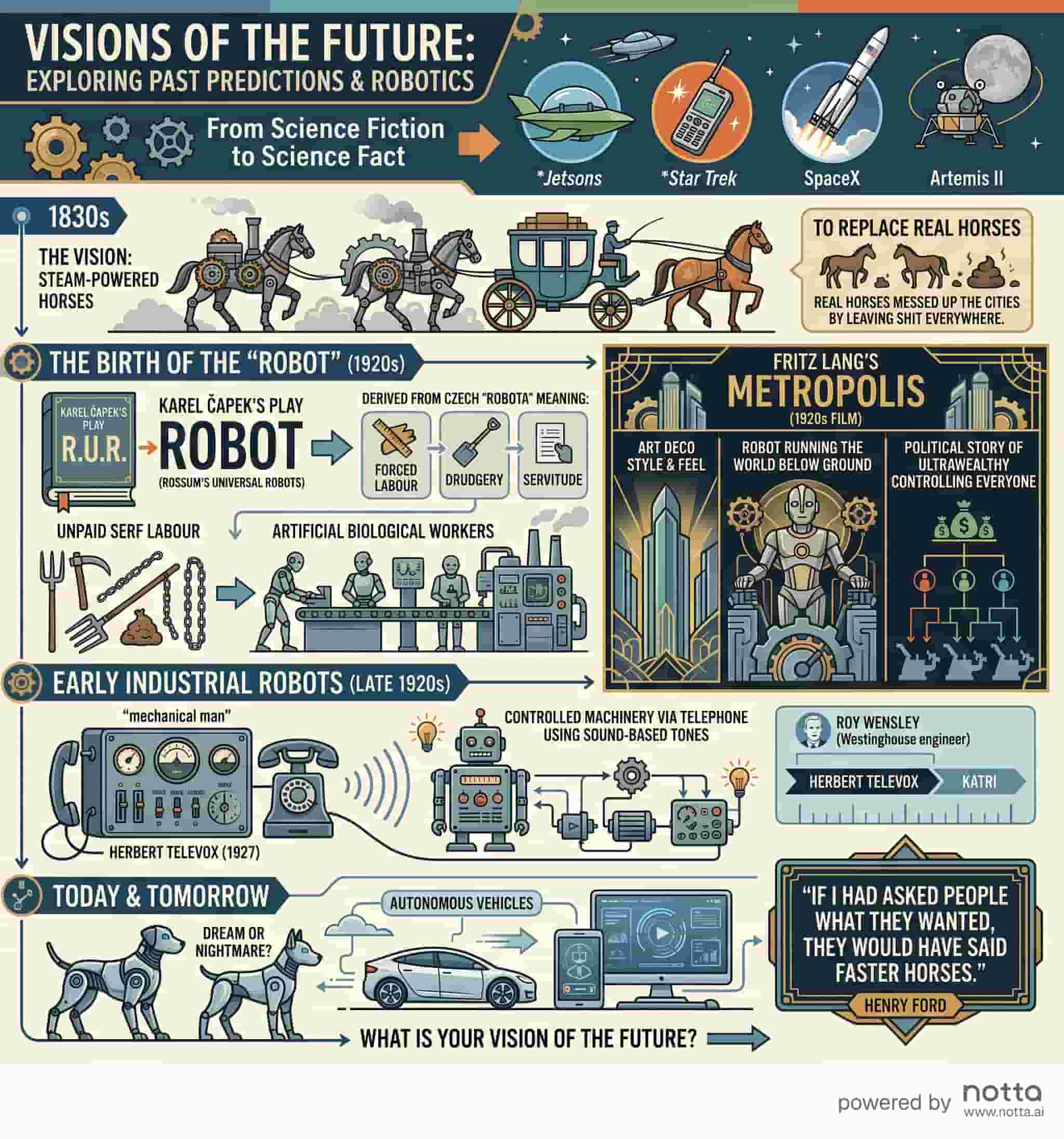
Beyond Visuals: The Notta Productivity Suite
A visual summary is just one part of a fast workflow. Notta is a full AI Meeting Execution Engine that saves teams 10+ hours a week:
Multilingual Transcription: File and Real-time transcription in 58+ languages with speaker identification.
Searchable Library: Every meeting becomes a searchable record that never gets lost.
Smooth Integrations: Send tasks and visuals straight to Notion, Slack, or Jira with one click.
Real-Time Translation: Break language barriers during live calls to keep everyone on the same page.
Enterprise Security: Notta is SOC2 Type II, ISO 27001, GDPR, CCPA, and HIPAA compliant.
Don't let your next important discussion get lost in a long transcript. Use Notta’s AI Meeting Execution Engine to capture every detail and build professional visual summaries instantly. Sign up for Notta for free to turn your meetings into actionable insights today.
FAQ
Q1: What should be in a visual summary? It should have five things: meeting details, topic groups, a decision log, an action table with owners, and next steps.
Q2: How is it different from meeting minutes? Minutes are formal and long. A visual summary removes unnecessary details and focuses on outcomes so you can act fast.
Q3: Can AI make these automatically? Yes. Notta Brain and the Notes to Infographic tool turn transcripts into visual recaps in under two minutes. You can even export them to Word or Excel.
Q4: Is my meeting data safe? Yes. Notta uses SOC2 Type II and GDPR standards. Your data is encrypted and never used to train public AI models.
Q5: How long should a visual summary be? Keep it to one page or one slide. The goal is to make it fast and easy for everyone to read at a glance.
Q6: How much does Notta cost? The Pro plan starts at just $8.17/mo (billed annually). You can start your free trial today.

