
Notta vs Granola: Which Fits Your Meetings and Follow-Up Work?

I'd choose Notta if you need to record different kinds of conversations, follow bilingual meetings and turn the results into reports or presentations. Granola is a good fit if you mainly want clear, editable notes from meetings you attend, with Chat to help you follow up.
Both can take notes without a bot joining your call. Both can answer questions across meetings and work with extra files. So I'd look beyond those shared features. What do you need to capture, check and send when the meeting ends?
Notta vs. Granola: Feature Comparison
The biggest differences are how you capture conversations and what you can do with them afterward.
| Feature | Notta | Granola |
|---|---|---|
| Online meeting capture | ✅ Meeting bot, bot-free Mac/Windows app (Beta), web recorder, Chrome extension and screen recording | ✅ Bot-free Mac/Windows app |
| In-person and phone capture | ✅ iPhone/Android apps, Apple Watch and Notta Memo dedicated recorder for calls and face-to-face meetings | ✅ iPhone/Android in-person apps, Apple Watch and outgoing calls through its mobile dialer |
| Capture a scheduled meeting you can't attend | ✅ Meeting bot can join automatically, subject to meeting access | ❌ No meeting bot; you open a note to start capture |
| Transcribe existing recordings | ✅ Audio/video files and supported links | ❌ No prerecorded audio/video transcription imports |
| Replay the source recording | ✅ Saved audio; video recording in supported meeting workflows | ❌ Notes and transcripts, without recording playback |
| Correct the original transcript text | ✅ Edit words and speaker names | ❌ Original text editing unavailable; notes remain editable |
| Transcribe two spoken languages | ✅ Live bilingual transcription with two selected languages | ✅ Mixed-language transcription on desktop; one language per conversation on mobile |
| Translation | ✅ Live translated text alongside the original; translation after recording | Translate notes or quotes through Chat afterward |
| Use meetings and extra files together | ✅ Notta Brain on web | ✅ Granola Chat on desktop |
| AI follow-up outputs | ✅ Text drafts, Word/PDF documents, Excel spreadsheets, PowerPoint presentations, websites and infographics | ✅ Enhanced notes and follow-up drafts |
| Google and Slack follow-up | ✅ Drive files, Gmail drafts, Calendar actions and Slack updates through Brain | ✅ Paid Gmail follow-ups; Slack messaging and same-organization Calendar scheduling in Beta |
If you need to check a quote against the audio or transcribe an interview you've already recorded, I'd start with Notta. If an editable meeting recap is enough, Granola deserves a closer look.
How will you capture the conversation?
Notta gives you more ways to bring conversations into one place. Granola focuses on capturing the meetings you're there for.
Notta: online calls, phone calls and conversations in the room
Notta's meeting bot can join scheduled Zoom, Google Meet, Microsoft Teams and Webex calls, including meetings you can't attend yourself. Meeting access and host admission still apply.
Prefer recording without a bot? Notta Desktop, currently in Beta, records calls on Mac and Windows. You can also use the web recorder, Chrome extension, screen recording, iPhone/Android apps or Apple Watch.
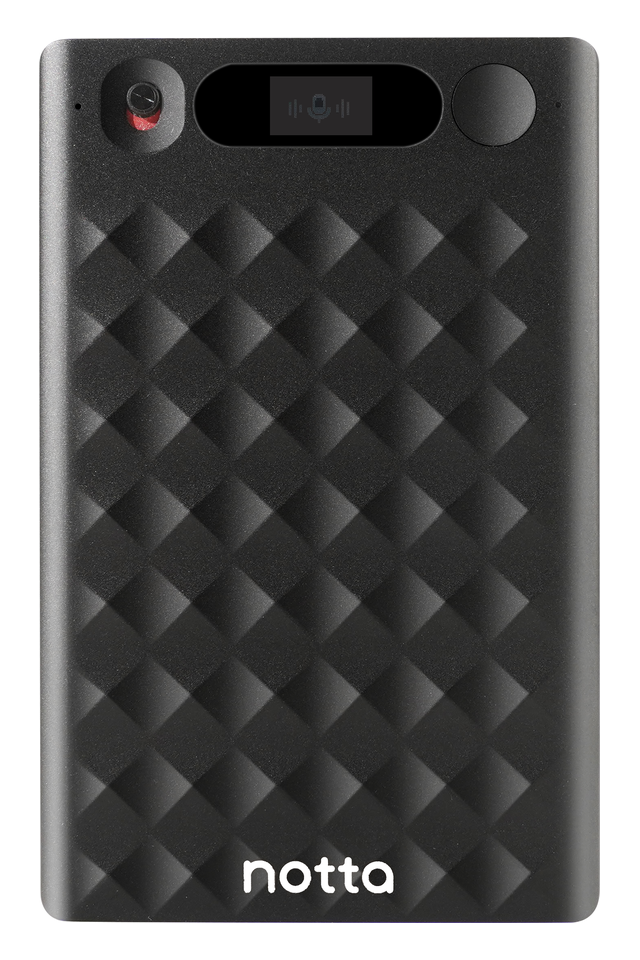
Notta Memo is a slim physical recorder for phone calls and face-to-face conversations. Attach it to your phone for calls through the earpiece, or place it nearby during an interview.
Connect Memo to the mobile app for live transcription and translation. When disconnected, it saves audio to sync later. I'd choose it when I want a dedicated recorder I can take between client visits.
Granola: open a note and keep the conversation going
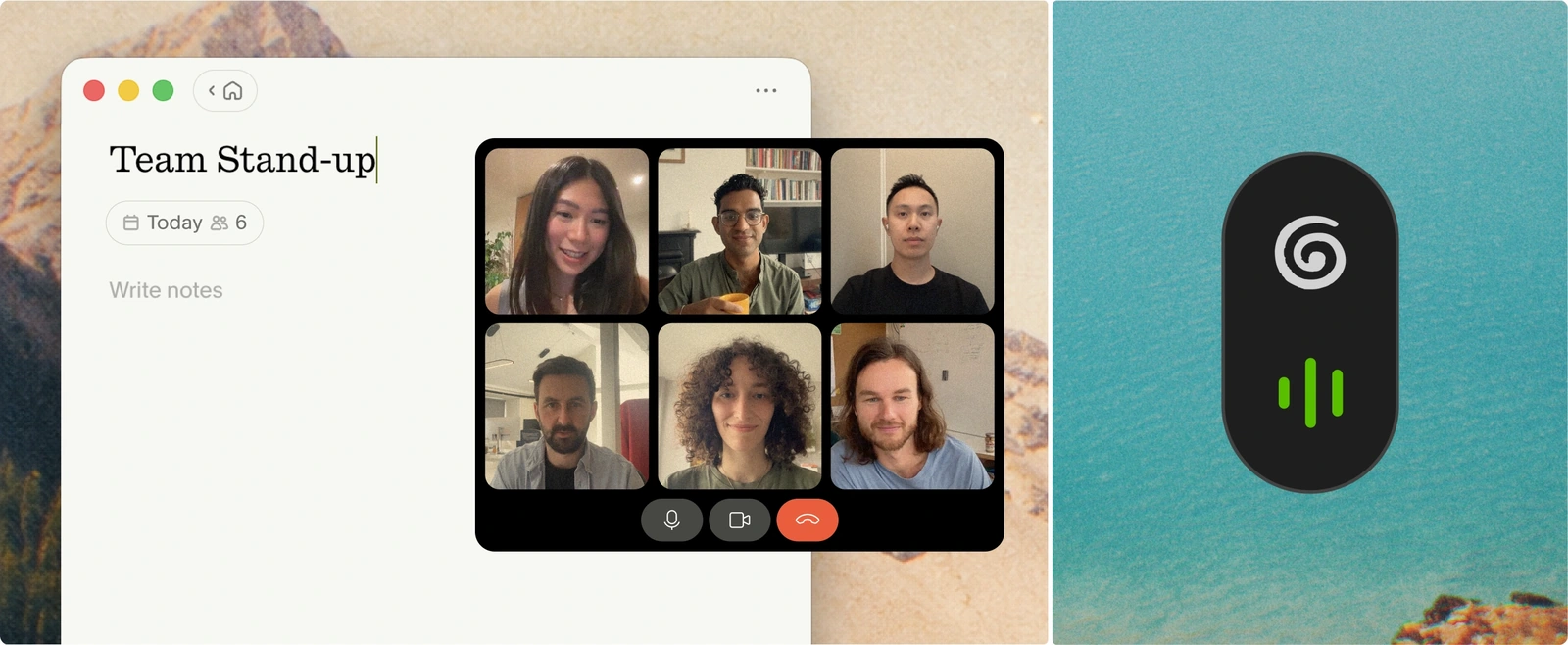
Granola records online meetings through its Mac or Windows app, without adding a participant. For conversations in person, you can use its iPhone, Android or Apple Watch app.
Its mobile dialer also supports outgoing phone calls on iPhone and Android in available countries. It doesn't capture incoming calls or same-phone Zoom and Google Meet audio.
That suits meetings you attend and start yourself. Calendar reminders help you get ready, but they don't send an assistant to a call you're missing.
With either product, let people know you're recording and follow your workplace's rules and applicable consent requirements.
What do you need to finish after the meeting?
I'd lean toward Notta for a finished report or presentation, and Granola for a note you can shape into a follow-up.
Notta Brain: turn meeting context into something you can send
Notta Brain is built into Notta. It brings meetings together with documents, spreadsheets and images, then helps you create work from that context.
Say you've finished a client call and have a project brief and budget spreadsheet to hand. Ask Brain to bring them together in a project update. You can create an editable Word report, Excel spreadsheet, PowerPoint presentation, PDF, website or infographic.
You can continue the work through connected apps, too:
- Save a report or presentation to the right Google Drive folder.
- Bring Slack discussion into Brain and send a meeting update back to a channel.
- Prepare a Gmail draft to review and send in Gmail.
- Find a time for the next meeting and confirm the Calendar change before it happens.
That's where I'd put Brain to work: when the conversation needs to become a deliverable, with the relevant files and team discussion close by.
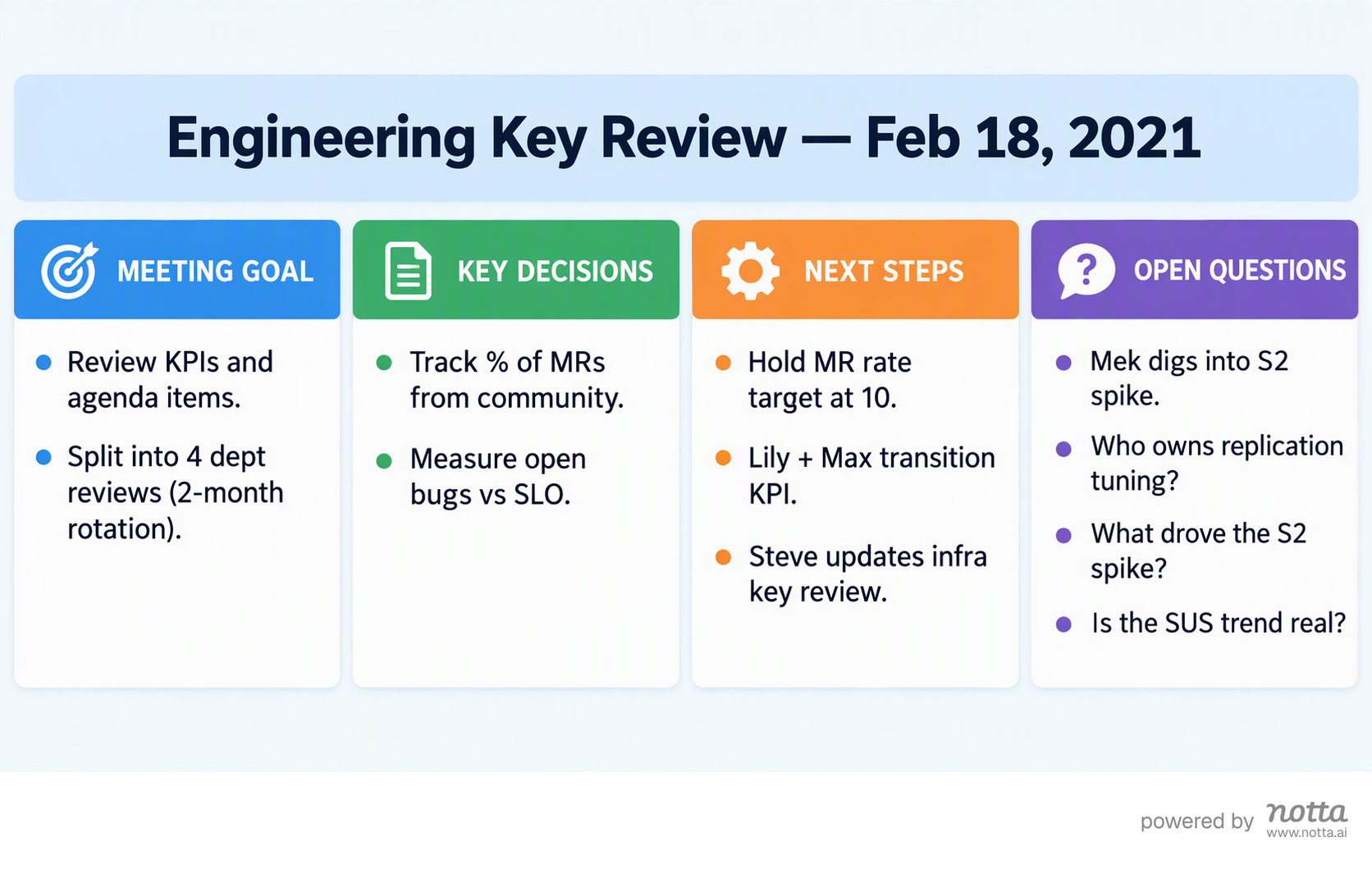
Here's an engineering review turned into an infographic.
Granola Chat: shape the notes and act on the next steps
Granola starts with the notes you type during a meeting and uses the transcript to fill in the detail. Chat can answer questions across meetings, rewrite notes and use files you add on desktop.
On a paid plan or trial, you can draft and send Gmail follow-ups from Granola. Its desktop Slack messaging and Calendar scheduling are in Beta. Scheduling currently covers people in your Google Workspace organization, and you confirm changes before they happen.
I'd consider Granola if your usual follow-up is an email, a team message or a clearer set of notes. You don't need to switch just to ask questions across meetings or add a document to Chat.
Do you need two languages or live translation?
I'd choose Notta when people need translated text while the conversation is happening. Transcribing two languages and translating between them are different jobs.
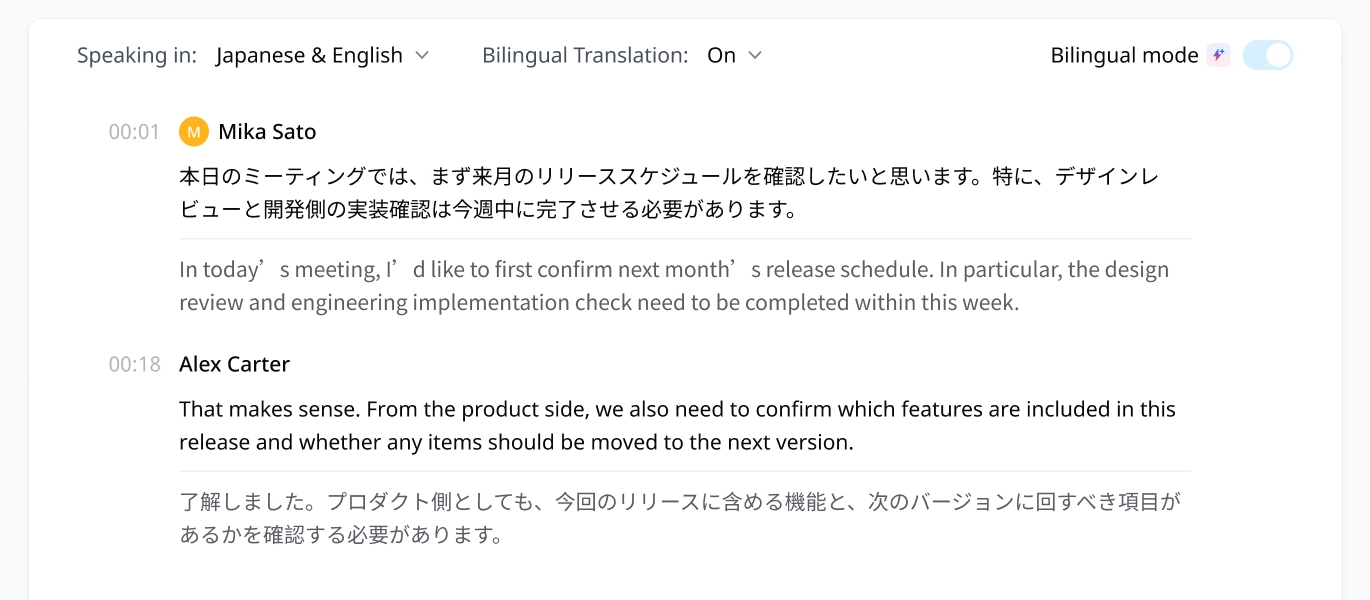
Notta's live bilingual transcription turns speech in two selected languages into text in real time. Turn on bilingual translation to see the original words alongside their translation. For example, you can follow Japanese and English contributions in the same conversation.
You can use this through Notta's web and mobile recording workflows, including connected Memo through the mobile app. That makes it useful when a bilingual client conversation happens away from your computer.
Granola's desktop Multi-language setting can transcribe a conversation where people switch languages. On mobile, it selects one language for the conversation. You can ask Chat to translate notes or quotes afterward.
For a team that switches languages but can read the original text, Granola's desktop transcription may be enough. For a client who needs help following the discussion as it unfolds, I'd choose Notta's live translation.
What can you check or correct later?
Notta keeps recordings and transcripts so you can listen back, correct a word and check the context around a quote.
Imagine a client says a number that changes the project budget. With Notta, you can find that passage, replay it and correct the transcript before it goes into your report. You can also change speaker names.
Notta can transcribe existing audio and video files, too. If someone sends you yesterday's interview, you can upload it instead of trying to recreate the conversation.
Granola keeps the notes and transcript, but doesn't give you audio or video to replay. You can edit the notes, copy the transcript and delete transcript chunks. You can't rewrite the original transcript text.
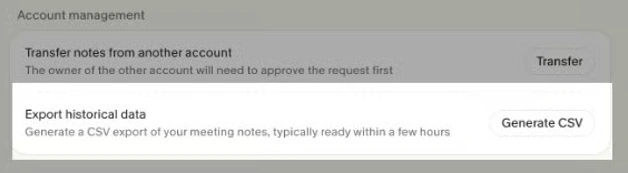
You can export Granola notes, summaries and transcripts as a CSV. That includes older Basic notes with summaries, even when they're outside the app's 30-day history window. The history limit doesn't mean those notes have been deleted.
I'd make playback a priority for interviews and work where an exact quote matters. For a routine check-in where you mainly need decisions and next steps, keeping the notes may be enough.
What will your workflow cost?
Notta has free and paid transcription plans, with Memo hardware and Brain credits considered separately. Granola's main paid upgrade gives you longer note history and more AI and integration features.
Notta plans include 1,000 monthly Brain credits. On Pro and higher transcription plans, you can add Brain Pro for a larger allowance.
| Plan or product | Price in USD | What matters for your choice |
|---|---|---|
| Notta Free | $0 | 120 transcription minutes/month; up to three minutes transcribed per recording |
| Notta Pro | $13.49/month, or 97.99/year(8.17/month equivalent) | 1,800 transcription minutes/month; up to five hours per recording |
| Notta Memo | $149 for the device | Dedicated phone and in-person recording; eligible owners get 600 monthly minutes through the Hardware Plan |
| Notta Brain Pro add-on | $12.90/month, or 93.59/year(7.80/month equivalent) | 8,000 monthly AI credits; available with Pro and higher transcription plans |
| Granola Basic | $0 | Unlimited meeting notes, with 30 days of in-app history |
| Granola Business | $14/user/month, billed monthly | Unlimited note history, advanced models and more integrations |
Annual subscriptions are paid upfront. Check Notta pricing and Granola pricing for the plan you want.
If you mainly want free notes from full meetings, Granola Basic is the easier starting point. If you need replay, imports and longer transcripts, I'd compare Notta Pro against that work.
For local transcription, Notta Desktop has Privacy Mode on all plans. After you download a compatible model, it can record and transcribe offline on your computer. Those local recordings don't automatically appear in Brain.
Ordinary bot-free recording in both products uses online transcription. Keeping a recording on your computer and recording without a meeting bot are separate choices.
User reviews
These four G2 reviews give you a closer look at what people liked and what they wanted improved.
Notta user reviews
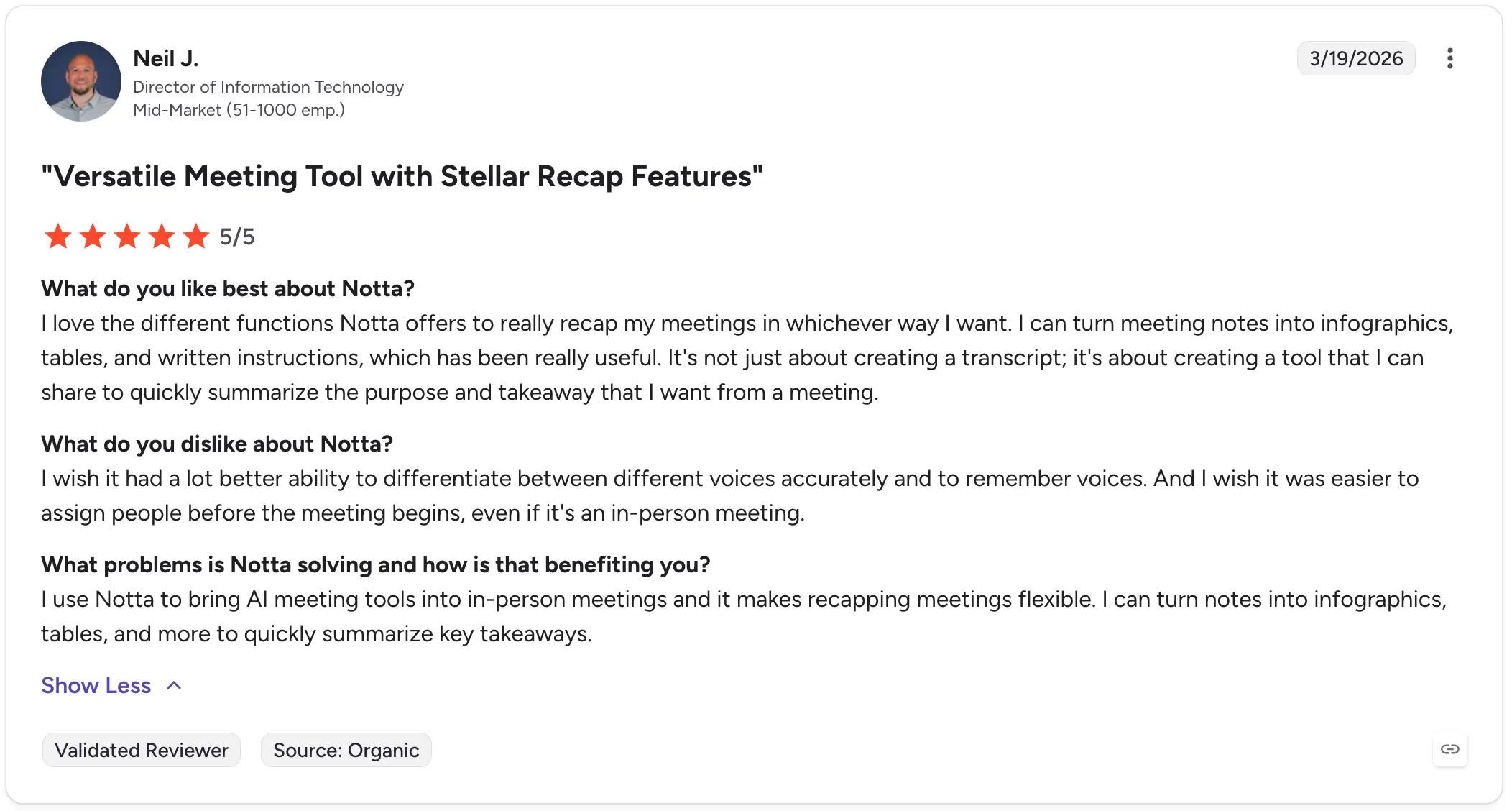
Neil J., March 2026, 5/5: Neil liked turning meeting notes into infographics, tables and written instructions. He wanted more reliable speaker identification and an easier way to assign speakers before a meeting.
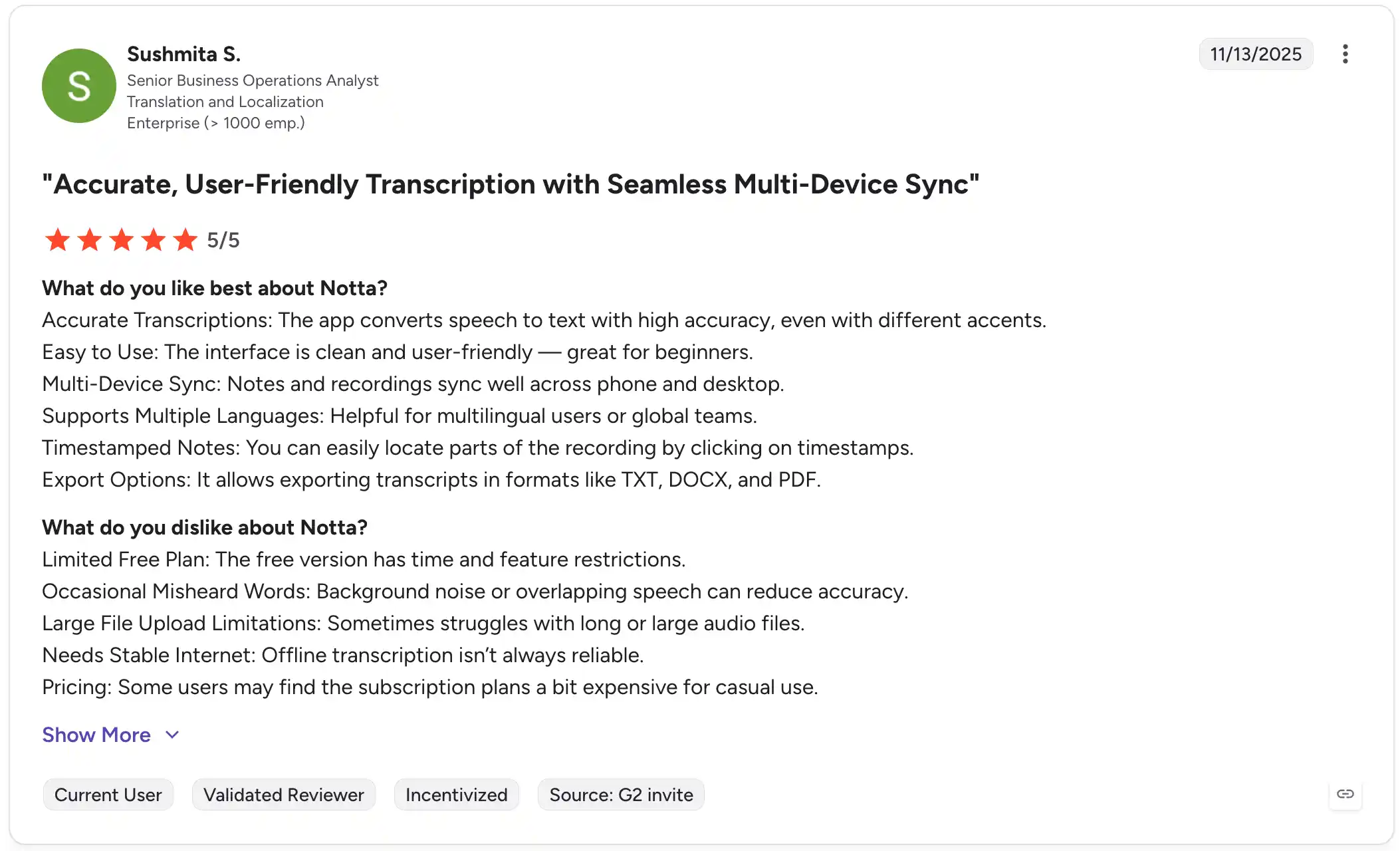
Sushmita S., November 2025, 5/5: Sushmita valued cross-device access and timestamp navigation. She also noted Free-plan restrictions and transcription mistakes with background noise or overlapping speech. Her review was incentivized through a G2 invitation.
Granola user reviews
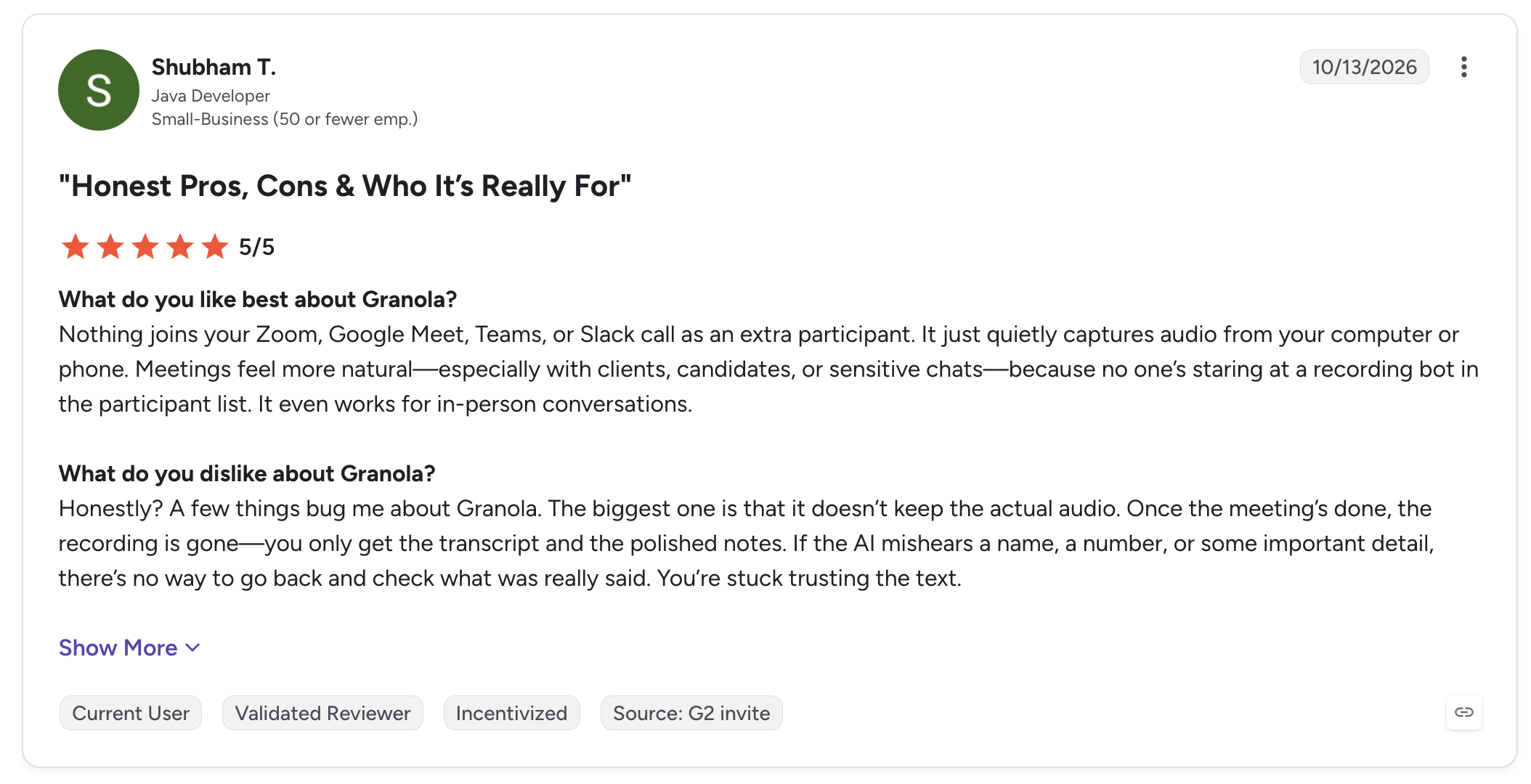
Shubham T., October 2026, 5/5: Shubham liked capturing conversations without an extra participant joining. His main concern was the lack of saved audio to check names, numbers or other details afterward.
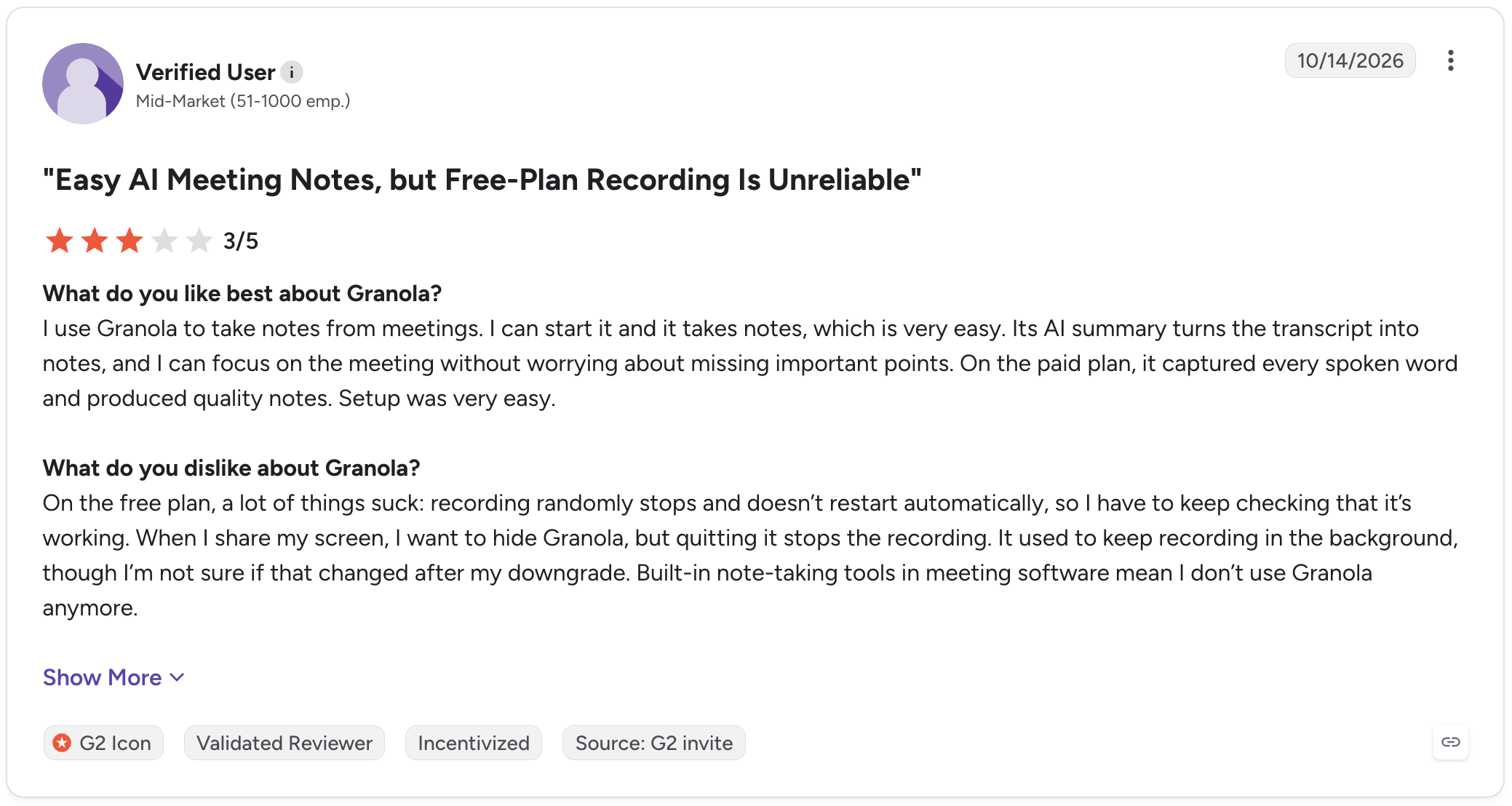
Verified User, October 2026, 3/5: This reviewer liked the easy setup and AI summaries, but reported recording interruptions while using Free. Both Granola reviews were incentivized through G2 invitations.
Which would I choose for your work?
I'd choose around the work you repeat each week:
- Client reports and project handovers: Notta. Record the conversation, bring in the brief or spreadsheet, and use Brain to create an editable report or presentation.
- Bilingual client conversations: Notta. Live bilingual transcription and translation help you follow the discussion, including when you're using connected Memo away from your desk.
- Routine meetings where an editable recap is enough: Granola. Type the points you care about, let it build out the notes, and use Chat for the follow-up.
If Notta fits your work, try a short recording. Free includes 120 monthly transcription minutes, with up to three minutes transcribed per recording. Want a wider shortlist? Compare these Granola alternatives.
Frequently asked questions
Does Granola save meeting recordings?
Granola saves notes and transcripts, but doesn't offer audio or video playback. Its Apple Watch app can temporarily hold audio before syncing it for processing. If you need to listen back to interviews or check exact quotes, Notta retains recordings as well as transcripts.
Can I upload an existing recording to Granola?
No. Granola doesn't transcribe prerecorded audio or video files. Adding a document to Granola Chat is a different feature. Notta supports audio/video transcription imports, so I'd choose it when your source material includes recordings you've already made or received.
Can both tools handle more than one language?
Yes. Notta supports live bilingual transcription and translation between two selected languages. Granola supports mixed-language transcription on desktop, while mobile uses one language per conversation. Granola Chat can translate text afterward. I'd choose Notta when you need translated text during the conversation itself.
Can Granola send follow-up messages?
Yes. Granola offers Gmail follow-ups on paid plans and trials, plus desktop Slack messaging in Beta. Notta Brain also supports connected follow-up work, including Slack updates, Drive saves and Gmail drafts. With Notta, you review and send those email drafts in Gmail.
