

9 Best AI Note-Taking Apps for Meetings: Tested on Capture, Transcription, and Post-Meeting Workflows

Contents
We compared 9 of the best AI note-taking apps for meetings: Notta, Fathom, Granola, Otter, Fireflies, tl;dv, Read AI, MeetGeek, and Fellow.
We tested all nine on how they capture meetings, how they handle live and bilingual transcription, and what they can do once the call ends. We also checked security, storage, and the limits behind each price.
On paper, most of them look alike. In practice, "unlimited" on a pricing page often means auto-join has to stay on, a per-meeting cap applies, or follow-up deliverables cost extra credits.
Their websites also rarely make it clear which tools keep your audio, send a bot into a client call, or train AI models on your recordings by default.
Here's what we found, starting with a quick summary to help you choose the best AI note-taking app for your meetings.
Quick summary (TL;DR)
- Notta: Best if your week spans online calls (bot or bot-free), phone calls via Memo, bilingual meetings, and follow-up decks or reports (Free shows 3 minutes per recording).
- Fathom: Best for online-only calls on a $0 budget, with unlimited recordings and transcripts (AI features cover your first 5 calls a month on Free).
- Granola: Best for client calls where you refuse to send a bot, taking notes from device audio without saving audio or video.
- Otter: Best if you want live English transcripts on screen while people talk (Basic stops at 30 minutes per call and 3 lifetime imports).
- Fireflies: Best for cross-meeting search and team tracking, with unlimited Free transcripts if you leave Auto-join on (400 minutes of team storage).
- tl;dv: Best for recording online meeting video for free, though full AI notes cover 10 meetings. Videos also lock after 2 days unless you pay, and data deletes at 3 months.
- Read AI: Best for quick post-call recaps and meeting metrics on a light schedule (5 free reports a month; playback requires Enterprise).
- MeetGeek: Best if you want timestamped next steps and EU or US hosting choice (Basic limits you to 3 hours a month and 3-month transcript storage).
- Fellow: Best for teams that want decisions and action items split cleanly in agendas, though Free ends after 5 lifetime recordings.
How we tested these 9 AI note takers
Hands-on tests ran on free or entry-level accounts unless noted (plus a separate Notta Enterprise check for web-page briefs). All paid-tier specs, security policies, and retention windows come from vendor pricing, security, and help pages checked November 14–15, 2026.
Every app received the same source material: a recorded English team meeting and a short clip switching between English and Portuguese. Where supported, we captured calls with a bot in Google Meet, recorded computer audio without a bot, or uploaded the files directly. We then reviewed the notes, prompted the AI chat, and asked for a three-slide deck.
We looked at how well each app captures meetings across devices, transcribes live and bilingual speech, handles privacy, and takes on follow-up tasks like emails, slides, CRM sync, and scheduling.
We picked these nine because each one records and writes meeting notes on its own, and they all appear regularly in top roundups of AI note takers. We skipped Krisp because its pricing page (checked Nov 2026) now offers a 7-day trial instead of an ongoing free tier, and our free account could not record.
Capture: where and how each app records
Before you look at summaries, check where each tool can get the audio from. This table compares bot recording, bot-free desktop capture, mobile or hardware support, and file uploads; expand each cell for platform rules and test details.
| App | Bot joins call | Bot-free desktop & what's saved | In-person & phone hardware | Upload existing files |
|---|---|---|---|---|
| Notta | ✅ YesJoins Zoom, Google Meet, Microsoft Teams, and Webex, saving meeting video on Free as well as paid plans. Tested in Google Meet. | ✅ Yes (audio/notes)Notta Desktop (Mac/Windows, labeled Beta) captures computer speaker audio and mic from any app, saving audio, transcript, and timestamped notes. | ✅ Apps + $149 MemoiOS, Android, and Apple Watch apps record in-person audio; Notta Memo ($149) attaches to phones for calls (not tested by us). | ✅ 50–200/mo (Web 5/mo)App allows 50/mo Free, 100/mo Pro, 200/mo Business, unlimited Enterprise (Free shows 3 min). Free audio to text converter adds 5 files/mo up to 30 min each. |
| Fathom | ✅ YesAll plans, Mac and Windows. Tested with the bot in Google Meet. | ⚠️ Mac beta (video/audio/text)macOS 14.2+ (bot-free video limited to Google Meet via Chrome extension) or audio/transcript only; Windows in limited Teams alpha. Unavailable on our test account (per Fathom 3.0 guide). | ⚠️ Not confirmedFathom's iOS page offers an app for in-person talks, while its bot-free guide still lists it as coming soon (both read Nov 14, 2026). | ❌ NoLive meetings on Zoom, Google Meet, and Microsoft Teams only; uploads aren't supported on any plan (per Fathom upload FAQ). |
| Granola | ❌ NoNo bot joins the call on any plan. | ✅ Yes (no audio)Desktop app captures device audio and saves transcript and notes only; audio and video are never stored (per Granola transcription guide). | ✅ Apps + outbound callsFree iOS, Android, and Apple Watch apps record room audio and outbound calls (inbound calls unsupported; per Granola phone guide). | ❌ NoLive transcription only; pre-recorded audio or video files can't be imported (per Granola transcription guide). |
| Otter | ✅ YesJoins Zoom, Microsoft Teams, and Google Meet. Tested in Google Meet. | ✅ Yes (audio/text)Otter desktop app (Mac/Windows) saves audio and live transcript; Otter doesn't record continuous video itself. | ✅ iOS & AndroidMobile apps record in-person audio via device mic on all plans. No dedicated hardware. | ⚠️ 3 lifetime (Basic)Basic allows 3 lifetime uploads (blocked on our test account); Pro gives 10/mo; Business gives 6,000 min/user/mo (max 5 GB/file; per Otter import FAQ). |
| Fireflies | ✅ YesJoins Zoom, Google Meet, Microsoft Teams, and 10+ apps across all plans. Tested in Google Meet. | ✅ Yes (notes only)Desktop app (Windows/macOS) and Chrome extension record without a bot; our desktop test warned no audio or video is kept. | ✅ Mobile appPricing lists unlimited in-person recording in the mobile app across all plans. No hardware. | ✅ All plansAudio/video uploads are ticked on every plan (no monthly file cap stated; our exhausted test account blocked transcript access). |
| tl;dv | ✅ YesChrome extension sends a bot that saved meeting video in our test. | ✅ Yes (audio only)Desktop app captures device audio, transcript, and notes (no video; per tl;dv bot-free guide). | ✅ Mobile app (audio)iOS and Android apps record in-person meetings (audio only, up to 3 hrs, 5 pending offline uploads); notes are viewed in the webapp (per tl;dv mobile guide). | ⚠️ 5 on FreeUp to 5 uploads on Free; unlimited uploads from Pro up. |
| Read AI | ✅ YesRead Assistant joins Zoom, Microsoft Teams, and Google Meet by default. | ✅ Yes (audio only)Desktop app Record button captures computer audio without video or coaching metrics (per Read AI desktop guide). | ✅ In-person onlyiOS and Android apps record room talks; phone calls and FaceTime aren't supported (per Read AI mobile FAQ). | ⚠️ Pro+ onlyNot included on Free (test box showed 0 min left); Pro 100 min/mo, Enterprise 200, Enterprise+ 300 (per Read AI uploads FAQ). |
| MeetGeek | ✅ YesJoins Zoom, Google Meet, and Microsoft Teams (recorded audio only in our test). | ✅ Yes (all plans)Chrome extension and Desktop App 2.0 record without a bot on all plans (MeetGeek's site doesn't state what media file format is saved). | ✅ Mobile appMeetGeek mobile app records in-person meetings (up to 4 hours offline). | ✅ All plansAudio and video uploads included from Basic up (tested with a full meeting upload). |
| Fellow | ✅ YesJoins Zoom, Google Meet, and Microsoft Teams across all plans. | ✅ Yes (Mac/Windows)Botless Recording desktop app (Mac/Windows) captures system audio across calls (plan tier and saved media format aren't stated). | ✅ Mobile appMobile app records in-person meetings without a laptop (plan tier not stated). | ⚠️ 5 lifetime (Free)Free 5/user lifetime (tested with a full upload); Team 10/user/mo; Business and Enterprise 50/user/mo. |
Checked November 14–15, 2026, against each vendor's official pricing and help pages.
Bot-free capture changes how a call feels, because no extra participant sits in the Zoom or Google Meet roster. Even without a bot, people should still know they're being recorded. One Hacker News commenter noted that if someone records with AI silently, "I'll never know." That secrecy will "stifle discussions, especially more informal small group ones" (basisword · Hacker News · Jul 3, 2025). Recording consent laws vary by jurisdiction, so tell participants before you hit record.
The nine tools fall into clear groups. Fathom and Granola skip file uploads entirely and rely on live sessions. Otter, Fireflies, tl;dv, Read AI, MeetGeek, and Fellow cover online calls plus file uploads. Notta spans bots, desktop audio, mobile recording, web uploads, and its $149 Notta Memo phone recorder (checked Nov 2026).
Transcription, languages, security, and storage
Capturing the audio is only half the job. This table compares whether transcripts appear live or after the call, how each app handles bilingual meetings, whether audio leaves your computer, and how long data stays stored.
| App | Real-time vs. post-meeting | Languages & bilingual | Offline, security & AI training | Storage & retention |
|---|---|---|---|---|
| Notta | ✅ Real-time (cloud)Live transcription in web, mobile, and Notta Desktop (bot and bot-free cloud mode). File/link uploads, screen recording, and Privacy Mode process after recording. | 58 (✅ 23 pairs)58 cloud languages; bilingual transcription covers 23 pairs (4 free/mo; $9/mo add-on on Pro+); 80-language live translation (2 free/mo); Privacy Mode 4/11 offline. | ⚠️ Local (Pro+ beta)Privacy Mode (offline on-device transcription, Pro+, beta) transcribes locally with no cloud upload or AI training (~monthly license check). Cloud mode holds SOC 2 Type II, ISO 27001, HIPAA, GDPR, CCPA, APPI (AWS Tokyo, AES-256). Privacy Policy bars AI training on Google Workspace data; Notta hasn't published an overall no-training policy for regular cloud recordings. | No time limitData is kept until deleted (Auto Deletion on Enterprise only; no storage-size cap stated). Notta storage FAQ. Free shows only the first 3 min per record. |
| Fathom | ⚠️ Mac 3.0 liveBot-based Fathom generates transcripts and summaries after the call ends (matching our test). Fathom 3.0 adds a live summary on Mac (20 languages; Teams alpha on Windows), with full transcripts ready post-call. | 38 (❌ No bilingual mode)Help docs list 38 transcription languages (20 in 3.0; overview cites 7 native + 29 Ask Fathom translations). No bilingual mode appeared in our test or docs (both languages stayed in one clip). | ❌ Cloud · Opt-out trainingNo offline or local transcription (iOS needs internet; no offline mode found in desktop settings or help docs). SOC 2 Type II, GDPR, HIPAA (blanket BAA in Terms; Standard BAA Team+); US storage. Sub-processors don't train; Fathom trains proprietary models on de-identified data (opt-out in settings; per Fathom security). | Unlimited (all plans)"Unlimited recordings & storage" across Free, Premium, Team, Business, and Enterprise (custom retention on Enterprise). |
| Granola | ✅ Real-time (desktop)Real-time cloud transcription on macOS/Windows desktop (confirmed in our test); mobile transcribes after the call from cached audio. | 31 (✅ desktop Multi)31 languages on desktop (Multi-language mode transcribes mixed calls, confirmed in our test) and 17 on mobile (single language). No live translation (per Granola languages). | ❌ Cloud · Opt-out trainingNo local transcription (notes cache locally for viewing; audio deletes post-transcription). SOC 2 Type II, GDPR, HIPAA BAA on Enterprise (desktop); US AWS. Basic/Business train own models on anonymized data by default (opt-out in settings; Enterprise off; third parties don't train; per Granola security). | 30d (Basic) / UnlimitedBasic shows the last 30 days of notes in-app (older notes restored on upgrade); Business and Enterprise have unlimited history. Audio is never stored. |
| Otter | ✅ Real-timeReal-time transcription with speaker labels on bot, desktop, web, and mobile (confirmed in our test). | 17 (❌ No bilingual mode)Otter language guide lists 17 languages/varieties (plus 14 upcoming beta languages). No bilingual mode or live translation is listed (mixed-language speech wasn't separated in our test). | ❌ Cloud · Opt-out trainingOffline recording pauses live text and uploads on reconnect (no local transcription). SOC 2 Type II, GDPR, CCPA, HIPAA BAA on Enterprise; AWS US West. Trains own models on de-identified data (Enterprise opted out; individual toggle in settings; third parties don't train; per Otter security). | 25 recent / UnlimitedBasic keeps 25 most recent conversations (no GB cap stated). Pro, Business, and Enterprise include unlimited storage and history (custom retention on Enterprise). |
| Fireflies | ✅ Real-timeLive transcripts and notes via Live Assist on web and desktop (bot and bot-free, confirmed in our test); summary refines post-call. | 100+ (⚠️ Biz+ Multi)100+ languages (115 in help table). Auto-detect on all plans; Multi-language Mode for mixed calls is Business+ on pricing (Auto Detect Beta worked in our test). | ❌ Cloud · Zero trainingMobile caches offline audio and uploads when online (no offline mode found in desktop settings or help docs). SOC 2 Type II, ISO/IEC 42001, GDPR, FERPA, HIPAA on Enterprise with Private Storage & BAA; US AWS/GCP (BYOS). Never trains AI models; zero retention with AI vendors (per Fireflies security). | 400 min / UnlimitedFree: 400 min/team; Pro: 8,000 min/seat; Business and Enterprise: unlimited storage (custom retention on Enterprise). |
| tl;dv | ❌ Post-meetingFull transcript and AI notes are generated after the call ends or recording stops (desktop test showed a timer during capture). | 100+ (⚠️ Pro+ Multi)Pricing lists 100+ languages (help article lists 42 options). Auto-detect and multi-language meetings start on Pro (gated on our test account). | ❌ Cloud · Zero trainingMobile records offline (up to 5 pending files) and uploads when online (no local or offline mode found in desktop settings). SOC 2 Type II, GDPR, EU AI Act (no HIPAA plan listed); EU/EEA hosting (Germany/Finland; AI EU or US). Never trains AI models (per tl;dv security). | 3 mo (2d free view)Free keeps data 3 months, though without paying you lose viewing access after 2 days (help docs still list a 3-day archive). Paid keeps data until deleted (per tl;dv Free limits). |
| Read AI | ✅ Real-timeLive Meeting Dashboard, Desktop App, and iPhone App show live text and rolling summaries; full report follows 5–15 min later. | 20+ (❌ no bilingual)Free card lists 20+ languages (table lists 16+). Read AI language guide says mixed-language calls "are not fully supported." | ❌ Cloud · Opt-in trainingNo offline or local transcription option listed or seen in our test. SOC 2 Type II, GDPR, HIPAA BAA on annual Enterprise+ (5-seat min); AWS us-east-1 (EU/Canada on Enterprise+). AI training is opt-in (off by default; per Read AI privacy). | 180d media / UnlimitedFree keeps report text up to 2 years and deletes recordings after 180 days (playback requires Enterprise). Paid plans keep reports until deleted. |
| MeetGeek | ⚠️ Bot/Chrome onlyNotetaker bot and Chrome extension transcribe in real time; Desktop App 2.0 and mobile app upload and transcribe post-call. | 100+ (auto-detect)100+ languages with auto-detection on all plans. No separate bilingual mode is listed, though mixed English and Portuguese stayed in our upload test. | ❌ Cloud · Zero trainingMobile (up to 4h) and Desktop App 2.0 record offline and upload to cloud on reconnect (no local transcription). SOC 2 Type II, ISO 9001, GDPR, CCPA, HIPAA BAA on all plans; choice of EU (EEA) or US AWS. Never trains AI models (per MeetGeek security). | 3 mo / UnlimitedBasic: transcripts 3 mo, audio 1 mo; Pro: transcripts 1 yr, audio 6 mo; Business: unlimited transcripts, 12 mo video/audio; Enterprise: custom. |
| Fellow | ⚠️ Desktop botless onlyLive text updates every few seconds in Desktop Botless mode (unless Zero-Day Retention is on). Bot and mobile recordings transcribe post-call. | 100+ (auto-detect)Pricing lists 100+ languages (help doc lists 93). No separate bilingual mode is listed on pricing, though both languages appeared in our upload test. | ❌ Cloud · Zero trainingNo offline or local transcription option listed (failed botless uploads cache locally to retry). SOC 2 Type II, GDPR, CCPA, HIPAA BAA on Enterprise; AWS Canada Central. Never trains AI models on customer data (per Fellow security). | Limited / UnlimitedFree lists "Limited" notes history (exact retention days aren't stated) and no Recording library. Paid plans keep data until deleted (Zero-Day Retention on Enterprise). |
Checked November 14–15, 2026, against each vendor's official security, privacy, pricing, and help pages.
It's easy to assume bot-free means offline or local, but it usually doesn't. A desktop recorder captures audio from your Mac or Windows machine, then sends that audio to the vendor's cloud servers for transcription. Across these nine apps, only Notta's Privacy Mode (its offline on-device transcription mode, Pro+, beta) transcribes locally on your computer without uploading audio. Its offline models cover 4 languages (or 11 via Apple Speech Analyzer on macOS 26+) instead of the 58 cloud languages.
AI training defaults vary just as widely. Fireflies, tl;dv, MeetGeek, and Fellow state across their security pages that customer meeting content never trains AI models, and Read AI keeps training off unless you opt in. By contrast, Fathom, Granola (Basic and Business), and Otter (non-Enterprise plans) use de-identified or anonymized data to improve their own models unless you toggle the opt-out setting.
After the meeting: how far each workflow goes
All nine tools write notes and action items. Say your week is eight client calls and five internal meetings. After an internal team call, dropping a summary in Slack is usually enough. A client call asks for more: a follow-up email, a CRM update, a time for the next meeting, and sometimes a deck or a one-page report.
This table tracks those four steps. The first column combines published deliverable features with what our test accounts returned when we asked for a three-slide deck, and each cell specifies which tier applies.
| App | Deliverable (file or page) | Follow-up email | CRM sync | Book next meeting |
|---|---|---|---|---|
| Notta | ✅ Slides (Free); web (Ent.)Watermarked .pptx and a flowchart diagram on Free; infographic and interactive web page on Enterprise. Notta Brain lists reports and websites. Decks (300) and images (200) use credits (1,000/mo included per plan). | ✅ Gmail draft (all plans)On any plan with Brain credits (1,000/mo included), Notta Brain saves a draft to Gmail and you send it, per Notta's Brain guide. | ⚠️ Business ($16.67/mo)Salesforce, HubSpot, Pipedrive, and others from Business ($16.67/mo billed annually). | ⚠️ Google contacts (all plans)On any plan with Brain credits, checks mutual availability for Google Calendar contacts (not outside calendars) and schedules once confirmed, per Notta (not tested by us). |
| Fathom | ❌ Text onlyText only in our test (chat said it couldn't attach files). No file output is listed. | ⚠️ Text to pastePremium ($16/mo) and up generate copy-and-paste text for your mail client (per Fathom AI features). | ✅ Free (3 users)HubSpot, Salesforce, or Close (max 3 users/domain on Free–Team; field sync starts on Business $25/mo). | ❌ NoNeither our test nor Fathom's pricing and help pages showed a calendar-booking feature. |
| Granola | ❌ No fileChat said it can't generate downloadable files in our test. No file output is listed. | ⚠️ Gmail draft (Biz)Business ($14/user/mo) and up draft follow-up emails automatically after external meetings (Gmail only; per Granola follow-up emails). | ⚠️ Business ($14/mo)HubSpot from Business ($14/user/mo); Salesforce on Enterprise ($35). | ⚠️ Same domain (Chat)Chat checks Google Calendar availability and creates events for people in your Workspace domain (plan not stated; per Granola Chat workflows). |
| Otter | ⚠️ .pptx/.docx (Work)Per Otter's AI Chat guide, Work creates PowerPoint and Word files; our Basic chat returned text, and Work asked for a Pro trial. | ⚠️ Text / Work GmailAI Chat gives text to paste; one-click follow-ups are Enterprise; Work drafts in Gmail. | ⚠️ Pro ($8.33/mo)Salesforce or HubSpot sync for 1 user on Pro, 5 on Business, unlimited on Enterprise. | ❌ NoIn our test, AI Chat couldn't check calendar availability or book a real meeting, and Otter's site lists no calendar-booking action. |
| Fireflies | ❌ Locked on FreeAskFred asked for a Pro upgrade in our test, and Fireflies' site doesn't list PowerPoint or web-report exports. | ⚠️ Gmail/Outlook (Pro)Email Assistant drafts replies inside Gmail/Outlook threads from Pro ($10/seat/mo) up. | ⚠️ Pro ($10/mo)Integrations (HubSpot, Salesforce) start on Pro. | ⚠️ Coming soon (waitlist)Fireflies Scheduler describes a free booking link, but its page says "Coming soon" and takes waitlist sign-ups (checked Nov 15, 2026). |
| tl;dv | ❌ Text onlySlide text and a text diagram in our test; chat said it can't create files. No file output is listed. | ⚠️ Text to pastePrompt tl;dv AI for follow-up text (listed under Pro card, though comparison table ticks Free; per tl;dv follow-up guide). | ⚠️ Pro ($18/mo)CRM integrations and field mapping start on Pro. | ❌ NoConnects calendars to auto-join calls; no meeting-booking feature appeared in our test or on tl;dv's site. |
| Read AI | ❌ Text onlyAsk Read wrote four slides as text and said it couldn't attach files. No file output is listed. | ✅ Sent on approvalAsk Read drafts the email and sends when you reply "Send it" (plan not stated; per Ask Read actions). | ⚠️ Pro ($15/mo)Automatically pushes reports to HubSpot or Salesforce from Pro up. | ✅ Yes (on request)Ask Read creates calendar events on request, and Ada checks availability (Smart Scheduler Links free on all plans). |
| MeetGeek | ❌ Text onlyChat said it provides text, not downloadable files. No file output is listed. | ⚠️ Pro+ (Gmail/auto)Gmail drafts via AI Chat on Pro ($9.99/mo); automated follow-ups on Business ($17/mo; per MeetGeek AI Chat guide). | ⚠️ Pro ($9.99/mo)Updates CRM fields (HubSpot, Salesforce, Pipedrive) from Pro up. | ⚠️ Creates event (Pro)AI Chat creates/updates Google Calendar events on Pro (up to 20 requests/day; availability check not mentioned). |
| Fellow | ⚠️ Docs/memos (.docx/.md)Ask Fellow creates markdown, .docx, or Google Docs (it declined slides and infographics in our test, and report downloads failed twice). | ✅ Gmail/Outlook draftAsk Fellow drafts emails and opens them in Gmail or Outlook (plan not stated). | ⚠️ Business ($15/mo)HubSpot and Salesforce start on Business ($15/user/mo); AI field updates on Enterprise. | ✅ Picks mutual timeAsk Fellow checks everyone's availability and books once you select a slot (plan not stated). |
Checked November 14–15, 2026, against vendor pricing, integrations, and help docs.
Slack is left out of the columns because all nine apps can post meeting summaries to a Slack channel. It is free on Fathom, Granola, Otter, Read AI, Fellow, and Notta, included under Pro integrations on Fireflies and MeetGeek, and plan-unstated on tl;dv. If you rely on cross-meeting chat, watch query caps too: tl;dv's Free plan stops at 5 multi-meeting questions, and Otter Basic allows 20 AI Chat queries a month.
What our tests handed us when we asked for deliverables
We asked each app's AI chat for a three-slide deck from the same team meeting. Here's what our entry-level test accounts gave us:
- A downloadable file: Notta's Free account returned a watermarked
.pptxdeck we could download, plus a flowchart diagram. - An editable report: Fellow's Free account declined slides and built an editable report instead, though both Word and Markdown downloads threw errors for us.
- Text to copy and paste: Fathom, tl;dv, Read AI, MeetGeek, and Otter Basic returned slide outlines as chat text. Granola Basic stated it cannot generate downloadable files.
- An upgrade gate: Fireflies' AskFred blocked post-call prompts behind a Pro upgrade banner on an account whose free meetings were already used.
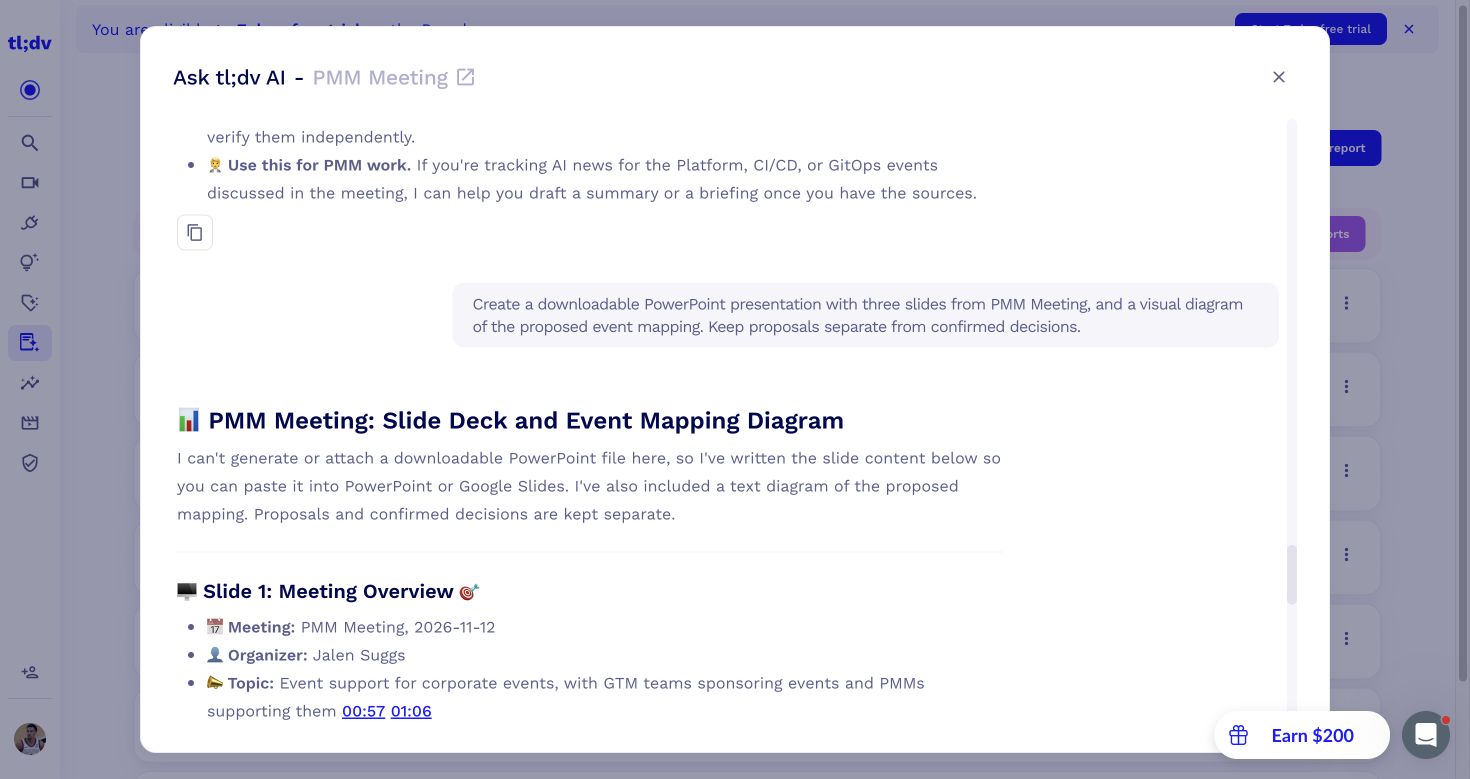
We also asked Fathom's Free account for a Gmail draft and a Google Drive document. It wrote the copy in chat and stated it could not access Gmail or Drive to create either one.
Keep the test scope in mind: Notta handed us a downloadable .pptx on the entry tier we tested, while paid deliverable modes such as Otter's Work remained untested. Whichever tool drafts your deck, report, or follow-up email, read it over before you send it to a client.
Pricing: what free plans cover and what paying adds
Free plans vary from lifetime 5-call trials to unlimited recording. Entry paid tiers run from $7 to $18 per user a month billed annually, except Granola at $14 monthly only (checked Nov 14–15, 2026 on each vendor's pricing page). This table puts every free allowance and paid upgrade side by side.
| App | Free plan & core limits | First paid tier (annual / monthly) | Higher tiers & add-ons | Main changes when you pay |
|---|---|---|---|---|
| Notta | 120 min/mo (3-min view)Free: 120 min/mo, first 3 min visible per record, 50 uploads/mo, 10 AI summaries, 1,000 Brain credits/mo. | Pro: $8.17 / $13.49$8.17/mo ($97.99/yr) billed annually, or $13.49/mo monthly. | Biz $16.67 / Add-onsBusiness $16.67/seat/mo annual ($27.99 monthly); Enterprise 51+ seats; Bilingual add-on $9/mo annual ($15 monthly); Real-time translation $6/mo ($10 monthly); Brain add-on $93.59/yr. | 5-hr calls, exports, Privacy ModePro adds 1,800 min/mo, 5-hr recordings, TXT/DOCX/PDF/XLSX/SRT exports, and Privacy Mode (offline on-device transcription, beta); Business adds unlimited minutes, CRM, and Zapier. |
| Fathom | Unlimited (5 AI calls/mo)Free forever: unlimited recordings and transcripts; Advanced AI summaries, action items, and Ask Fathom cover first 5 calls/mo. | Premium: $16 / $20$16/mo billed annually, or $20/mo monthly. | Team $15+, Biz $25+Team $15/user/mo annual ($19 monthly, 2+ users); Business $25/user/mo ($34 monthly); Enterprise $35/user/mo annual only. | Unlimited AI & CRM syncRemoves the 5-call cap on AI summaries/action items, adds follow-up email drafts, shared workspace (Team), and CRM field sync (Business). |
| Granola | No daily cap (30d history)Basic ($0): no daily limit, but shows only the last 30 days of notes (older notes restored on upgrade); audio never stored. | Business: $14/mo (no annual)$14/user/mo billed monthly only; annual contracts are Enterprise only (per Granola billing guide). | Enterprise: $35/user/moEnterprise adds HIPAA BAA (desktop), SSO, default AI training opt-out, and Salesforce. | Unlimited history & CRMRemoves the 30-day history cutoff, adds automatic Gmail follow-up drafts, and connects Notion, HubSpot, and Zapier. |
| Otter | 300 min/mo (30-min cap)Basic ($0): 300 min/mo, 30 min per conversation, 3 lifetime imports, 25 most recent conversations, 20 AI Chat queries/mo. | Pro: $8.33 / $16.99$8.33/user/mo billed annually, or $16.99/user/mo monthly. | Biz $19.99 / Ent customBusiness $19.99/user/mo annual ($30 monthly, 4-hr calls, 6,000 import min/mo); Enterprise custom pricing. | 90-min calls, exports, CRMPro lifts limits to 1,200 min/mo, 90-min calls, 10 imports/mo, PDF/DOCX/SRT exports, unlimited storage, and 1-user CRM sync. |
| Fireflies | Auto-join unlimited (400m)Free ($0): unlimited transcripts with Auto-join on (otherwise 3 meetings), 2-hr cap, 400 min team storage, 20 AI credits. | Pro: $10 / $18$10/seat/mo billed annually, or $18/seat/mo monthly. | Biz $19 / Ent $39Business $19/seat/mo annual ($29 monthly, 3-hr calls, unlimited storage, Multi-language Mode); Enterprise $39/seat/mo annual only. | Unlimited AI, video, CRMPro adds unlimited AI summaries, 8,000 min/seat storage, 720p video, downloads, Email Assistant, and CRM integrations. |
| tl;dv | Unlimited video (2d view)Free ($0): unlimited video/transcripts (3-hr cap), 10 full AI-note meetings, 5 uploads, 5 single/multi questions; data stays 3 months but locks after 2 days without paying. | Pro: $18 / $29$18/seat/mo billed annually, or $29/seat/mo monthly (displayed to us in USD; other regions may see EUR). | Biz $29 / Ent customBusiness $29/seat/mo annual ($39 monthly, unlimited multi-meeting AI, scheduled reports); Enterprise custom pricing. | Unlimited AI, CRM, downloadsPro adds unlimited AI notes and single-meeting questions, multi-language mode, video downloads, and CRM sync. |
| Read AI | 5 meetings/mo (1-hr cap)Free ($0): 5 meetings/mo up to 1 hr each, no uploads, playback locked, text kept 2 years / media 180 days. | Pro: $15 / $19.75$15/user/mo billed annually, or $19.75/user/mo monthly. | Ent $22.50 / Ent+ $29.75Enterprise $22.50/user/mo annual ($29.75 monthly, video playback); Enterprise+ $29.75/user/mo annual ($39.75 monthly, 8-hr calls, HIPAA BAA). | Unlimited reports, 4-hr callsPro brings unlimited reports, 4-hr calls, 100 upload min/mo, HubSpot/Salesforce sync, and unlimited report retention. |
| MeetGeek | 3 hr/mo (2-hr cap)Basic ($0): 3 hrs/mo, 2-hr cap per meeting, transcripts kept 3 mo / audio 1 mo, fixed summary template. | Pro: $9.99 / $15.99$9.99/user/mo billed annually, or $15.99/user/mo monthly. | Biz $17 ($27 monthly)Business $17/user/mo annual ($27 monthly) adds unlimited transcription, HD video, and automatic follow-up emails; Enterprise adds custom retention. | 20 hr/mo, templates, CRMPro raises allowance to 20 hrs/mo ($0.50/extra hr), adds custom templates, exports, Chat with Apps (Gmail/Calendar), and CRM updates. |
| Fellow | 5 AI recordings (lifetime)Free ($0): 5 AI recordings, 5 AI notes, and 5 uploads per user (lifetime total), plus limited note history. | Team: $7 / $11$7/user/mo billed annually, or $11/user/mo monthly. | Biz $15 / Ent $25Business $15/user/mo annual ($23 monthly, unlimited recordings, CRM); Enterprise $25/user/mo annual only (HIPAA BAA, SSO). | Monthly limits, exports, historyTeam adds 10 recordings and 10 uploads/user/mo, unlimited note history, exports, and full integrations. |
Prices and plan limits checked November 14–15, 2026, on each vendor's official pricing page.
The 9 best AI note-taking apps, one by one
We ordered these nine tools by coverage and common buying priorities rather than ranking them best to worst. We start with Notta for multi-scenario capture, bilingual calls, and post-meeting deliverables, followed by Fathom for unlimited online recording. From there, the list moves through Granola for bot-free notes, Otter for live English text, and five more specialized tools. User comments come from G2 and App Store pages opened in November 2026, and some reflect paid plans.
1. Notta: multi-scenario capture, bilingual calls, and Notta Brain deliverables
Notta is built for people whose week splits across video calls, phone calls, and client offices. One account covers meeting bots, bot-free capture on Notta Desktop (labeled Beta), mobile in-person recording, web uploads, screen recordings, and the $149 Notta Memo phone recorder.
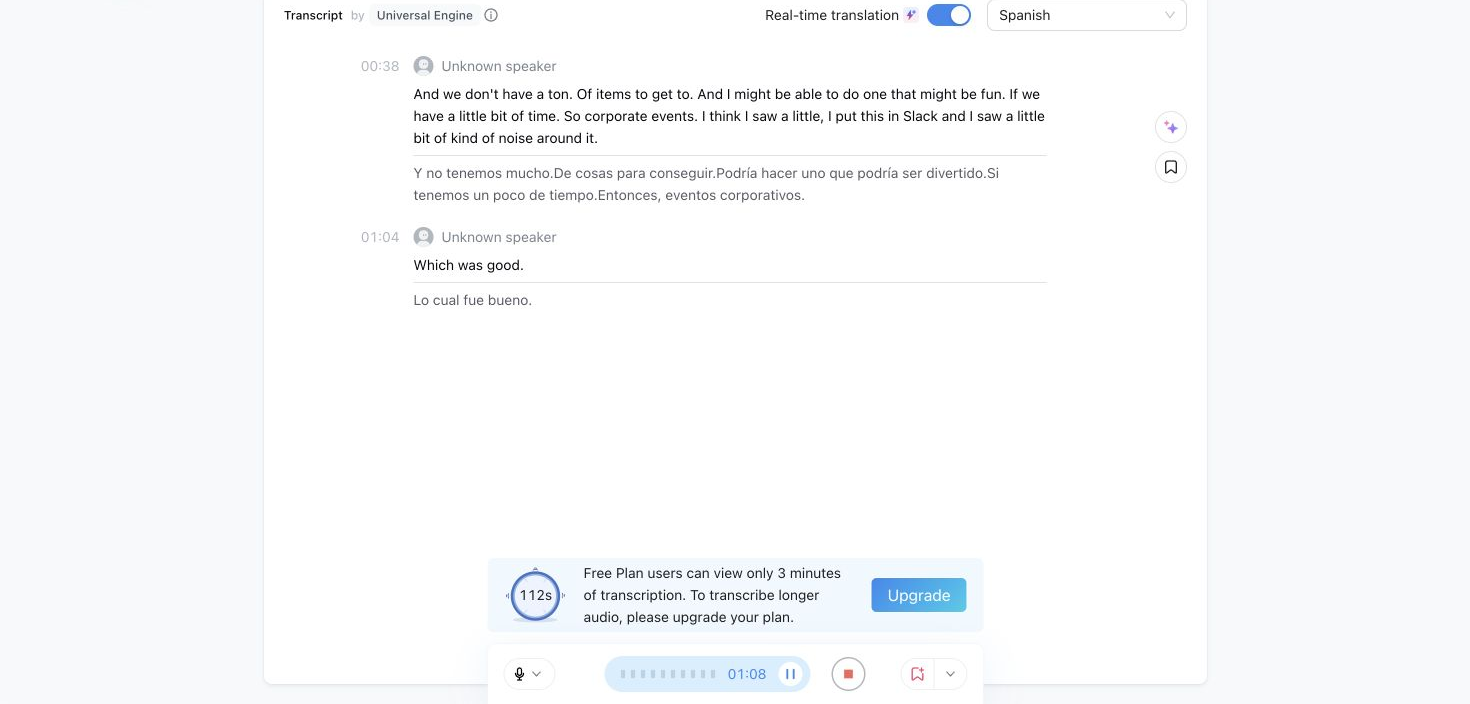
What our test showed: The bot recorded participant-view video, the desktop app captured system audio, and bilingual transcription kept English and Portuguese in one transcript. On Free, a banner showed only the first 3 minutes of each conversation.
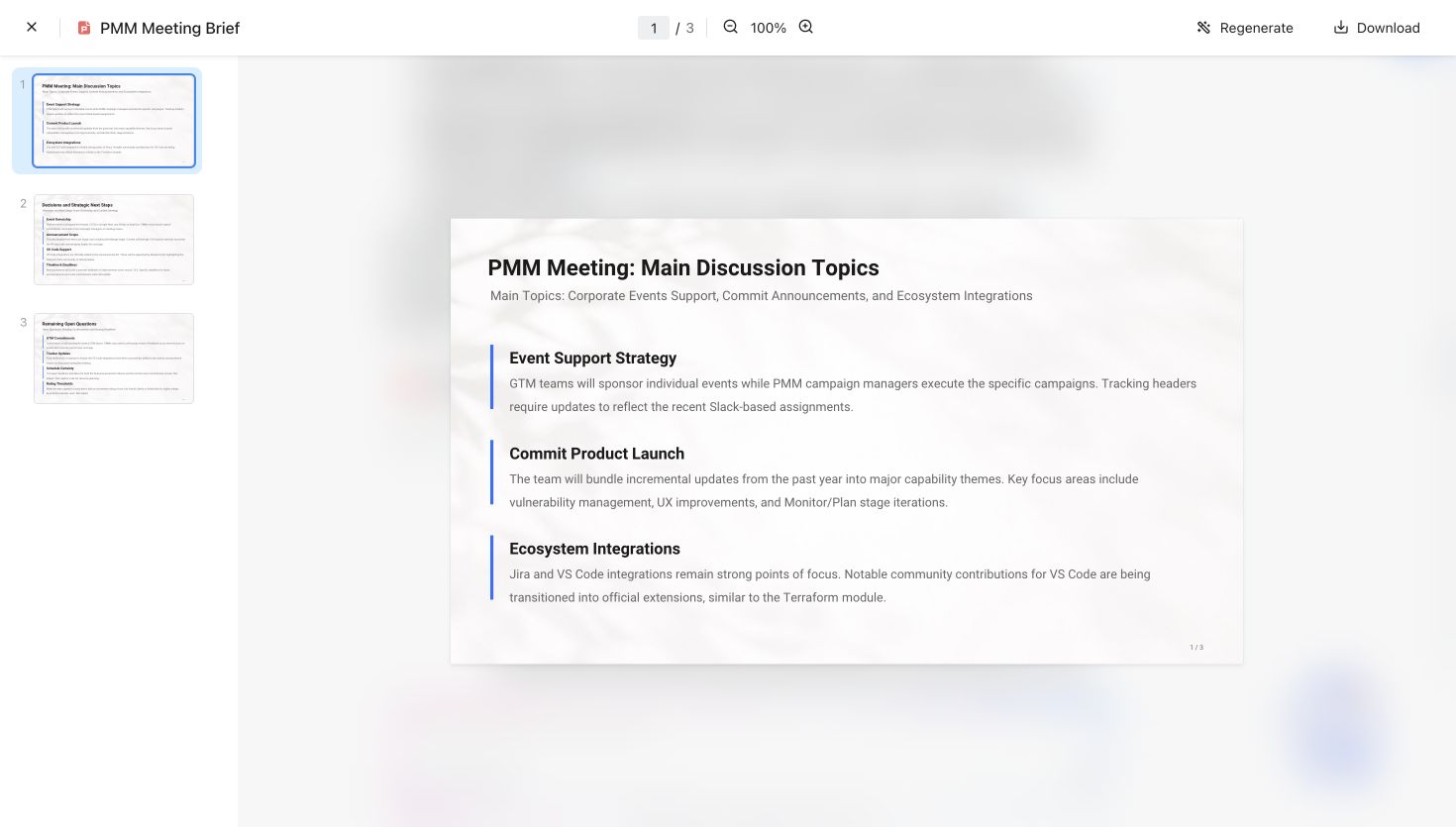
Notta Brain answered questions with citations. On our entry account, it built a watermarked .pptx deck and a flowchart diagram, using up its Brain credits. Our Enterprise test also built a .pptx deck, an infographic, and an interactive web-page brief. Per Notta, any plan with Brain credits can save Gmail drafts, post to Slack, and schedule with Google Calendar contacts once confirmed.
Plans and limits: Free gives 120 minutes a month (up to 3 minutes visible per recording) and meeting video. It also includes 50 uploads and 1,000 Brain credits a month (a deck uses 300). Pro ($8.17 a month billed annually, or $13.49 monthly) brings 1,800 minutes, 5-hour calls, file exports, and Privacy Mode (offline on-device transcription, beta). Business ($16.67 per seat annually) lifts the monthly minute cap and adds CRM sync (Notta pricing, checked Nov 2026). Bilingual transcription (past 4 free uses) is a $9/month annual add-on on Pro+, and 80-language live translation (past 2 free uses) is $6/month.
What users like
- Recording online meetings without a bot, then replaying details afterward. G2 review · Aug 11, 2026
- Recording in-person sessions directly inside the mobile app. G2 review · Aug 13, 2026
- Turning meeting notes into "compelling visuals" with the infographic generator. G2 review · Mar 19, 2026
What users would change
- The Windows app opens slowly, and only a light theme is available. G2 review · Aug 11, 2026
- Distinguishing speakers is "not as good as I'd like," though "getting better." G2 review · Aug 13, 2026
- Proper nouns often need manual cleanup in the transcript. G2 review · Aug 12, 2026
2. Fathom: unlimited recording for online-only calls
Fathom records Zoom, Google Meet, and Microsoft Teams calls and handles summaries automatically. It's a good fit if every meeting happens online and you'd rather not keep track of a monthly minute balance.
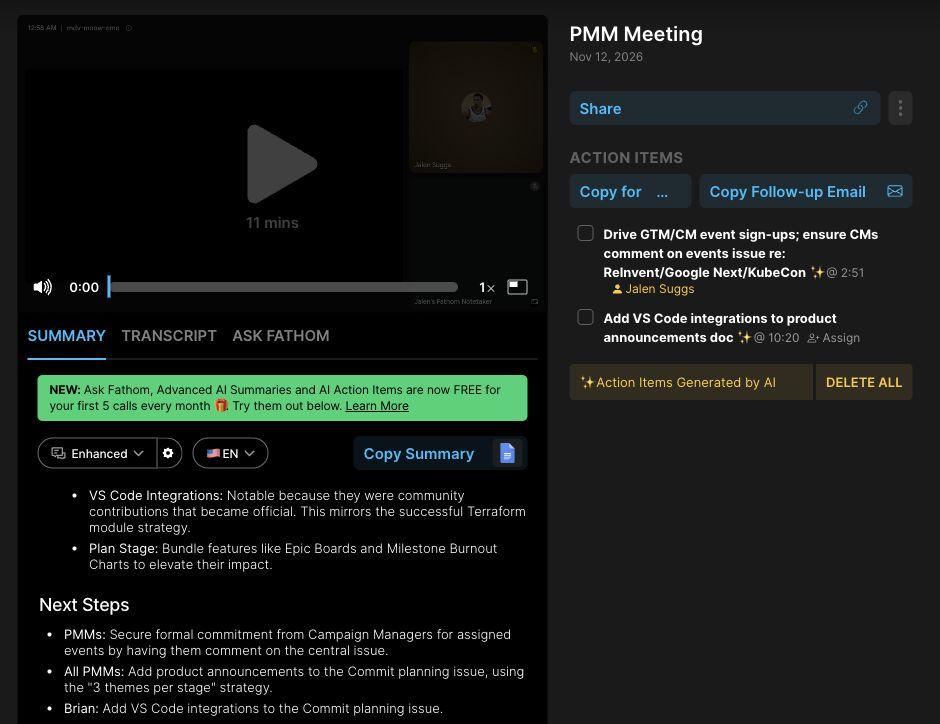
What our test showed: Fathom's bot joined our Google Meet call and saved the video recording, a transcript, and an Enhanced summary. Two AI action items sat in a side panel, and Ask Fathom answered follow-up questions with links back to the call. We saw no live transcript during the meeting. When we asked for slides, a report, and a Gmail draft, it returned text to copy. Our test account also lacked bot-free capture and had no file upload option.
Plans and limits: Free gives you unlimited recordings, transcripts, and storage forever, while Advanced summaries, AI action items, and Ask Fathom cover your first 5 calls each month. Premium ($16 a month billed annually, or $20 monthly) removes that 5-call limit and adds copy-and-paste follow-up email drafts. Team ($15 per user, two users minimum) adds shared workspaces, and Business ($25) adds CRM field sync (Fathom pricing, checked Nov 2026). Keep in mind that Fathom cannot import existing recordings, and bot-free capture is a Mac beta rolled out by eligibility.
What users like
- "You barely even notice it's there" during a call. G2 review · Nov 10, 2026
- A paying user calls it strong value for the recording and transcription quality. G2 review · Nov 9, 2026
- Summaries and full transcripts save time when putting together follow-ups. G2 review · Nov 3, 2026
What users would change
- The summary sometimes shifts after processing finishes, hiding earlier action items. G2 review · Oct 27, 2026
- One user likes bot-free Zoom audio capture, but wants video included too. G2 review · Nov 9, 2026
- Another user could not find a way to record an in-person meeting from a laptop. G2 review · Oct 27, 2026
3. Granola: bot-free notes straight from your computer's audio
Granola is a notepad that captures your computer's system audio, so no bot ever joins the meeting roster. It works well for client and board calls where an extra automated attendee feels awkward.
What our test showed: The desktop app showed a live transcript while recording and produced Enhanced notes once we stopped. Chat answered questions with direct quotes from the call. Under the Multi setting, English and Portuguese both stayed in the transcript, and chat translated the Portuguese afterward. When asked for slides, chat stated it cannot generate downloadable files.
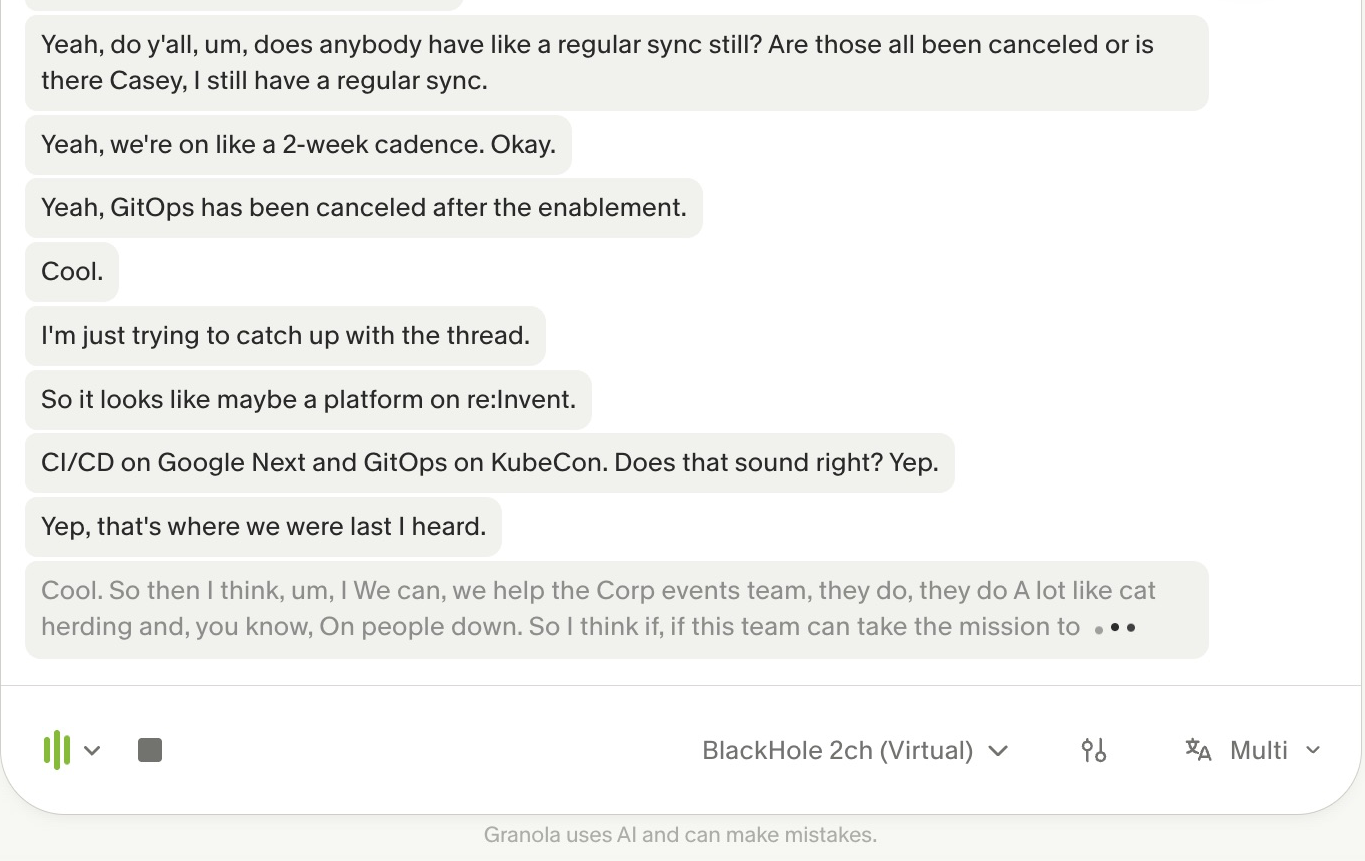
Plans and limits: Basic ($0) has no daily transcription cap, though it hides notes older than 30 days until you upgrade. Business ($14 per user a month, billed monthly only) restores full note history and adds automatic Gmail follow-up drafts plus Notion, HubSpot, and Zapier sync (Granola pricing, checked Nov 2026). Enterprise ($35 per user a month) adds HIPAA BAA for desktop and Salesforce. Keep in mind that Granola deletes audio after transcription and does not import pre-recorded files. Basic and Business also train internal models on anonymized data by default unless you opt out in settings.
What users like
- "no bot joins the call," keeping client and board discussions natural. G2 review · Oct 28, 2026
- Custom templates save one reviewer 30 to 45 minutes of admin work a day. G2 review · Oct 13, 2026
- Simple, reliable everyday capture on desktop. stsawyers · App Store · Jul 21, 2026
What users would change
- Full transcripts cannot be downloaded cleanly, and Save to Notion requires a paid tier. G2 review · Oct 28, 2026
- Inconsistent reliability: "It works when it wants to." Jrs847 · App Store · Mar 11, 2026
- One paying user hit app freezes on mobile whenever starting a meeting. notmyreal ame · App Store · Dec 27, 2025
4. Otter: live English transcripts while people are still talking
Otter streams text on screen as participants speak, using either its meeting bot or its desktop app. Pick it if you need to read along live or query the call before everyone hangs up.
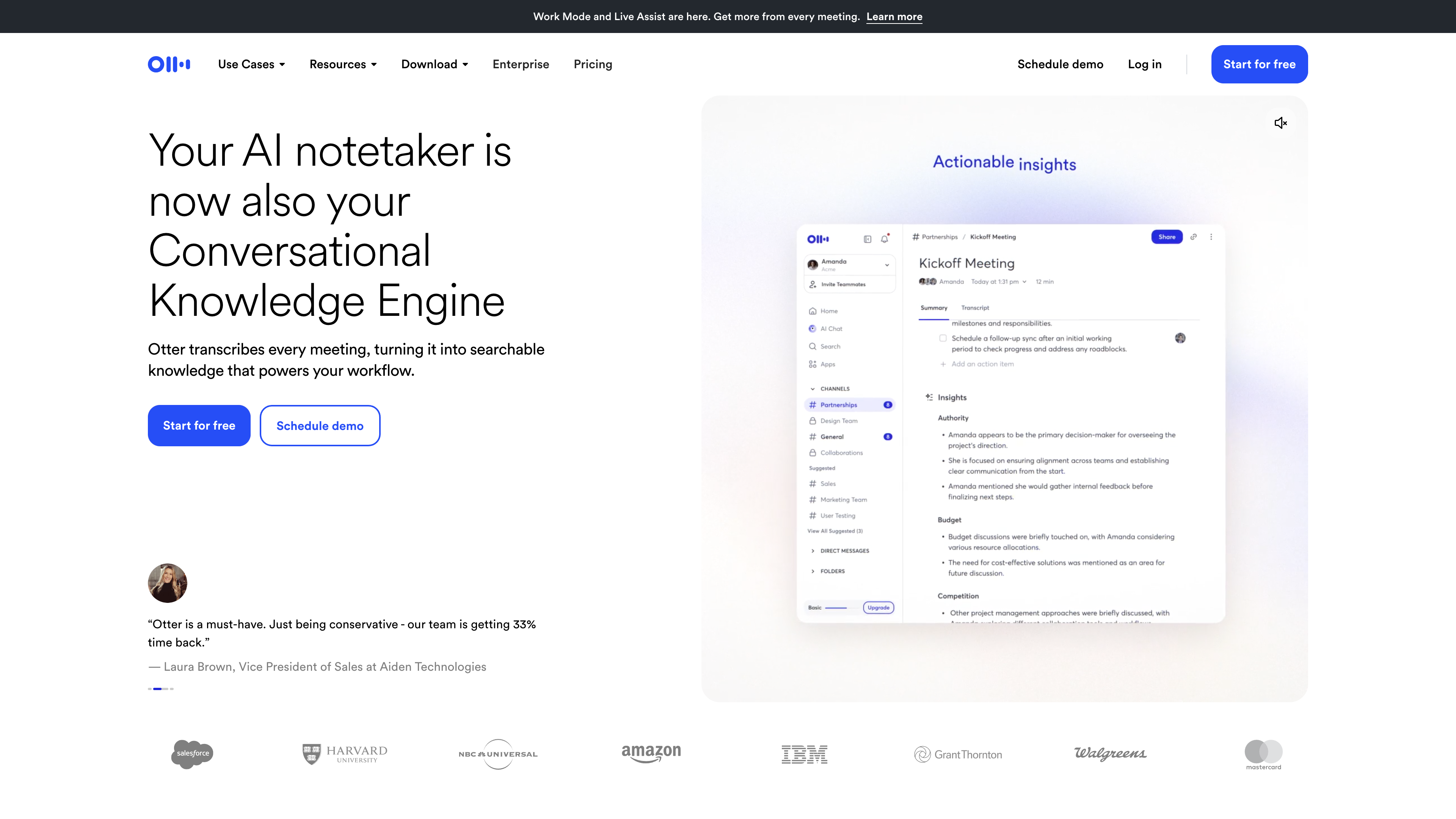
What our test showed: Otter's bot generated live text inside Google Meet, and the desktop app recorded system audio even with the microphone muted. Notes arrived with an overview, action items, and an outline, and AI Chat answered questions mid-call. Requests for slides, diagrams, and reports returned chat text only. Clicking Work opened a Pro trial prompt we did not activate. Uploading a new file also hit "Import limit reached" on our entry test account, since Basic stops at 3 lifetime imports.
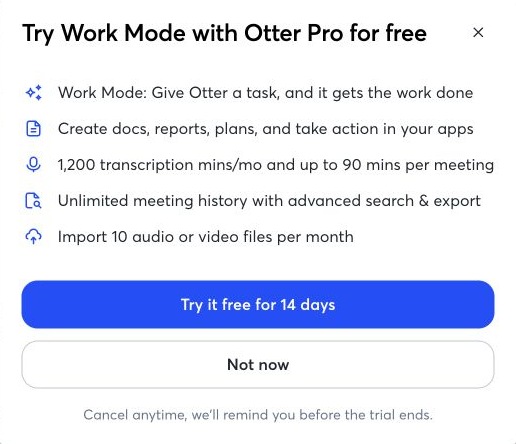
Plans and limits: Basic ($0) includes 300 minutes a month, 30 minutes per call, 3 lifetime imports, and TXT/MP3 exports. Pro ($8.33 per user a month billed annually, or $16.99 monthly) includes 1,200 minutes, 90-minute calls, 10 monthly imports, and PDF/DOCX/SRT exports. Pro also adds 1-user CRM sync, while Business ($19.99 annually) stretches calls to 4 hours (Otter pricing, checked Nov 2026). Per Otter's AI Chat guide, Work can build PowerPoint and Word files and draft Gmail replies. Note that live translation isn't listed on any tier; see our Otter alternatives if you need multilingual workflows.
What users like
- Live captions make it easier to follow varied international accents. G2 review · Nov 3, 2026
- Staying present in long meetings without juggling manual notes. G2 review · Nov 1, 2026
- An October 2026 voice recognition update improved speaker matching across familiar voices. G2 review · Nov 3, 2026
What users would change
- Default settings prompted to auto-join every video call unexpectedly. G2 review · Nov 1, 2026
- Basic minute limits and gated AI features push users toward paid tiers. G2 review · Oct 30, 2026
- "it only works for free for a few transcriptions." Travellingmimi · App Store · Oct 11, 2026
5. Fireflies: auto-join transcription and deep search across meetings
Fireflies captures calls via bot, desktop app, Chrome extension, or mobile app, and pairs them with strong cross-call search. It suits sales and project teams that need to check past commitments across dozens of calls.
What our test showed: Fireflies' bot-free desktop recorder displayed live text and wrote a General Summary, though it warned that no audio or video is kept. With Multi-Language Auto Detect (Beta) enabled, both English and Portuguese remained in the transcript, and typing /ff in meeting chat worked mid-call. Afterward, AskFred asked for a Pro upgrade, and an uploaded file hit "You've no free meeting left" because that test account had already exhausted its free allowance.
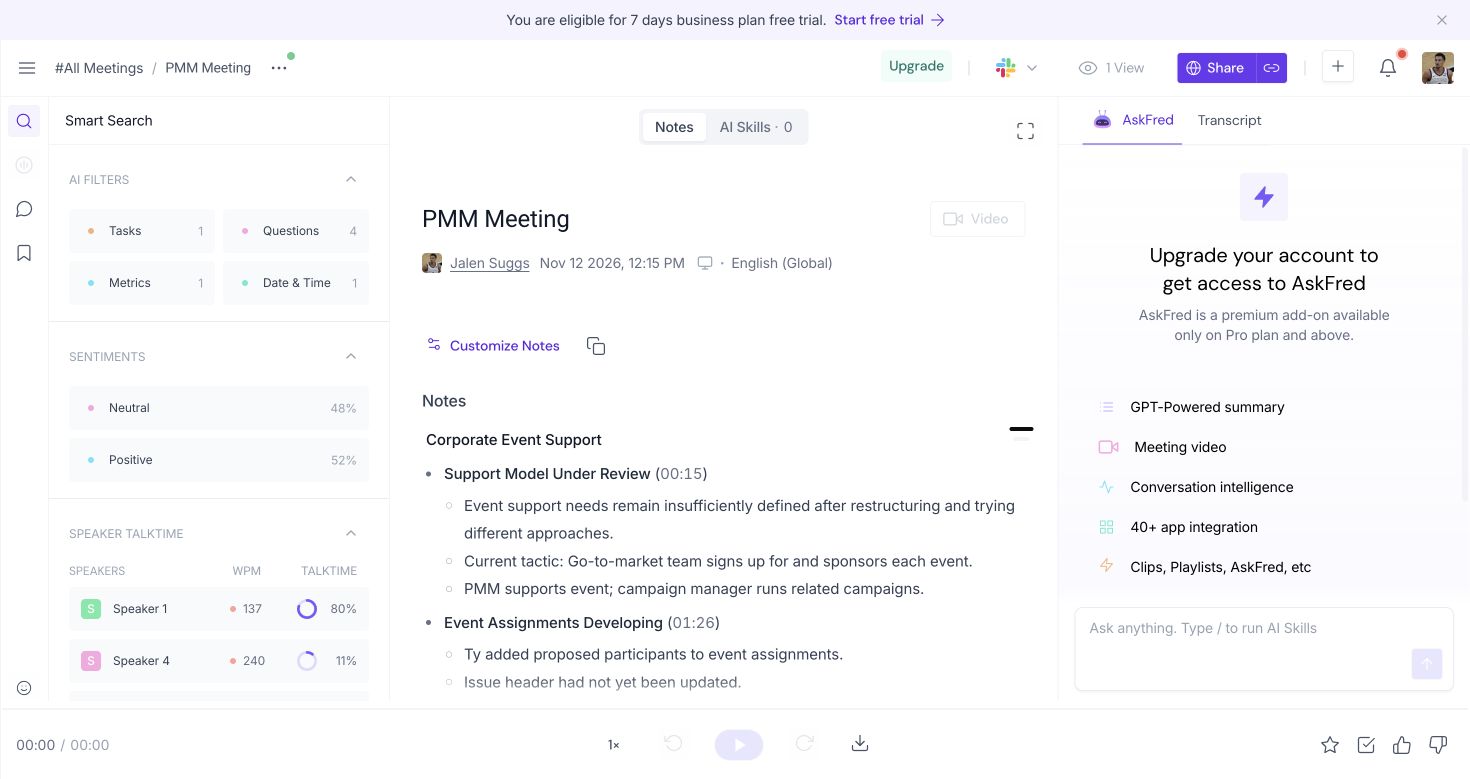
Plans and limits: Free ($0) advertises unlimited transcription, but only if Auto-join stays on (otherwise 3 meetings since Sep 1, 2026). Calls cap at 2 hours with 400 minutes of team storage. Pro ($10 per seat a month billed annually, or $18 monthly) adds unlimited AI summaries, 8,000 minutes per seat, 720p video, downloads, Email Assistant, and CRM sync. Business ($19 annually) adds unlimited storage and Multi-language Mode (Fireflies pricing, checked Nov 2026). On the privacy front, Fireflies never trains AI models on meeting data.
What users like
- AskFred finds who owns a follow-up or what risks came up weeks earlier without replaying calls. G2 review · Sep 3, 2026
- Staying 100% present during client conversations instead of scribbling notes. G2 review · Jul 2, 2026
- One reviewer switched from Gong for Fireflies' note taker and multi-call capture. G2 review · Oct 17, 2026
What users would change
- Tentative phrasing like "could work" can appear as a firm commitment unless reviewed. G2 review · Sep 3, 2026
- A desktop update reassigned one paying user's macOS Fn key without warning. G2 review · Oct 9, 2026
- Bot admission prompts feel intrusive when multiple bots show up on one call. G2 review · Apr 28, 2026
6. tl;dv: unlimited meeting video recording with limited AI notes and chat
tl;dv records video of Zoom, Google Meet, and Microsoft Teams meetings and layers AI summaries on top. It works well if keeping the full call video matters most and you only need AI summaries occasionally.
What our test showed: The bot saved full video, a transcript, and notes split into timestamped topics. Using the desktop app without a bot captured audio only, showing a timer on screen with no live text. Answers included clickable timestamp links, and the "Action items & follow-up" template built a structured checklist. After five single-meeting questions on our free test account, the prompt bar blocked further queries.
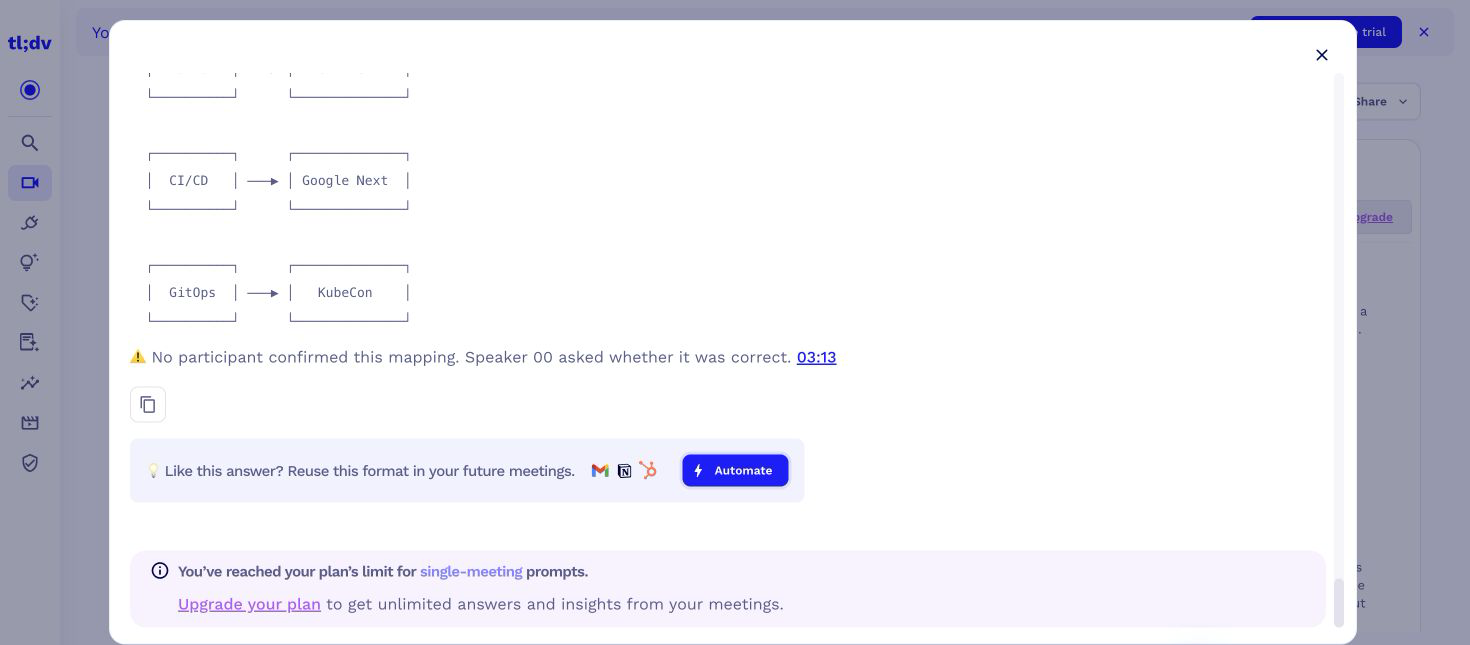
Plans and limits: Free ($0) covers unlimited video and transcripts (3-hour cap), 5 uploads, and 5 single-meeting or multi-meeting questions. Full AI notes cover your first 10 lifetime meetings, then summarize only the first 10 minutes. Recordings are kept for 3 months, but without paying you cannot view them after 2 days (though tl;dv's help docs describe a 3-day archive window). Downloads also stay locked outside the final 4 weeks before deletion, even after upgrading to Pro (tl;dv Free limits).
Pro ($18 per seat annually, or $29 monthly; shown to us in USD, though other regions may see EUR) adds unlimited AI notes and single-meeting queries. It also adds multi-language mode, video downloads, and CRM sync. Business ($29 annually) adds unlimited cross-meeting queries (tl;dv pricing, checked Nov 2026). tl;dv hosts data primarily in the EU/EEA and never trains AI models on customer calls.
What users like
- Automated interview summaries built directly from custom user templates. G2 review · Jun 11, 2026
- Clear action items appear the moment a meeting finishes. G2 review · Sep 21, 2026
- European data hosting and multi-language handling across English, Spanish, and Catalan. G2 review · Sep 15, 2026
What users would change
- The mobile app cannot import existing audio or video files into the same workflow. G2 review · Sep 21, 2026
- Outside major meeting platforms, capture and multi-language translation can stumble. G2 review · Sep 15, 2026
- "the bot could connect to the meetings faster." G2 review · Sep 16, 2026
7. Read AI: post-meeting recaps on a light call schedule
Read AI turns meetings into compact recaps covering a summary, action items, and discussion topics. With five free reports a month, it suits people who only record a few calls each week.
What our test showed: Read AI captured our Google Meet session and produced a Recap with Summary, Action Items, and Key Discussion Points. Ask Read cited timestamps and linked to the recording, though playback itself was locked on our test account. The upload screen showed zero minutes left. Asked for slides, Ask Read wrote four text cards and noted it could not attach files.
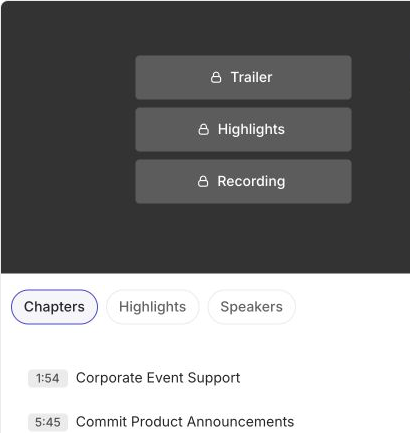
Plans and limits: Free ($0) includes 5 meeting reports a month up to 1 hour each, keeps report text for 2 years, and deletes recordings after 180 days. Pro ($15 per user a month billed annually, or $19.75 monthly) gives unlimited reports, 4-hour calls, 100 upload minutes, and HubSpot or Salesforce push.
Enterprise ($22.50 annually) adds audio and video playback, and Enterprise+ ($29.75 annually) adds HIPAA BAA (Read AI pricing, checked Nov 2026). Read AI keeps AI training off by default, and notes that calls mixing multiple languages are not fully supported.
What users like
- Reports are "easy to skim," surfacing the gist in a couple of minutes. G2 review · Oct 28, 2026
- Staying attentive to clients during calls instead of scrambling to type notes. G2 review · May 20, 2026
- Reliable backup note taker for large meetings of 10 or more people. EJN1985 · App Store · Oct 28, 2026
What users would change
- Video storage stops after the first 60 minutes of a meeting for one user. G2 review · May 19, 2026
- Organizing reports into folders feels manual, and pricing feels steep. G2 review · May 25, 2026
- The bot occasionally misses invited calls or leaves users unsure if it is recording. G2 review · May 3, 2026
8. MeetGeek: timestamped next steps with EU or US hosting choice
MeetGeek pairs automated transcripts with structured summaries centered on action items and next steps. Choose it if you need control over where your data is stored and want to track tasks quickly after each call.
What our test showed: Uploading a full meeting on Basic returned a summary, five timestamped next steps, and AI Insights, while the template picker stayed greyed out. Chat cited the recording and translated Portuguese segments on request, and returned slide outlines as text. When the bot joined a call, it recorded audio with working playback.
Plans and limits: Basic ($0) includes 3 hours a month (2-hour call cap), keeping transcripts for 3 months and audio for 1 month. Pro ($9.99 per user a month billed annually, or $15.99 monthly) includes 20 hours a month ($0.50 per extra hour) and custom templates. It also adds exports, Chat with Apps (Gmail and Google Calendar), and CRM updates. Business ($17 annually, or $27 monthly) adds unlimited transcription, HD video, and automatic follow-up emails (MeetGeek pricing, checked Nov 2026). Every plan supports HIPAA BAA on request, lets you choose EU or US AWS storage, and excludes your data from model training.
What users like
- "simple and easy" tracking that fits into the day without extra setup. G2 review · Oct 6, 2026
- Participants can listen and engage instead of taking manual notes. G2 review · Aug 5, 2026
- Consistent capture across Microsoft Teams calls and sales conversations. jadavid · App Store · Feb 26, 2025
What users would change
- When two speakers overlap on Teams, subsequent lines can stick to the first speaker. G2 review · Nov 10, 2026
- Some summaries and action items "could be a bit more precise." G2 review · Oct 6, 2026
- The mobile AI conversation feature returned an error when summarizing a transcript. yw73 · App Store · Jan 29, 2026
9. Fellow: agenda-first notes splitting decisions and action items
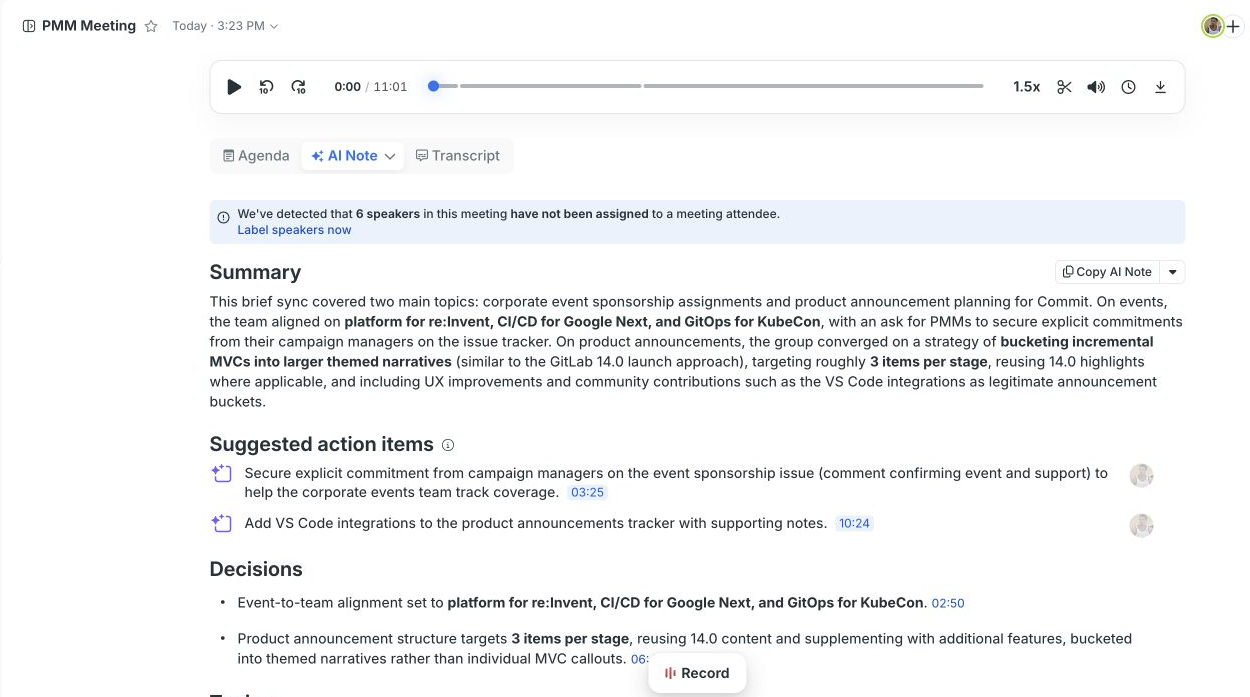
Fellow builds meeting notes inside structured agendas, separating Summary, Suggested action items, Decisions, and Topics. It fits teams that track formal commitments across recurring meetings.
What our test showed: Uploading a full meeting produced an AI Note divided into those four clear sections, complete with timestamps on action items. Mixed-language audio retained both English and Portuguese, and chat translated on request. When asked for slides, chat declined and generated an editable report instead, though downloading it as Word or Markdown failed twice on our test account.
Plans and limits: Free ($0) caps each user at 5 AI recordings, 5 AI notes, and 5 uploads total over the life of the account, not per month. Team ($7 per user a month billed annually, or $11 monthly) brings 10 AI recordings and 10 uploads per user a month, unlimited note history, and exports. Business ($15 annually) adds unlimited recordings plus HubSpot and Salesforce, and Enterprise ($25 annually) adds HIPAA BAA and Zero-Day Retention (Fellow pricing, checked Nov 2026). Fellow never uses customer data to train AI models.
What users like
- Shared notes and recordings make it easy to catch up on missed calls. G2 review · Jul 1, 2026
- Typing
/follow-upin chat drafts an email and opens it straight in Gmail. G2 review · May 5, 2026 - A clear breakdown of confirmed decisions and next actions to review later. G2 review · Aug 13, 2026
What users would change
- One reviewer reported losing two recordings they trusted the app to save. BiancaBeastly · App Store · Jul 8, 2026
- Shifting previously free notes features behind a $20 monthly paywall frustrated a long-time user. Rtmcc14mcc · App Store · Apr 19, 2026
- The interface "took some time to get used to," with deeper metrics reserved for higher tiers. G2 review · May 5, 2026
For in-person meetings, calls, and lectures
For a conversation in a conference room, your phone microphone is usually enough. Notta, Granola, Otter, Fireflies, tl;dv, Read AI, MeetGeek, and Fellow all include mobile apps for in-person capture. Phone calls are trickier. Granola's mobile app supports outbound calls only, while Read AI states its phone apps cannot record phone calls at all.
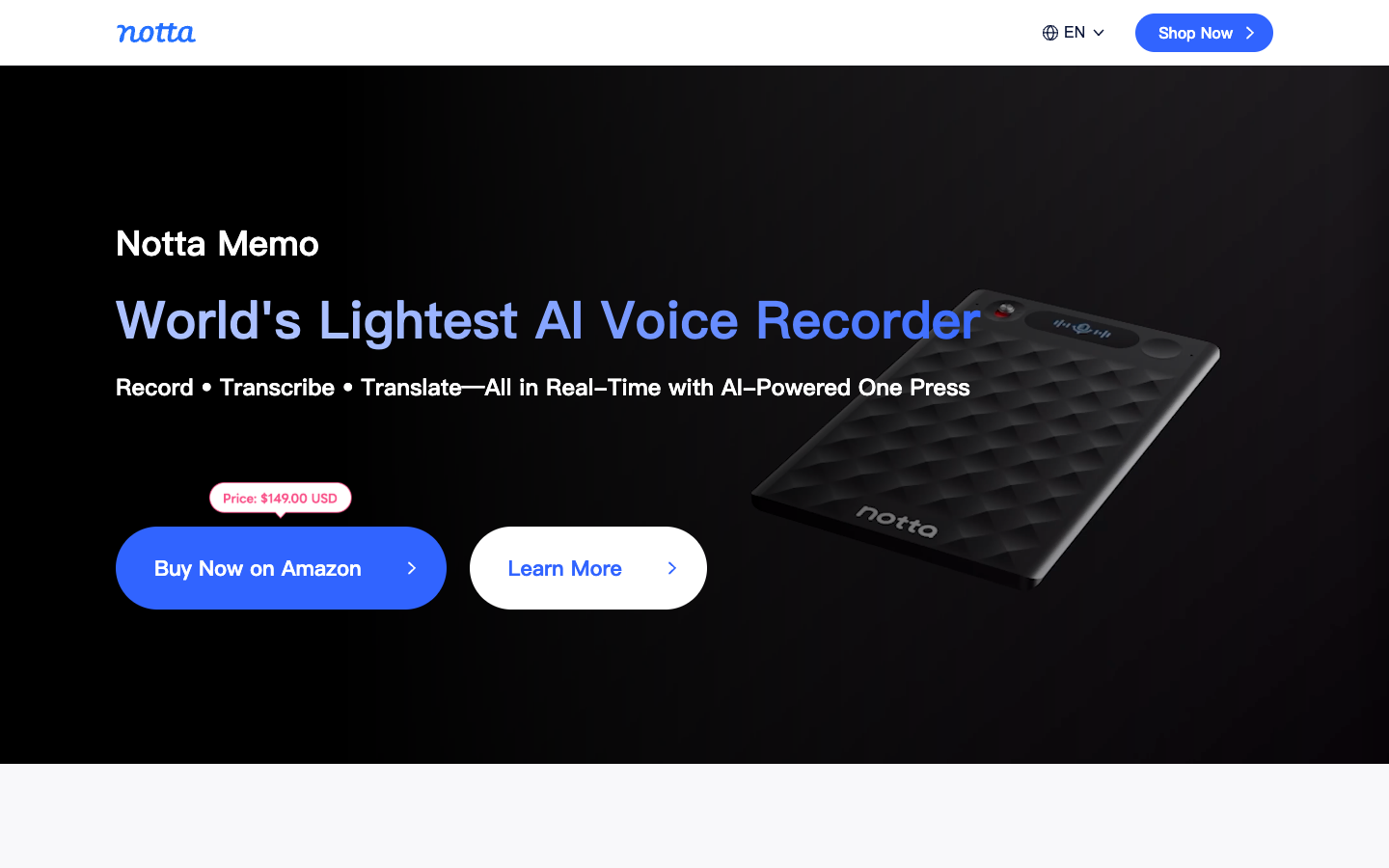
Dedicated hardware fills that phone-call gap. Notta Memo is a $149 recorder card that attaches to the back of your phone to record calls. It comes with a lifetime Starter plan covering 300 minutes a month. We did not test the Memo hardware hands-on, so that reflects Notta's published specs.
Plaud sells dedicated AI voice recorders as well, with a Starter plan that also includes 300 minutes a month. Because we only tested Plaud's desktop app and not its hardware device, we cannot compare the two devices directly.
If you are recording a 90-minute university lecture or seminar, check the single-recording cap before class starts. Otter Basic cuts conversations off at 30 minutes and Notta Free shows only the first 3 minutes, whereas Fireflies advertises unlimited in-person recording in its mobile app.
When you don't need a separate AI note taker
You can skip all nine standalone tools if any of these fit your setup:
- You already pay for Zoom. Meeting Summary works for licensed users on Zoom Workplace Pro and higher plans, per Zoom's help page.
- Your company runs on Google Workspace. "Take notes for me" in Google Meet drops notes into a Google Doc for eligible Workspace or Google AI plans, though it handles one language per call (Google Meet help).
- You hold Teams Premium or Microsoft Copilot licenses. Intelligent recap comes included with either license, per Microsoft Support.
- The call is short or requires candid talk. Three manual bullets work better than a recording. As one Hacker News commenter noted, "Having your standup recorded just encourages one sentence answers" (over_bridge · Hacker News · Feb 15, 2025).
And if local law or company policy stops you from telling everyone you are recording, skip recording altogether.
If you want an app for your own notes instead
This comparison covers tools that listen and transcribe conversations for you. If you prefer writing and organizing your own notes, look at Notion, whose Business plan ($20 per seat a month) adds bot-free AI Meeting Notes (Notion pricing).
How to choose an AI note taker for your meetings
Match the tool to the meetings that take up most of your week:
- All-online meetings on a $0 budget: Start with Fathom for unlimited recordings and transcripts.
- Client calls where a bot is unwelcome: Start with Granola if you only need text notes, or Notta Desktop or Otter's desktop app if you also want saved audio.
- Internal team calls synced to Slack: All nine post to Slack. Pick by format: tl;dv for free video (viewing locks after 2 days without paying) or Otter for live text.
- Client calls ending in a deck or visual report: Look at Notta, which returned a downloadable
.pptxon Free in our test, or test Otter's paid Work mode. - One existing recording to convert to text: Skip meeting bots and use our guide to free transcription software.
Run one real meeting through your top two picks before committing to an annual plan. Check that the whole call was captured, what you can still play back afterward, and that the privacy defaults match your team's rules.
Notta is not the right choice for everyone. If you simply want to record full online calls for free with no view cap, Fathom's Free plan handles that and Notta's Free plan does not.
If your week moves between video calls, bilingual client conversations, phone calls, and in-person rooms, try Notta. You can see how bot-free capture, bilingual transcripts, and Notta Brain deliverables work on your own calls before upgrading.
FAQs
Is there a free AI note taker for Google Meet?
Yes. Fathom, tl;dv, and Fireflies all include free tiers that join Google Meet calls, which is where we ran our bot tests. Google's built-in "Take notes for me" requires an eligible Workspace edition or Google AI plan instead of a free personal account.
Can ChatGPT take notes during a meeting?
Yes, if you use a Mac on a paid ChatGPT plan. Record mode works inside the macOS desktop app for Plus, Pro, Business, Enterprise, and Edu workspaces, capping each session at 4 hours per OpenAI's help page. It captures microphone and system audio without sending a bot; see how to use ChatGPT for meeting notes for setup steps.
How do I turn on AI note-taking in Zoom?
As the host, hover over the Zoom AI icon in the top-right corner of the meeting window, check Meeting summary, and click Start Zoom AI. Only hosts and co-hosts can start it, and it requires a licensed user on Zoom Workplace Pro or higher (Zoom support).
Are AI note takers legal?
Yes, in general, though local recording and wiretapping laws still apply whether a bot is visible or not. Some jurisdictions require consent from every participant, and clients may enforce strict NDA rules. Tell people before recording, and check with your compliance lead in regulated industries.
What's the difference between an AI note taker and an AI meeting assistant?
Mostly the marketing label. Otter calls itself an "AI notetaker," Granola calls itself an "AI notepad," and Fellow and MeetGeek use "AI meeting assistant" for overlapping workflows. In practice, assistants lean harder into post-call actions such as drafting follow-up emails, syncing CRMs, or scheduling the next call.
